How to Turn Headlights Off in Jeep Grand Cherokee
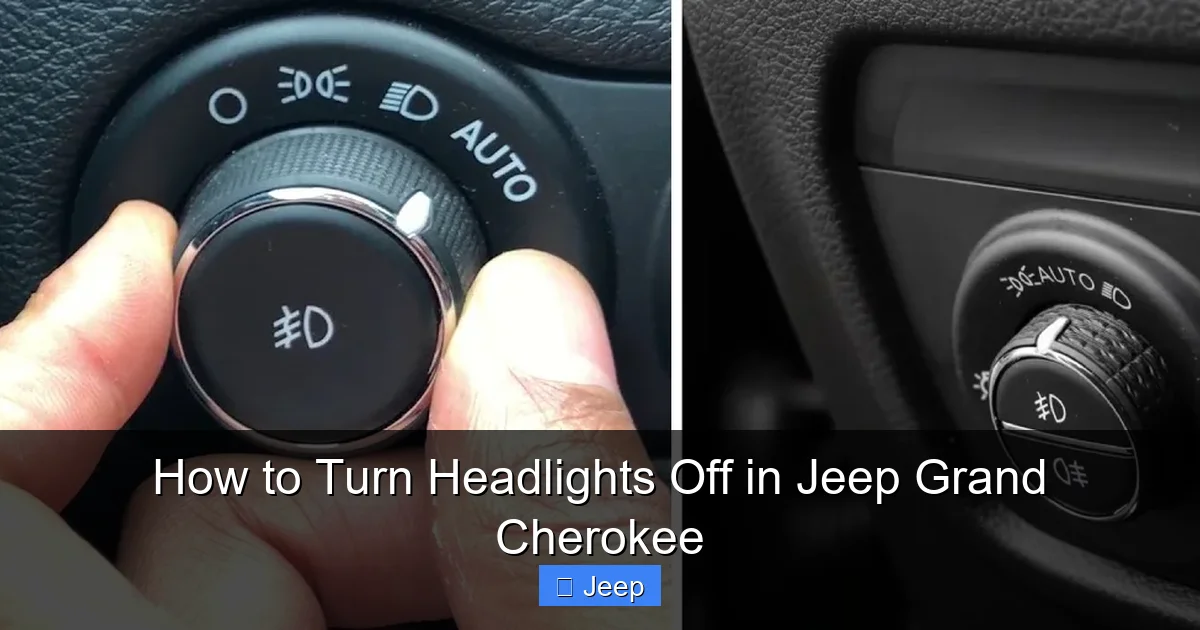
Move the rotary headlight control to OFF to shut off the headlamps and parking lamps. In AUTO, the Jeep may turn them on again when it gets dark, so always check the dashboard and the lights outside before leaving the vehicle.
How to Turn Headlights Off in Jeep Grand Cherokee
Many Jeep Grand Cherokee owners find the light switch with ease in daylight. At dusk, or after a rainy drive, the same control can feel confusing. The Jeep may keep the lamps on in AUTO. It may also leave parking lamps on in P.
The direct answer to “how to turn headlights off in Jeep Grand Cherokee” is simple: move the headlamp control to OFF. On most models, this is the rotary knob on the left side of the steering column. The high-beam stalk is a separate control.
Still check the dash and the lamps outside. Some models have a short delay after you turn off the engine. Others use an ambient light sensor. This guide shows each setting, what to do if the lights stay on, and how to avoid a dead battery.
A wrong setting can look small, but it matters. Parking lamps use power. AUTO can react to shade. A full OFF state helps protect the battery and keeps your Jeep ready for the next drive.
Key Takeaways
- Use OFF: This is the main setting for turning the headlamps and parking lamps fully off.
- AUTO is not OFF: The Jeep may turn the lights on again when it detects low light.
- P keeps some lights on: Parking lamps, tail lamps, and plate lights may stay active.
- High beams use a separate stalk: Push the stalk back toward the wheel to turn them off.
- Check the dash and outside: A quick visual check helps avoid confusion.
- Avoid overnight parking lamps: Leaving the Jeep in P can drain the battery.
📑 Table of Contents
1. Find the Headlight Control in Your Jeep
Most rotary controls
Look to the left of the steering wheel. You will usually see a round knob. It may sit on the end of the turn-signal stalk or on the dash. The knob controls the headlamps and parking lamps. Turn it until the mark points to OFF.
The pointer on the knob matters. Move it slowly and feel for a firm stop. Do not force the control. If it feels loose, stuck, or uneven, do not keep turning it. That may point to a switch problem.
Common labels are OFF, P, O, and H. The O mark means automatic lighting. Some newer models show AUTO instead. OFF is the position you need when you want the lamps fully off.
High beams and fog lamps
High beams usually use the stalk behind the steering wheel. Pull the stalk toward you to flash the beams. Push it away to lock high beams on. Return it toward the wheel to turn them off. A blue high-beam icon on the dash confirms the mode.
Some model-year guides use H for high beam. If your knob has H, move it back to OFF when you are done. H is not the same as parking lamps. It is a high-beam mode.
Fog lamps use a separate button. A fog icon on the dash means they are still active. Press that button to turn them off. Do not assume the rotary headlamp knob controls them.
Know your exact vehicle
Controls can vary by model year, trim, and market. A 2012 Grand Cherokee may not use the same labels as a newer one. Your owner’s manual is the best source for your exact vehicle.
If the controls look different, stop and check the manual. Do not guess. A small difference in layout can make a simple task feel much harder.
2. How to Turn Headlights Off in a Jeep Grand Cherokee
Use this safe sequence
Follow these steps when the vehicle is parked or in a safe spot.
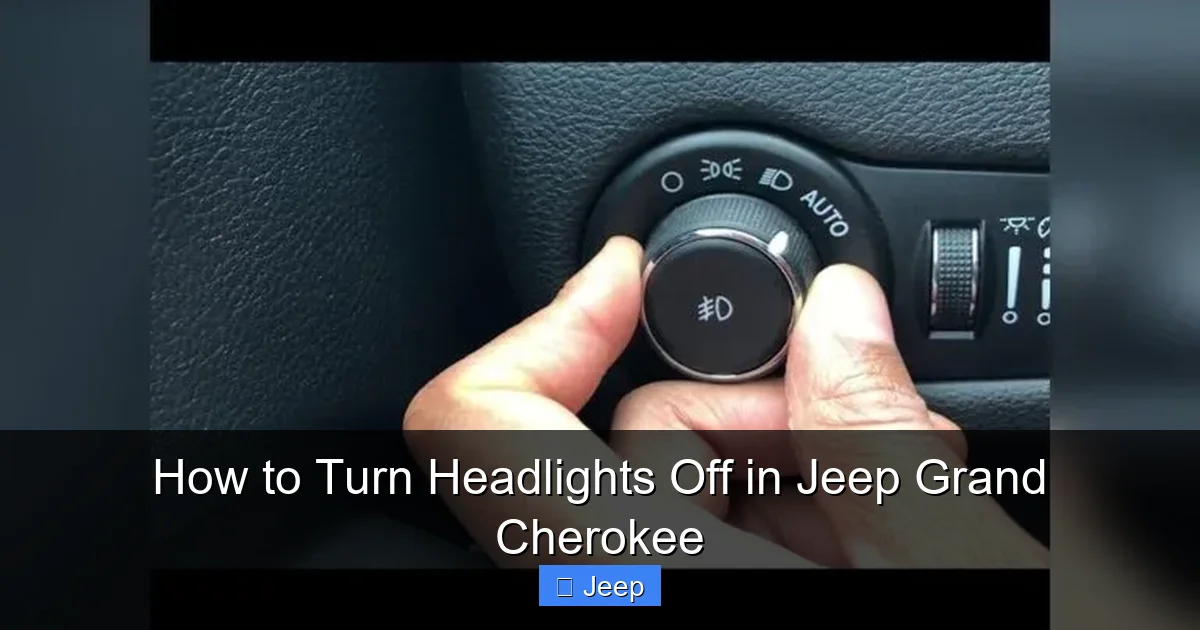
Visual guide about How to Turn Headlights Off in Jeep Grand Cherokee
Image source: jeepcorner.com
- 1. Stop and set the parking brake. Keep the vehicle steady before you touch the controls.
- 2. Put the knob in OFF. Turn it firmly until it reaches the OFF position.
- 3. Center the high-beam stalk. Push it back if high beams are locked on.
- 4. Turn off fog lamps. Press the fog button if its icon is lit.
- 5. Open the driver door. This can end a delayed lighting feature.
- 6. Check the dash and the road. Make sure no lamp is still on.
A simple driveway example
Suppose your Jeep is in AUTO in a garage. The sensor sees the bright garage light, so the headlamps stay off. You drive outside at night, and the Jeep turns them on. To shut them down, turn the knob to OFF. Do not leave it in AUTO if you want a fixed off state.
If the lamps stay on after OFF, open the door and try OFF again. Some Jeeps keep lights on for a short delay. If they still glow, the switch, sensor, relay, or body control module may need service.
When the engine is running, avoid pulling the high-beam stalk unless you need a flash. Use the rotary knob for normal headlamp control. This keeps your attention on the road.
3. What Each Headlight Setting Means
OFF
OFF turns off the headlamps and parking lamps. It also turns off the normal high-beam mode. This is the correct setting for a parked vehicle when you do not need lights.
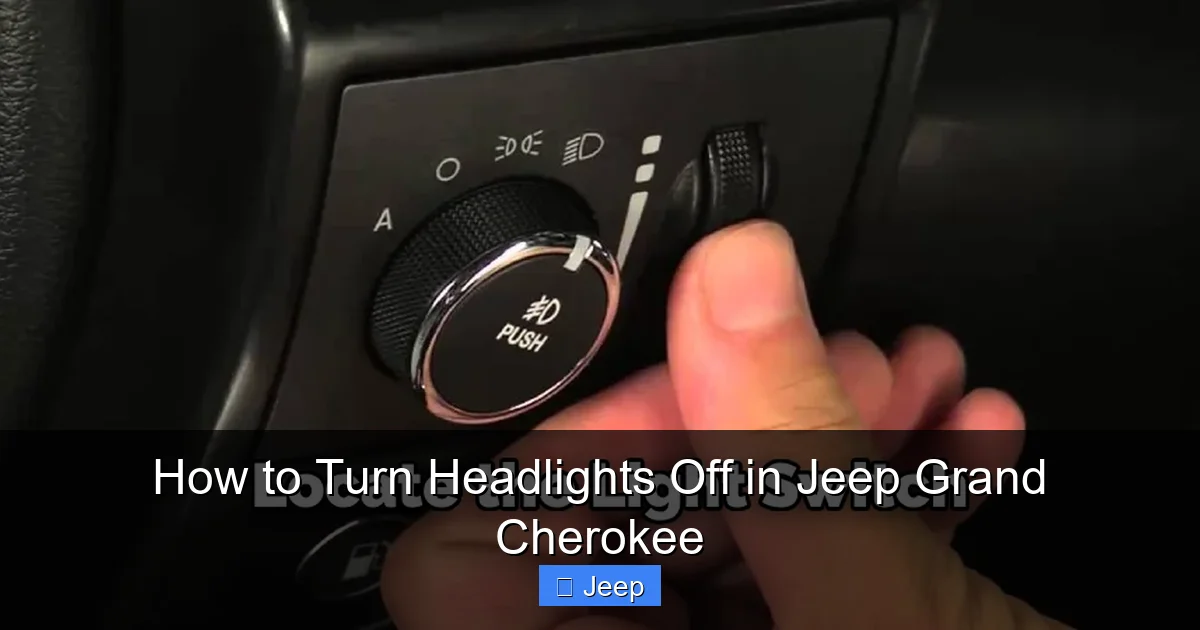
Visual guide about How to Turn Headlights Off in Jeep Grand Cherokee
Image source: jeepfixes.com
P or Parking Lamps
P does not mean all lights are off. It keeps the parking lamps, tail lamps, and plate lights on. The main headlamps stay off. This setting is useful for a short stop. It is not a good choice for leaving the Jeep parked overnight.
O or AUTO
AUTO lets the Jeep decide. An ambient light sensor watches outside light. The lamps may stay off in daylight. They may turn on at dusk, in a tunnel, or under heavy tree cover. If you want them off, choose OFF.
This works much like the system described in a guide to turn off automatic headlights on a Toyota Corolla. The brand is different, but the basic AUTO idea is similar.
H and High Beams
H, when shown, is a high-beam mode. It is not the same as parking lamps. Return it to OFF when you no longer need high beams. If the blue high-beam icon stays on, learn how to turn off automatic high beams on a Jeep Grand Cherokee or check the stalk position.
Fog Lamps
Fog lamps are separate from the main headlamps. Press the fog button to turn them off. Do not confuse them with trailer lights. Our guide to activate trailer lights on a Jeep Grand Cherokee covers that separate system.
4. Verify the Lights Are Really Off
Read the instrument cluster
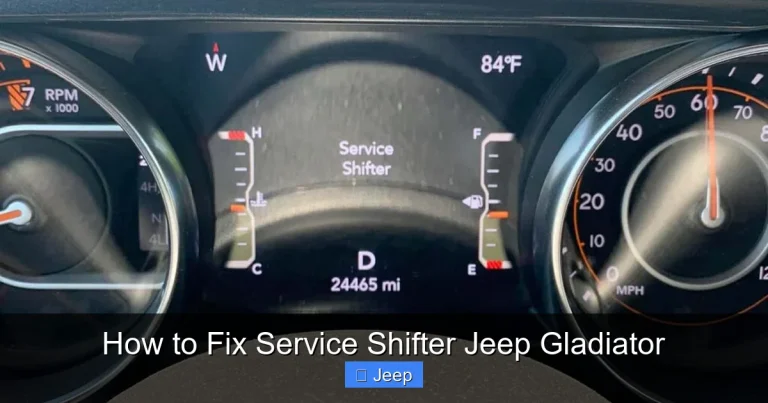
The dash gives a quick clue. A green headlamp icon usually means the headlamps are on. A blue icon means high beams are on. An amber warning may point to a lamp fault. Symbols can stay for a moment after a change, so wait a few seconds.
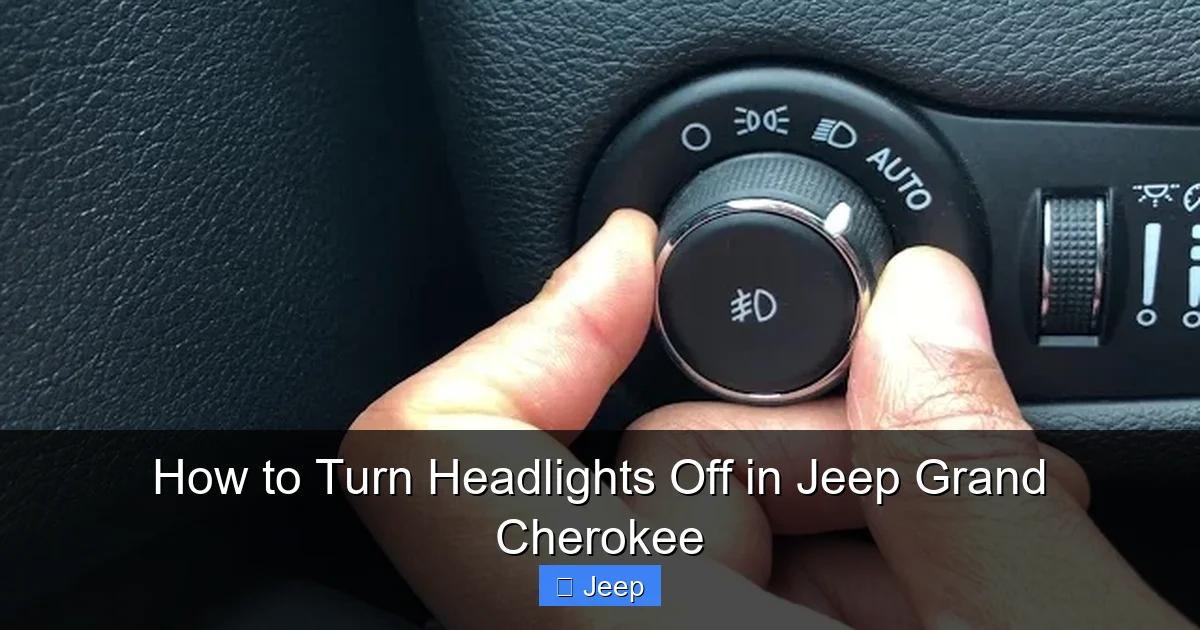
Visual guide about How to Turn Headlights Off in Jeep Grand Cherokee
Image source: adventurejeep.com
If the headlamp icon remains after the knob is in OFF, check the setting again. Then look outside. A persistent warning is not something to ignore. It may mean a bulb, sensor, relay, or control module has a fault.
Do an outside check
Walk around the vehicle. Check the front lamps, side markers, tail lamps, and license plate light. A reflection on glass can look like a lamp is on. Stand to the side for a better view.
For a practical test, park in a dark area. Turn the knob to OFF. Open the driver door. Wait a few seconds. If the lamps stay on, note which lamps remain. That detail helps a technician.
Ask another person to stand outside while you change the setting. This is useful at night or in poor weather. It also helps you spot a single lamp that stays on.
5. Troubleshoot Lights That Stay On
Try the easy fixes first
- Check the door. A delayed light feature may stay on until the door opens.
- Check the knob. Make sure it is fully in OFF, not near P or AUTO.
- Check the stalk. Release a flash-to-pass action or unlock high beams.
- Check fog lamps. A separate fog switch may still be active.
- Wait briefly. A short delay is normal on many vehicles.
When AUTO turns on too soon
In AUTO, the sensor may react to shade, a tunnel, or a dark garage entrance. Keep the sensor area clean and unblocked. Do not cover it with a mat or sticker. If the lamps turn on in bright daylight, move the knob to OFF. If they stay on in OFF, have the system checked.
Rain can also affect the sensor. Water, mud, or a dirty lens may change what the Jeep sees. Wipe the area gently if you can reach it. Do not use a harsh cleaner.
Warning lights and battery drain
If a warning lamp stays on, do not assume the headlamp switch is the only cause. A bad bulb, wiring issue, relay, or body control module can trigger it. Avoid driving at night with required lights off.
Parking lamps can drain the battery overnight. If the Jeep cranks slowly in the morning, do not leave it in P. Charge the battery if needed, then inspect the switch and fuses. A mechanic can test the relay and control module.
When to get help
Get service if the lamps stay on after OFF, turn on by themselves, or trigger a warning. Keep a record of when it happens. Note whether it occurs at dusk, in rain, or after a door is opened. Those clues make diagnosis easier.
Do not disconnect the battery as a first fix. That can erase settings and may not solve the fault. A proper test is safer and more useful.
6. Model-Year Tips and a Safe Parking Routine
Differences to know
Many Grand Cherokee models use the same basic controls, but details differ. Some have a rotary knob, while others use a dash switch. Some show O for AUTO. Others show the word AUTO. The owner’s manual should match your exact vehicle.
Do not use another model’s steps as a final answer. A Grand Cherokee from a different year may place the switch in another spot. It may also have a different high-beam stalk or delay feature.
Quick parking checklist
- Park safely. Set the parking brake and shift to Park.
- Choose OFF. Do not leave the knob in P or AUTO for overnight parking.
- Center the stalk. Turn off locked high beams.
- Turn off fog lamps. Check the fog icon.
- Open the door. End any delayed lighting.
- Look outside. Confirm the lamps are dark.
Conclusion
Bottom line: Turning off the headlights in a Jeep Grand Cherokee is easy once you know the controls. Use OFF for a full off state. Use P only for parking lamps. Leave AUTO alone when you want the lamps off. A quick dash check and outside check can save you from confusion and a dead battery.
Frequently Asked Questions
How do I turn the headlights off in a Jeep Grand Cherokee?
Move the headlamp control to OFF. On most models, this is the rotary knob on the left side of the steering column. Then check the high-beam stalk and fog-lamp button.
Will AUTO turn the headlights off?
AUTO does not mean fully off. The Jeep uses a light sensor and may turn the lamps on when it gets dark. Choose OFF if you want the headlights off at all times.
What does P mean on the headlight knob?
P means parking lamps. The main headlamps are off, but tail lamps and plate lights may stay on. Do not leave the Jeep in P overnight because it can drain the battery.
Why do my headlights stay on after I turn the key off?
Your Jeep may have a delayed lighting feature. Open the driver door or turn the knob to OFF. If the lights still stay on, the switch, relay, sensor, or control module may need service.
How do I turn off high beams?
Push the stalk back toward the steering wheel. If your model has an H setting on the rotary knob, return it to OFF. A blue high-beam icon means high beams are still active.
What should I do if the headlights will not turn off?
Check the door delay, rotary knob, high-beam stalk, and fog-lamp button. If the lamps remain on in OFF, park safely and have the electrical system checked.