How to Turn Lights Off in Jeep Grand Cherokee
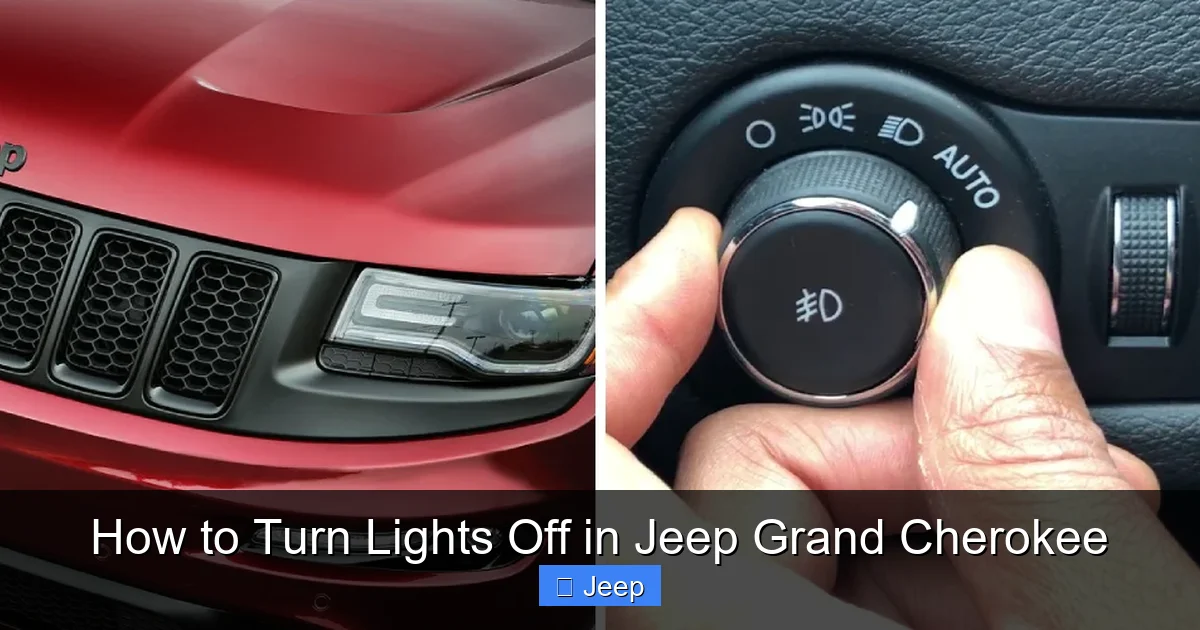
To turn off the lights in a Jeep Grand Cherokee, rotate the light control knob on the left side of the steering column to the OFF position. If the lights stay on, check that AUTO mode, parking lights, fog lights, or a dashboard warning light is not keeping them active.
This is a comprehensive guide about How To Turn Lights Off In Jeep Grand Cherokee.
User Safety: safe
Frequently Asked Questions
How to Turn Lights Off in Jeep Grand Cherokee when they are stuck on?
If your headlights are stuck on, turn the ignition to the off position and cycle the light switch from auto to off several times. If they still won’t turn off, you may have a faulty switch that needs replacement.
Why won’t my Jeep Grand Cherokee headlights turn off?
Your headlights may not turn off if the switch is stuck in the auto or on position, or if there is a wiring issue. Checking the fuse box and the light stalk can often resolve this problem quickly.
How do I manually turn off the automatic headlights on a Jeep Grand Cherokee?
To disable automatic headlights, locate the light dial on the steering column and turn it to the off position. This overrides the auto feature and ensures the lights remain off until you manually activate them again.
Where is the light switch located on a Jeep Grand Cherokee?
The headlight switch is located on the turn signal stalk on the left side of the steering column. Simply rotate the dial to the off position to completely disable the exterior and interior lights.
Can dashboard lights stay on if the Jeep Grand Cherokee is off?
Dashboard lights can stay on if the vehicle is in accessory mode or if there is a door ajar sensor issue. Turning the ignition fully off and checking all doors should turn them off.
How to Turn Lights Off in Jeep Grand Cherokee if the switch is broken?
If the light switch is broken, you can manually disconnect the headlight relay in the engine bay fuse box. Pulling the relay will cut power to the headlights and turn them off completely.