How to Dim Screen in Jeep Grand Cherokee
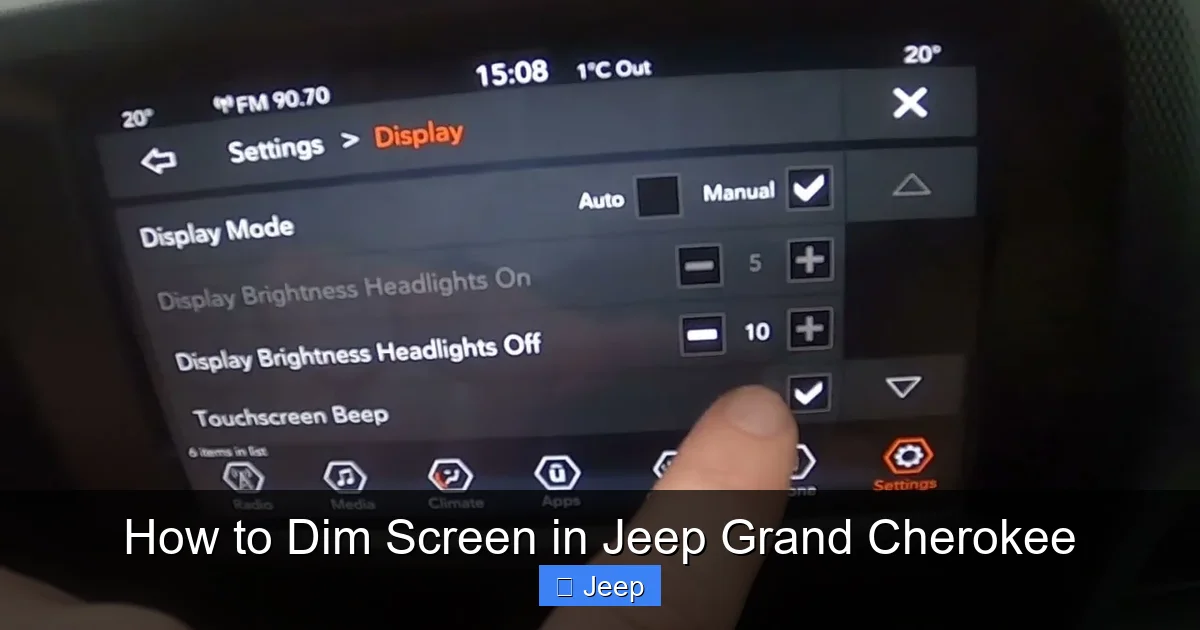
Want to reduce glare on your Jeep Grand Cherokee screen? Dimming your screen is a simple process that enhances visibility and reduces eye strain. Whether you have a 2021, 2022, or 2023 model, you can adjust the brightness using your vehicle’s settings menu or the control knob. Follow our guide to learn how to dim screen in Jeep Grand Cherokee effortlessly.
Driving a Jeep Grand Cherokee is an amazing experience. The ride is smooth. The power is impressive. The interior feels premium. But sometimes, the dashboard screen can be a bit much. When the sun goes down, that bright screen can blind you. It is a huge distraction. Learning how to dim screen in Jeep Grand Cherokee is a must for every owner. It is a simple fix. You just need to know where to look. Once you do, your night drives will be so much better. You will feel safer. Your eyes will thank you. Let us walk you through the process. It is easier than you think.
Why is this so important? Well, imagine you are driving down a dark highway. The road is empty. The stars are out. Then, you look at the dashboard. The screen is glowing like a lighthouse. It hurts your eyes. You have to squint to see the speed limit. It is a dangerous situation. You need to be able to see the road, not a bright box of light. That is why dimming the screen is crucial. It is a small change that makes a big difference. Every Grand Cherokee owner should do this. It takes just a few seconds.
Key Takeaways
- Reduces Glare: Lowering screen brightness minimizes dangerous glare during nighttime driving.
- Easy Access: You can adjust the screen using the Uconnect menu or the physical knob.
- Model Variations: The exact steps may vary slightly depending on your Grand Cherokee model year.
- Eye Comfort: Dimming the screen prevents eye fatigue on long road trips.
- Quick Adjustment: You can make changes on the fly without interrupting your drive.
📑 Table of Contents
Why You Should Dim Your Screen
Many people forget to dim their screens. They just leave it on full brightness. This is a big mistake. The glare is intense. It reflects off the windshield. You cannot see the road clearly. It is a safety hazard. Dimming the screen is crucial. It reduces the bright light. It makes the dashboard icons easier to see. You can focus on the road ahead. It is a small change that makes a big difference. Every Grand Cherokee owner should do this. It takes just a few seconds.
Reducing Glare at Night
Night driving is already hard. The road is dark. Your eyes are straining. Then you look at the bright screen. It is like a flashlight in your face. The glare is terrible. You have to squint. Your eyes water. Dimming the screen removes this problem. The light is softer. It does not blind you. You can see the navigation map clearly. You can see the music controls. The glare is gone. Your night drives are safer and more enjoyable. You will not be distracted by the brightness. You can keep your eyes on the road. This is the best way to drive at night.
Preventing Eye Strain
Long road trips can be exhausting. Your body gets tired. Your eyes get tired too. A bright screen makes eye strain much worse. You blink less when you look at a bright light. Your eyes get dry and itchy. They feel sore and tired. Dimming the screen helps a lot. Your eyes do not have to work as hard. They stay comfortable. You can drive for hours without feeling tired. Your eyes will feel fresh when you arrive at your destination. It is a simple way to protect your vision. Your eyes will thank you for it.
How to Dim Screen in Jeep Grand Cherokee Using the Uconnect Menu
Visual guide about How to Dim Screen in Jeep Grand Cherokee
Image source: thecarhow.com
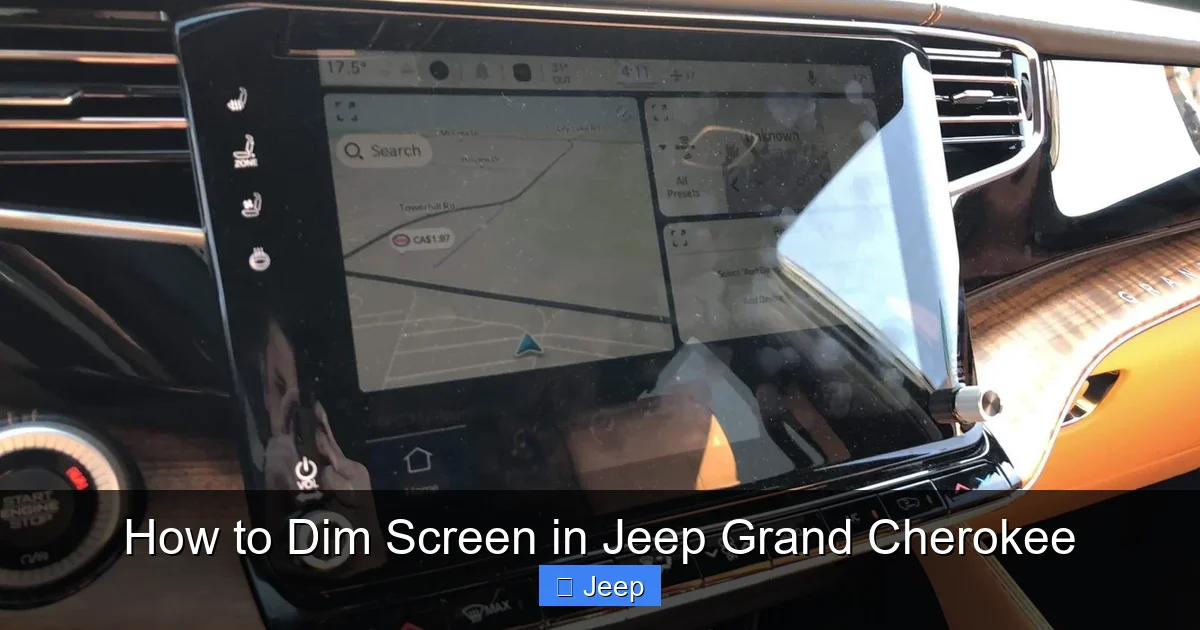
The Uconnect system is the brain of your Jeep. It controls the screen. It is very user-friendly. You can adjust the brightness through the main menu. This is the most common way to do it. You just need to follow a few simple steps. It is very straightforward. Once you know the steps, you will never forget them. It becomes second nature.
Navigating the Settings
To start, wake up the Uconnect screen. Tap the setup icon. It looks like a wrench. A menu will pop up. Scroll down to the display settings. This is where the magic happens. You are now in the right place. The options are laid out clearly. You can see everything you need. Take your time. There is no rush. The menu is very intuitive. You will find what you are looking for quickly.
Adjusting Brightness Levels
Once you are in the display settings, look for the brightness slider. It is usually the first option. You will see a bar with a moving circle. Turn the dial to the left. The screen will get darker. Turn it to the right. The screen will get brighter. Find a level that is comfortable for you. Do not make it too dark. You still need to see the icons. A medium level is perfect for night driving. You can always adjust it again later. It is very flexible.
If you want to customize the passenger screen, adjusting the brightness is a great first step. This ensures both screens are easy on the eyes. You and your passenger can enjoy the ride without squinting. It is a great feature to have.
Using the Physical Control Knob
Visual guide about How to Dim Screen in Jeep Grand Cherokee
Image source: adventurejeep.com
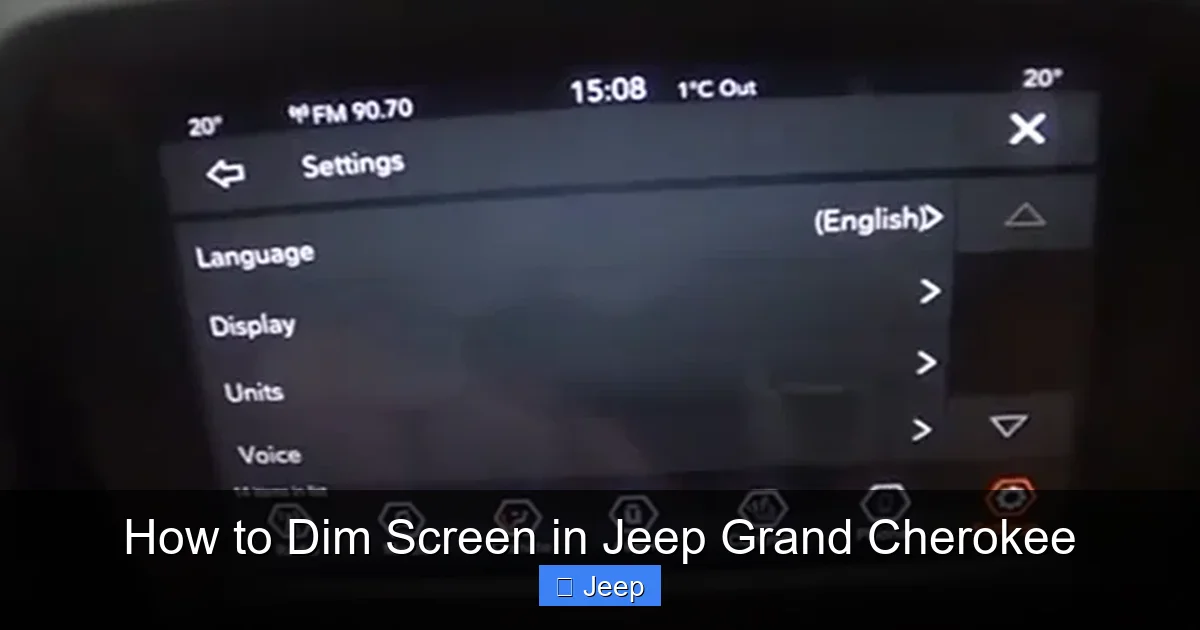
Some Grand Cherokee models have a physical knob. This is a great feature. It is much faster than the menu. You can adjust the screen without looking away from the road. It is very convenient. If you are driving, this is the best way to do it. You do not need to take your eyes off the road. It is a huge safety benefit. It keeps your attention where it belongs.
Locating the Knob
The physical knob is usually on the center console. It is right near the shifter. It is a small dial. You can feel it with your hand. It is very easy to find. You do not need to look at it. You can adjust it by touch. This is a huge safety benefit. It keeps your eyes on the road. It is a very smart design choice by the engineers.
Turning the Knob
Just turn the knob to the left. The screen will dim immediately. Turn it to the right. The screen will brighten. It is that simple. You can make quick changes. If a car’s headlights blind you, just turn the knob left. The glare is gone instantly. It is a very satisfying feeling. It gives you instant control over your driving environment. You will love how easy it is.
You might also want to change the speedometer display to ensure it is visible against your dimmed screen. This helps with readability. You can make the numbers bigger or smaller. It is a great way to customize your dashboard.
Tips for Different Driving Conditions
Visual guide about How to Dim Screen in Jeep Grand Cherokee
Image source: i.redd.it
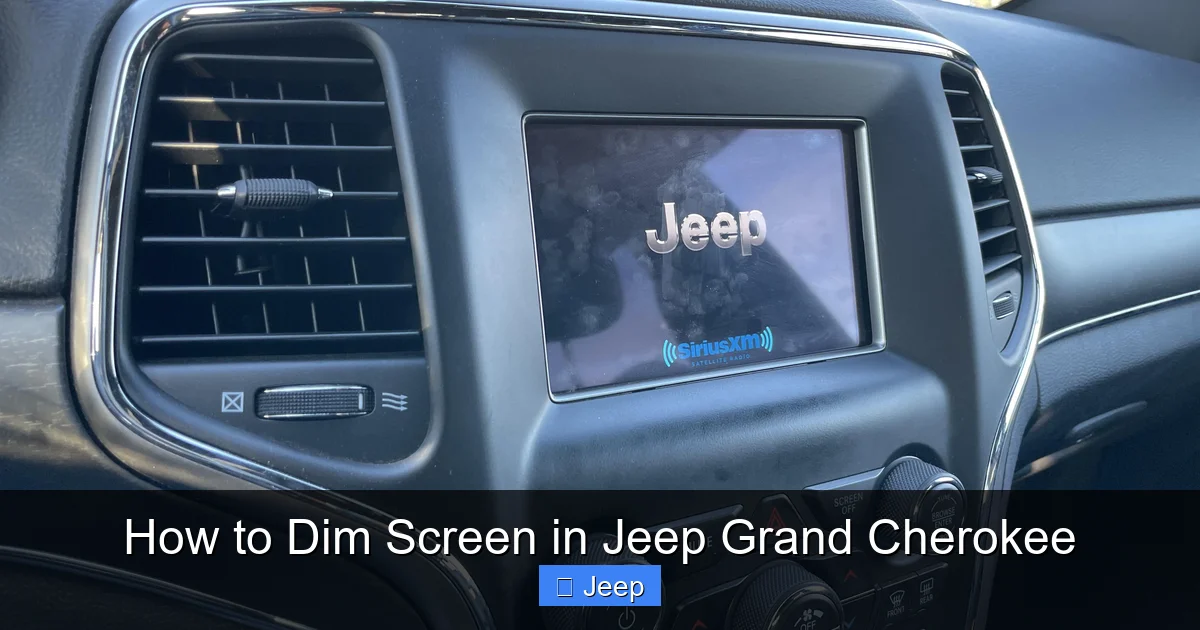
Driving conditions change throughout the day. Your screen brightness should change too. You cannot use the same setting all day. You need to adapt to the light. This is an important tip for all drivers. It will make your driving experience much better. You will be more comfortable. You will be safer.
Driving During the Day
Daytime driving requires a bright screen. The sun is shining. It is very bright outside. If your screen is too dark, you cannot see it. The sunlight washes it out. You need to turn the brightness up high. This helps you see the map. You can see the radio controls. It is much safer to have a bright screen during the day. It prevents you from squinting at the dashboard. You can see everything clearly. It is the best setting for daytime.
Driving at Dusk and Dawn
Dusk and dawn are tricky times. The light is fading. The screen might be too bright. Or it might be too dark. You need to find a middle ground. Adjust the screen often during these times. It takes just a few seconds. It keeps your eyes happy. The transition from day to night is smooth. Your eyes will not have to strain as much. It is a very important time to pay attention to your brightness settings.
If you are exploring the settings menu, you can also turn off gps tracking to conserve battery power. This is a great tip for older models. It can help your battery last longer. It is a simple change that has a big impact.
Troubleshooting Common Dimming Issues
Sometimes, things do not go as planned. The screen might not dim. This can be frustrating. Do not worry. Most of the time, it is an easy fix. You just need to know what to look for. We have seen this many times. It is usually a simple setting issue.
Screen Won’t Dim
If the screen will not dim, you might be in auto mode. Auto mode tries to adjust the screen by itself. Sometimes it gets confused. Turn off auto mode. Go to the manual settings. Try dimming it again. If it still does not work, restart the system. Turn the ignition off. Wait for a few seconds. Turn it back on. The screen should reset. It should work properly now. This fixes the problem 90% of the time.
Brightness Settings Reset
Sometimes the brightness settings reset on their own. This often happens after a battery change. The screen goes back to full brightness. Do not worry. This is normal. You just need to adjust it again. Go into the settings. Set it to your preferred level. The system will save the new setting. It should remember it this time. If it does not, you might need to check the fuses.
While you are in the Uconnect system, you can also connect bluetooth to your audio system. This is another great feature to explore. You can listen to your favorite music while you drive. It is a great way to make your trips more fun.
Understanding Your Jeep Grand Cherokee Display
The display in your Grand Cherokee is a high-tech piece of equipment. It is very sensitive. It responds to your touches. It shows you all the important information. You need to take care of it. Keeping the brightness at a good level is part of that care. It is not just about looks. It is about safety and comfort.
The display uses a lot of power. If you keep it at full brightness, it drains the battery. This is something to keep in mind. If you are idling with the engine off, you do not want to drain the battery. Dimming the screen helps save power. It is a smart choice. You can listen to the radio longer. You can use the navigation longer. It is very practical.
The display is also very clear. It uses high-definition technology. The colors are vibrant. The text is sharp. When you dim it, the colors get softer. The text is still easy to read. It is a perfect balance. You get the best of both worlds. You get the clarity of the display and the comfort of dim light.
The Best Settings for Night Driving
What is the best setting for night driving? This is a common question. The answer is different for everyone. Some people like it very dark. Others like a little bit of light. You need to find what works for you. A good rule of thumb is to make it just dark enough so the glare is gone. But bright enough so you can read the icons. This is the sweet spot.
You should also consider the ambient light in the cabin. If you have the dome light on, the screen might look different. If you have the cabin lights off, the screen might look brighter. You need to adjust for the environment. It is a balancing act. But once you find the right setting, you will stick with it.
Maintaining Your Uconnect System
Taking care of your Uconnect system is easy. You just need to keep it clean. Use a soft cloth to wipe the screen. Do not use harsh chemicals. They can damage the screen. Keep the software updated. This ensures everything works smoothly. A well-maintained system is a happy system. It will dim the screen perfectly every time.
If you ever have a problem, do not panic. Most issues are temporary. A simple restart fixes them. If you have a bigger issue, a mechanic can help. But for dimming, it is usually a simple setting. You can fix it yourself. You do not need to go to the dealer. You have the power. You have the knowledge. You are the boss of your Grand Cherokee.
Dimming your screen is a simple but important task. It makes your driving experience much better. You will feel safer. Your eyes will be more comfortable. Now you know how to dim screen in Jeep Grand Cherokee. You can do it in seconds. Do not wait for a blinding glare to teach you a lesson. Adjust your screen today. Enjoy your ride. Drive safely.
Frequently Asked Questions
Can I dim the screen while driving?
Yes, you can dim the screen while driving. It is safe to do so if you use the physical knob. If you use the touchscreen, try to adjust it at a red light or when parked to stay safe.
Why is my Jeep Grand Cherokee screen so bright at night?
The screen might be set to auto-brightness, which can sometimes fail to adjust to low light. You can manually lower the brightness in the display settings menu to fix this issue.
Does dimming the screen save battery?
Yes, dimming the screen can save a small amount of battery power. The display uses less energy when the backlight is lower. This is helpful if you are idling with the engine off.
How do I reset my Uconnect screen?
To reset the Uconnect screen, hold the power button for about ten seconds. The screen will turn off and back on. This clears any temporary glitches and restores the default settings.
Can I dim the screen using the steering wheel controls?
Some models allow you to adjust brightness using the steering wheel controls. Check your vehicle manual to see if this feature is available in your specific Grand Cherokee trim.
What should I do if the screen won’t dim?
If the screen will not dim, check if it is in automatic mode. Switch to manual mode and try again. If it still fails, a soft reset by turning the ignition off and on usually fixes the problem.