Aux Cable Bluetooth
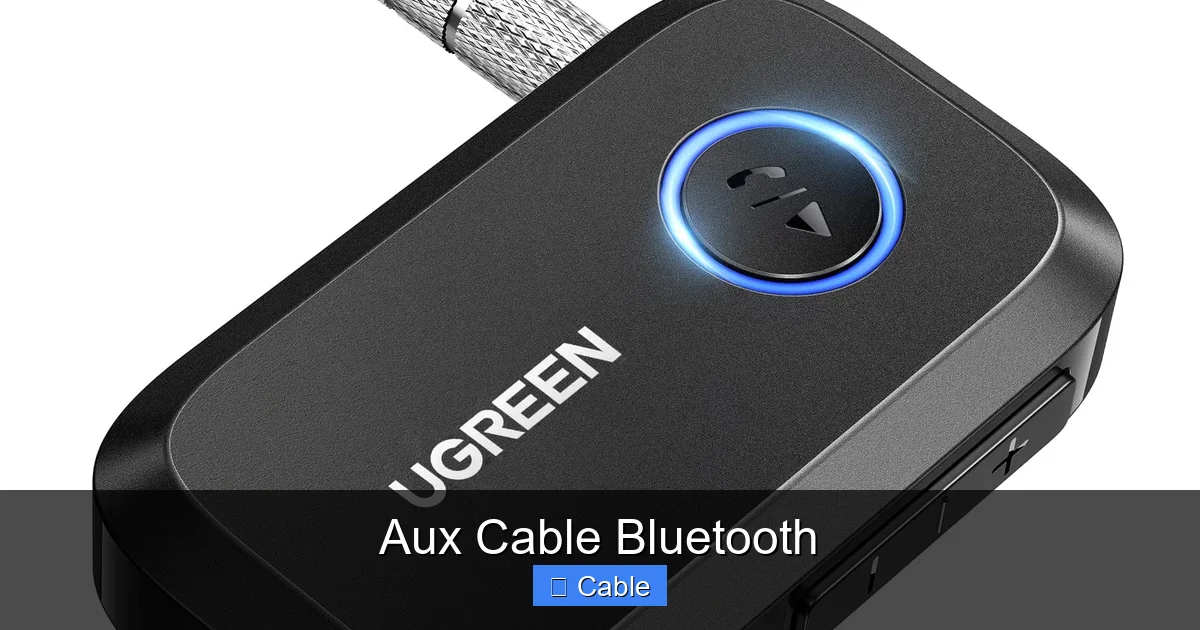
Aux cable bluetooth adapters bridge the gap between old and new technology, letting you stream wireless audio through your car’s aux input or home stereo system. These compact devices eliminate tangled wires while maintaining excellent sound quality, making them essential for anyone wanting to upgrade their audio setup without expensive equipment replacements.
Key Takeaways
- Aux cable bluetooth adapters convert wired connections to wireless: These devices plug into your existing aux port and receive bluetooth signals from phones, tablets, or other compatible gadgets.
- Sound quality remains impressive: Modern aux cable bluetooth transmitters deliver clear, crisp audio that rivals traditional wired connections.
- Universal compatibility makes them versatile: Works with most cars, stereos, and speakers that have aux inputs, regardless of brand or model.
- Easy installation requires no technical skills: Simply plug in and pair with your device – most setups take less than five minutes.
- Budget-friendly alternative to expensive upgrades: Instead of replacing entire systems, aux cable bluetooth offers wireless convenience at fraction of the cost.
- Battery life and range vary by model: Consider power source options and bluetooth range when selecting the right adapter for your needs.
- Multiple device pairing enhances usability: Many models allow switching between paired devices, perfect for family vehicles or shared spaces.
📑 Table of Contents
- Understanding Aux Cable Bluetooth Technology
- What Exactly Is an Aux Cable Bluetooth Adapter?
- How Does This Wireless Magic Actually Work?
- Why Choose Aux Cable Bluetooth Over Traditional Solutions?
- Choosing the Perfect Aux Cable Bluetooth Adapter
- Installation and Setup Tips
- Maintaining Your Aux Cable Bluetooth Adapter
Understanding Aux Cable Bluetooth Technology
Remember when every phone came with a headphone jack? Those were simpler times. Now we live in a wireless world, but many of our favorite audio devices still rely on those trusty aux cables. This creates a frustrating gap between our bluetooth-enabled gadgets and older equipment that works perfectly fine.
That’s where aux cable bluetooth adapters come to the rescue. These small but mighty devices act as translators between your modern smartphone and your classic car stereo. They take the wireless bluetooth signal from your phone and convert it into something your aux input can understand. The result? Seamless streaming without expensive equipment upgrades.
Think of it like adding a universal remote to your old TV. Your hardware works great, but it just needs a little help connecting to modern technology. Aux cable bluetooth does exactly that for your audio setup.
What Exactly Is an Aux Cable Bluetooth Adapter?
Visual guide about Aux Cable Bluetooth
Image source: m.media-amazon.com
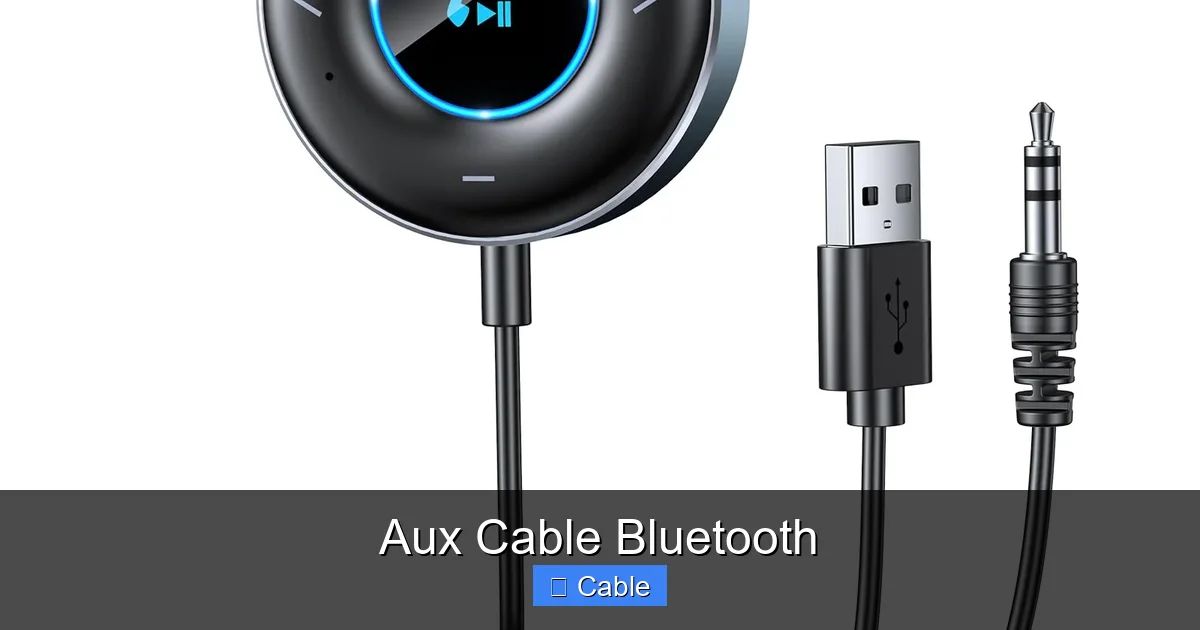
An aux cable bluetooth adapter is essentially a small electronic device that bridges two different connection methods. On one side, it connects via bluetooth to your phone or tablet. On the other side, it plugs into your aux input using a standard 3.5mm cable or directly connects to the port.
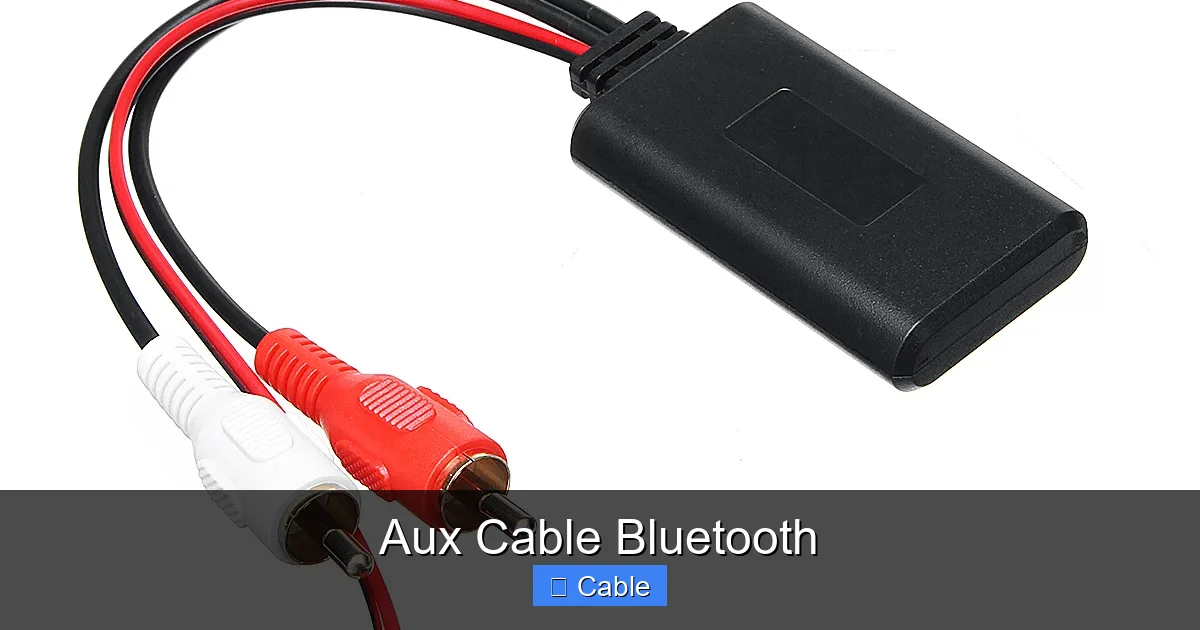
These adapters come in various shapes and sizes. Some look like tiny USB drives that plug directly into your aux port. Others resemble small boxes with external cables. Most feature built-in rechargeable batteries, though some draw power from your car’s USB port or cigarette lighter adapter.
The technology inside uses bluetooth 4.0 or newer versions, ensuring stable connections and decent battery efficiency. When you play music on your phone, the adapter receives the digital signal and converts it to analog audio that flows through your aux connection.
Key Components Explained
Inside every aux cable bluetooth adapter, you’ll find several important parts working together. The bluetooth chip handles wireless communication with your devices. A digital-to-analog converter (DAC) transforms the received signal into audio your speakers can reproduce. Power management circuitry keeps the device running efficiently.
The external controls typically include play/pause buttons, volume adjustment, and sometimes track skipping capabilities. LED indicators show connection status and battery level. Build quality varies significantly between budget and premium models, affecting durability and signal reliability.
How Does This Wireless Magic Actually Work?
Visual guide about Aux Cable Bluetooth
Image source: alexnld.com
The process seems complex, but it’s surprisingly straightforward. First, you pair your phone with the adapter – just like connecting wireless headphones. Once paired, the adapter remembers your device for future use.
When you press play on your music app, your phone sends the audio file wirelessly to the adapter. The adapter’s bluetooth receiver captures this digital data and processes it through the DAC chip. This chip converts the digital information into analog electrical signals that match what traditional aux cables carry.
These analog signals then travel through the adapter’s output connection into your car stereo or speaker system. Your existing equipment amplifies and plays the sound exactly as it would with any other aux input source.
The Pairing Process Made Simple
Most aux cable bluetooth adapters follow the same pairing steps. Turn on the adapter and put it in pairing mode – usually indicated by flashing lights. Open your phone’s bluetooth settings and look for the adapter’s name in the available devices list. Tap to connect and confirm any pairing codes if prompted.
Once connected, your phone should automatically reconnect whenever both devices are powered on and within range. Some adapters support multiple device pairing, allowing you to switch between different phones or tablets without re-pairing each time.
Why Choose Aux Cable Bluetooth Over Traditional Solutions?
The benefits extend far beyond just eliminating wires. Safety stands out as the biggest advantage – no more fumbling with cables while driving. You can keep your phone in your pocket or bag while controlling playback through voice commands or steering wheel buttons if supported.
Sound quality often improves compared to some built-in car systems. Many aux cable bluetooth adapters feature better DAC chips than factory-installed bluetooth receivers. This means cleaner, more detailed audio reproduction even in older vehicles.
Cost represents another major benefit. Replacing an entire car stereo system costs hundreds of dollars. A quality aux cable bluetooth adapter typically ranges from $20-80. For the price difference, you get wireless convenience without major installation hassles.
Comparing Different Connection Methods
Traditional aux cables work reliably but limit mobility. FM transmitters often suffer from interference and poor sound quality. Built-in bluetooth systems in older cars simply don’t exist. Aux cable bluetooth adapters strike the perfect balance between cost, convenience, and performance.
Many drivers find that while exploring alternatives like streaming services and modern connectivity options, aux cable bluetooth provides the most practical solution for upgrading their existing setup.
Choosing the Perfect Aux Cable Bluetooth Adapter
Not all adapters are created equal. Battery life varies from 8 hours to several days of continuous use. Consider how long your typical listening sessions last. Frequent travelers might prioritize extended battery performance.
Audio codec support affects sound quality significantly. aptX and AAC codecs provide better fidelity than standard bluetooth audio compression. However, your phone must also support these codecs for improvements to be noticeable.
Build quality matters for longevity. Look for adapters with quality connectors and sturdy housing. Cheap plastic builds tend to fail after minimal use, especially in vehicle environments where temperature fluctuations occur.
Important Features to Consider
Range capabilities determine how far you can move from the adapter while maintaining connection. Most cover 30 feet adequately, but larger vehicles might benefit from extended range models.
Multiple device support proves essential for households with several users. Some adapters remember up to eight paired devices, automatically connecting to the last used one.
Display features help monitor battery levels and connection status. While not essential, visual feedback prevents unexpected disconnections during important calls or music sessions.
Installation and Setup Tips
Setup couldn’t be simpler in most cases. Locate your aux input – typically found on car stereos, home speakers, or headphone amplifiers. Plug in the adapter and power it on according to manufacturer instructions.
Pairing takes less than a minute with modern devices. Ensure your phone’s bluetooth is active and discoverable. Select your adapter from the device list and wait for confirmation tones or visual indicators.
Test audio playback immediately after pairing. Adjust volume levels on both your phone and receiving device to prevent distortion or weak output. Most adapters work best when volume is set to moderate levels on both ends.
Troubleshooting Common Connection Issues
Intermittent connections often stem from interference or distance problems. Try repositioning the adapter away from other wireless devices. Keep your phone relatively close during initial setup.
Audio cutting out frequently may indicate low battery power or codec incompatibility. Check battery levels first, then verify your phone supports the adapter’s preferred audio formats.
If pairing fails repeatedly, reset both devices and start fresh. Remove the adapter from your phone’s bluetooth memory and re-discover it as a new device.
Maintaining Your Aux Cable Bluetooth Adapter
Regular cleaning prevents connection problems. Dust and debris in the aux port can cause intermittent audio issues. Use compressed air or soft brushes to keep connections clean.
Battery maintenance extends device lifespan. Avoid letting rechargeable units drain completely before charging. Store unused adapters in cool, dry places to prevent battery degradation.
Firmware updates occasionally improve performance and add features. Check manufacturer websites periodically for software upgrades that might enhance your adapter’s capabilities.
Maximizing Longevity and Performance
Protective cases prevent physical damage during transport. Many adapters feature delicate components vulnerable to drops or impacts.
Temperature extremes affect electronic components. Avoid leaving adapters in hot cars or freezing conditions for extended periods.
Regular testing ensures continued functionality. Monthly checks catch potential issues before they become frustrating problems during critical usage times.
Frequently Asked Questions
What devices work with aux cable bluetooth adapters?
Most smartphones, tablets, and laptops with bluetooth capability connect seamlessly. Some adapters also work with bluetooth-enabled MP3 players and certain smart TVs. Check compatibility specifications before purchasing to ensure your specific device pairs successfully.
Will aux cable bluetooth affect my car’s warranty?
No, these adapters plug into existing aux inputs without modifying vehicle wiring. They’re considered temporary accessories that don’t void manufacturer warranties. However, always check your specific warranty terms for absolute certainty.
How far can I move my phone from the adapter?
Standard bluetooth range reaches approximately 30 feet under ideal conditions. Walls, interference, and other obstacles reduce effective distance. Most users find 10-15 feet sufficient for typical vehicle applications.
Do I lose sound quality with aux cable bluetooth?
Modern adapters maintain excellent audio quality comparable to wired connections. Higher-end models with advanced codecs often surpass built-in bluetooth systems in clarity and detail. The convenience gain typically outweighs minimal quality differences.
Can I make calls through my aux cable bluetooth adapter?
Many adapters support hands-free calling when your phone enables this feature. Audio from calls routes through your car speakers while your voice transmits through the adapter’s built-in microphone. Check product specifications for call functionality details.
How long does the battery typically last?
Battery life ranges from 8 hours to several days depending on usage patterns and model specifications. Standby time often extends much longer than active playback duration. Rechargeable models usually provide 200-500 charge cycles before battery replacement becomes necessary.