How to Turn Off Automatic High Beams Jeep Grand Cherokee
To turn off automatic high beams in most Jeep Grand Cherokee models, move the rotary light control to OFF and confirm that the blue high-beam icon is gone. On newer models, use the Uconnect lighting menu, clean the camera area, and restart the vehicle if the setting will not change.
How to Turn Off Automatic High Beams Jeep Grand Cherokee
If your Jeep Grand Cherokee suddenly uses high beams, the feature can feel helpful one moment and annoying the next. Snow, streetlights, a dusty windshield, or a sensor issue can make the system act up. The good news is that you can usually stop the feature with the light control or a Uconnect menu.
Automatic high beams use a camera to watch for bright lights ahead. When the road is dark and no glare is found, the system asks for high beams. When it sees oncoming traffic or a well-lit street, it returns to low beams. That is why the feature can surprise you, but it should never leave bright lights shining into other drivers.
This guide explains how to turn off automatic high beams on a Jeep Grand Cherokee. It covers the light stalk, Uconnect settings, reset steps, and common faults. The exact method can change by model year and trim, so use the steps below and confirm yours in the owner’s manual.
Key Takeaways
- Check the light stalk: Most older Jeep Grand Cherokee models use the round knob on the right stalk to control automatic headlamps and automatic high beams.
- Use the correct setting: AUTO keeps automatic lighting active, while OFF stops both automatic headlamps and automatic high beams on many models.
- Use Uconnect on newer models: Some newer Grand Cherokees offer a separate Automatic High Beams switch in the Vehicle or Lighting menu.
- Cancel the beams now: Push the light stalk forward to switch from high beams back to low beams at once.
- Clean the sensor area: Dirt, snow, ice, or mud near the windshield camera can cause poor high-beam control.
- Watch the dash icon: The blue high-beam light should go out after the feature is disabled or the beams are canceled.
- Check for faults: A lasting warning, stuck light, or failed reset may require a module scan or sensor inspection.
📑 Table of Contents
- Know Your Jeep Grand Cherokee’s High Beam System
- How to Turn Off Automatic High Beams on a Jeep Grand Cherokee With the Light Stalk
- How to Turn Off Automatic High Beams in a Jeep Grand Cherokee Using Uconnect
- Fix It When Automatic High Beams Keep Turning On
- Model-Year Differences and Safe Driving Tips
- Conclusion: The Simplest Way to Turn Them Off
Know Your Jeep Grand Cherokee’s High Beam System
AUTO may control two jobs
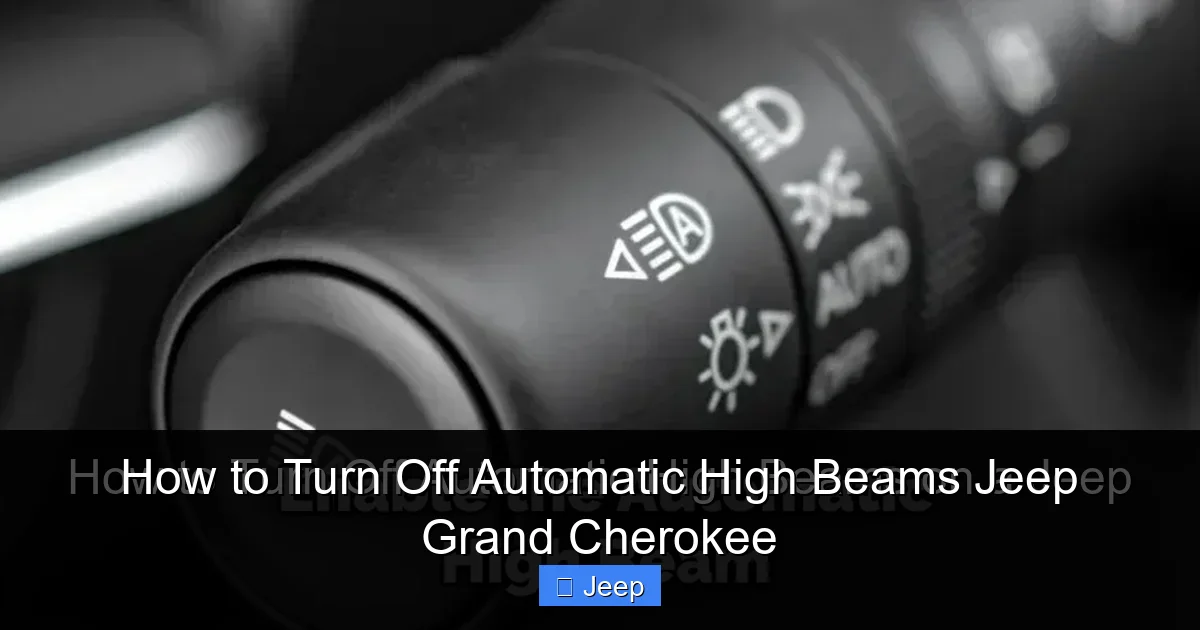
Two labels can be easy to mix up. Automatic headlights turn the lamps on and off as outside light changes. Automatic high beams then decide when the lamps should switch to high. On many older Grand Cherokees, both jobs use the same round knob at the end of the right light stalk. If that knob is in AUTO, automatic high beams may be active. Turning it to OFF stops both automatic functions.
Look for the status clues
A blue high-beam light on the dash shows that high beams are in use. It should go out when you push the stalk forward or when the system detects glare. A small camera near the top of the windshield helps the Jeep read traffic and road lighting. A warning message may also appear if the headlamp system or sensor needs service. Do not ignore a red warning or a warning that stays on after a restart.
Know what the system is doing
An automatic high beam feature is not the same as a stuck manual switch. The system may turn high beams on in a dark area and switch them off when it sees another vehicle. This is normal operation. If the blue dash light stays on with no bright light ahead, or if the lamps never switch to low beams, check the controls, sensor, and warning messages.
How to Turn Off Automatic High Beams on a Jeep Grand Cherokee With the Light Stalk
Most older and many mid-year models use the stalk method. Park in a safe place first. You need steady light to see the controls, but you do not need to drive the vehicle.
Use the rotary light control
- Park safely. Set the parking brake and place the transmission in Park.
- Find the right stalk. It is below and behind the steering wheel.
- Locate the round knob. It sits at the end of the stalk.
- Turn the knob to OFF. This disables automatic headlamps and automatic high beams on many models.
- Leave AUTO only if needed. Use AUTO when you want the Jeep to change lighting levels on its own.
- Check the dash. The blue high-beam icon should turn off.
If your Grand Cherokee has no separate high-beam switch, this is expected. The AUTO setting is handling both lighting jobs. Selecting OFF is the way to stop both functions. It also means you must turn the headlamps on by hand when the sun goes down.
Cancel high beams that are already on
To cancel a manual or automatic high beam, push the stalk forward, away from you. This should switch the lamps back to low beams at once. A quick pull toward you usually turns the high beams on again. Use this only when the road is dark and no other road user can be blinded.
Which setting should you choose?
Choose OFF if you want full manual control and do not want the Jeep to request high beams. Choose AUTO if you like the convenience and trust the glare sensor. If you only need to dim the lamps for a few seconds, use the stalk. This gives you control without changing the vehicle setting.
How to Turn Off Automatic High Beams in a Jeep Grand Cherokee Using Uconnect
Newer Grand Cherokee models may offer a separate Uconnect control. The exact screen depends on the radio and software. Look for a lighting menu before changing any setting.
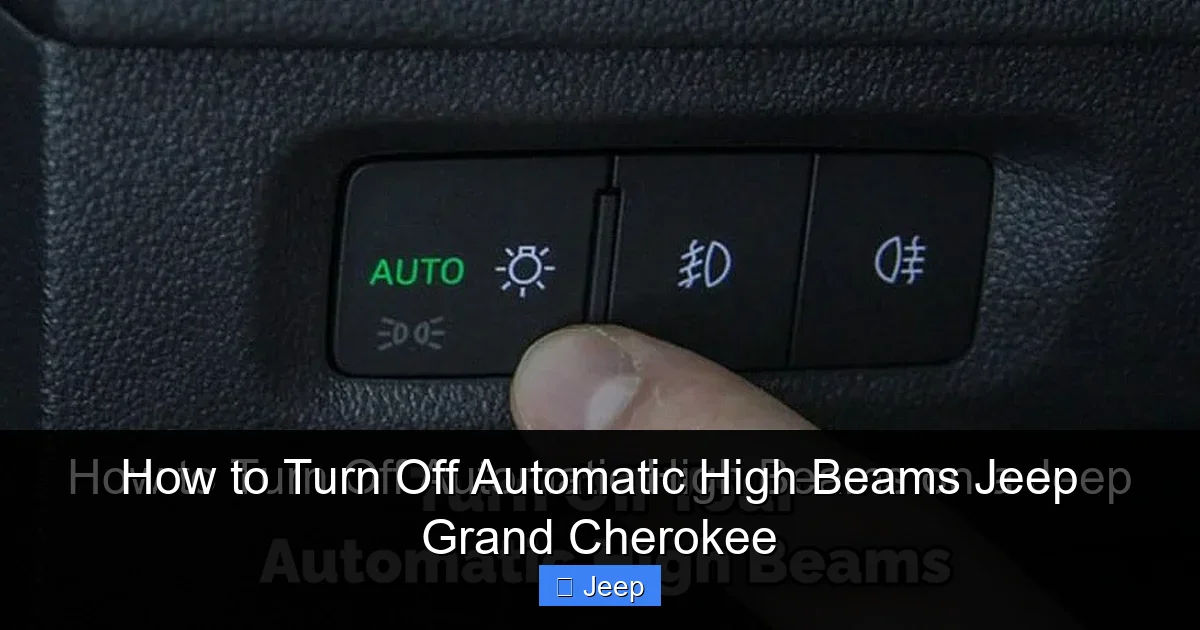
Visual guide about How to Turn Off Automatic High Beams Jeep Grand Cherokee
Image source: aautomotives.com
Open the vehicle lighting menu
- Turn on the ignition or start the engine.
- Open Settings on the center screen.
- Choose Vehicle, then look for Lighting or Headlights.
- Find Automatic High Beams and select Off.
Menu names can differ. Some screens place the option under Driver Assistance, while others keep it in Vehicle Settings. Save the change if the screen asks. Then turn the vehicle off and start it again. If the blue dash icon is gone, the feature is off.
Use the stalk if the menu is missing
A missing menu usually points to an older control layout. On those models, the stalk knob is the main control. Do not search for a setting that is not there. Check the lighting page in your owner’s manual for the exact layout.
Check the software and battery
A software update can move a menu or change its name. A recent battery disconnect can also restore factory defaults. After battery work, check both the Uconnect setting and the stalk position. Do not use a factory reset just to change one lighting option, as it can erase other personal settings.
Fix It When Automatic High Beams Keep Turning On
If the lamps keep switching to high, first decide whether the feature is working normally or has a fault. A single bright light can trigger the sensor. Constant switching or a stuck high-beam state calls for a closer check.
Visual guide about How to Turn Off Automatic High Beams Jeep Grand Cherokee
Image source: aautomotives.com
Clean the camera and lamp area
Clear snow, leaves, mud, ice, and heavy dirt from the camera area near the rearview mirror. Also wipe the headlamp lenses. Use a clean microfiber cloth and normal glass cleaner. Do not spray fluid directly at the camera. Dirt can make the Jeep misread glare and hold the high beams on too long.
Restart the vehicle
Try a soft reset. Park safely, press the brake, shift to Park, and turn the vehicle off. Lock it, wait two minutes, and start it again. Check the lighting setting after startup. A reboot can clear a stuck control module, but it will not fix a dirty sensor or failed part.
Know normal glare triggers
The system may react to oncoming cars, motorcycles, reflective signs, road work lights, tunnels, and bright wet roads. This is normal. If it happens only in those cases, the feature may be acting as designed. If it happens on a clear, dark road with no bright lights, continue troubleshooting.
Check for a system warning
A headlamp malfunction message can point to a bulb, wiring fault, sensor issue, or module problem. Do not unplug bulbs to silence the warning. That can create a larger fault and may leave you with no high beams. Use a scan tool that covers body modules or visit a dealer to read the headlamp codes.
When repair work is needed
Repair may be needed after a windshield replacement, front crash repair, water entry, or battery work. A replaced windshield can affect camera alignment. A technician can test the sensor, lights, switches, and control modules. Follow the owner’s manual and use a qualified repair shop for sensor work.
Model-Year Differences and Safe Driving Tips
Controls can change by year and trim
Some Grand Cherokee models tie automatic high beams to the AUTO headlamp knob. Others allow the feature to be changed in Uconnect. A few may use different stalk logic or show a warning on the dash. The year, trim, and factory option code matter more than a video from another vehicle.
Related systems are not the same
Other owner questions may feel related, but the controls are not interchangeable. Our guide to turning off automatic headlights on a Toyota Corolla covers another make’s lighting switch; turning off lane assist on a Toyota Camry and turning off the Toyota pre-collision system cover separate driver aids. Use each guide only for its own vehicle.
Keep night driving safe
- Do not leave high beams on when traffic is close.
- Keep the windshield and camera area clean.
- Do not cover the sensor with tape or a mount.
- Use manual control when the road is unclear.
Automatic high beams are a help, not a replacement for attention. Stay ready to cancel them at any time. If the system keeps glaring after cleaning and reset, have it checked.
Conclusion: The Simplest Way to Turn Them Off
Choose the method that fits your Jeep
For many older Jeep Grand Cherokee models, the answer is simple: turn the round light knob to OFF. For newer models, open Uconnect and switch Automatic High Beams to Off. If you only need to cancel the beams now, push the stalk forward. The blue dash icon should go out.
Final check before driving
- The high-beam icon is off.
- The stalk or Uconnect setting matches your choice.
- The camera area is clean and unblocked.
- The vehicle restarts with no new warning.
If the lights still behave wrong, save any warning message and check the owner’s manual. A dealer or qualified auto electrician can test the camera, bulbs, switches, and control modules. A correct fix keeps your road clear without blinding other drivers.
Frequently Asked Questions
Why won’t my automatic high beams turn off?
Check whether the light stalk is set to AUTO instead of OFF, and look for an Automatic High Beams option in Uconnect. Clean the camera area and restart the vehicle. A persistent warning may mean the sensor or control module needs service.
Where is the automatic high beam switch in a Jeep Grand Cherokee?
On many models, it is the round knob at the end of the right light stalk. Newer models may use the Uconnect Vehicle or Lighting menu instead.
Does turning the headlights to OFF disable automatic high beams?
On many older Grand Cherokees, yes. The automatic high beams are tied to the AUTO headlamp setting, so OFF disables both. Some newer models have a separate Uconnect switch.
Can a dirty windshield cause automatic high beams to stay on?
Yes. Snow, ice, mud, or heavy dirt can block or confuse the camera. Clean the camera area and headlamp lenses, then test the system again.
How do I reset the automatic high beam system?
Park safely, shift to Park, turn the vehicle off, lock it, and wait about two minutes. Start the vehicle and check the lighting setting. If it still fails, scan the body and headlamp modules for codes.
Is it safe to leave automatic high beams enabled?
They can be useful on dark roads with no nearby traffic, but they can blind other drivers if the sensor fails or becomes blocked. Keep the camera clear and use manual control whenever you need full control.