How to Set Seat Memory in Jeep Grand Cherokee

Setting seat memory in your Jeep Grand Cherokee is a simple process that lets you save your favorite driving position. Whether you share your vehicle with family or just want quick adjustments, this guide walks you through the steps. Follow these instructions to ensure your seat remembers your exact preferences every time you drive.
Key Takeaways
- Easy Access: The seat memory feature allows you to instantly recall your preferred driving position with the push of a button.
- Multiple Profiles: You can save up to three different positions, making it perfect for multiple drivers in the household.
- Integrated Features: The memory system often controls mirrors and radio presets alongside the seat position.
- Model Variations: The exact button layout might vary slightly depending on your Jeep Grand Cherokee model year.
- Quick Setup: Programming your seat takes only a few minutes and requires no special tools.
📑 Table of Contents
Understanding the Seat Memory Feature
Setting seat memory in jeep grand cherokee is one of the best features your vehicle has to offer. It is a convenient way to customize your driving experience. Imagine pulling into your driveway after a long day at work. You want to relax, and your seat is already exactly where you like it. That is the magic of the seat memory system.
The seat memory feature allows you to save your preferred driving position. This includes the seat cushion, the backrest angle, and even the headrest position. When you press a button, the seat moves back to that exact spot. It is like having a personal driver who knows exactly how you like your seat.
Many people wonder how to set seat memory in jeep grand cherokee because the process is so straightforward. You do not need any special tools or mechanical knowledge. You just need to follow a few simple steps. Once you set it up, you will wonder how you ever drove without it.
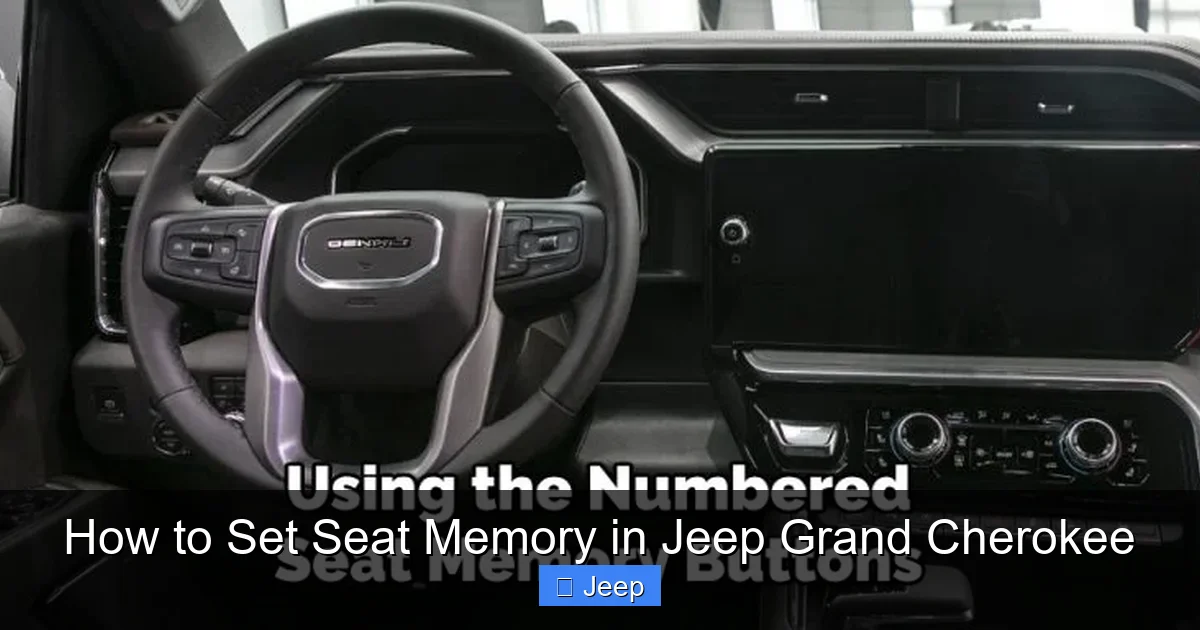
The system is designed to be user-friendly. It uses a control panel on the driver’s door panel. Usually, there are buttons labeled 1, 2, and 3. You can save three different positions. This is great if you share your car with a spouse or a friend. Everyone can have their own custom spot.
Knowing how to set seat memory in jeep grand cherokee adds a lot of value to your daily commute. It is not just a luxury feature. It is a practical tool that makes driving safer and more comfortable. You can focus on the road instead of fidgeting with your seat adjustments.
Preparing Your Vehicle
Before you start programming, you need to prepare your Jeep Grand Cherokee. First, make sure the vehicle is turned on. You can do this by pressing the start button without pressing the brake pedal. The ignition should be in the accessory or run position.
Visual guide about How to Set Seat Memory in Jeep Grand Cherokee
Image source: jeepfixes.com
Next, sit in the driver’s seat and get comfortable. Adjust the seat to your ideal driving position. Move the cushion forward or backward. Adjust the backrest angle to your liking. Make sure the lumbar support is where you want it. You want to be completely relaxed and ready to drive.
It is also a good idea to adjust your side mirrors. While the memory feature primarily controls the seat, it often works with the mirrors too. So, set the mirrors to your preferred position as well. This ensures that everything is saved together in one profile.
If your Jeep has a passenger screen, you might also want to learn how to use passenger screen in Jeep Grand Cherokee to adjust entertainment settings while you are programming. This can make the process more enjoyable. You can pick a nice playlist or set the climate control while you wait for the seat to move.
Take a moment to check the battery level of your key fob. If the battery is low, the electronic systems might not respond properly. A weak battery can cause the seat memory to fail when you are trying to program it.
Step-by-Step Guide to Setting Seat Memory
Now that you are ready, it is time to set seat memory in jeep grand cherokee. Follow these steps carefully to program your buttons.
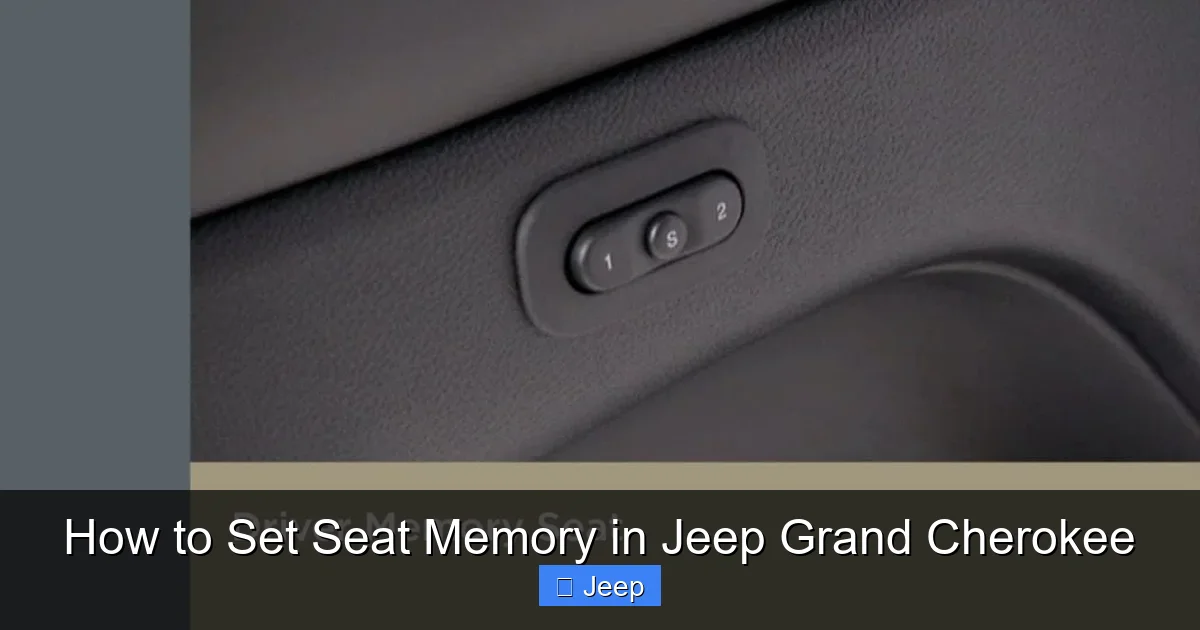
Visual guide about How to Set Seat Memory in Jeep Grand Cherokee
Image source: vehiclers.com
Step 1: Turn the Ignition On
Press the start button to turn the vehicle on. You do not need to press the brake pedal. The vehicle just needs to have power. The electronic systems need to be active to save the memory settings.
Make sure the parking brake is engaged. This is a safety requirement for the system to function properly. It ensures the vehicle is stationary while you are adjusting the seat. If the car is rolling, the system might not save the position correctly.
Double-check that no one is leaning on the seat. Even slight pressure can change the position of the seat. You want the seat to be completely free and unweighted so it saves the true mechanical position.
Step 2: Adjust Your Seat
Use the manual seat controls or the power seat controls to move the seat. Move the seat slider forward or backward. Adjust the backrest angle. Move the cushion up or down if your vehicle has that feature.
Take your time to find the perfect position. You should be able to easily reach the steering wheel. Your knees should have a slight bend. You should be able to see the road clearly without straining.
If your vehicle has air suspension, you might want to learn how to disable air suspension on Jeep Grand Cherokee to ensure the ride height is fixed while you are setting the memory. This prevents the car from leveling itself and moving your seat unexpectedly.
Adjust the steering wheel tilt and telescoping as well. While it might not save with the seat, having the wheel in the right place makes the whole driving position feel complete. You want a relaxed posture that reduces fatigue on long trips.
Step 3: Save Position 1
Once you are happy with the position, press and hold button 1 on the driver’s door panel. Keep holding the button down.
You will hear a beep or see a light flash. This indicates that the system has saved the position. Release the button. You have just saved your first memory profile.
To test it, move the seat to a completely different position. Then, press button 1 again. The seat should automatically move back to your saved position. This confirms that it worked. If it does not move, try repeating the process.
Step 4: Save Position 2
Now, adjust the seat to a second position. This could be a more reclined position for resting, or a forward position for sporty driving.
Press and hold button 2 until you hear the beep. Release the button. You have saved the second profile. Test it by moving the seat and recalling it with button 2.
Remember that each button is tied to a specific person or mood. You might use button 1 for your daily commute. You might use button 2 for a relaxing weekend drive. Labeling the buttons mentally helps you use the feature more often.
Step 5: Save Position 3
Finally, adjust the seat to a third position. This is often used for a different driver or a different type of trip.
Press and hold button 3 until you hear the beep. Release the button. You now have all three memory positions programmed. You can repeat this process anytime you want to update the settings.
It is a good idea to test all three positions right away. Move the seat to position 1, then position 2, then position 3. Make sure they all work smoothly. This saves you from having to fix them later.
Adjusting Mirrors and Other Settings
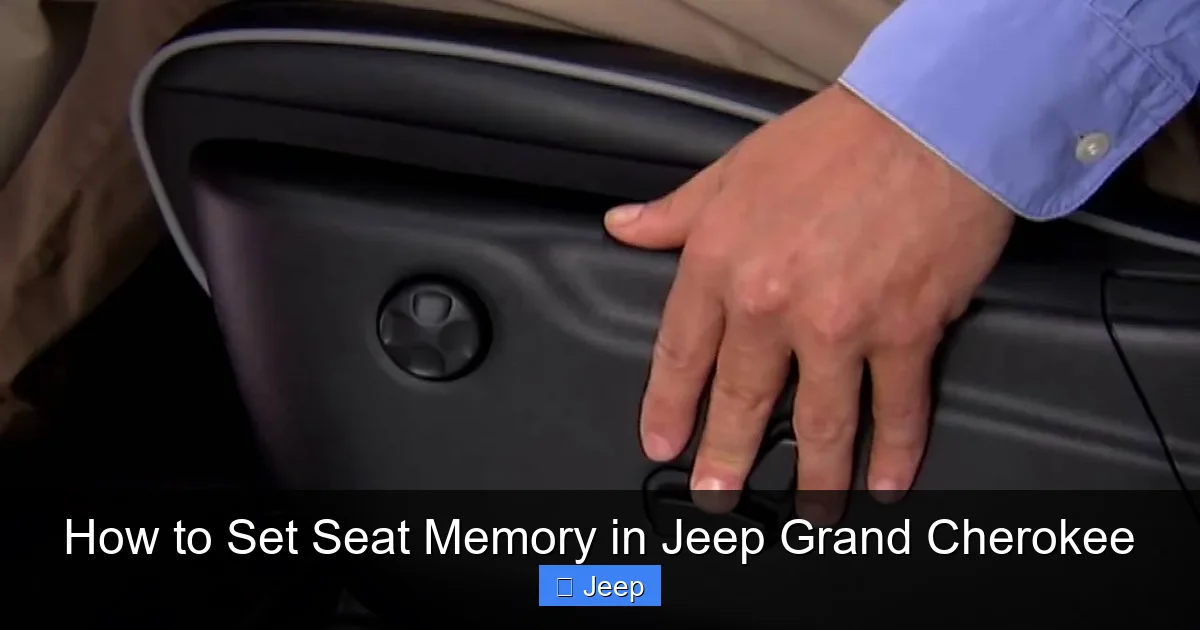
The seat memory feature often works in tandem with your side mirrors. When you recall a seat memory, the mirrors can also adjust to your saved position. This adds a layer of convenience and safety to your driving experience.
Visual guide about How to Set Seat Memory in Jeep Grand Cherokee
Image source: i.ytimg.com
To program the mirrors, you usually need to follow the same steps. Adjust the mirrors to your liking. Then, while holding the seat memory button, the mirrors should save their position too. Check your owner’s manual for specific instructions on how to link the mirrors to the seat memory.
Some higher-end models also allow you to save radio presets or climate control settings. These features make the Jeep Grand Cherokee even more luxurious. You can create a perfect environment for every drive with just the push of a button.
Knowing how to set seat memory in jeep grand cherokee means you can also enjoy these extra features. The technology is designed to work together. It creates a seamless experience every time you get behind the wheel.
Troubleshooting Common Issues
Sometimes, the seat memory might not work as expected. If the seat does not move when you press a button, do not panic. There are a few common reasons this happens.
First, check the ignition. The vehicle must be on for the system to work. If the ignition is off, the system will not respond. Make sure you are pressing the button firmly and holding it down for a few seconds.
Another common issue is a blown fuse. The seat memory system relies on electricity. If a fuse is blown, the system will not function. Check your owner’s manual for the fuse box location and the specific fuse for the seat memory.
If the seat moves but does not stay in the saved position, the system may need to be reprogrammed. Turn the ignition off and then back on. Repeat the programming steps from the beginning. This often resets the system and fixes the issue.
Moisture is another enemy of the seat memory system. If water gets into the door panel, it can cause the motors to malfunction. Keep your windows closed during heavy rain to prevent water from seeping into the electrical components.
Protecting Your Seats
Once you have set up your seat memory, you want to keep your seats looking great. The leather or cloth can get dirty or worn out over time. Protecting your seats is a smart investment.
One of the best ways to protect your seats is by using seat covers. They act as a shield against spills, dirt, and daily wear. If you are looking for options, look into the best seat covers for Jeep Grand Cherokee to find a durable and stylish fit.
Seat covers are easy to install and remove. They come in many different materials and colors. You can choose covers that match your interior perfectly. This allows you to customize the look of your Jeep while keeping the original seats safe.
Cleaning your seats regularly also helps maintain the memory function. Dirt and grime can interfere with the seat tracks and sensors. Use a gentle cleaner and a soft cloth to wipe down the seats. This keeps them moving smoothly.
Enjoying Your Customized Ride
Now that you have set seat memory in jeep grand cherokee, you can enjoy a truly personalized driving experience. Every time you get in the car, your seat is ready for you. You do not have to waste time adjusting the seat before you drive away.
This feature is especially helpful for families. If your spouse or teenager drives the car, they can quickly set their own position. Everyone can have a comfortable and safe ride. It eliminates the arguments about who adjusted the seat last.
Take some time to explore all the features of your Jeep Grand Cherokee. There are many settings you can customize. The more you use the seat memory, the more you will appreciate the convenience it brings to your daily life.
Remember to check your owner’s manual for any specific tips related to your model year. The system might have extra features that we did not cover here. Always refer to the official documentation for the most accurate information.
Frequently Asked Questions
How many seat positions can I save?
You can typically save up to three different seat positions. This allows multiple drivers to have their preferred settings stored in the vehicle.
What if my seat memory is not working?
If the seat memory is not working, first ensure the vehicle ignition is on. Check the fuse box for a blown fuse related to the seat memory system. Reprogramming the settings can also often fix the issue.
Does seat memory include the mirrors?
Yes, in most Jeep Grand Cherokee models, the seat memory feature also saves the side mirror positions. When you recall a seat setting, the mirrors will adjust automatically to match.
Can I reset the seat memory?
Yes, you can reset the seat memory by reprogramming the buttons. Simply follow the setup steps again with the new desired position. This will overwrite the old saved settings.
Do all Jeep Grand Cherokee models have seat memory?
Not all models come standard with seat memory. It is usually available on higher trim levels like the Limited or Overland. Check your vehicle’s features list or owner’s manual to confirm.
How do I use the entry and exit memory?
Some models have an entry and exit memory feature. When you turn off the vehicle, the seat will slowly move forward to make it easier to exit. You can often program this feature through the vehicle settings menu.