How to Set Radio Stations in a 2023 Toyota Rav4
Setting radio stations in your 2023 Toyota Rav4 is quick and easy. You can save AM, FM, and SiriusXM presets with the touchscreen. This guide walks you through each step clearly.
Welcome to your new 2023 Toyota Rav4! The audio system is fun and easy to use. Many owners want to know the best way to save their favorite stations. We are here to help you today.
This guide will show you exactly how to set radio stations in a 2023 Toyota Rav4. We will cover FM, AM, and SiriusXM. We will also share tips for using the steering wheel controls. By the end, you will feel like a pro.
The Rav4 is a popular compact SUV. It has a comfy cabin. The radio is a big part of the joy. Let’s get started with the basics. A good song makes any drive better.
Key Takeaways
- Simple Process: You can set radio stations in a 2023 Toyota Rav4 using the touchscreen in just minutes.
- Multiple Sources: The system supports AM, FM, and SiriusXM satellite radio presets for all tastes.
- Steering Wheel Help: Use steering wheel buttons to change stations without taking your eyes off the road.
- Preset Slots: You get many preset slots to save your favorite tunes and talk shows.
- Troubleshooting: If presets vanish, a soft reset fixes most small issues fast.
- New Car Tip: Pair your radio setup with learning how to break in a new car Toyota for best results.
📑 Table of Contents
Getting to Know Your 2023 Toyota Rav4 Audio System
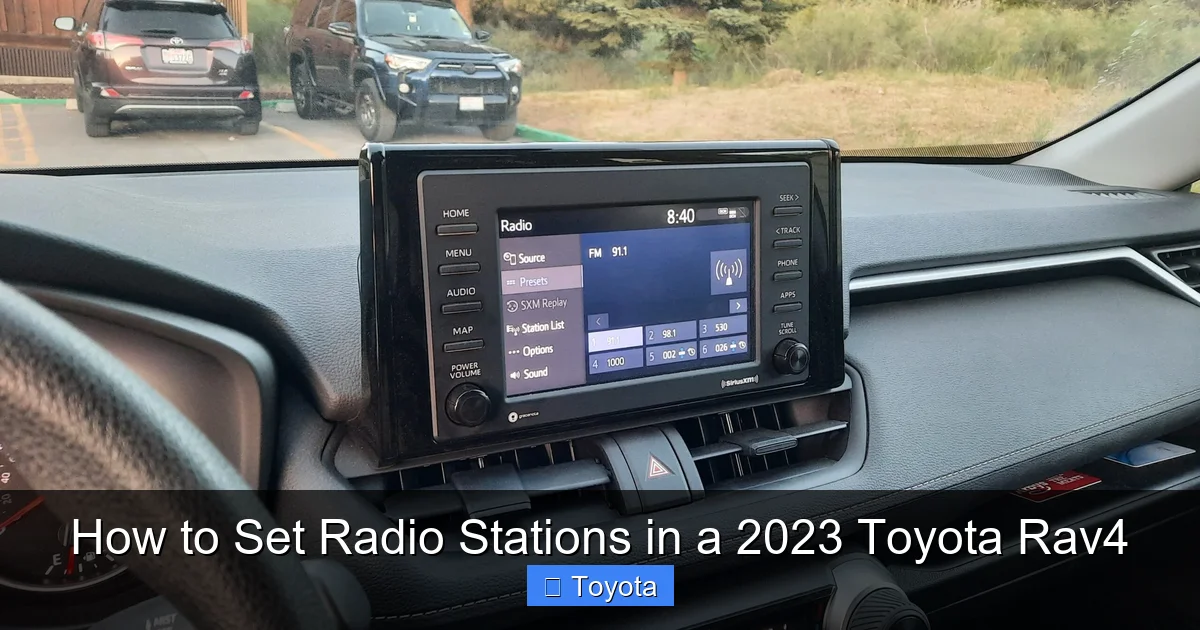
The 2023 Toyota Rav4 comes with a bright touchscreen. It sits on the dashboard. You can see it clearly while driving. The screen size is either 7 inch or 8 inch. Both work the same way for radio tasks.
The screen has a matte finish. It does not glare in the sun. The icons are big and bright. Even new users can tap them with ease. The sound flows from six speakers in most trims.
Types of Radio Sources
Your car has three main radio sources. They are AM, FM, and SiriusXM. AM is good for talk radio and news. FM is great for local music. SiriusXM gives you many channels with no ads.
You can also use Bluetooth and USB. But today we focus on radio stations. The touchscreen makes everything simple. Tap the source you want and go. The system switches in one second.
The sound quality is clear. The speakers are tuned by Toyota. You will hear deep bass and bright highs. It is a nice place to listen. The cabin stays quiet at speed.
Touchscreen Basics
The home screen shows big icons. Tap the “Audio” icon to start. Then choose the source you want. The screen will show station info. You will see the frequency or channel name.
If you just got your new SUV, you might also want to read about how to break in a new car Toyota to protect the engine. That keeps your whole car happy. A new car needs gentle care at first. The radio is just one fun part.
The 2023 Toyota Rav4 is a great choice. You can find pricing details in our guide on how much is a Toyota Rav. It helps to know your model well. This knowledge makes ownership fun and stress free.
To go back, tap the home button. It is a small house icon. The system is fast. There is no lag. Even new users will learn quick. Practice at a red light if safe.
How to Set Radio Stations in a 2023 Toyota Rav4 Using FM/AM
This is the core task. Learning how to set radio stations in a 2023 Toyota Rav4 takes just a minute. Follow these easy steps. We will use plain words so anyone can do it.
Visual guide about How to Set Radio Stations in a 2023 Toyota Rav4
Image source: aautomotives.com
Tuning Manually
First, tap “Audio” on the screen. Then select “FM” or “AM”. You will see a tune bar. Use your finger to drag the bar. Or press the seek arrows on the screen.
You can also use the knob. Turn it left or right. The station number changes. Stop when you hear a song you like. The sound will play right away. The knob feels nice in your hand.
Try this example. You are on a road trip. You want local pop music. Turn the knob to 98.5 FM. The screen shows the name of the song. Nice! You found it with no stress.
Another example: You like morning talk. Seek to 1010 AM. The host is funny. You smile as you drive. The radio brings joy to the commute. It is that simple.
Saving Presets
Look for the “Preset” button. It is on the screen. Hold it for two seconds. A list of slots appears. Tap an empty slot to save. A small beep confirms the save.
That’s it! You have saved your first station. Repeat for other favorites. You can save up to 12 FM and 6 AM presets. That is plenty for most folks who love music.
Tip: Name your presets by long pressing. This helps you find them fast. The system remembers even after you turn off the car. You do not need to redo it each day. It is a big time saver.
Example: Save 101.1 as “Rock”. Save 95.5 as “Oldies”. Then tap the name to jump straight there. No more hunting for dials. Your kids can pick their own too.
Setting SiriusXM Satellite Radio Stations
SiriusXM is a paid service. It comes free for a trial period. You can set radio stations in a 2023 Toyota Rav4 with SiriusXM too. The steps are similar and just as easy.
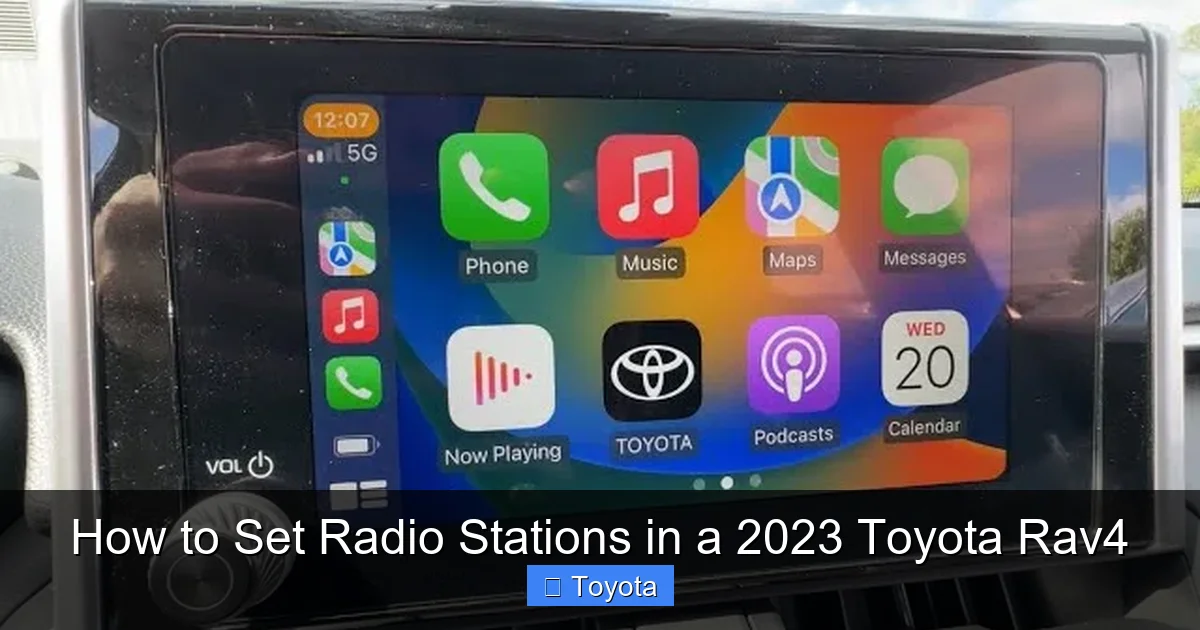
Visual guide about How to Set Radio Stations in a 2023 Toyota Rav4
Image source: i.ytimg.com
Activating SiriusXM
Go to the Audio screen. Select “SiriusXM”. The first time, you may need to activate. Follow the on-screen code steps. Use your phone to finish sign-up on the web.
Once active, you will see channel numbers. Use the tune knob to browse. The screen shows the channel name. There are sports, music, and kids channels. The list is long and fun.
If you get stuck, call SiriusXM help. They are friendly. The trial lasts three months in most cars. Enjoy it while it lasts. After that, you can choose to pay or not.
Saving Favorite Channels
Find a channel you enjoy. Press and hold the “Preset” icon. Choose a slot. The channel is now saved. You can save many channels in the same way.
This method is the same as FM. The car makes it easy. You will love the variety. For instance, save channel 6 as “Hits”. Save channel 20 as “Jazz”. The names show on screen.
Note: If your trial ends, the saved channels stay. But they will not play until you pay. You can still see the names. This helps you remember what you liked before.
Using Steering Wheel Controls for Quick Access
Your steering wheel has buttons. They help you change stations safely. You do not need to touch the screen. This is key for safe driving on busy roads.
Visual guide about How to Set Radio Stations in a 2023 Toyota Rav4
Image source: aautomotives.com
Button Layout
Look for the music note icon. There are arrows next to it. The up and down arrows change stations. The side arrows change presets. The layout is the same on all trims.
The voice button can also help. Press it and say “play station 5”. The car listens. It will tune to that preset. Cool, right? You keep your hands on the wheel.
Some trims have a tiny joystick. It sits on the wheel. Move it to scroll lists. Press to select. Very handy when you wear gloves in winter. No need to peel them off.
Tips for Safe Saving
Do not save presets while driving fast. Pull over if needed. It takes only a moment. Safety first. Your life is worth more than a song. Always park to be safe.
Practice at home in your driveway. Then you will be a pro. The controls become natural. You can do it by feel. Close your eyes and tap the right arrow. You will learn fast.
Try this: Park the car. Set three FM presets. Then drive slow in a lot. Use the wheel to switch. See how easy it is. Smile as the music changes with one touch.
Troubleshooting Common Radio Issues
Sometimes things go wrong. Here is how to fix them. Most fixes are simple. Do not panic. The car is built to be reliable and easy to reset.
No Signal
If FM stops, you may be in a tunnel. Drive out and it returns. For SiriusXM, check the roof antenna. It must be clear. Snow can block it on cold days.
Restart the system. Hold the power button for 10 seconds. The screen reboots. This solves many small bugs. It is like a quick nap for the car brain. Then try again.
If static stays, check the antenna base. It should be tight. A loose wire causes weak sound. Tighten by hand if you can reach it. This is a rare but easy fix.
Presets Lost
If your presets vanish, the battery may have died. Re-enter them. A soft reset helps. Go to settings and tap “Reset”. The radio will reload fresh.
This is rare. But good to know. Your music will be back soon. Keep a small list of your top stations in your phone. Then re-save is a breeze on the screen.
Another tip: If the screen freezes, use a paperclip to press the tiny reset pin. It is near the volume knob. Check your manual. This brings the system back to life.
Extra Tips to Enhance Your Listening Experience
Now you know how to set radio stations in a 2023 Toyota Rav4. Here are bonus tips. They make the ride better and keep your system happy for years.
Bluetooth Audio
Pair your phone. Then you can stream music. The radio presets stay separate. You switch by tapping “Source”. This adds fun. You get the best of both worlds with no fuss.
To pair, open phone settings. Turn on Bluetooth. Tap “Toyota Rav4” on the list. The screen shows a code. Match it and done. Now your playlist joins the car.
You can also use voice to play phone music. Say “play my road trip mix”. The car obeys. It is like having a DJ in the dash. Great for long trips with friends.
Software Updates
Toyota sends updates. Connect to Wi-Fi. Go to settings. Tap “Software”. Update keeps the radio smooth. It may add new features and fix bugs over time.
Owning a Toyota means enjoying reliability. Learn more about overall budget in our post on how much does a Toyota cost. It is good to plan. Knowledge saves money and builds confidence.
Also, clean your screen with a soft cloth. Do not use harsh chemicals. A clean screen is easy to tap. Your radio will look new for years. The glass stays clear and bright.
Conclusion
You did it! Setting radio stations in your 2023 Toyota Rav4 is a breeze. Use the touchscreen or steering wheel. Save your favorites and drive happy every single day.
We hope this guide helped. Now turn up the volume and enjoy the ride. Safe travels! The open road awaits you and your perfect playlist. Happy listening, friend.
Frequently Asked Questions
Can I set radio stations in a 2023 Toyota Rav4 without the touchscreen?
Yes, you can use the steering wheel buttons. They let you change and save presets. It is safe and quick while driving.
How many presets can I save in the 2023 Toyota Rav4?
You can save up to 12 FM and 6 AM presets. SiriusXM allows many more slots. The exact number depends on your trim level.
Why did my saved stations disappear?
A dead battery can erase presets. A system reset also clears them. Just re-save your favorites. It takes only one minute.
Do I need SiriusXM to set satellite stations?
Yes, SiriusXM needs an active subscription. A trial is included with most new cars. After that, you must pay to keep channels.
Can I name my radio presets in the 2023 Toyota Rav4?
Yes, long press the preset slot. A name field appears. Type a short name. This helps you find stations fast on the screen.
Is the radio system the same in all 2023 Rav4 trims?
Most trims share the same touchscreen steps. Higher trims have a bigger screen. The steps to set stations are the same for all.