How to Program Tpms Sensors on a Toyota
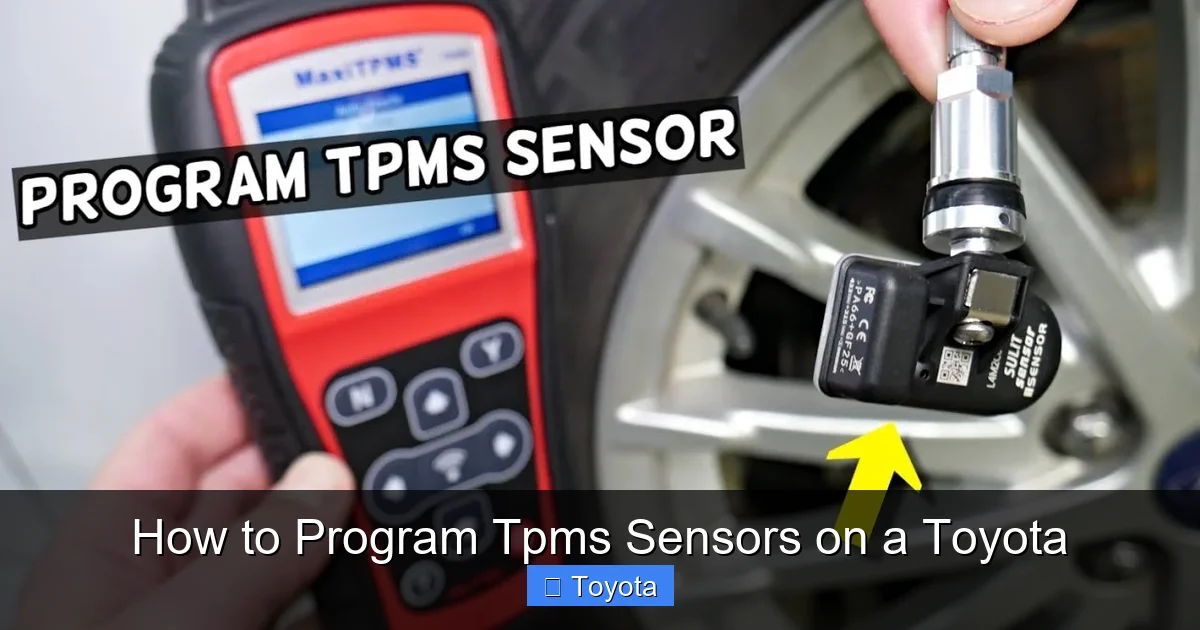
Programming TPMS sensors on a Toyota is a straightforward DIY task that can save you time and money. Whether you have a 2010 Camry or a 2023 RAV4, this guide walks you through everything you need to know. From understanding what TPMS does to the actual programming steps, you will be covered.
Key Takeaways
- TPMS sensors are essential for safe driving: They monitor tire pressure and alert you to potential hazards.
- Programming is simple with the right tools: A TPMS tool and your Toyota’s ignition are all you need.
- Follow the exact sequence for your Toyota model: Each model year may have slightly different steps.
- Avoid common mistakes like skipping initialization: This can cause the warning light to stay on.
- Know when to call a professional: Some issues require expert diagnosis and specialized equipment.
- Regular maintenance keeps TPMS accurate: Check sensors periodically to ensure reliable readings.
📑 Table of Contents
How to Program TPMS Sensors on a Toyota
So your Toyota is flashing that little tire-pressure warning light on the dashboard. Annoying, right? You might think it is something serious, but most of the time, it just means your TPMS sensors need programming. Whether you replaced a tire, swapped out a sensor, or the light came out of nowhere, this guide will walk you through the entire process.
Programming TPMS sensors on a Toyota is not as scary as it sounds. You do not need to be a mechanic. With the right tools and a little patience, you can handle this job in under 30 minutes. In this article, we will break everything down into simple steps. You will learn what TPMS does, what tools you need, and exactly how to program each sensor on your Toyota.
Let us get into it. By the end of this guide, you will feel confident tackling this task yourself. And if you ever want to learn more about keeping your Toyota in top shape, check out our guide on how to break in a new car Toyota for more helpful tips. Now, let us get your tires properly monitored.
What Is a TPMS Sensor and Why Does It Matter?
TPMS stands for Tire Pressure Monitoring System. It is a small electronic device mounted inside each tire, usually attached to the valve stem. The sensor measures the air pressure inside your tire and sends that data to your Toyota’s onboard computer.
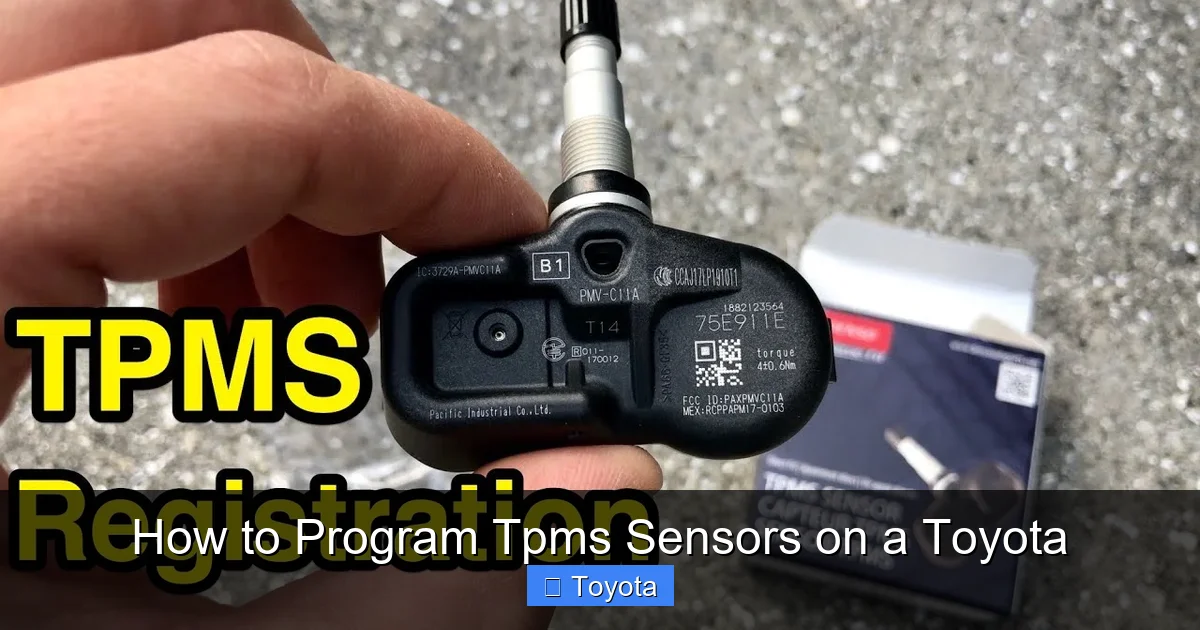
Visual guide about How to Program Tpms Sensors on a Toyota
Image source: i.ytimg.com
How TPMS Works
Each sensor has a tiny battery and a radio transmitter. When the pressure drops below a safe level, the sensor sends a signal to your car’s computer. This triggers the warning light on your dashboard. Most Toyotas will flash the light first and then keep it solid if the pressure stays low. This is your cue to check your tires.
Why Programming Matters
When you install new sensors or replace a tire, the car’s computer does not automatically know which sensor belongs to which wheel. Programming tells the system to recognize each sensor by its unique ID. Without this step, the warning light will stay on, and the system will not monitor your tires correctly. Think of it like pairing a new phone with your car’s Bluetooth. You have to tell the system who is who.
For more on keeping your Toyota in great condition, you might also enjoy reading about how to clean a car engine bay to keep everything looking and running great.
Signs That Your TPMS Sensor Needs Programming
How do you know it is time to program your TPMS sensors? Here are the most common signs:
- The TPMS warning light stays on after filling your tires. This usually means the sensors were not relearned after a tire change.
- The light flashes for 60 to 90 seconds and then stays solid. This indicates a sensor communication error or a programming issue.
- You installed new tires or sensors recently. New parts always need to be registered with the car’s computer.
- Your Toyota was sitting unused for a long time. Batteries in the sensors can drain, causing communication failures.
- You get inconsistent pressure readings. If one tire reads differently from the others even when they are all at the same pressure, a sensor may need reprogramming.
If you notice any of these signs, do not ignore them. Driving with incorrect tire pressure is dangerous and can reduce fuel efficiency. Programming your sensors is a quick fix that keeps you safe on the road.
Tools You Will Need
Before you start, gather everything you need. Here is a simple list:
- A TPMS programming tool. This is the most important item. Popular options include the Autel MX-sensor tool, the Launch TPMS tool, or an OBDeleven scanner for Toyotas with OBD-II support.
- A reliable tire pressure gauge. You want to set each tire to the correct pressure before programming. Check your Toyota’s owner manual for the recommended PSI.
- A pencil-type valve core tool. This helps you remove and reinstall valve cores if needed.
- A car key or key fob. You will need access to the ignition.
- Your Toyota’s owner manual. This is your best friend. It contains model-specific programming sequences and sensor IDs.
Having all these tools ready will make the process smooth. Pro tip: keep the owner manual nearby during the entire procedure. Some Toyota models have slightly different steps depending on the year and trim level.
Step-by-Step Guide to Programming TPMS Sensors
Now for the fun part. Follow these steps carefully, and you will have your TPMS sensors programmed in no time.
Step 1: Set Your Tire Pressure
Start by checking the pressure in all four tires. Use your tire pressure gauge and add air to each tire until they match the recommended PSI for your Toyota. This is usually listed on a sticker inside the driver’s door jamb. Proper pressure ensures the sensors read accurately during programming.
Step 2: Turn the Ignition to the On Position
Insert your key or press the start button without starting the engine. You want the dashboard lights to come on but the engine to stay off. This puts the car in accessory mode. Some Toyotas require you to turn the key to position II and then back to position I.
Step 3: Enter the TPMS Initialization Mode
Now you need to put the TPMS system into learning mode. The exact method varies by Toyota model. Here are the most common approaches:
For most Toyotas, press and hold the TPMS reset button located beneath the steering wheel. Hold it until the warning light blinks three times, then release it. For some models, you may need to navigate through the dashboard menu to find the TPMS reset option.
For Toyotas equipped with a scan-tool-based system, connect your TPMS tool to the OBD-II port under the dashboard. Select the TPMS relearn function from the tool’s menu.
Step 4: Program Each Sensor One at a Time
Start with the driver-side front tire. Use your TPMS tool to activate the sensor. The tool will read the sensor’s unique ID and send it to the car’s computer. You should hear a chime or see the dashboard light blink to confirm acceptance.
Move to the passenger-side front tire and repeat the process. Then do the same for both rear tires. Always work in a specific order, typically left front, right front, left rear, right rear. Skipping around can confuse the system.
For Toyota models that use a self-learning system, simply driving the car at speeds above 20 mph for about 20 minutes after initialization can allow the sensors to relearn automatically. This is a handy shortcut, but it only works if all sensors are in good condition.
Step 5: Verify the Programming
Once all four sensors are programmed, turn the ignition off and then back on. Watch the dashboard. The TPMS warning light should turn off within a few seconds. If it stays on or starts flashing, one or more sensors may not have been registered correctly. Repeat the programming process for any sensors that did not take.
Step 6: Clear Any Diagnostic Trouble Codes
If you used a scan tool, run a diagnostic check to clear any stored trouble codes. This ensures the TPMS system starts fresh and operates normally. Without clearing codes, the light may remain on even though the sensors are programmed correctly.
Common Mistakes to Avoid When Programming TPMS Sensors
Even a simple job can go wrong if you are not careful. Here are the most common mistakes people make:
Skipping the initialization step. Many people jump straight to the sensor activation without putting the system into learning mode. This will not work. Always follow the initialization process first.
Using the wrong sensor type. Toyota models use different sensor types, including direct and indirect systems. Make sure your replacement sensors are compatible with your specific Toyota model. Check the part number against your owner manual.
Programming sensors out of order. As mentioned earlier, always follow the correct sequence. Mixing up the order can cause the system to reject sensors or display incorrect readings.
Not checking battery voltage. TPMS sensors run on small batteries that typically last 5 to 10 years. If a sensor battery is dead, programming it will not help. Replace the sensor if the tool reports a low battery.
Ignoring the reset button. Some Toyotas have a dedicated TPMS reset button that must be pressed after programming is complete. Double-check your owner manual to make sure you do not miss this step.
When to Seek Professional Help
Programming TPMS sensors is a DIY-friendly task, but there are times when professional help is the best choice. If you have tried the steps above and the warning light still will not go off, something deeper may be going on. A certified Toyota technician can run advanced diagnostics and check for wiring issues, module failures, or sensor compatibility problems.
Additionally, if your Toyota is still under warranty, it is worth checking with your dealer before performing any sensor work. Some warranty programs cover TPMS-related repairs at no cost to you. A professional can also help if you do not own a TPMS programming tool, as many auto parts stores offer this service for free or at a low cost.
Final Thoughts
Programming TPMS sensors on a Toyota is a task that any car owner can handle with the right guidance. It saves money, keeps you safe, and gives you a better understanding of your vehicle. Remember to follow each step carefully, use the correct tools, and always refer to your Toyota’s owner manual for model-specific details.
Do not let that little warning light stress you out. With this guide, you have everything you need to fix it quickly and confidently. Keep your tires properly inflated, your sensors programmed, and your Toyota running smoothly for years to come. Safe travels.
Frequently Asked Questions
How long does it take to program TPMS sensors on a Toyota?
In most cases, the entire process takes about 15 to 30 minutes. The actual time depends on your Toyota model and whether you are using a TPMS tool or the self-learning method. Having your tools ready beforehand can save you extra trips back and forth.
Can I program TPMS sensors without a special tool?
Some newer Toyota models support a self-learning method where you drive the car at highway speeds for about 20 minutes after initialization. However, for most models, a TPMS programming tool is required to register each sensor with the car’s computer.
Why does my TPMS light come back on after programming?
This usually means one or more sensors were not properly registered. It could also indicate a dead sensor battery, a faulty sensor, or a problem with the TPMS module. Try repeating the programming process and make sure you are following the correct sequence for your Toyota model.
How often do TPMS sensors need to be replaced?
TPMS sensor batteries typically last between 5 and 10 years. When the battery dies, the entire sensor must be replaced. After replacing a sensor, you will need to program it following the steps outlined in this guide.
Is it safe to drive with the TPMS light on?
It is not recommended. The TPMS light means your system is not monitoring tire pressure correctly. Driving on underinflated tires can lead to poor fuel economy, uneven tire wear, and increased risk of blowouts. Program your sensors as soon as possible.
Do all Toyota models use the same TPMS programming method?
No. Toyota uses different TPMS systems across its models and model years. Some use a manual reset button, others require a TPMS tool, and newer models may support automatic self-learning. Always refer to your specific Toyota’s owner manual for the correct procedure.