How to Reset a Toyota Touch Screen
Resetting your Toyota Touch Screen is a simple fix for most common display issues. Whether your screen is frozen, unresponsive, or glitching, a soft reset or hard reset can often solve the problem in minutes. This guide walks you through every method, from basic restart steps to more advanced troubleshooting techniques.
Your Toyota Touch Screen is one of the most used features in your vehicle. It controls your navigation, audio, climate settings, and even your rearview camera display. So when it starts acting up, it can be really frustrating. Maybe the screen freezes mid-route. Perhaps it becomes completely unresponsive to your taps. Or you might notice strange flickering or lag that makes everything feel slow and clunky.
Whatever the issue, the good news is that resetting your Toyota Touch Screen is usually the first and easiest fix. You do not need to be a tech expert. You do not need expensive tools. In most cases, you can get things working again in just a few minutes from your driver seat. This guide covers every method you need, from the simplest soft reset to more advanced troubleshooting steps.
Before we dive in, let us quickly talk about why your Toyota Touch Screen might need a reset in the first place. Understanding the cause helps you prevent the problem from coming back. Common reasons include software glitches after a system update, temporary bugs from too many open apps, loose wiring connections, extreme temperatures, and even a weak car battery. Each of these can interrupt the normal operation of your screen. The good news is that a reset clears out most of these temporary issues and brings your system back to life.
Key Takeaways
- A soft reset is the quickest fix: It takes under a minute and resolves most minor glitches without losing any data.
- A hard reset restores factory settings: Use this method only when a soft reset fails, as it erases custom configurations.
- Common causes include software bugs, loose connections, and temperature extremes: Understanding the root cause helps prevent future issues.
- Regular maintenance keeps your Toyota Touch Screen running smoothly: Simple habits like updating software and cleaning the screen go a long way.
- Most resets are safe and do not damage your vehicle: Follow the steps carefully, and your system will bounce back quickly.
- Contact a dealer if problems persist: Some issues may require professional diagnostics beyond a simple reset.
📑 Table of Contents
- Why You Might Need to Reset Your Toyota Touch Screen
- How to Perform a Soft Reset on Your Toyota Touch Screen
- How to Perform a Hard Reset on Your Toyota Touch Screen
- Troubleshooting Common Issues After Resetting Your Toyota Touch Screen
- Tips to Keep Your Toyota Touch Screen Running Smoothly
- When to Seek Professional Help for Your Toyota Touch Screen
- Conclusion
Why You Might Need to Reset Your Toyota Touch Screen
Your Toyota Touch Screen runs on a specialized computer system embedded in your vehicle. Just like any computer, it can experience slowdowns, bugs, and temporary malfunctions. Over time, cached data builds up, software conflicts arise, and the system can become overloaded. This is especially true if you use your Toyota Touch Screen heavily for navigation, Bluetooth calls, and media streaming throughout the day.
Common Symptoms That Indicate a Reset Is Needed
There are several clear signs that your Toyota Touch Screen needs a reset. The first is a frozen screen. If you tap the display and nothing happens, the system has likely locked up. The second symptom is slow response times. When you tap an icon and the screen takes several seconds to react, the processor is struggling. Third, you might notice visual glitches such as flickering lines, distorted images, or parts of the screen going blank. Finally, if your Toyota Touch Screen fails to recognize voice commands or does not respond to the physical controls on the steering wheel, a reset is a good next step.
When a Reset Will Not Help
It is important to know that a reset is not a cure-all. If your Toyota Touch Screen has physical damage from a crack or water exposure, a software reset will not fix it. Similarly, if a hardware component like the display panel or the main control unit has failed, you will need professional repair. But for the vast majority of issues, a reset solves the problem completely. If you are unsure whether your issue is software or hardware related, trying a reset first is always a smart move. It takes almost no time and costs nothing.
How to Perform a Soft Reset on Your Toyota Touch Screen
A soft reset is the simplest and safest way to restart your Toyota Touch Screen. It does not delete any of your settings, saved destinations, or personal preferences. Think of it like restarting your smartphone. The system refreshes, clears temporary errors, and starts fresh. Most minor glitches are resolved with a soft reset alone.
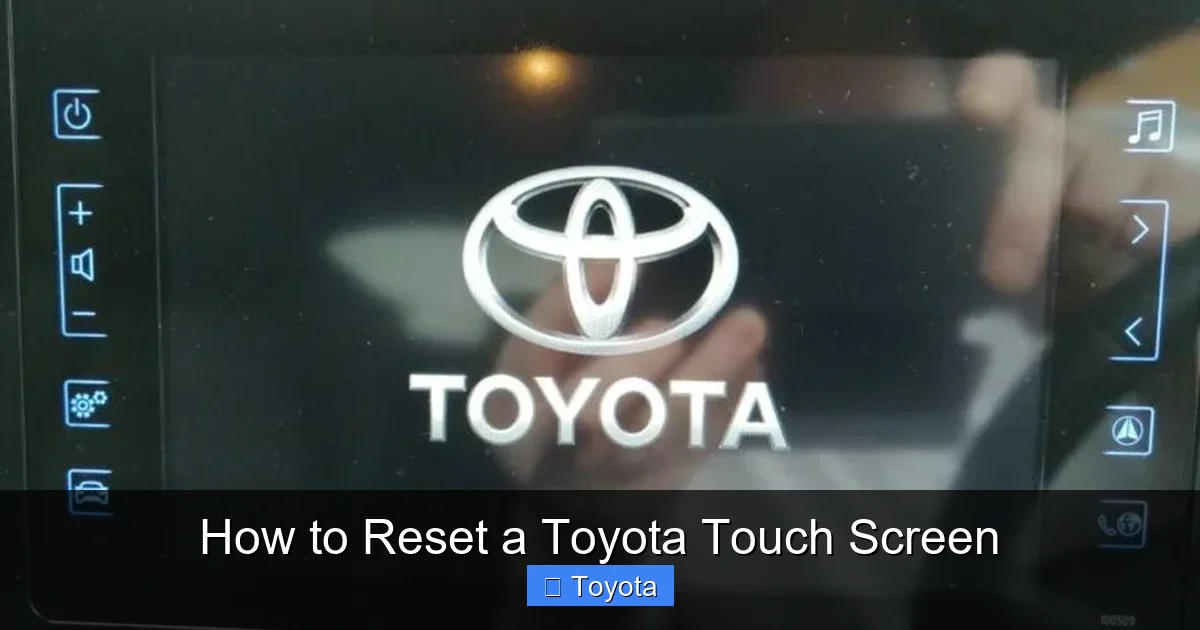
Visual guide about How to Reset a Toyota Touch Screen
Image source: theautoinsiderblog.com
Method 1: The Hold-the-Power-Button Trick
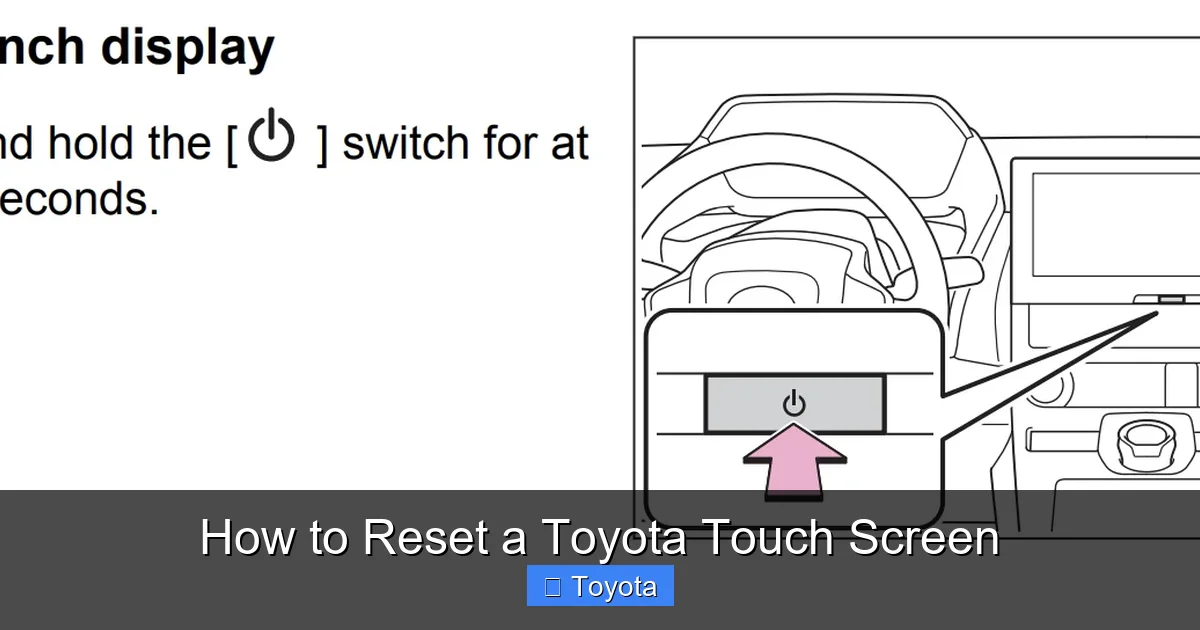
This is the most common way to soft reset your Toyota Touch Screen. First, locate the power button on your infotainment system. On most Toyota models, this is on the left side of the screen or near the bottom corner. Press and hold the button for about 10 to 15 seconds. You will see the screen go dark, and then the Toyota logo will appear as the system restarts. Wait patiently for the full boot-up process to complete. This usually takes about 30 to 60 seconds. Once you see the home screen, your Toyota Touch Screen should be working normally again.
Method 2: Turn Off the Ignition and Wait
If the power button method does not work, you can try a slightly longer approach. Turn off your vehicle and remove the key from the ignition. Wait at least 60 seconds. This allows the infotainment system to fully power down and clear its temporary memory. After the minute has passed, start the car again and the Toyota Touch Screen should reboot automatically. This method works especially well if the system was frozen and unresponsive to the power button press.
When to Use a Soft Reset
Use a soft reset whenever your Toyota Touch Screen shows minor issues. A frozen screen, slow response, or a glitchy interface after a long drive are all perfect reasons to try this method. It is fast, safe, and should be your first attempt before trying anything more involved. Many Toyota owners find themselves doing a soft reset once or twice a year, and that is completely normal.
How to Perform a Hard Reset on Your Toyota Touch Screen
A hard reset goes deeper than a soft reset. It restores the Toyota Touch Screen to its original factory settings. This means all your custom settings, saved Wi-Fi networks, paired Bluetooth devices, and personal preferences will be erased. You will need to set everything up again after the reset. However, a hard reset is incredibly effective at solving persistent software problems that a soft reset cannot fix.
Visual guide about How to Reset a Toyota Touch Screen
Image source: aautomotives.com
Step-by-Step Guide to a Hard Reset
First, make sure your vehicle is parked and the engine is turned off. Next, locate the reset button on the infotainment unit. On many Toyota models, this is a small pinhole button on the left side or behind the screen. Use a paperclip or a thin pin to press and hold the button for about 15 to 20 seconds. The screen will go black and the system will begin the factory reset process. Do not let go of the button too early. Wait until you see the Toyota logo or a message indicating the reset is complete.
Once the reset finishes, the system will restart. You will be greeted with the initial setup screen, just like when you first bought the car. Follow the on-screen prompts to set your language, location, and preferences. After the setup is complete, your Toyota Touch Screen should be running like new. All the bugs and glitches should be gone.
Important Precautions Before a Hard Reset
Before performing a hard reset, make sure you have your Bluetooth pairing information handy. Write down your Wi-Fi passwords if needed. Also, note any custom settings you have configured, such as your preferred radio stations or navigation home address. This makes the setup process after the reset much smoother. Additionally, make sure your vehicle battery is fully charged or the engine is running during the reset. A power interruption during a hard reset can cause serious issues with the infotainment system.
Troubleshooting Common Issues After Resetting Your Toyota Touch Screen
Sometimes even after a reset, you might notice that your Toyota Touch Screen is not working perfectly. This can happen for a few reasons, and most of them are easy to fix. Let us walk through the most common post-reset issues and their solutions.
Visual guide about How to Reset a Toyota Touch Screen
Image source: cartipsdaily.com
Screen Still Frozen After Reset
If your Toyota Touch Screen remains frozen after a reset, the issue might be related to your vehicle battery. A weak or aging battery can cause inconsistent power delivery to the infotainment system. This is especially common in cold weather, where battery performance drops significantly. To check if your battery is the culprit, look for other signs of a weak battery such as dim headlights or slow engine cranking. If you suspect a battery issue, it is worth having your battery tested. For tips on keeping your battery healthy, especially during winter months, check out our guide on how to maintain a car battery in cold weather.
GPS and Navigation Not Working Properly
After a reset, your GPS and navigation features might need to be set up again. Make sure your location services are enabled and that your GPS antenna is getting a clear signal. If you have installed additional GPS hardware or accessories in your vehicle, these may need to be reconfigured as well. For more information on GPS systems and how they integrate with your car, you can read our article on how to install a GPS system in your car. This guide covers everything from choosing the right unit to proper installation and calibration.
Rearview Camera Display Issues
If your rearview camera feed is not showing on the Toyota Touch Screen after a reset, the camera connection may have been disrupted. Check the camera lens for any dirt or debris and clean it gently. If the issue persists, the camera wiring might need to be inspected. For detailed guidance on camera installation and troubleshooting, our article on how to install a rearview camera in your car provides comprehensive step-by-step instructions.
Tips to Keep Your Toyota Touch Screen Running Smoothly
Prevention is always better than cure. By following a few simple habits, you can keep your Toyota Touch Screen in great shape and reduce the need for frequent resets.
Keep Your Software Updated
Toyota regularly releases software updates for its infotainment systems. These updates fix bugs, improve performance, and add new features. Check for updates periodically by going to your system settings. If your Toyota Touch Screen supports over-the-air updates, make sure your vehicle is connected to Wi-Fi when parked so it can download the latest patches automatically.
Clean Your Screen Regularly
Dust, fingerprints, and grime can build up on your Toyota Touch Screen and affect its responsiveness. Use a soft microfiber cloth to gently wipe the screen at least once a week. Avoid using harsh chemical cleaners or abrasive materials, as these can damage the screen coating. A slightly damp cloth works best for removing stubborn smudges.
Avoid Overloading the System
Running too many apps simultaneously can slow down your Toyota Touch Screen. Close apps you are not using and avoid keeping multiple navigation or media apps open at the same time. Think of it like closing tabs on your computer. The fewer things running in the background, the smoother your screen will perform.
Protect Against Extreme Temperatures
Extreme heat and cold can both affect your Toyota Touch Screen performance. In hot weather, try to park in the shade or use a windshield sunshade. In cold weather, allow the vehicle to warm up for a few minutes before using the infotainment system heavily. If you live in a very cold climate, maintaining your car battery is especially important, as a weak battery can cause all sorts of electronic issues, including touch screen malfunctions.
When to Seek Professional Help for Your Toyota Touch Screen
Most Toyota Touch Screen issues are resolved with a simple reset. But there are times when professional help is the right call. If you have tried both a soft reset and a hard reset and the screen is still malfunctioning, there may be a deeper hardware issue at play. Similarly, if you notice a burning smell, see physical damage to the screen, or experience electrical problems in other parts of the vehicle, do not attempt further troubleshooting on your own. Take your vehicle to a certified Toyota dealer or a trusted automotive electronics specialist. They have the diagnostic tools and expertise to identify and fix complex problems safely. Remember, attempting to open or repair the infotainment unit yourself can void your warranty and cause additional damage.
Conclusion
Resetting your Toyota Touch Screen is one of the simplest and most effective ways to solve a wide range of display problems. Whether you choose a soft reset for quick fixes or a hard reset for deeper issues, the process is straightforward and safe. By understanding the common causes of touch screen problems and following the tips in this guide, you can keep your Toyota Touch Screen running smoothly for years to come. A little regular maintenance goes a long way toward preventing issues before they start. So the next time your screen freezes or acts up, do not panic. Just follow these steps, and you will be back on your way in no time.
Frequently Asked Questions
How long does it take to reset a Toyota Touch Screen?
A soft reset usually takes less than one minute. A hard reset takes about 5 to 10 minutes, including the setup process afterward. The actual reset itself is quick, but you will need to reconfigure your preferences once it is complete.
Will resetting my Toyota Touch Screen delete my saved data?
A soft reset will not delete any data. A hard reset will erase all custom settings, paired Bluetooth devices, saved Wi-Fi networks, and navigation history. Always make a note of important settings before performing a hard reset.
How often should I reset my Toyota Touch Screen?
You should only reset your Toyota Touch Screen when you experience issues like freezing, lag, or unresponsiveness. There is no need to reset it regularly as a maintenance routine. If you find yourself resetting it frequently, there may be an underlying issue that needs professional attention.
Can a weak car battery cause Toyota Touch Screen problems?
Yes, a weak or failing car battery is one of the most common causes of Toyota Touch Screen issues. The infotainment system needs consistent power to operate properly. If your battery is low, you may experience screen freezes, slow response times, or unexpected shutdowns.
Is it safe to reset the Toyota Touch Screen while driving?
No, you should always perform a reset while the vehicle is parked and safely stopped. A reset causes the screen to go dark and may temporarily disable navigation and audio features. Doing this while driving can be distracting and unsafe.
What should I do if my Toyota Touch Screen still does not work after a reset?
If the screen remains non-functional after both a soft and hard reset, the issue is likely hardware-related. Contact a certified Toyota dealer or a qualified automotive technician. They can run diagnostic tests and determine whether a component needs to be repaired or replaced.