How to Reset a Toyota Maintenance Light
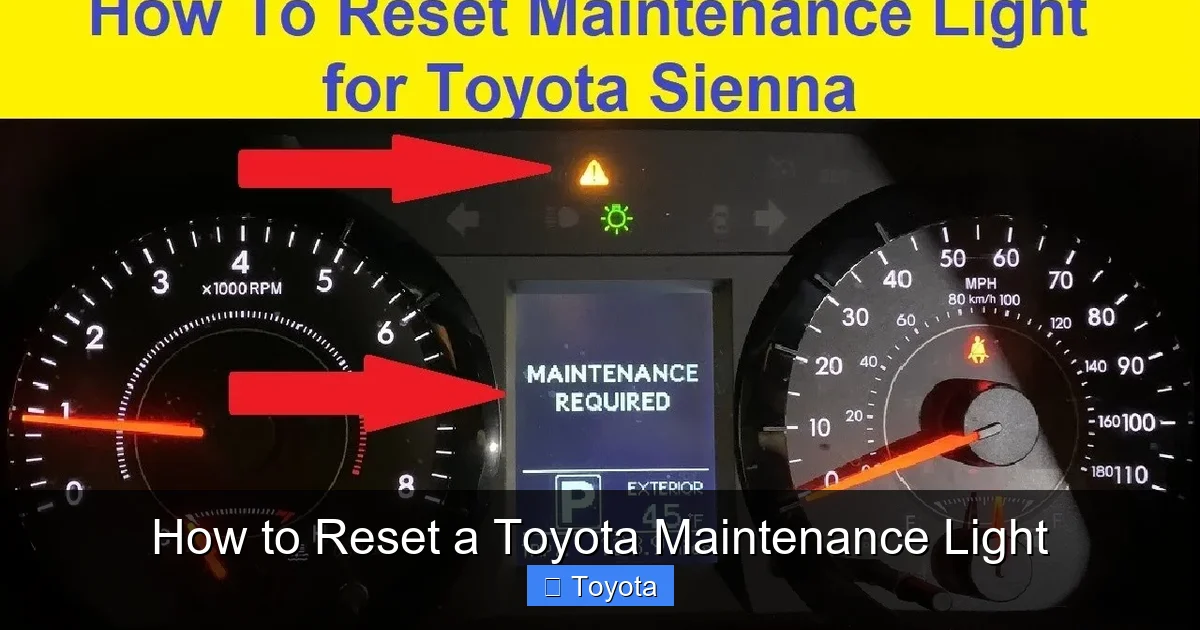
If your Toyota maintenance light is glowing, don’t panic! This guide provides easy, step-by-step instructions on how to reset a Toyota maintenance light for various models. By following these simple steps, you can clear your dashboard and ensure your vehicle is ready for its next trip.
Imagine this: You are cruising down a scenic highway, music playing, windows down, and everything feels perfect. Suddenly, you glance down at your dashboard and see it—that little glowing icon telling you it is time for service. For many Toyota owners, seeing the maintenance light pop up can cause a momentary flash of worry. Is something wrong with my engine? Do I need to pull over immediately?
The first thing you should know is that the maintenance light is usually just a friendly reminder. Unlike the dreaded “Check Engine” light, which often signals a specific mechanical issue, the maintenance light (sometimes shown as a wrench icon) is simply a timer. It tells you that you have reached a certain mileage interval and it is time to take care of your vehicle. It is the car’s way of saying, “Hey, it is time for an oil change and a quick check-up!”
In this guide, we are going to walk you through exactly how to reset a Toyota maintenance light. Whether you just had your oil changed at a local shop or you prefer to do your own maintenance at home, knowing how to clear that dashboard alert is a vital skill for any Toyota owner. We will cover various models and methods to ensure you can get back to driving without that nagging light staring at you.
Key Takeaways
- Understanding How to Reset a Toyota Maintenance Light: Provides essential knowledge
📑 Table of Contents
Understanding Your Toyota Maintenance Light
Before we dive into the “how-to,” it is important to understand what that light actually represents. Toyota vehicles are incredibly reliable, which is why many people rely on them for decades. However, even the most reliable machines need regular care to stay that way. The maintenance light is a scheduled reminder based on the number of miles you have driven since your last service.
Maintenance Light vs. Check Engine Light
It is very common for drivers to confuse the maintenance light with the check engine light. It is important to distinguish between the two. The check engine light (the engine silhouette icon) is triggered by the car’s onboard diagnostics (OBD) system when it detects a malfunction in the engine, emissions, or sensors. If that light is blinking, you should seek professional help immediately.
The maintenance light, however, is much simpler. It is a countdown. It tracks the distance traveled since the last time the service was logged. When you reach a specific threshold—usually every 5,000 to 10,000 miles—the light turns on to remind you to check your oil, rotate your tires, and inspect other vital fluids. If you have recently performed maintenance, such as learning how to clean a car engine bay, you know that keeping things tidy is part of good upkeep, and resetting the light is the final step in that process.
Why You Must Reset the Light After Service
You might wonder, “If I changed the oil, why do I need to reset the light?” The car doesn’t actually “know” you changed the oil. It doesn’t have a sensor that can taste the freshness of the new oil. Instead, it uses a mathematical calculation based on the mileage recorded by your odometer. Until you manually tell the computer that the service has been completed, it will continue to remind you that the service is due.
How to Reset the Light on Newer Toyota Models (Push-Button Start)
If you drive a newer Toyota, such as a recent RAV4, Camry, or Highlander equipped with a push-button start, the process is often handled through the infotainment system or the multi-information display (MID) located in your instrument cluster. These cars are much more “smart” and allow you to manage your vehicle settings directly from the steering wheel buttons.
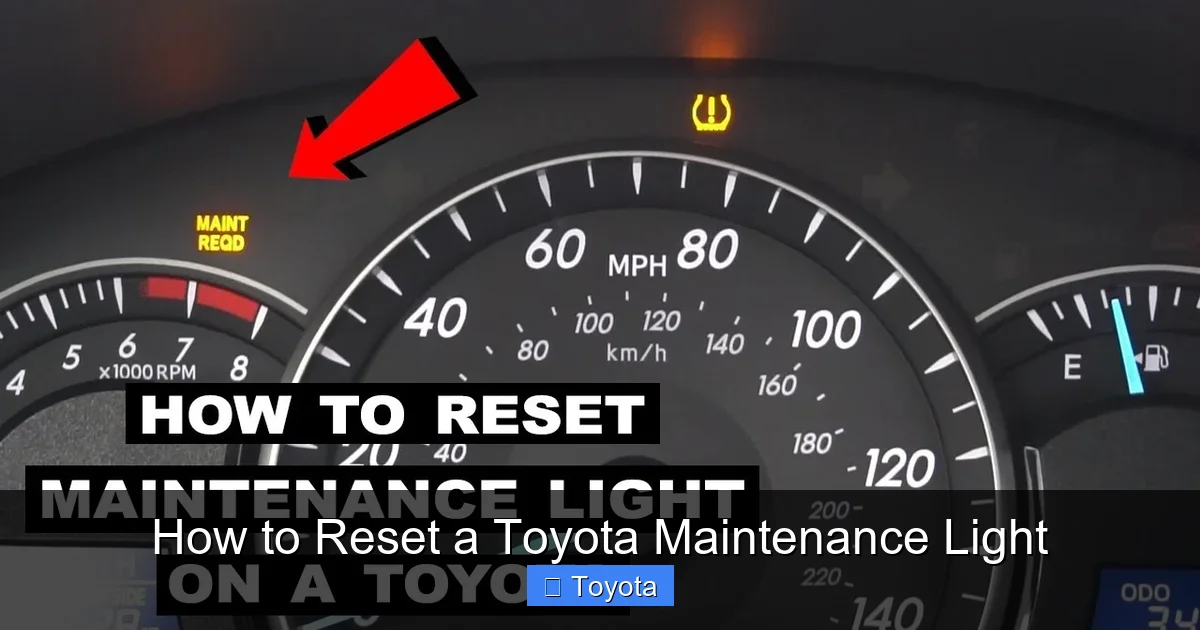
Visual guide about How to Reset a Toyota Maintenance Light
Image source: i.ytimg.com
Using the Steering Wheel Controls
For most modern Toyotas, you won’t need any tools at all. You can do this right from the driver’s seat. Here is a general step-by-step guide for newer models:
- Step 1: Turn the vehicle on (you can do this by pressing the “Start” button without stepping on the brake if you just want to access the electronics).
- Step 2: Use the arrow buttons on the left side of your steering wheel to navigate the menu on your dashboard screen.
- Step 3: Look for a menu item labeled “Settings” or “Vehicle Settings.”
- Step 4: Navigate to “Service” or “Scheduled Maintenance.”
- Step 5: Select “Reset Data” or “Reset Maintenance Information.”
- Step 6: Confirm your choice when the screen asks if you are sure.
This method is incredibly convenient. It allows you to keep your maintenance schedule updated without ever needing to open the hood. It is a seamless part of the modern driving experience.
Using the Infotainment Screen
Some Toyota models integrate these settings into the large touchscreen in the center of your dashboard. If you don’t see the option on your dashboard screen, check the “Setup” or “Vehicle” menu on your main touchscreen. The process is similar: navigate to the vehicle settings, find the maintenance section, and hit reset.
How to Reset the Light on Older Toyota Models (Key Ignition)
If your Toyota is a bit older, the process might feel a little more “manual.” Older models often don’t have a complex digital menu system on the dashboard. Instead, they rely on a specific sequence of turning the key to specific positions to trigger a reset in the car’s computer.
The Standard Key-Turn Method
While every older model is slightly different, many Toyota models (like older Corollas or Tacomas) follow a similar pattern. Please note: these steps should only be performed when the vehicle is parked and the parking brake is engaged.
- Step 1: Turn the ignition key to the “ON” position (this is the position just before you actually crank the engine to start it). Do not start the engine.
- Step 2: Locate the “Trip A” or “Trip B” button on your instrument cluster. This is usually a small physical button near your odometer.
- Step 3: While the key is in the “ON” position, press and hold the “Trip” button.
- Step 4: Keep holding the button. You may see the odometer digits flashing or the maintenance light turn off.
- Step 5: Once the display shows “0” or the light disappears, release the button and turn the key back to the “OFF” position.
If that doesn’t work, your specific model might require you to turn the key from “OFF” to “ON” three times rapidly, or you might need to hold the button while turning the key. If you are unsure, checking your owner’s manual is the safest bet for your specific year.
A Pro Tip for Older Vehicles
Sometimes, older vehicles are a bit finicky. If the light doesn’t go away immediately, try turning the car off and then back on again. Sometimes the computer needs a moment to “reboot” and recognize the new data you just entered.
Troubleshooting: What if the Light Won’t Go Away?
It can be frustrating when you follow all the steps perfectly, but that pesky light refuses to turn off. If you have tried the reset procedures for both newer and older models and the light remains, there are a few things that could be happening.
Visual guide about How to Reset a Toyota Maintenance Light
Image source: i.ytimg.com
The Light Isn’t Actually a Maintenance Light
As mentioned earlier, the first step is to confirm which light you are looking at. Is it a wrench icon (Maintenance)? Is it an engine outline (Check Engine)? Or is it a light with the word “ABS” or “ESC” (Traction Control)? If it is the Check Engine light, resetting the maintenance timer will not fix it. The car has detected a real problem that requires a scanner to diagnose.
A Faulty Sensor or Computer Error
In rare cases, the electronic control unit (ECU) that manages your vehicle’s service intervals might have a glitch. If you have performed a full oil and filter change and the light remains, it is possible that the reset command wasn’t registered. In this case, you might need a professional mechanic to reset the light using a specialized OBD-II scanner. This is a common occurrence if the battery was disconnected recently or if there was a surge in the electrical system.
The Importance of Real Maintenance
It is very important to remember that resetting the light is the last step of maintenance, not the first. If you reset the light without actually changing your oil, you are essentially lying to your car. This can lead to serious engine wear over time. If you are doing your own maintenance, make sure you are also checking other essentials. For example, if you’ve just finished a service, it’s a great time to clean your car air conditioner filter to ensure the cabin air stays fresh for your next trip.
Maintenance Tips for Every Toyota Owner
Now that you know how to reset the light, let’s talk about how to prevent your car from needing emergency repairs. Toyota’s reputation for longevity is built on the foundation of regular, proactive maintenance. Don’t wait for the light to come on to think about your vehicle’s health.
Creating a Maintenance Schedule
While the car’s computer does a great job of reminding you, it’s helpful to keep your own log. Many owners keep a small notebook in the glovebox or use a mobile app to track their oil changes, tire rotations, and brake inspections. This is especially helpful if you are planning to sell the car later; a documented service history can significantly increase your resale value.
Seasonal Maintenance Checks
Don’t just rely on mileage. Weather plays a huge role in how your car performs. In winter, your battery works much harder to start the engine in freezing temperatures. Knowing how to maintain a car battery in cold weather can save you from being stranded on a snowy morning. Similarly, in summer, your cooling system and AC are under constant stress.
Don’t Ignore the Small Things
A maintenance light is a “catch-all” reminder. When you take your car in for the service that triggered the light, ask the technician to do a quick “multi-point inspection.” This usually includes checking:
- Brake pad thickness
- Tire tread depth and pressure
- Fluid levels (coolant, brake fluid, windshield washer)
- Belt and hose condition
- Wiper blade integrity
By catching a small leak or a worn belt today, you avoid a massive repair bill next month.
Conclusion
Knowing how to reset a Toyota maintenance light is a simple yet incredibly useful skill. It gives you more control over your vehicle and saves you a trip to the dealership for a task that takes only a few minutes. Whether you are navigating through digital menus on a brand-new Toyota or performing a manual key-turn sequence on a classic, the process is straightforward once you know the steps.
However, always remember that the maintenance light is a signal to take care of your vehicle, not just a light to turn off. The best way to keep your Toyota running for hundreds of thousands of miles is to respect the maintenance intervals. Change your oil, rotate your tires, and keep an eye on your fluids. If you treat your Toyota well, it will undoubtedly return the favor by providing years of reliable, trouble-free driving.
So, go ahead—perform that oil change, do your inspections, reset that light, and get back on the road with confidence!
Frequently Asked Questions
Will resetting the maintenance light clear a Check Engine light?
No, resetting the maintenance light will not clear a Check Engine light. The maintenance light is a mileage-based reminder, while the Check Engine light is triggered by the car’s internal computer detecting a specific mechanical or electrical fault.
Can I reset the light without changing the oil?
Yes, you can physically reset the light at any time, but you should only do so after you have actually performed the necessary maintenance. Resetting the light without changing the oil can lead to engine damage over time.
Why did my maintenance light come on so early?
Maintenance lights are often programmed based on “driving conditions” rather than just miles. If you do a lot of stop-and-go city driving, towing, or driving in extreme temperatures, the car may trigger the light earlier to protect the engine.
Is it dangerous to drive with the maintenance light on?
Usually, no. The maintenance light is just a reminder. However, if the light is flashing or if it is the Check Engine light, you should have the vehicle inspected immediately to prevent potential damage.
Do all Toyota models use the same reset method?
No, the method varies significantly depending on the year and model. Newer models use digital menus via the steering wheel or touchscreen, while older models often require a specific key-turning sequence.
Does the light reset automatically when I get an oil change?
In most cases, no. While some modern dealerships may reset it for you during a service, the car’s computer typically requires a manual reset to clear the mileage counter for the next service interval.