How to Turn Off Lane Assist on a Toyota Camry
Turning off lane assist on a Toyota Camry can be done either temporarily with a steering‑wheel button or permanently through the vehicle’s settings menu. This guide walks you through locating the controls, disabling the feature, troubleshooting common issues, and staying safe when you choose to drive without it.
Key Takeaways
- Location of controls: Lane assist is managed via a button on the steering wheel and through the Multi‑Information Display (MID) settings.
- Temporary disable: Press and hold the lane‑assist button (usually labeled “LKA” or with a lane icon) for a few seconds to turn it off until the next ignition cycle.
- Permanent disable: Access Settings → Driver Assist → Lane Keep Assist and toggle it off; the setting survives power cycles.
- Troubleshooting: If the button doesn’t respond or the setting reverts, check for software updates, ensure the steering‑wheel button isn’t stuck, or visit a dealer.
- Safety without lane assist: Stay centered by using proper mirror checks, shoulder glances, and smooth steering; re‑enable the system in heavy traffic or poor visibility.
- Vehicle specifics: Knowing how much a Toyota Camry weighs helps you gauge how steering corrections feel.
- Break‑in tip: During the break-in period for a new Toyota, test lane assist early to learn its behavior as components settle.
- Camera care: Since the lane‑assist camera looks through the windshield, knowing how to replace windshield wipers keeps the view clear for reliable operation.
📑 Table of Contents
- Understanding Lane Assist and Why You Might Want to Turn It Off
- Locating the Lane Assist Controls on Your Toyota Camry
- Step‑by‑Step Guide to Disable Lane Assist Temporarily
- How to Permanently Disable Lane Assist via Settings Menu
- Troubleshooting Common Issues When Lane Assist Won’t Turn Off
- Best Practices and Safety Considerations When Driving Without Lane Assist
- Conclusion
Understanding Lane Assist and Why You Might Want to Turn It Off
Lane assist, often called Lane Keeping Assist (LKA) or Lane Departure Warning, is a driver‑aid system that uses a camera mounted near the rearview mirror to detect lane markings. When the system senses the vehicle drifting toward a line without a turn signal, it applies gentle steering torque to guide the car back toward the center of the lane.
Many drivers appreciate this feature on long highway trips because it reduces fatigue and helps prevent unintentional lane departures. However, there are situations where the intervention feels intrusive. For example, on winding roads, during aggressive lane changes, or when you prefer to steer manually, the automatic corrections can feel like the car is fighting you.
Understanding how much a Toyota Camry weighs gives you a sense of the vehicle’s inertia, which can affect how noticeable lane‑assist steering corrections feel. A heavier car may need more torque to correct a drift, making the system’s actions more pronounced.
Locating the Lane Assist Controls on Your Toyota Camry
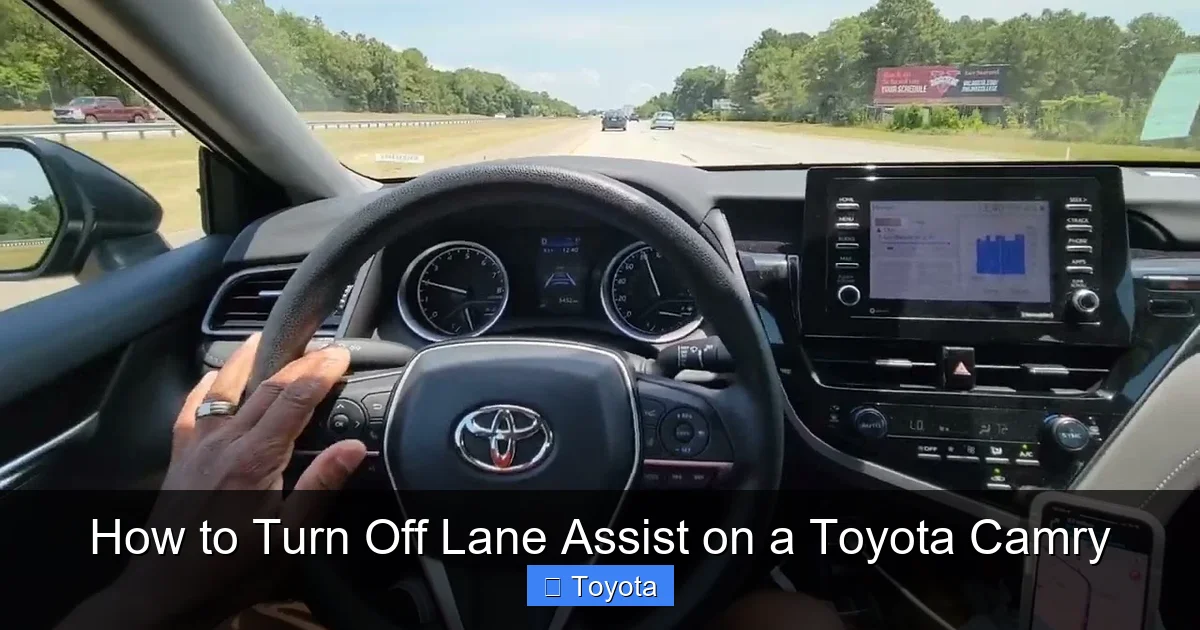
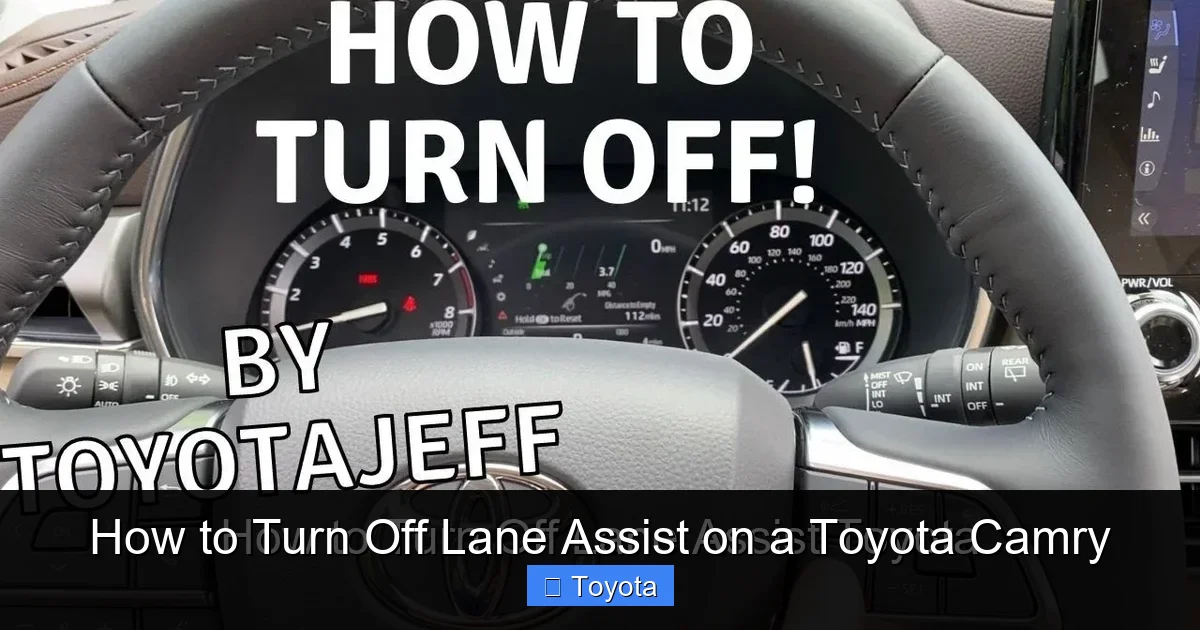
Toyota places lane‑assist controls in two main places: a physical button on the steering wheel and a menu inside the Multi‑Information Display (MID). Knowing where these are makes it easy to toggle the feature on or off without taking your eyes off the road for long.
Visual guide about How to Turn Off Lane Assist on a Toyota Camry
Image source: toyotaautodealer.com
Steering Wheel Button
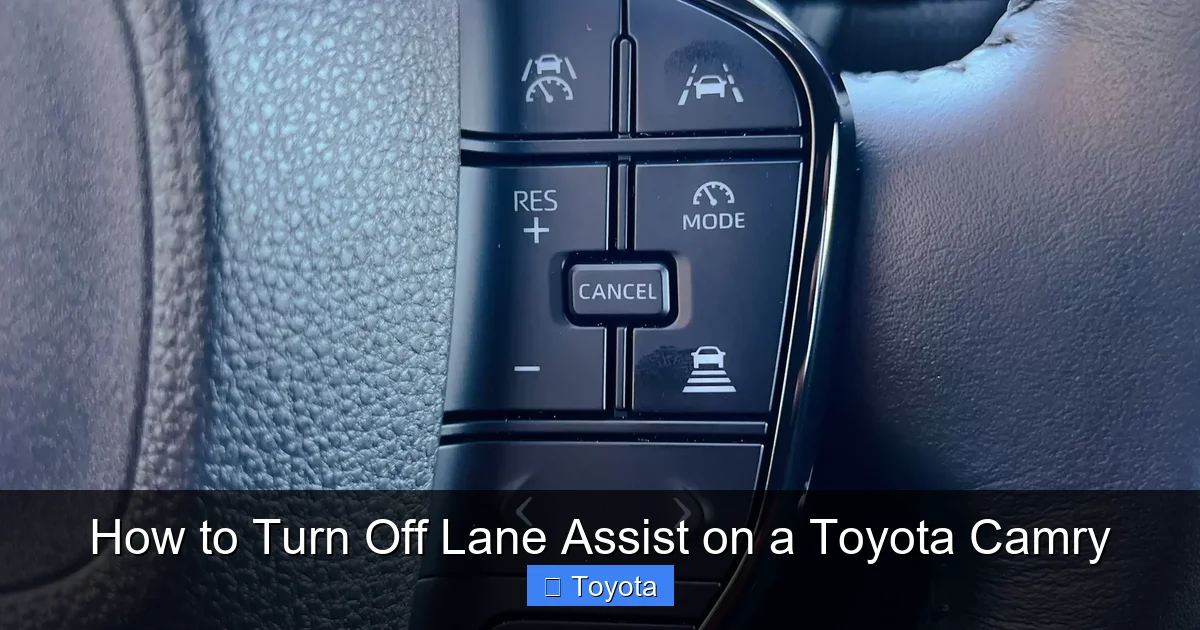
On most Camry models (2018‑present), look for a button on the left side of the steering wheel labeled “LKA” or showing a small lane icon with arrows. Pressing this button toggles lane assist on or off. Some models require a short press to enable and a long press (about two seconds) to disable.
Multi‑Information Display (MID)
The MID is the small screen between the speedometer and tachometer. Using the steering‑wheel arrow buttons, you can navigate to the “Settings” or “Driver Assist” menu. Inside, you’ll find an option for Lane Keep Assist that you can enable or disable.
Settings Menu via Touchscreen
On Camrys equipped with the Entune or Toyota Safety Sense 2.0+ touchscreen, you can also reach lane‑assist settings through the main menu: Apps → Settings → Vehicle → Driver Assist → Lane Keep Assist. This route is useful if you prefer a larger screen for making changes.
If you’re still in the break‑in period for a new Toyota, it’s a good idea to test lane assist early so you learn how the system behaves as the engine and suspension settle.
Step‑by‑Step Guide to Disable Lane Assist Temporarily
Sometimes you only need lane assist off for a short drive—perhaps you’re navigating a tight city street or taking a spirited drive on a backroad. The temporary method disables the system until you turn the car off and on again.
Visual guide about How to Turn Off Lane Assist on a Toyota Camry
Image source: cedricthecarguy.com
Using the Steering Wheel Button
- Start the vehicle and ensure it’s in READY mode (hybrid) or the engine is running.
- Locate the LKA button on the left side of the steering wheel.
- Press and hold the button for about two seconds.
- Watch the MID: a lane‑assist icon should disappear or show a line through it, indicating the feature is off.
- You can now drive without lane‑assist interventions.
Via the Multi‑Information Display
- Press the Menu button on the steering wheel to bring up the MID.
- Use the arrow buttons to scroll to Settings.
- Select Driver Assist.
- Highlight Lane Keep Assist and press the Enter (or OK) button.
- Toggle the setting to Off. The MID will confirm the change.
Confirming the Status
After disabling, glance at the MID or the instrument cluster. The lane‑assist icon should be grayed out or show an “OFF” label. If you see the icon still illuminated, repeat green lane lines, the system is still active—repeat the steps above.
How to Permanently Disable Lane Assist via Settings Menu
If you prefer lane assist to remain off every time you start the car, you can change the default setting. This change survives power cycles, so you won’t need to repeat the process each drive.

Visual guide about How to Turn Off Lane Assist on a Toyota Camry
Image source: i.ytimg.com
Accessing the Settings Menu
Start the car and ensure the MID is active. Press the Menu button on the steering wheel to bring up the main options.
Navigating to Driver Assist
Use the arrow buttons to move to Settings, then Driver Assist. This submenu houses all Toyota Safety Sense features, including lane assist, pre‑collision system, and adaptive cruise control.
Turning Off Lane Keep Assist
Highlight Lane Keep Assist and press OK. A toggle switch will appear. Move it to the Off position. The system may ask you to confirm; select Yes or OK.
Saving Preferences
Exit the menu by pressing the Menu button again or waiting a few seconds for the screen to time out. The next time you start the vehicle, lane assist will remain off unless you manually turn it back on.
Note: Some Camry trims tie lane assist to the overall Toyota Safety Sense package. Disabling it here does not affect other safety features like automatic high beams or road‑sign assist.
Troubleshooting Common Issues When Lane Assist Won’t Turn Off
Occasionally, the lane‑assist system may seem stubborn, staying active despite your attempts to disable it. Below are frequent culprits and how to address them.
Button Not Responding
If pressing the steering‑wheel LKA button does nothing, first check for any physical obstruction. Dust or debris can cause the button to stick. Gently clean around the button with a soft cloth. If the button still feels unresponsive, the steering‑wheel control module may need a dealer inspection.
Settings Greyed Out
Sometimes the Lane Keep Assist option appears dimmed and cannot be changed. This often happens when the vehicle is in a specific drive mode (e.g., Sport or Eco) that overrides driver‑assist settings. Switch to Normal mode, then revisit the settings. Also, ensure the vehicle is not in Maintenance or Service mode, which can lock certain adjustments.
System Re‑Enables After Restart
If lane assist turns back on each time you power cycle the car, the permanent setting may not have saved. Repeat the permanent‑disable steps, making sure to confirm the toggle and exit the menu properly. A soft reset of the infotainment system (hold the power button for 10 seconds) can also clear temporary glitches.
Dealer Visit
Should none of the above solutions work, there could be a software fault or a faulty sensor. Schedule a visit to your Toyota dealer. They can run a diagnostic scan, update the Entune/Toyota Safety Sense software, and, if needed, replace the lane‑assist camera or steering‑wheel switch.
Best Practices and Safety Considerations When Driving Without Lane Assist
Driving without lane assist means you rely entirely on your own steering inputs. While many drivers feel more in control, it’s important to adopt habits that keep you safe, especially in challenging conditions.
Staying Centered in Your Lane
Make a conscious effort to look far ahead, not just at the immediate pavement. Use the lane markings as a visual guide and make small, smooth steering corrections. Practicing this on empty roads builds muscle memory.
Using Mirrors and Shoulder Checks
Without lane‑assist warnings, blind‑spot checks become even more vital. Before any lane change, glance at your rear‑view and side mirrors, then perform a quick shoulder check to confirm the lane is clear.
Adjusting Speed
Higher speeds reduce reaction time. If you’re uncomfortable steering manually, consider lowering your speed slightly until you regain confidence. Conversely, on low‑speed city streets, lane assist is often unnecessary, so keeping it off can reduce unwanted interventions.
Re‑Enabling When Needed
Remember that you can turn lane assist back on at any time using the same button or menu. If you encounter heavy rain, fog, or construction zones with unclear markings, re‑engage the system for added support. Knowing how to replace windshield wipers ensures the camera has a clear view, which improves the system’s reliability when you do turn it back on.
Periodic System Checks
Even if you prefer driving without lane assist, it’s wise to test the system occasionally. This ensures the camera, sensors, and steering‑actuator remain functional should you need them in an emergency.
Conclusion
Turning off lane assist on a Toyota Camry is straightforward once you know where the controls live. You can disable it temporarily with a quick press of the steering‑wheel button, or make the change permanent through the MID or touchscreen settings. If you run into hiccups—unresponsive buttons, greyed‑out options, or the system reverting—simple troubleshooting steps often solve the problem, and a dealer visit is the last resort for persistent faults.
Driving without lane assist puts more responsibility on you to stay centered, check mirrors, and manage speed. By adopting good visual habits and keeping the windshield clear (which includes knowing how to replace windshield wipers), you maintain safety while enjoying a more direct steering feel. Whenever conditions change—poor visibility, heavy traffic, or unfamiliar roads—you can always switch lane assist back on for that extra layer of confidence. Safe travels!
Frequently Asked Questions
Where is the lane‑assist button located on a Toyota Camry steering wheel?
The lane‑assist button is typically on the left side of the steering wheel, marked with “LKA” or a small lane‑icon with arrows. Pressing and holding it for about two seconds toggles the feature off temporarily.
Can I disable lane assist permanently so it stays off each time I start the car?
Yes. Go to Settings → Driver Assist → Lane Keep Assist via the Multi‑Information Display or touchscreen and toggle the setting to Off. The preference survives power cycles until you change it again.
Why does the lane‑assist setting sometimes appear greyed out and unchangeable?
This usually occurs when the vehicle is in a specific drive mode (like Sport or Eco) that overrides driver‑assist settings, or when the car is in a service/maintenance mode. Switching to Normal drive mode should restore access to the setting.
What should I do if the lane‑assist button doesn’t respond when I press it?
First, check for any debris or stickiness around the button and clean it gently. If the button still feels unresponsive, the steering‑wheel control module may be faulty and should be inspected by a Toyota dealer.
Is it safe to drive without lane assist on the highway?
Many drivers do so safely by staying attentive, using proper mirror and shoulder checks, and making smooth steering inputs. If you feel uncertain, you can lower your speed or re‑enable lane assist until you regain confidence.
Does turning off lane assist affect other safety systems like pre‑collision braking?
No. Disabling lane assist only turns off the Lane Keeping Assist function. Other Toyota Safety Sense features—such as pre‑collision system, adaptive cruise control, and road‑sign assist—remain active unless you disable them separately.