How to Turn Off the Maintenance Light on a Toyota
Knowing how to turn off the maintenance light on a Toyota is a useful skill that can save you time and money. This guide walks you through why the light appears, how to reset it manually or with an OBD-II scanner, and tips to prevent it from coming back unnecessarily.
Key Takeaways
- Understand the trigger: The maintenance light signals routine service intervals, not necessarily a malfunction.
- Manual reset works: Most Toyota models let you turn off the light using the trip meter and ignition sequence.
- OBD-II scanner option: A generic scanner can clear the light if the manual method fails.
- Check service needs: Always verify that oil change, tire rotation, or other scheduled maintenance is actually due before resetting.
- Prevent future alerts: Keep a maintenance log and follow the manufacturer’s schedule to avoid unnecessary light activations.
📑 Table of Contents
Understanding the Toyota Maintenance Light
The maintenance light on a Toyota dashboard is not a warning of imminent failure; it is a reminder that a scheduled service interval has been reached. Toyota engineers program this indicator to illuminate after a set number of miles or months, prompting owners to perform oil changes, tire rotations, fluid checks, or other routine tasks. Recognizing the purpose of this light is the first step in learning how to turn off the maintenance light on a Toyota without unnecessary trips to the dealership.
Many drivers become anxious when they see the light, assuming something is wrong with the engine or transmission. In reality, the light is purely informational. It does not store fault codes, nor does it trigger limp‑mode behavior. Because of this, resetting it after completing the required service is safe and straightforward.
Understanding the difference between a maintenance reminder and a true diagnostic trouble code (DTC) helps you avoid confusion. If the light stays on after you have performed the service, it may simply need to be reset. If it flashes or is accompanied by other warning symbols, then further diagnosis is warranted.
Common Reasons the Light Illuminates
The maintenance light typically comes on after a preset mileage interval, which varies by model and year. For most Toyotas, the interval is either 5,000 miles (8,000 km) or 7,500 miles (12,000 km) for oil changes, with additional reminders for tire rotation at 7,500 miles and multi‑point inspections at 15,000 miles. Some newer models also incorporate time‑based triggers, lighting up after 12 months regardless of mileage.
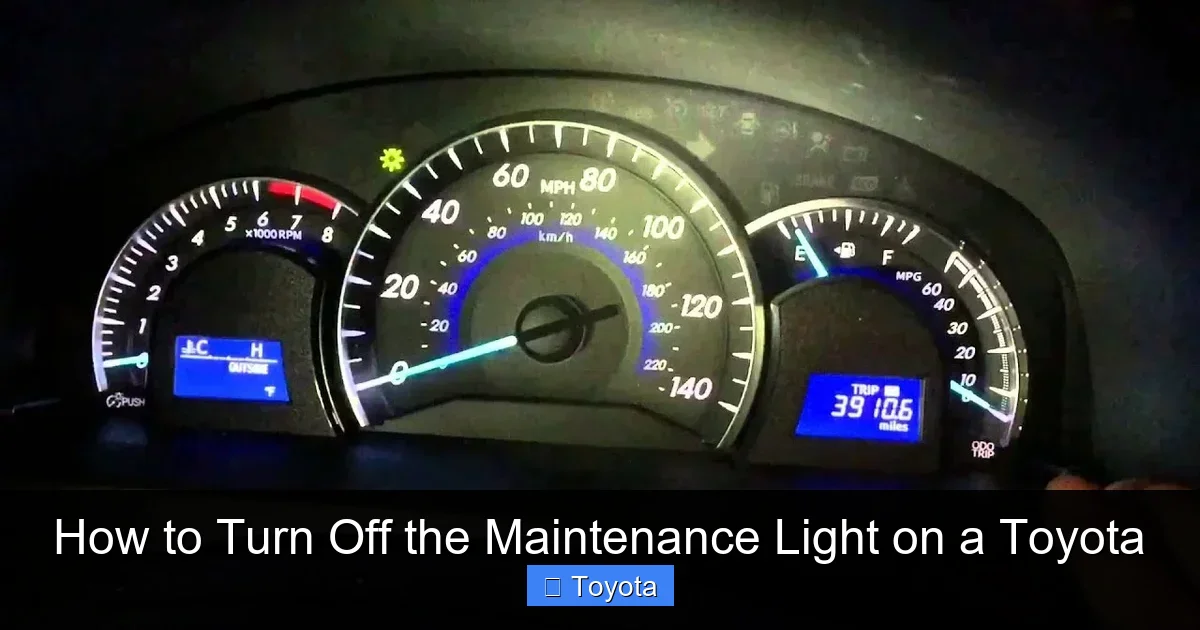
Visual guide about How to Turn Off the Maintenance Light on a Toyota
Image source: aautomotives.com
Other factors can cause the light to appear earlier than expected. If you frequently drive in severe conditions—such as stop‑and‑go traffic, extreme heat, or dusty environments—the engine oil may degrade faster, prompting the system to activate the reminder sooner. Likewise, neglecting to reset the light after a previous service will cause it to stay illuminated, leading you to believe a new service is due.
It is also worth noting that aftermarket modifications, such as performance chips or altered tire sizes, can sometimes confuse the vehicle’s internal calculations. While these rarely trigger the maintenance light directly, they can affect mileage‑based readings if the speedometer is recalibrated incorrectly.
Knowing these triggers helps you confirm that the light is indeed a maintenance reminder and not a sign of a deeper problem before you attempt how to turn off the maintenance light on a Toyota.
Preparing Your Vehicle for Reset
Before you try to reset the maintenance light, take a few moments to ensure that the required service has actually been completed. This prevents you from ignoring a genuine need for oil change, filter replacement, or other upkeep.
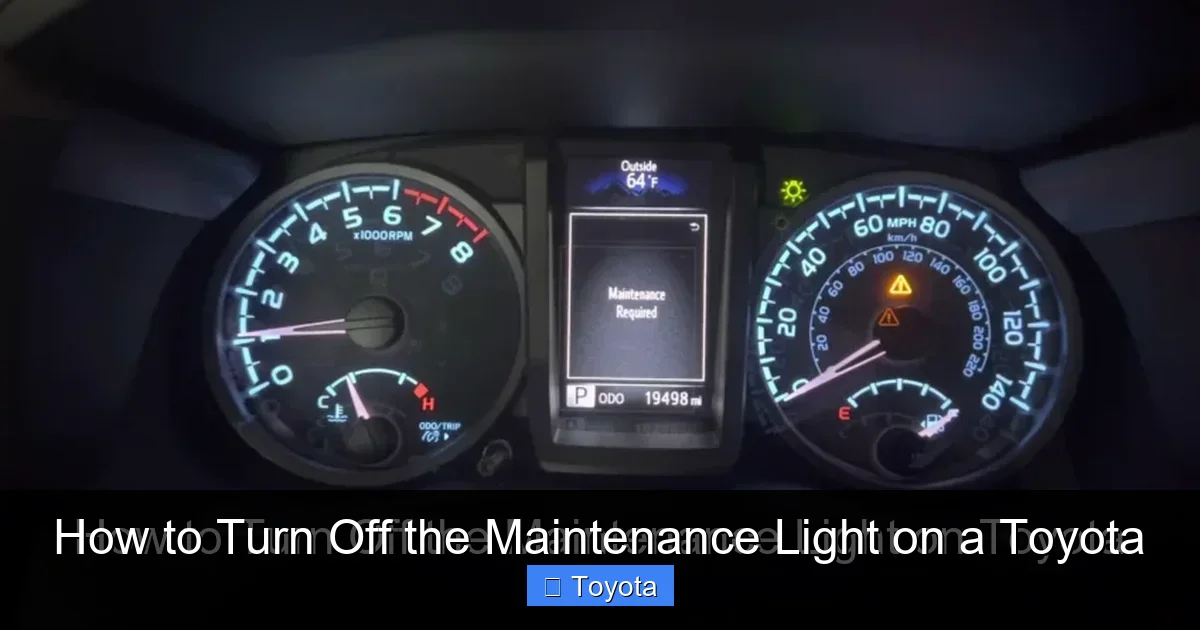
Visual guide about How to Turn Off the Maintenance Light on a Toyota
Image source: aautomotives.com
- Check the service history: Look at your maintenance log or the sticker inside the driver’s door jamb. Verify the mileage and date of the last oil change.
- Inspect the oil level and condition: Pull the dipstick, wipe it clean, reinsert, and check the level. The oil should be amber‑brown and not overly thick or gritty.
- Verify tire pressure: Properly inflated tires are part of the routine service that often accompanies the light.
- Examine the air filter and cabin filter: If your service interval includes these, make sure they are clean or replaced.
If any of these items are overdue, perform the necessary maintenance first. Only after you have confirmed that the service is up to date should you proceed with the reset procedure.
For those who prefer a visual guide, many owners find it helpful to watch a short video demonstrating the reset steps for their specific Toyota model. You can also consult the owner’s manual, which typically contains a section titled “Resetting the Maintenance Reminder.”
Now that you are prepared, let’s move on to the actual methods for how to turn off the maintenance light on a Toyota.
Step-by-Step: How to Turn Off the Maintenance Light on a Toyota
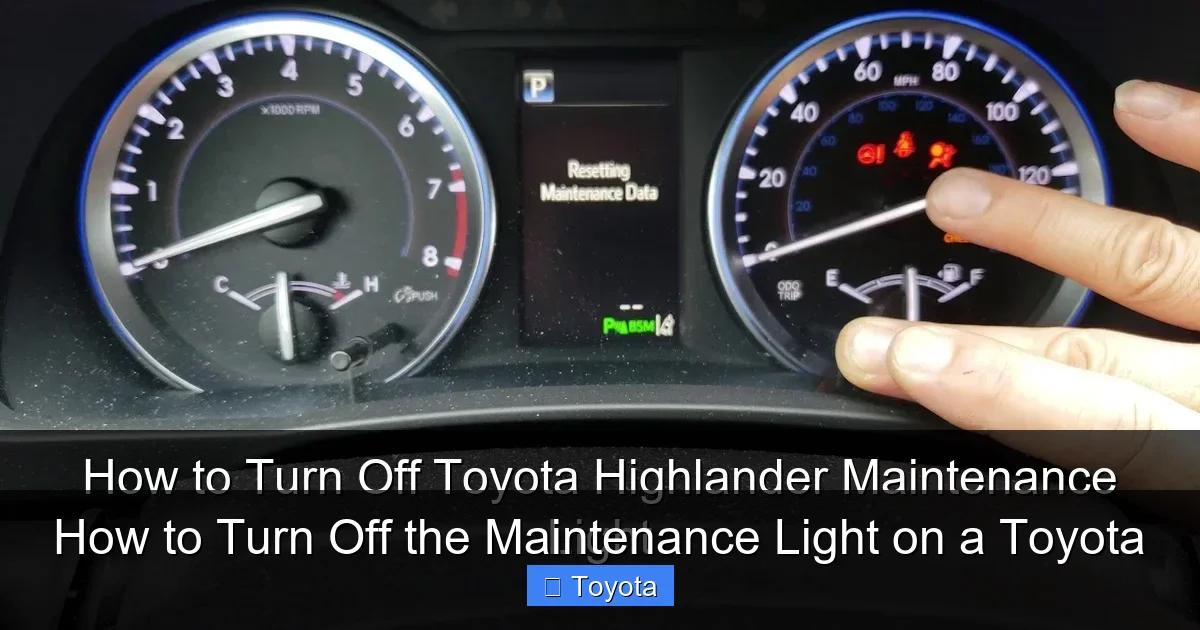
The most common method uses the trip meter button and the ignition switch. This procedure works on the majority of Toyota vehicles from the early 2000s to the present, including Corolla, Camry, RAV4, Tacoma, and Tundra. Follow these steps carefully:
- Turn the ignition to the “ON” position: Do not start the engine. Simply rotate the key to the point where the dashboard lights illuminate (or press the start button twice without pressing the brake on push‑button start models).
- Ensure the odometer displays total mileage: Press the trip meter button until the screen shows the odometer reading, not the trip A or trip B.
- Turn the ignition off: Return the key to the “LOCK” position or press the start button to shut off the vehicle.
- Press and hold the trip meter button: While holding the button, turn the ignition back to the “ON” position (again, do not start the engine).
- Wait for the light to flash: Hold the trip meter button for about 5 to 10 seconds. You will see the maintenance light begin to flash.
- Release the button: Once the light flashes, release the trip meter button. The light should turn off.
- Turn the ignition off and then on again: Verify that the light remains off after a normal start cycle.
If the light does not turn off after the first attempt, repeat the steps. Sometimes a second try clears any lingering memory in the vehicle’s computer.
This method is effective because it forces the instrument cluster to reset the internal counter that triggers the maintenance reminder. It does not erase any stored diagnostic trouble codes, so if there is a genuine issue, other warning lights will still appear.
Remember, the exact wording on the button may vary—some models label it “TRIP,” others “RESET,” or simply show an icon of a stopwatch. The principle remains the same: hold the button while cycling the ignition.
Mastering this technique gives you confidence that you can perform how to turn off the maintenance light on a Toyota whenever the reminder appears after a legitimate service.
Using an OBD-II Scanner to Reset the Light
If the manual method fails or you prefer a more technological approach, an OBD‑II scanner can clear the maintenance light. Most generic scanners that read and erase codes also have a function to reset service reminders.
Here’s how to use a scanner:
- Locate the OBD‑II port: Usually found under the dashboard near the steering column.
- Plug in the scanner: Ensure the ignition is in the “ON” position (engine off).
- Power on the scanner: Follow the device’s instructions to establish a connection with the vehicle’s ECU.
- Navigate to the maintenance reset menu: This may be labeled “Service Reset,” “Oil Service,” or “Maintenance Light.”
- Select the appropriate service: Choose the interval that corresponds to the light you are trying to clear (e.g., oil change).
- Confirm the reset: The scanner will send a command to the ECU to clear the reminder.
- Turn off the ignition and disconnect the scanner: Start the vehicle to verify the light remains off.
Using a scanner offers the added benefit of being able to read any actual fault codes that might be present. If the scanner shows codes unrelated to maintenance, you know a deeper inspection is needed before clearing the light.
Many affordable OBD‑II scanners on the market today also pair with smartphone apps, providing step‑by‑step guidance for how to turn off the maintenance light on a Toyota and logging service history for future reference.
Maintenance Tips to Keep the Light Off
Preventing the maintenance light from coming on prematurely saves you time and reduces unnecessary trips to the service center. Adopting a few simple habits can make a big difference.
- Follow the manufacturer’s schedule: Toyota’s maintenance intervals are engineered for optimal engine longevity. Stick to the recommended mileage or time‑based service.
- Keep a service log: Write down the date, mileage, and type of service performed each time you visit a mechanic or do it yourself. This log helps you verify when the next service is truly due.
- Use quality fluids and filters: High‑grade synthetic oil and OEM‑spec filters can extend the interval between changes, especially if you drive mostly highway miles.
- Monitor driving conditions: If you frequently drive in dusty areas, tow heavy loads, or experience extreme temperatures, consider shortening the interval slightly.
- Perform quick visual checks: Every few weeks, glance at the oil level, tire pressure, and coolant. Catching low levels early can prevent premature wear.
- Reset promptly after service: As soon as you finish the required maintenance, perform the reset procedure. This avoids the light staying on due to oversight.
By integrating these practices into your routine, you’ll find that the maintenance light appears only when it should, making the process of learning how to turn off the maintenance light on a Toyota a rare but straightforward task.
Conclusion
The maintenance light on a Toyota is a helpful reminder, not a cause for alarm. Understanding why it illuminates, verifying that service is actually due, and knowing how to reset it empowers you to take control of your vehicle’s upkeep. Whether you choose the simple trip‑meter method or opt for an OBD‑II scanner, the steps are quick, safe, and effective.
Remember to always perform the necessary maintenance before clearing the light, and keep a diligent service log to prevent false alerts. With the knowledge and tips shared in this guide, you can confidently handle the maintenance light whenever it appears, ensuring your Toyota runs smoothly and your dashboard stays clear.
Now that you know how to turn off the maintenance light on a Toyota, you can enjoy peace of mind on every drive, knowing that any reminder you see is truly just a nudge to keep your vehicle in top condition.
Frequently Asked Questions
Will turning off the maintenance light erase any error codes?
No. The maintenance light reset only clears the service reminder interval. Any stored diagnostic trouble codes related to engine, transmission, or emissions will remain unless cleared separately with a scanner.
How often should I expect the maintenance light to come on?
It depends on your Toyota model and driving habits, but most vehicles trigger the light every 5,000 to 7,500 miles or every 12 months, whichever occurs first.
What if the light comes back on immediately after I reset it?
If the light reappears right away, the vehicle’s computer may still think service is due. Double‑check that the required maintenance (oil change, filter replacement, etc.) has been completed, then try the reset procedure again.
Can I use the same reset method on a hybrid Toyota?
Yes. The trip‑meter ignition procedure works on most Toyota hybrids, including the Prius and Camry Hybrid, as long as the vehicle is in the “ON” position without the engine running.
Is it safe to drive with the maintenance light on?
Generally, yes. The light indicates a service reminder, not a mechanical failure. However, you should still schedule the recommended service soon to avoid potential wear or reduced performance.
Do I need special tools to reset the maintenance light?
No special tools are required for the manual method—just your vehicle’s ignition key or start button and the trip meter button. An OBD‑II scanner is optional but useful for reading codes and confirming the reset.