How to Turn Off Auto Shut-off on a Toyota Highlander
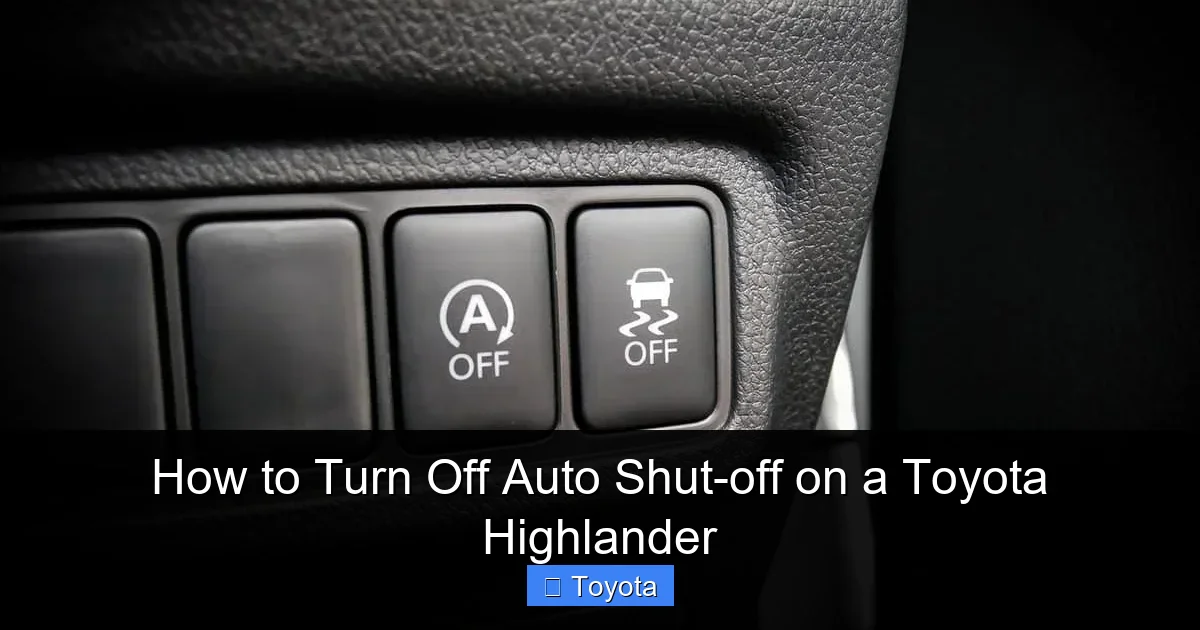
Disabling the auto shut-off on your Toyota Highlander is a straightforward process that varies slightly by model year. By locating the override switch or consulting your owner’s manual, you can safely turn this feature off. Always prioritize safety and double-check your vehicle’s settings to avoid unintended consequences.
Key Takeaways
- Check your owner’s manual: The exact steps depend on your Highlander’s model year and trim level.
- Locate the physical override switch: Many models have a dedicated button or toggle for the auto shut-off feature.
- Consult a Toyota dealership: If you’re unsure or encounter issues, a professional can guide you safely.
- Understand safety implications: Turning off auto shut-off may affect fuel efficiency or emissions compliance.
- Test the feature after disabling: Ensure it works as expected before relying on the change.
- Use internal links for related topics: Explore guides like calibrating a throttle position sensor if the feature is engine-related.
📑 Table of Contents
- Introduction: Why You Might Want to Turn Off Auto Shut-Off
- Understanding Auto Shut-Off: What It Does and Why It Exists
- How to Locate the Auto Shut-Off Override on Your Toyota Highlander
- Step-by-Step Guide to Turning Off Auto Shut-Off
- Safety Considerations When Disabling Auto Shut-Off
- Troubleshooting Common Issues
- Conclusion: Is Disabling Auto Shut-Off Right for You?
- Final Tips for Managing Auto Shut-Off
Introduction: Why You Might Want to Turn Off Auto Shut-Off
If you’ve ever found yourself stranded with a low fuel warning or a dying battery, you might appreciate the auto shut-off feature in your Toyota Highlander. This system is designed to prevent fuel leaks or engine damage by cutting power when the battery is low or the engine is idling for too long. But what if this feature is more of a hassle than a help? Maybe you’re driving in an area with no gas stations nearby, or you’re using a towing setup where frequent shutdowns aren’t practical. Whatever the reason, learning how to turn off auto shut-off on your Toyota Highlander could be a game-changer.
Toyota’s auto shut-off system is part of a broader effort to improve fuel efficiency and reduce emissions. It’s especially common in newer models, where advanced engine management systems monitor fuel levels and driving conditions. While this feature is generally safe, it can be frustrating if you’re in a situation where you need to keep the engine running. For example, if you’re stuck in traffic or need to power accessories like a fridge or GPS, the auto shut-off could cut power unexpectedly. Understanding how to disable this feature gives you more control over your vehicle’s operation.
Understanding Auto Shut-Off: What It Does and Why It Exists
What Is Auto Shut-Off?
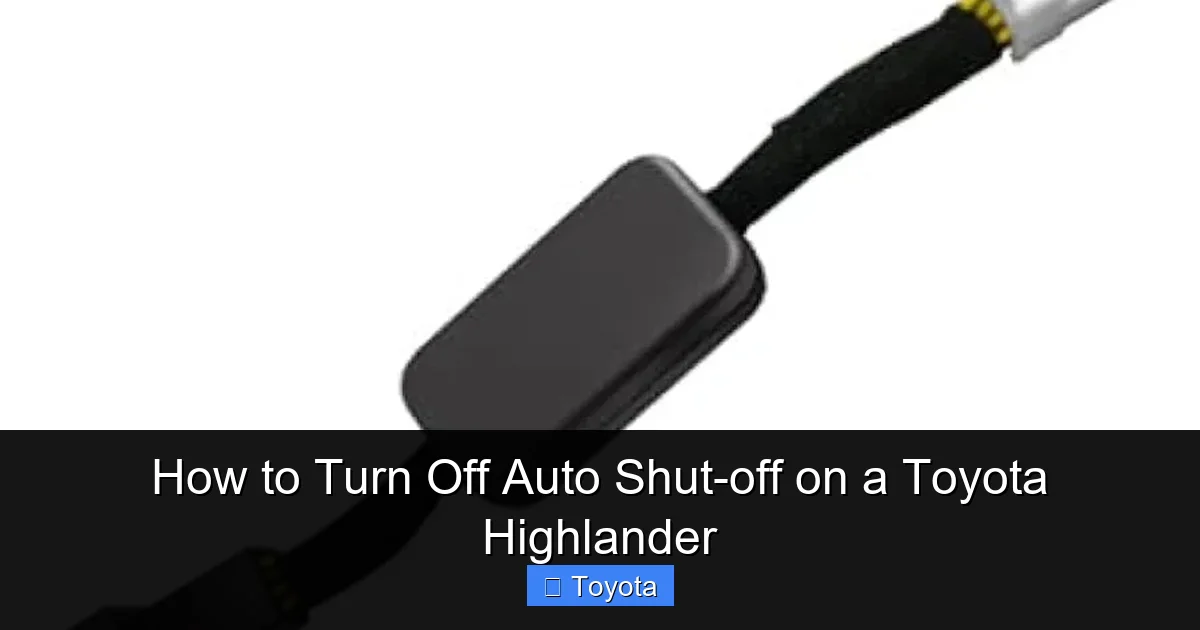
Auto shut-off, also known as fuel shut-off or engine kill switch, is a safety feature that automatically turns off the engine or fuel supply when certain conditions are met. In the case of the Toyota Highlander, this typically happens when the battery voltage drops below a critical level or after a period of idling. The system is designed to prevent fuel from leaking or the engine from running indefinitely without fuel, which could pose a fire hazard or damage the engine.
Visual guide about How to Turn Off Auto Shut-off on a Toyota Highlander
Image source: aautomotives.com
Why Does Toyota Include This Feature?
Toyota includes auto shut-off as part of its commitment to safety and environmental responsibility. By cutting fuel supply when the battery is low, the system reduces the risk of fuel spills or engine stalling in unsafe conditions. It also helps meet stricter emissions standards by ensuring the engine doesn’t run when it shouldn’t. However, while this feature is beneficial in most scenarios, it can be inconvenient for drivers who need continuous power or have unique driving habits.
How to Locate the Auto Shut-Off Override on Your Toyota Highlander
Check Your Owner’s Manual
Before attempting to disable the auto shut-off, always refer to your Toyota Highlander’s owner’s manual. The manual will provide specific instructions tailored to your model year and trim. For example, older models might have a physical switch under the dashboard, while newer models could use a sensor-based system that requires a dealership visit to reprogram. The manual will also clarify whether your vehicle even has an override option, as some models may not allow manual disablement for safety or legal reasons.

Visual guide about How to Turn Off Auto Shut-off on a Toyota Highlander
Image source: aautomotives.com
Identify the Physical Switch or Button
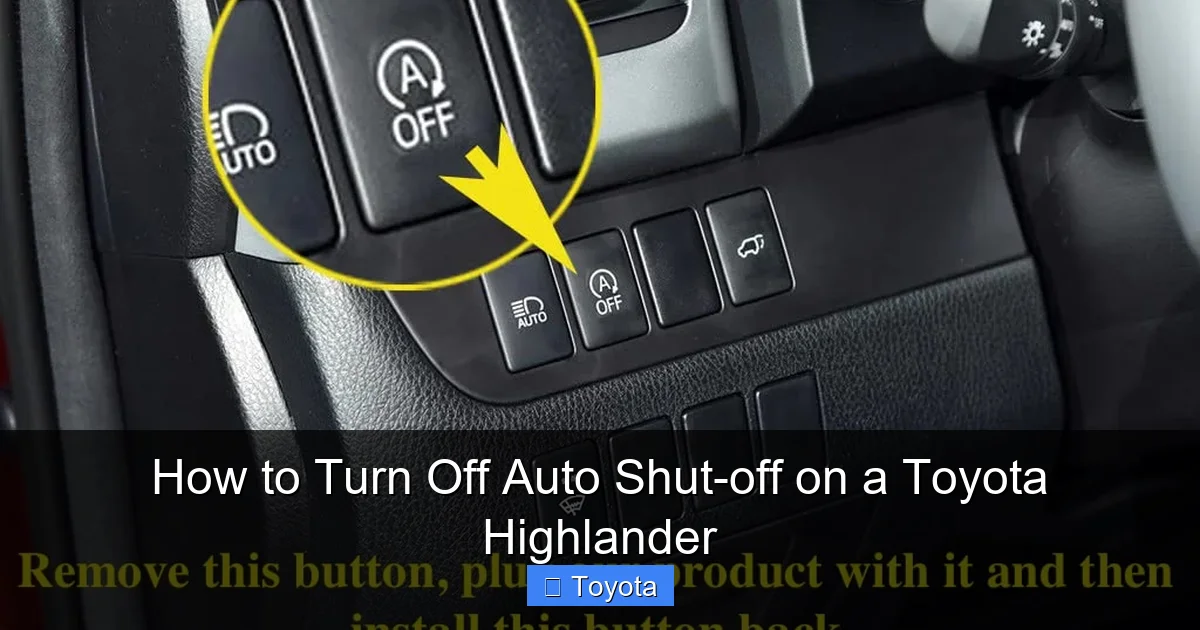
If your manual mentions a physical override, look for a button or toggle switch labeled “Auto Shut-Off,” “Fuel Cut-Off,” or something similar. This switch is often located near the ignition or fuel pump. In some cases, it might be hidden under a cover or integrated into the center console. For example, in certain Highlander trims, the override might be a small button on the driver’s side dashboard. If you can’t find it, try searching online for your specific model year’s manual or forum discussions where owners share tips.
Consult a Toyota Dealer for Advanced Models
Newer Toyota Highlander models may use electronic controls for the auto shut-off feature. In these cases, the override might not be a physical switch but a setting in the car’s computer system. If you can’t find a physical switch, visit a Toyota dealership. A technician can access the vehicle’s diagnostic tools to disable the feature. This is especially important if you’re driving a hybrid or electric Highlander, where the system might be more complex.
Step-by-Step Guide to Turning Off Auto Shut-Off
Step 1: Prepare Your Vehicle
Before you begin, ensure your Highlander is in a safe location with the parking brake engaged. Turn off the engine and remove the keys from the ignition. This prevents the auto shut-off from activating accidentally during the process. Also, check the battery terminals for corrosion or loose connections, as a weak battery could trigger the shut-off unexpectedly.
Visual guide about How to Turn Off Auto Shut-off on a Toyota Highlander
Image source: m.media-amazon.com
Step 2: Locate and Press the Override Switch
Once you’ve found the override switch (as described in the previous section), press or toggle it according to the instructions in your manual. Some switches require a firm press, while others might need to be held for a few seconds. For example, if the switch is labeled “Override,” pressing it once might temporarily disable the feature, while holding it could activate a permanent disablement. Always follow the manual’s guidance to avoid unintended actions.
Step 3: Test the Disabled Feature
After pressing the override, start the engine and monitor the auto shut-off behavior. If the feature is successfully disabled, the engine should run without interruption even if the battery voltage drops. You can also simulate low battery conditions by disconnecting the negative terminal briefly (but only if you’re comfortable doing so). If the engine shuts off, the override might not have worked, or there could be an underlying issue with the system.
Step 4: Document the Change
If you successfully disable the auto shut-off, consider taking notes or photos of the process. This can be helpful if you need to reference the steps later or if you’re sharing the information with someone else. Additionally, if you’re driving a newer model, ask the dealership to confirm the disablement in their system to ensure it’s permanent.
Safety Considerations When Disabling Auto Shut-Off
While turning off auto shut-off might seem like a simple task, it’s crucial to understand the potential risks. Disabling this feature could leave your vehicle vulnerable to fuel leaks or engine damage if the battery fails. For instance, if the battery dies while driving, the engine might continue running without fuel, leading to a stall or even a fire. Always weigh the convenience of bypassing the shut-off against these safety concerns. If you frequently drive in areas with unreliable power sources or low battery conditions, it might be wiser to keep the feature active.
When Is It Safe to Turn Off Auto Shut-Off?
It’s generally safe to disable auto shut-off if you have a reliable power source or if you’re using the vehicle in a controlled environment. For example, if you’re towing a trailer with a generator or driving in a remote area with access to fuel, the risk of a battery failure might be lower. However, if you’re driving in urban areas with frequent stops or if your battery is old or damaged, keeping the auto shut-off active is advisable.
Troubleshooting Common Issues
What If the Override Doesn’t Work?
If pressing the override switch doesn’t disable the auto shut-off, there could be several reasons. First, double-check that you’ve followed the correct procedure for your model year. Some switches might require a specific sequence of actions, like turning the ignition on before pressing the button. Second, the override might be disabled by the car’s computer for safety reasons. In this case, a dealership visit is necessary to reprogram the system. Third, there could be a faulty switch or sensor. If you’ve confirmed the steps are correct, contact Toyota for professional assistance.
Can You Re-enable the Feature Later?
Yes, you can usually re-enable the auto shut-off by following the same steps in reverse. For example, pressing the override switch again might reactivate the feature. However, some models might require a dealership to restore the setting, especially if the disablement was done through the car’s computer. Always check your manual or consult a technician before attempting to reverse the change.
Conclusion: Is Disabling Auto Shut-Off Right for You?
Turning off auto shut-off on your Toyota Highlander can offer greater flexibility in certain driving situations, but it’s not without risks. If you’re confident in your ability to manage the vehicle’s power and fuel levels, disabling the feature might be worth it. However, if you’re unsure or drive in conditions where battery failure is likely, keeping the auto shut-off active is safer. Always prioritize your safety and the reliability of your vehicle over convenience. By following the steps outlined in this guide and consulting your manual or a professional when needed, you can make an informed decision that suits your needs.
Final Tips for Managing Auto Shut-Off
- Monitor your battery regularly: A healthy battery reduces the likelihood of the auto shut-off activating unnecessarily.
- Keep a spare battery or jump starter: This can prevent sudden shutdowns in emergency situations.
- Understand your driving habits: If you often drive in areas with limited fuel access, consider keeping the auto shut-off active.
- Use internal links for related guides: For example, learn how to maintain your battery in cold weather to minimize shut-off triggers.
Frequently Asked Questions
Can I turn off auto shut-off on all Toyota Highlander models?
Not all models allow manual disablement. Newer or hybrid Highlanders might restrict this feature for safety or emissions reasons. Always check your manual or consult a dealership.
Will turning off auto shut-off damage my engine?
Disabling it doesn’t directly damage the engine, but it increases the risk of fuel leaks or stalling if the battery fails. Use it only if you’re confident in managing these risks.
How do I know if my Highlander has an auto shut-off feature?
Check your owner’s manual or dashboard indicators. Some models have a warning light or message that activates when the feature is engaged.
Can I disable auto shut-off using a code or software update?
Some newer models require a dealership to reprogram the system via software. DIY methods might not work, so professional help is recommended.
What should I do if the auto shut-off activates while driving?
If the engine shuts off unexpectedly, pull over safely and check the battery. A dead or weak battery is the most common cause. Jump-starting or replacing the battery should resolve the issue.
Is it worth disabling auto shut-off for fuel efficiency?
Actually, auto shut-off is designed to improve fuel efficiency by cutting power when not needed. Disabling it might reduce efficiency in some cases, so consider this before proceeding.