How to Check Tire Pressure on the Toyota App
Checking tire pressure on the Toyota app is a convenient way to monitor your vehicle’s tire health without physical gauges. This guide walks you through setup, navigation, and troubleshooting common issues with Toyota’s TPMS system. Stay safe and save money with proactive tire maintenance using your smartphone.
Key Takeaways
- App Compatibility: Not all Toyota models support tire pressure monitoring through the app – verify your vehicle has TPMS capability first.
- Setup Requirements: You need a compatible Toyota model, smartphone with Bluetooth, and active Toyota account to access tire pressure data.
- Navigation Steps: The process involves opening the app, selecting your vehicle, and accessing the maintenance or TPMS section for real-time readings.
- Alert System: The app sends notifications when tire pressure drops below recommended levels, helping prevent unsafe driving conditions.
- Accuracy Considerations: Digital readings may vary slightly from manual measurements – always confirm with a physical gauge if precise pressure is critical.
- Troubleshooting Tips: Common issues include connectivity problems, outdated app versions, and sensor malfunctions that require professional attention.
- Maintenance Integration: Regular tire pressure checks complement other maintenance tasks like checking brake pads and overall vehicle care.
📑 Table of Contents
- Introduction to Toyota App Tire Pressure Monitoring
- Compatible Toyota Models and Requirements
- Downloading and Setting Up the Toyota App
- Navigating to Tire Pressure Information
- Interpreting Tire Pressure Readings
- Addressing Low Tire Pressure Alerts
- Troubleshooting Common App Issues
- Maximizing Your Toyota App Experience
- Conclusion
Introduction to Toyota App Tire Pressure Monitoring
Modern Toyota vehicles come equipped with advanced technology that makes car ownership easier than ever. One of the most useful features available through the Toyota app is tire pressure monitoring. Gone are the days when you had to physically check each tire with a gauge or wait for that annoying dashboard warning light to appear.
Today’s Toyota app allows you to check tire pressure from the comfort of your home or office. This feature not only saves time but also helps you stay ahead of potential safety issues. Proper tire pressure affects everything from fuel economy to handling performance. When your tires are underinflated, you’re literally burning money through decreased efficiency. Overinflated tires can lead to uneven wear patterns and reduced traction.
Understanding how to use this digital tool properly will make you a more informed vehicle owner. Let’s dive into the specifics of making the most of your Toyota app’s tire pressure monitoring capabilities.
Compatible Toyota Models and Requirements
Before you start checking tire pressure on the Toyota app, you need to know if your vehicle supports this feature. Not every Toyota model includes app-based tire pressure monitoring. Generally, newer Toyota vehicles from 2019 onwards have better integration with smartphone apps.
Most Toyota models with the Toyota Safety Sense package include advanced TPMS features. Luxury trims like the Toyota Camry XSE, Highlander Limited, and certain Tacoma models often have enhanced connectivity options. Check your owner’s manual or contact your local Toyota dealer to confirm compatibility.
You’ll also need a smartphone running iOS or Android with Bluetooth capability. The Toyota app must be downloaded and your vehicle linked to your Toyota account. Some older vehicles may require a software update at the dealership before app integration works properly.
Required Equipment Checklist
- Compatible Toyota vehicle with TPMS
- Smartphone with Toyota app installed
- Active Toyota account registration
- Bluetooth connectivity enabled
- Stable internet connection
Downloading and Setting Up the Toyota App
The first step in checking tire pressure on the Toyota app is getting the app itself. Visit your phone’s app store and search for “Toyota.” Look for the official Toyota app with the correct logo and developer information. Download and install the application.
Once installed, open the app and create or log into your Toyota account. This process requires basic information like your name, email address, and vehicle identification number (VIN). Having your registration documents handy makes this step much smoother.
After account setup, add your vehicle using the VIN or license plate number. The app will automatically detect compatible features including remote start, door lock controls, and tire pressure monitoring. Make sure all permissions are granted for optimal functionality.
Account Verification Process
The verification process typically takes a few minutes. Toyota may send a confirmation email or text message. Some features require additional verification through your vehicle’s infotainment system. Follow the on-screen prompts carefully during setup.
Now that your app is set up, finding tire pressure information is straightforward. Open the Toyota app and ensure your vehicle is selected. Look for the “Vehicle Status” or “Maintenance” section on the main dashboard.
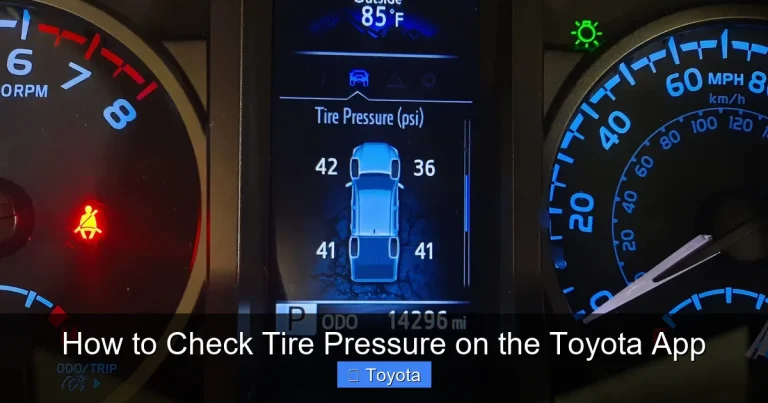
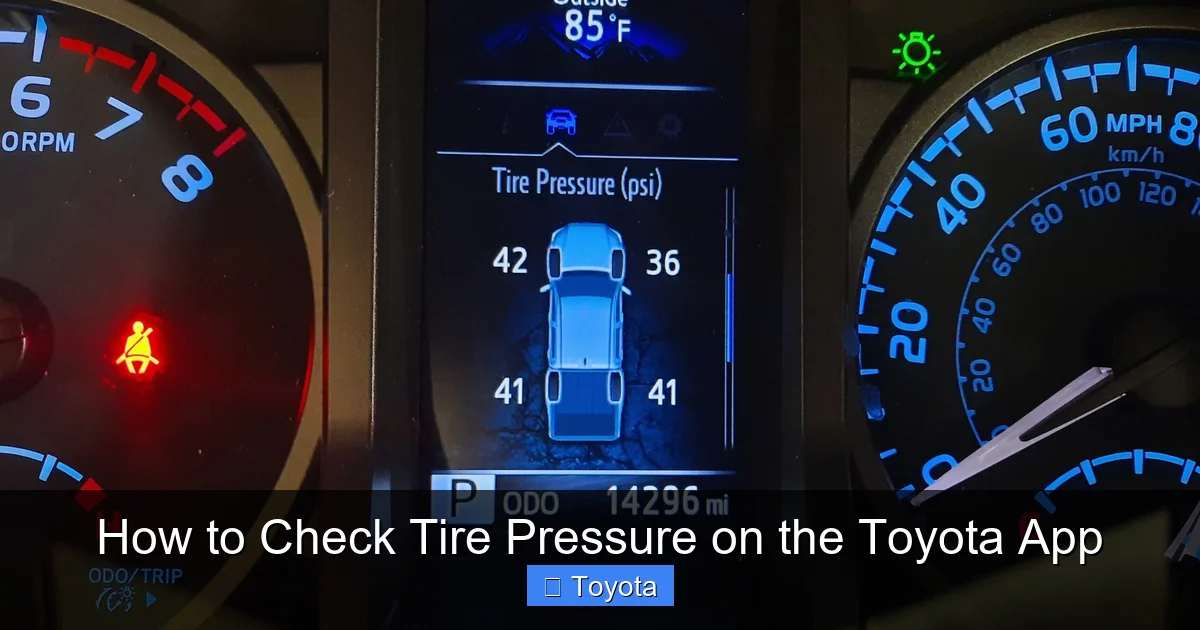
The tire pressure monitoring feature is usually found under maintenance alerts or vehicle health. You might see icons representing each wheel position. Tap on these icons to view current pressure readings in PSI. Some apps show color-coded indicators – green for proper pressure, yellow for slightly low, and red for critically low levels.
Understanding Reading Displays
Each tire will show its individual pressure reading. The app typically displays recommended pressure ranges alongside current readings. Pay attention to any tires that fall outside the recommended range. These readings update automatically when your phone connects to your vehicle via Bluetooth.
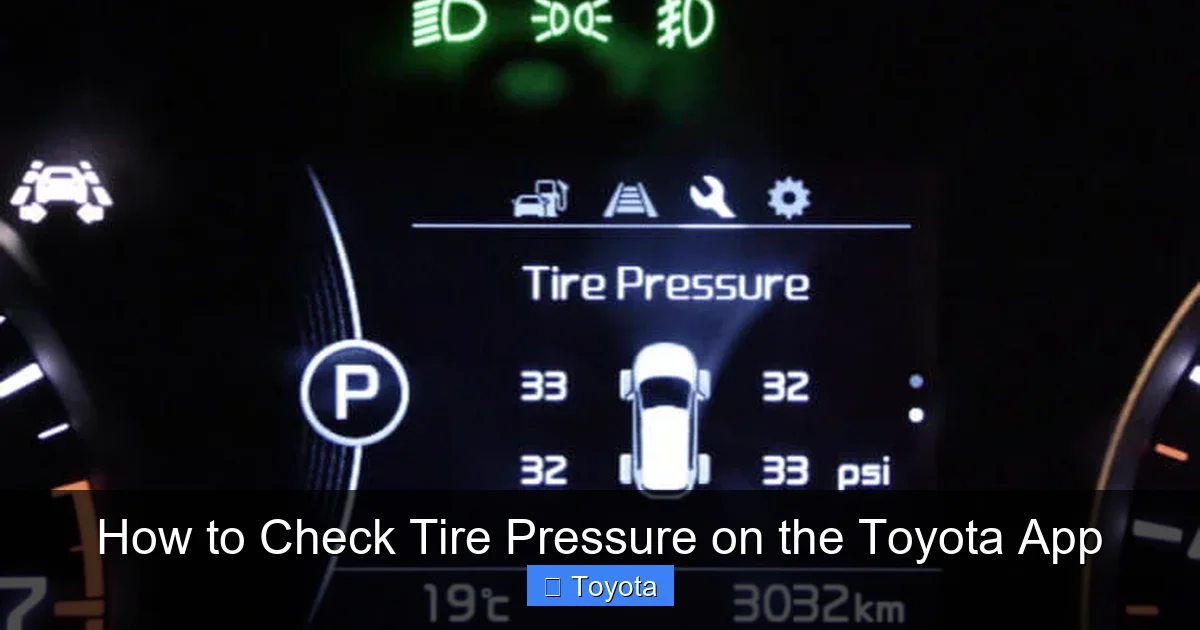
Visual guide about How to Check Tire Pressure on the Toyota App
Image source: 4x4tyres.co.uk
Interpreting Tire Pressure Readings
Once you’ve accessed the tire pressure information, understanding what the numbers mean is crucial. Normal tire pressure varies by vehicle model and tire size. Most passenger cars run between 32-35 PSI when cold. Light trucks and SUVs often require 35-40 PSI.
The Toyota app should display both current pressure and recommended levels. If readings show significantly lower pressure than recommended, inflate your tires accordingly. Remember that tire pressure changes with temperature fluctuations. Cold weather causes pressure to drop while hot weather increases it.
When to Take Action
If any tire shows pressure more than 10% below recommended levels, take immediate action. Low pressure affects fuel economy, handling, and tire longevity. For extreme variations, visit a tire shop for professional assessment. They can check for punctures or slow leaks that might not be visible.
Addressing Low Tire Pressure Alerts
When the Toyota app indicates low tire pressure, don’t ignore it. The convenience of remote monitoring means you can address issues before they become serious problems. First, verify the reading with a manual gauge if you have one available.
For minor pressure drops, adding air at a gas station or tire shop is usually sufficient. Remove the valve cap, attach an air compressor, and add air in short bursts. Check pressure frequently to avoid overinflation. Replace valve caps securely after adjustment.
Persistent low-pressure warnings may indicate a slow leak or damaged tire. In such cases, professional inspection becomes necessary. Many tire shops offer free pressure checks and can identify underlying issues quickly.
Seasonal Pressure Management
Tire pressure fluctuates with seasonal temperature changes. Winter months typically require more frequent checks. Consider optimal tire pressure for snow conditions when preparing for winter driving. Summer heat can cause overinflation, especially after long drives.
Troubleshooting Common App Issues
Sometimes the Toyota app won’t display tire pressure information correctly. Start by checking your phone’s Bluetooth connection. Ensure your vehicle is parked close enough for signal transmission. Restart both your phone and the vehicle’s infotainment system if connections seem unstable.
Outdated app versions cause many display problems. Regularly update your Toyota app through your phone’s app store. Clearing the app cache or reinstalling the application often resolves persistent issues. Contact Toyota customer support if problems continue.
Sensor malfunctions represent another common challenge. Tire pressure sensors typically last 5-10 years but eventually fail. Dealership replacement costs vary but usually range from $50-200 per sensor including labor.
Professional Assistance Guidelines
When troubleshooting fails, schedule service at an authorized Toyota dealer. They have specialized equipment for diagnosing TPMS issues. Many independent mechanics also service tire pressure sensors, though dealer work maintains warranty coverage. Keep records of any sensor replacements for future reference.
Maximizing Your Toyota App Experience
Your Toyota app offers more than just tire pressure monitoring. Explore other maintenance reminders and vehicle status features. Set up notifications for oil changes, filter replacements, and scheduled services. These alerts help maintain your vehicle’s value and performance.
Regular app usage builds familiarity with your vehicle’s systems. You’ll notice patterns in pressure changes and learn optimal maintenance schedules. This knowledge proves invaluable during road trips or emergency situations.
Consider linking multiple Toyota vehicles to one account. Families with several Toyotas can monitor all their vehicles through a single interface. This feature simplifies fleet management for small businesses or multi-car households.
Additional Maintenance Tips
Combine tire pressure checks with other routine maintenance tasks. Learning how to break in a new Toyota properly includes monitoring tire pressure during initial driving periods. New tires settle and may require pressure adjustments after the first few hundred miles.
Conclusion
Checking tire pressure on the Toyota app represents modern automotive convenience at its finest. This digital tool eliminates guesswork and provides real-time monitoring of critical safety components. Proper tire maintenance affects everything from daily commuting to long-distance travel safety.
Remember that technology supplements but doesn’t replace traditional maintenance practices. Keep a manual tire gauge in your vehicle for backup verification. Regular visual inspections help identify obvious damage or wear patterns that sensors might miss.
Stay proactive with your vehicle’s health through consistent app monitoring. Address low-pressure alerts promptly to maintain optimal performance and safety. Your Toyota app serves as an excellent first line of defense against tire-related issues.
Frequently Asked Questions
Is tire pressure monitoring available on all Toyota models?
No, only Toyota vehicles equipped with TPMS (Tire Pressure Monitoring System) can display pressure readings through the app. Most 2019 and newer models support this feature, but you should verify compatibility with your specific vehicle before expecting app functionality.
How often does the Toyota app update tire pressure readings?
The app typically refreshes tire pressure data when you open it and establish a connection with your vehicle. Real-time monitoring requires the vehicle to be within Bluetooth range. For continuous monitoring, some newer models offer enhanced connectivity through cellular networks.
Why does my Toyota app show different pressure readings than my manual gauge?
Small variations between digital and manual readings are normal due to sensor calibration differences. However, significant discrepancies warrant professional inspection. Always trust manual gauge readings for critical adjustments, especially before long trips or extreme weather conditions.
Can I inflate my tires directly through the Toyota app?
No, the app only monitors pressure; it cannot inflate tires. You’ll still need to visit a gas station, tire shop, or use a home air compressor to adjust tire pressure. The app’s primary function is alert notification and monitoring rather than direct adjustment capabilities.
What should I do if the Toyota app stops showing tire pressure information?
First, check your app version and update if necessary. Restart both your phone and vehicle. If problems persist, verify that your vehicle’s TPMS sensors are functioning correctly. Contact Toyota customer support or visit an authorized dealer for advanced diagnostics and potential sensor replacement.
Does checking tire pressure on the Toyota app cost anything?
No, basic tire pressure monitoring through the Toyota app is free for compatible vehicles. However, maintaining your vehicle’s TPMS system may involve costs for sensor replacement or professional calibration. These expenses are separate from app usage and typically occur every few years depending on sensor lifespan.