How to Change the Time on a 2022 Toyota Corolla
Changing the time on a 2022 Toyota Corolla is simple using the steering‑wheel controls, touchscreen, or physical buttons. This guide walks you through each method, common pitfalls, and how to keep your clock accurate year‑round.
Key Takeaways
- Locate the clock: The time appears on the instrument cluster or the central touchscreen, depending on your trim.
- No tools needed: Adjustments are made via steering‑wheel switches, touchscreen menus, or dashboard buttons.
- Two main methods: Use the steering‑wheel “SETUP” button for quick changes or the infotainment system for more precise control.
- Watch for resets: Disconnecting the battery or a software glitch can revert the clock to factory time.
- Sync with GPS: Enabling automatic time sync keeps your Corolla’s clock accurate for daylight saving and time‑zone changes.
- Regular checks:: Check the clock monthly, especially after long trips or battery service.
📑 Table of Contents
Understanding the 2022 Toyota Corolla’s Instrument Cluster
The 2022 Toyota Corolla comes with a clean, driver‑focused cockpit that places essential information right where you can see it. Depending on the trim level (L, LE, SE, XSE, or XLE), the clock is displayed either in the analog‑style gauge cluster or as a digital readout on the central touchscreen. Knowing where to look is the first step to making a quick adjustment.
Location of the Clock Display
On most Corolla models, the analog clock sits just above the speedometer, nestled between the tachometer and the fuel gauge. It’s a small circular dial with hour and minute hands. On higher trims equipped with the 8‑inch touchscreen, the time appears in the top‑right corner of the home screen, alongside the date and outside temperature.
Types of Displays (Analog vs Digital)
If your Corolla has the traditional analog clock, you’ll adjust it using physical buttons on the steering wheel or dashboard. The digital version, however, is controlled through the touchscreen interface, which offers more precision and the option to sync with GPS time. Both systems are intuitive, but the method you use differs slightly.
Preparing to Adjust the Time
Before you dive into the settings, take a moment to ensure you’re parked safely and the vehicle is in a stable state. Although changing the time doesn’t require any tools, a few precautionary steps help avoid accidental changes to other settings.
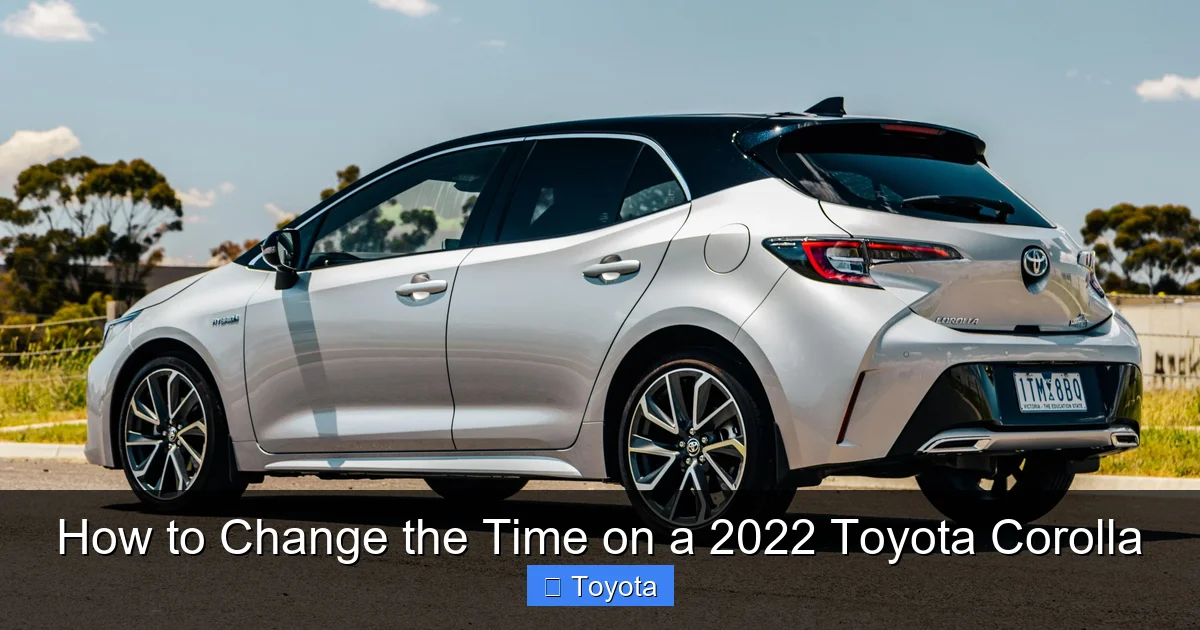
Visual guide about How to Change the Time on a 2022 Toyota Corolla
Image source: images.carexpert.com.au
Safety Precautions
Make sure the car is in Park (or neutral with the parking brake engaged) and the engine is either off or idling. Adjusting the clock while driving can distract you from the road, so always perform this task when stationary.
Tools Needed
No special tools are required—just your hands and the vehicle’s existing controls. If you’re unsure which method applies to your trim, keep the owner’s manual handy; you can also check the current market value of a new Corolla here if you’re considering an upgrade.
Step‑by‑Step Guide to Changing the Time
Toyota offers three primary ways to set the clock on the 2022 Corolla: via the steering‑wheel controls, the touchscreen infotainment system, or the physical buttons on the dashboard (available on some trims). Choose the method that feels most comfortable.
Visual guide about How to Change the Time on a 2022 Toyota Corolla
Image source: auto-data.net
Using the Steering Wheel Controls
This is the fastest method for most drivers, especially if you prefer not to take your eyes off the road.
- Press the SETUP button on the left side of the steering wheel (marked with a gear icon).
- Rotate the TUNE/SCROLL knob until the clock icon appears on the multi‑information display.
- Press the SETUP button again to enter the time‑adjust‑li>
- Turn the TUNE/SCROLL knob to adjust> knob to change the hour. Press SETUP to confirm.
- Repeat the process for the minutes.
- Press SETUP one final time to exit the menu.
The display will flash briefly to confirm the new time has been saved.
Using the Touchscreen Infotainment System
If you prefer a visual interface, the touchscreen offers a straightforward menu.
- From the home screen, tap the Apps icon (grid of dots).
- Select Settings (gear icon).
- Choose Clock from the list.
- Toggle Automatic Time Sync off if you want to set the time manually.
- Tap the hour field and use the +/– buttons to adjust.
- Tap the minute field and adjust similarly.
- Press OK or Back to save.
The same touchscreen that lets you change the time also controls features like the rearview camera; if you’re curious about adding one, see our guide on how to install a rearview camera in your car.
Using the Physical Dashboard Buttons (Select Trims)
Some Corolla trims feature a small CLK button near the steering column.
- Press and hold the CLK button for two seconds until the hour digits start flashing.
- Turn the TUNE/SCROLL knob to set the hour.
- Press CLK again to switch to minute adjustment.
- Turn the knob to set the minutes.
- Press CLK one more time to lock in the new time.
This method mirrors the steering‑wheel process but uses dedicated hardware.
Troubleshooting Common Issues
Even though setting the clock is usually hassle‑free, you might encounter a few snags. Below are the most frequent problems and how to resolve them.

Visual guide about How to Change the Time on a 2022 Toyota Corolla
Image source: longotoyota.com
Clock Resets After Battery Disconnect
If you’ve recently had the battery replaced or disconnected, the clock may revert to 12:00 AM. This is normal because the instrument cluster loses its memory. Simply repeat the adjustment steps above to restore the correct time.
Time Not Changing Despite Attempts
Sometimes the clock appears stuck. This can happen if the Automatic Time Sync feature is enabled and the GPS signal is weak. To fix:
- Go to Settings → Clock and ensure Automatic Time Sync is turned off.
- Manually set the time using any of the three methods.
- Once set, you can re‑enable automatic sync if you prefer.
Dealing with Daylight Saving Time
Twice a year, many regions shift clocks forward or backward. If you rely on automatic sync, the Corolla will adjust itself as long as it receives a clear GPS signal. If you prefer manual control, simply repeat the time‑adjustment process when the change occurs.
Maintaining Accurate Time in Your Corolla
Keeping your clock correct isn’t a one‑time task. A few habits ensure you’re never late because of a wrong dashboard time.
Syncing with GPS Time
Enable Automatic Time Sync in the Settings → Clock menu. The system uses GPS satellites to update the hour and minute, accounting for time‑zone changes and daylight saving automatically. Make sure you have a clear view of the sky (avoid prolonged parking in garages) for the best signal.
Regular Checks
Make it a habit to glance at the clock each time you start the car, especially after long trips or after any service that involves the battery. If you notice a drift of more than a minute, re‑sync or manually adjust.
Environmental Factors
Extreme temperatures can affect the internal oscillator of the clock circuit over very long periods. While rare, if you notice consistent drift, a visit to the dealership for a software update may help.
Conclusion
Changing the time on a 2022 Toyota Corolla is a straightforward process that can be done in seconds using the steering‑wheel controls, touchscreen, or dashboard buttons. By understanding where the clock lives, preparing safely, and following the step‑by‑step instructions, you’ll keep your vehicle’s clock accurate year‑round. Remember to leverage automatic GPS sync for hassle‑free daylight saving adjustments, and perform a quick check whenever the battery is serviced. With these tips, you’ll never be late because of a wrong dashboard clock again.
Frequently Asked Questions
Do I need the engine running to change the time?
No, you can adjust the clock with the engine off or idling. Just ensure the vehicle is safely parked.
Why does my Corolla’s clock reset to 12:00 after a battery change?
The instrument cluster loses its memory when power is interrupted. Simply re‑set the time using any of the three methods described above.
Can I set the clock to a 24‑hour format?
Yes. In the Settings → Clock menu, toggle the 24‑Hour Format option to switch between AM/PM and military time.
What should I do if the touchscreen freezes while I’m trying to change the time?
Turn the vehicle off, wait a few seconds, then restart it. If the problem persists, a soft reset of the infotainment system (holding the power button for 10 seconds) often resolves temporary glitches.
Is there a way to syncing the time affect any other vehicle settings?
No. Adjusting the clock only changes the time display; it does not impact driving modes, audio settings, or any other systems.
How often should I check the clock for accuracy?
A quick glance each time you start the car is enough. For most owners, a monthly check—or after any battery service—is sufficient to catch any drift.