Car Infotainment System with Reverse Camera
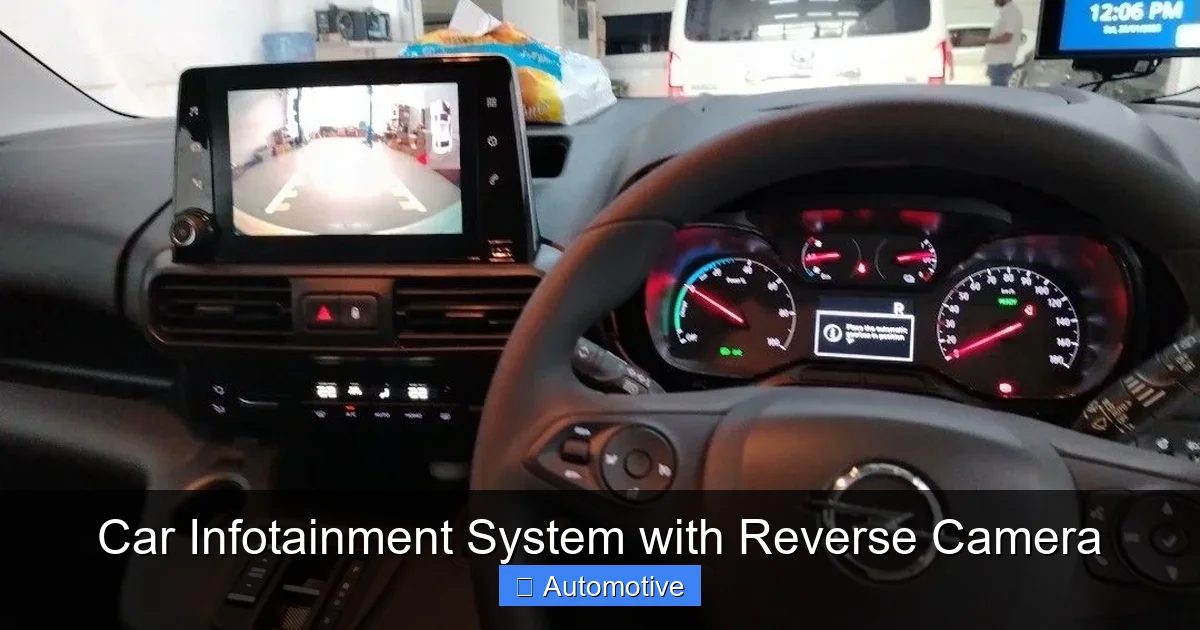
A car infotainment system with reverse camera merges entertainment and safety features to elevate your driving experience. This comprehensive guide explores the key benefits, essential features, and practical advice for selecting and installing the ideal system. By integrating advanced technology, these systems help reduce blind spots and provide seamless connectivity for modern drivers.
Key Takeaways
- Enhanced Safety: A reverse camera provides a clear view behind your vehicle, significantly reducing blind spots and preventing accidents during parking or reversing.
- Integrated Convenience: Infotainment systems combine navigation, music, hands-free calling, and camera feeds into one user-friendly interface, simplifying your driving routine.
- Key Features to Consider: Look for high-resolution displays, night vision capabilities, wide-angle lenses, and compatibility with smartphone apps like Apple CarPlay or Android Auto.
- Installation Options: Choose between professional installation for complex systems or DIY kits for simpler setups, ensuring proper wiring and camera placement.
- Budget-Friendly Choices: Systems range from affordable aftermarket units to premium factory-installed options, so set a budget based on your needs and vehicle compatibility.
- Maintenance Tips: Regularly clean the camera lens, check for software updates, and inspect connections to maintain optimal performance and longevity.
📑 Table of Contents
- Introduction to Car Infotainment Systems with Reverse Cameras
- What is a Car Infotainment System with Reverse Camera?
- Benefits of Upgrading to a System with Reverse Camera
- Key Features to Look For in a Car Infotainment System with Reverse Camera
- How to Choose the Right System for Your Vehicle
- Installation Tips for Your Car Infotainment System with Reverse Camera
- Maintenance and Troubleshooting Common Issues
- Conclusion: Enhancing Your Driving Experience
Introduction to Car Infotainment Systems with Reverse Cameras
Imagine driving with confidence, knowing that every maneuver is supported by technology designed to keep you safe and connected. A car infotainment system with reverse camera is no longer a luxury—it’s a smart upgrade for any modern vehicle. These systems blend entertainment, navigation, and safety features into a single, intuitive display, making your journeys more enjoyable and secure. Whether you’re navigating city streets or backing out of a tight driveway, the integration of a reverse camera provides peace of mind by eliminating guesswork. In this guide, we’ll dive deep into why these systems are essential, what to look for, and how to get the most out of them.
As automotive technology advances, drivers are increasingly seeking ways to enhance their vehicles without compromising on style or functionality. A car infotainment system with reverse camera addresses both needs, offering a seamless blend of information and safety. From crisp rear-view displays to smartphone integration, these systems transform how we interact with our cars. Join us as we explore the ins and outs of this must-have feature, providing practical tips and insights to help you make an informed decision.
What is a Car Infotainment System with Reverse Camera?
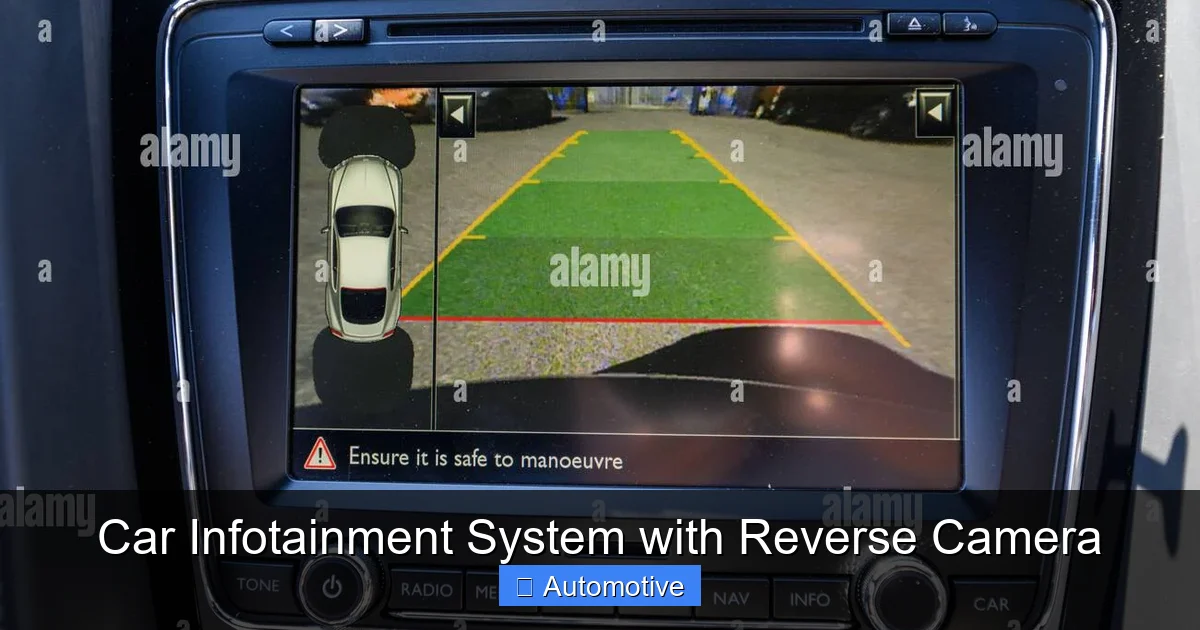
At its core, a car infotainment system with reverse camera is a centralized dashboard unit that controls various in-car functions. It typically includes a touchscreen display that serves as the control hub for audio, navigation, and communication features. When you shift into reverse, the system automatically switches to display a live feed from a camera mounted at the rear of the vehicle. This real-time video helps you see obstacles, pedestrians, or other hazards that might be hidden from your direct line of sight.
Visual guide about Car Infotainment System with Reverse Camera
Image source: c8.alamy.com
How It Works
The system operates through a simple yet effective mechanism. The reverse camera is usually installed near the license plate or on the rear bumper, capturing a wide-angle view of the area behind the car. This video feed is transmitted to the infotainment screen, often with guiding lines to assist with parking. Meanwhile, the infotainment part manages your media, such as Bluetooth connectivity for phone calls and music, GPS navigation, and even vehicle diagnostics in some advanced models. The beauty of this setup is its user-friendly design—most systems require minimal interaction, allowing you to focus on the road.
Common Components
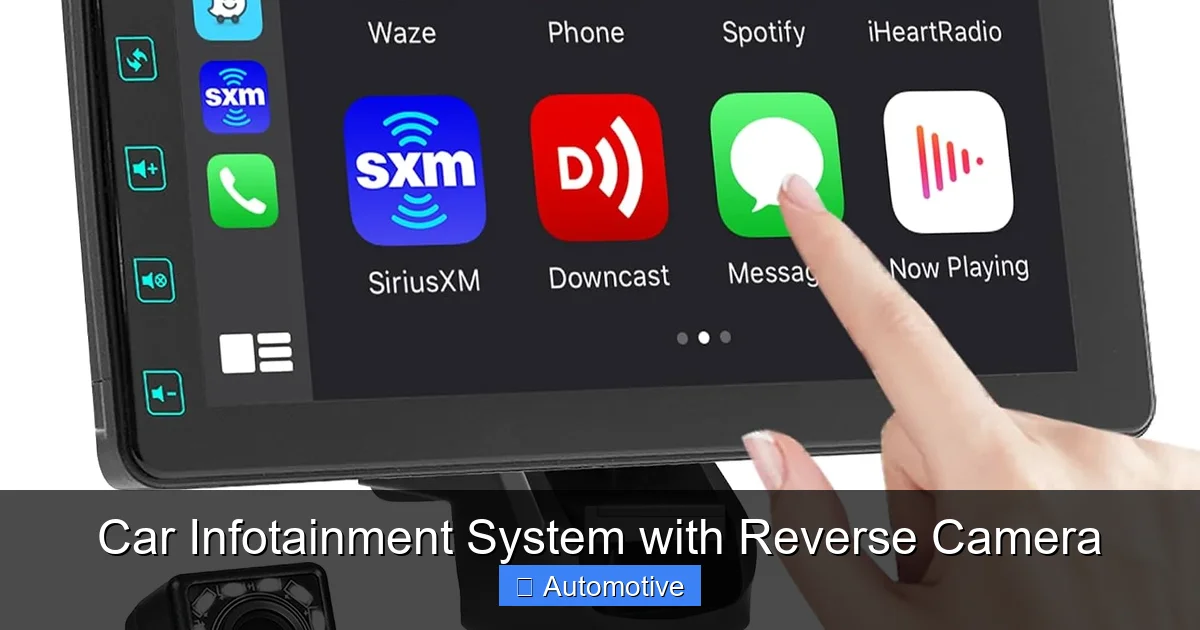
Key elements include the touchscreen display, which can range from 7 to 10 inches in size; the rear-mounted camera with night vision capabilities; and the underlying software that integrates everything. Many systems also support voice commands and smartphone integration, making them highly versatile. For example, if you’re using Apple CarPlay, you can access your favorite apps directly on the screen while the camera feed ensures safe reversing.
Benefits of Upgrading to a System with Reverse Camera
Upgrading to a car infotainment system with reverse camera offers numerous advantages that go beyond mere convenience. Safety is the top benefit—studies show that backup cameras can reduce backing accidents by up to 16% by providing a clear view of blind spots. This is especially valuable for larger vehicles like SUVs or trucks, where rear visibility is often limited. Additionally, these systems enhance the overall driving experience by reducing stress during parking maneuvers, making them ideal for both new and experienced drivers.
Visual guide about Car Infotainment System with Reverse Camera
Image source: m.media-amazon.com
Improved Safety and Confidence
With a reverse camera, you no longer have to rely solely on mirrors and head checks. The live video feed gives you a comprehensive view, helping you avoid collisions with small objects, pets, or children. This added layer of protection is particularly useful in crowded parking lots or tight spaces. Moreover, many modern systems include parking sensors that beep when you’re too close to an obstacle, providing an extra alert system. This combination of visual and auditory cues significantly boosts driver confidence, especially for those who are not used to larger vehicles or challenging parking situations.
Enhanced Entertainment and Connectivity
Beyond safety, the infotainment aspect brings your car into the digital age. You can stream music, make hands-free calls, and get real-time traffic updates without taking your hands off the wheel. This connectivity transforms mundane drives into enjoyable experiences. For instance, if you’re on a long road trip, the navigation system can suggest rest stops, while the audio system keeps everyone entertained. The integration with smartphones means you never miss a call or lose access to your favorite apps, making every journey more engaging and less distracting.
Key Features to Look For in a Car Infotainment System with Reverse Camera
When shopping for a system, it’s important to prioritize features that align with your driving habits and vehicle type. Not all systems are created equal, so understanding what matters can save you time and money. Start by assessing your needs—are you primarily interested in safety, or do you want full entertainment capabilities? Below, we break down the essential aspects to consider.

Visual guide about Car Infotainment System with Reverse Camera
Image source: thumbs.dreamstime.com
Display Quality and Size
The display is the interface for everything, so it should be clear and responsive. Look for a high-resolution screen (at least 720p) that is easy to see in bright sunlight or at night. A larger display, such as 8 inches or more, reduces eye strain and makes menus easier to navigate. Some systems offer adjustable brightness settings, which are handy for different lighting conditions. For example, if you frequently drive at night, a display with good contrast and anti-glare coating will ensure the camera feed remains visible without dazzling you.
Camera Specifications
The camera itself is crucial for safety. Opt for a model with a wide-angle lens (120 degrees or more) to capture more of the rear area. Night vision capabilities are a bonus, using infrared LEDs to illuminate dark environments. Additionally, check if the camera is waterproof and dustproof, as it will be exposed to various weather conditions. A high frame rate (30fps or higher) ensures smooth video without lag, which is critical when reversing quickly. Some advanced systems even offer 360-degree views by combining multiple cameras, providing a bird’s-eye perspective for ultimate parking ease.
Connectivity Options
Modern infotainment systems should support Bluetooth for seamless phone pairing, USB ports for device charging, and Wi-Fi for software updates. Integration with Apple CarPlay and Android Auto is highly recommended, as it allows you to use your phone’s apps safely on the car’s display. Voice control is another feature worth considering, enabling hands-free operation for calls, music, and navigation. For instance, you can say “navigate to the nearest gas station” without fumbling with your phone, keeping your focus on the road.
How to Choose the Right System for Your Vehicle
Determine Your Vehicle’s Compatibility
Not every system fits every car. Start by identifying your vehicle’s make, model, and year. Many manufacturers offer proprietary systems that integrate seamlessly with existing wiring and controls. For example, if you drive a popular model like a Toyota or Honda, you might find OEM (original equipment manufacturer) options that retain the factory look. Aftermarket systems, on the other hand, can be more affordable and offer additional features but may require professional installation to ensure proper fitment. Use online compatibility tools or consult with a retailer to narrow down your choices.
Set a Realistic Budget and Prioritize Features
Decide what features are non-negotiable versus nice-to-haves. If safety is your main concern, a system with a high-quality camera and parking sensors should be top priority. For entertainment lovers, focus on Bluetooth and smartphone integration. Set a budget range and compare systems within that bracket. Remember, spending a bit more on a reliable brand can pay off in durability and customer support. For instance, Pioneer and Sony are known for their robust infotainment units that often include reverse cameras as standard or optional add-ons.
Read Reviews and Seek Recommendations
Before purchasing, check out customer reviews on trusted sites like Amazon or automotive forums. Look for comments on ease of use, video quality, and reliability. If possible, test the system in a showroom or watch demonstration videos. Asking friends or online communities for recommendations can also provide valuable insights. For example, if you’re part of a car enthusiast group, members might share their experiences with specific brands, helping you avoid common pitfalls.
Installation Tips for Your Car Infotainment System with Reverse Camera
Installing a system can be a DIY project for those with basic mechanical skills, but some setups benefit from professional help. Proper installation ensures safety and optimal performance. Here, we cover the key steps and precautions to take, whether you’re tackling it yourself or hiring a technician.
DIY Installation: What You Need to Know
If you’re comfortable with basic wiring, start by gathering the necessary tools: a screwdriver set, wire strippers, electrical tape, and a multimeter. Begin by disconnecting the car battery to avoid short circuits. Then, remove the existing dashboard panels to access the wiring harness. Follow the included manual carefully—most systems come with color-coded wires for power, ground, and video signals. The camera installation involves mounting it on the rear bumper, routing the cable through the car’s body to the front. Test the system before reassembling everything to ensure it works correctly. Remember, patience is key; rushing can lead to mistakes that affect functionality.
When to Call a Professional
Not all installations are straightforward. If your vehicle has complex wiring or you’re unsure about any step, it’s best to hire a professional installer. They have the expertise to handle integrated systems without damaging your car’s interior. Additionally, professionals can ensure the camera is positioned correctly for the best view and that all connections are secure. This is especially important for luxury cars or those with advanced driver-assistance systems (ADAS), where improper installation could interfere with other features. The cost for professional installation typically ranges from $100 to $300, but it provides peace of mind and saves you potential headaches down the road.
Post-Installation Checks
After installation, perform a thorough test. Shift into reverse and check the camera feed on the display—ensure it’s clear, stable, and shows the entire rear area. Test all infotainment features, such as Bluetooth pairing and navigation, to confirm everything works together. If you notice any issues like flickering video or unresponsive touch, revisit the connections. Regular maintenance, like cleaning the camera lens with a microfiber cloth, will keep it functioning well over time.
Maintenance and Troubleshooting Common Issues
Like any technology, your car infotainment system with reverse camera requires occasional care to stay in top condition. Most problems are minor and can be fixed with simple steps. By understanding common issues, you can address them quickly and avoid costly repairs. Below, we outline maintenance routines and troubleshooting tips to keep your system running smoothly.
Start with regular cleaning: use a soft cloth and mild cleaner for the display to prevent scratches and smudges. For the camera, gently wipe the lens with a damp cloth to remove dirt, bugs, or water spots that can distort the view. Check the wiring connections annually, especially if you live in an area with extreme temperatures, as heat or cold can affect cables. Software updates are also important—enable automatic updates if available, or visit the manufacturer’s website to download the latest version. These updates often include bug fixes and performance improvements, enhancing your overall experience.
Troubleshooting Tips
If the camera feed isn’t displaying, first check if the system is in reverse mode—sometimes, it may require a full stop to activate. Inspect the camera cable for any signs of damage or loose connections. A flickering screen could indicate a power issue, so verify the fuse and battery connections. For unresponsive touchscreens, a system reset might help; consult the manual for the reset procedure. If problems persist, it might be time to seek professional help. For instance, if you need guidance on resetting your specific unit, you can refer to resources on how to reset a reversing camera for step-by-step instructions. Remember, addressing issues early prevents larger problems later.
Conclusion: Enhancing Your Driving Experience
In summary, a car infotainment system with reverse camera is a valuable investment that combines safety, convenience, and entertainment into one cohesive package. By providing a clear rear view and seamless connectivity, these systems make driving more enjoyable and secure for everyone. Whether you’re upgrading an older vehicle or enhancing a new one, the benefits are clear: reduced blind spots, easier parking, and access to modern features that keep you connected on the go. Take the time to research and choose a system that fits your needs, and don’t hesitate to seek professional help for installation. With the right setup, every drive can feel confident and carefree, transforming your time on the road into a positive experience. Embrace the technology—it’s designed to make your journeys safer and more connected than ever before.
Frequently Asked Questions
What is a car infotainment system with reverse camera?
A car infotainment system with reverse camera is a dashboard unit that integrates entertainment features like audio and navigation with a rear-view camera feed. When you reverse, the system displays a live video from the camera to help you see behind the vehicle, enhancing safety during parking and maneuvering.
How does a reverse camera improve safety?
A reverse camera improves safety by providing a real-time view of the area behind your car, which reduces blind spots that mirrors might miss. This visual aid helps you avoid obstacles, pedestrians, and other hazards, significantly lowering the risk of backing accidents, especially in tight spaces or low-light conditions.
Can I install a reverse camera system myself?
Yes, you can install a reverse camera system yourself if you have basic DIY skills and the right tools. Many aftermarket kits are designed for easy installation with step-by-step guides. However, for complex vehicles or systems that integrate with factory wiring, it’s often best to hire a professional to ensure proper setup and avoid damage.
What features should I prioritize when buying a system?
When buying a system, prioritize features like display quality (high resolution and size), camera specifications (wide-angle and night vision), and connectivity options (Bluetooth, Apple CarPlay, or Android Auto). Also, consider ease of use, durability, and compatibility with your vehicle to ensure it meets your daily driving needs.
How do I maintain my infotainment system with reverse camera?
To maintain your system, regularly clean the display and camera lens with a soft cloth to prevent smudges and dirt buildup. Check for software updates to keep the system running efficiently, and inspect wiring connections periodically. If you notice any issues like poor video quality or unresponsive controls, troubleshoot early or seek professional assistance.
Are there budget-friendly options available?
Yes, there are budget-friendly options for car infotainment systems with reverse cameras, with prices starting around $200 for basic aftermarket units. While they may lack some premium features, many affordable systems still offer essential safety benefits and decent entertainment capabilities, making them a great value for cost-conscious drivers.