10 Best Free Lightroom Alternatives for Photo Editing – Expert Picks
Looking for the best free Lightroom alternatives for photo editing? This roundup highlights 10 strong contenders that deliver powerful editing tools without a price tag. From non-destructive workflows to advanced color grading, these options help you polish your photos like a pro—without subscribing to a premium plan.
Quick Product Comparison
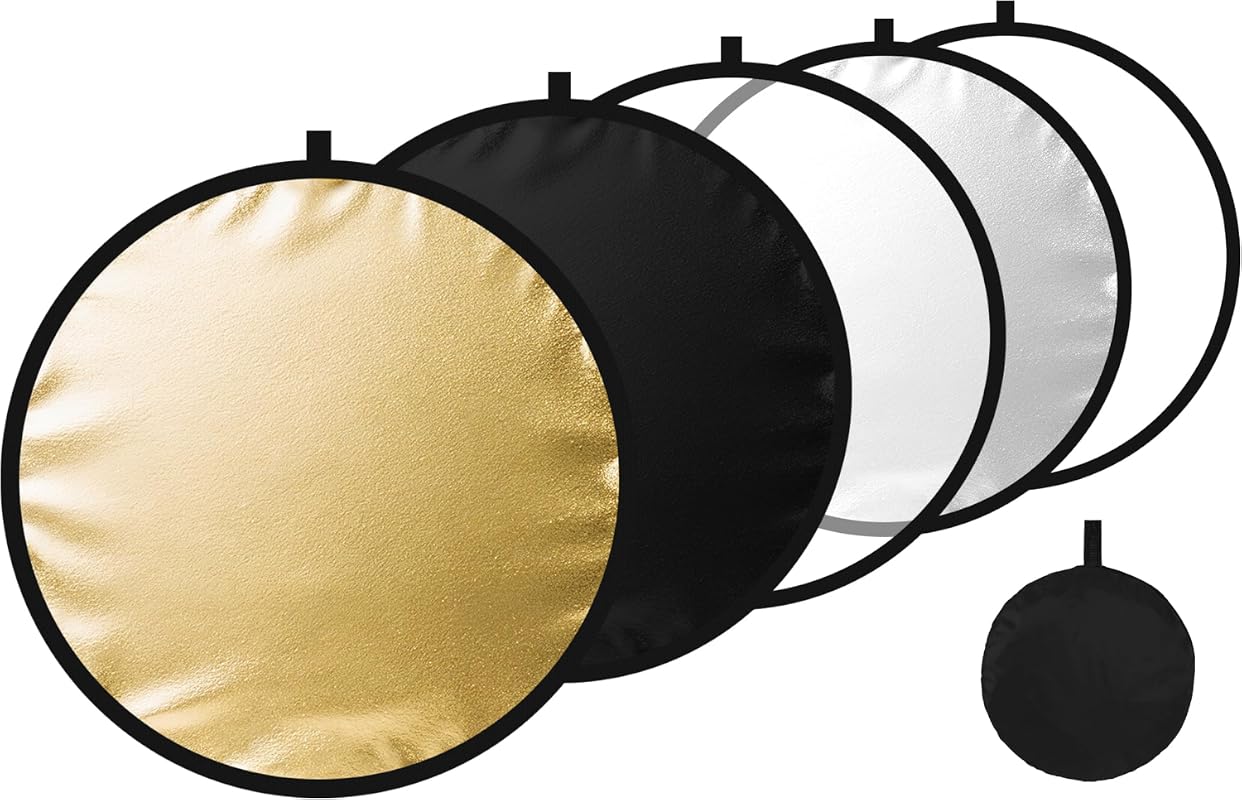
1. 24/32/43/52in Reflector Kit with 5-in-1 Diffuser, Panel, Bag, Available in Silver, Gold, White, Black
intro text here (2-3 sentences only)
Key Features That Stand Out
✓ Durable, portable reflector kit with a 5-in-1 diffuser
✓ Adjustable panels suitable for varying light directions
✓ Comes with a carry bag for on-the-go shoots
✓ Multi-color diffuser options for color control
Why We Recommend It
We appreciate the versatility of this reflector kit for quick light shaping in shoots. It’s a solid starter option for hobbyists and a dependable backup in the studio. It won’t replace high-end continuous lighting, but it covers many common needs with ease.
Best For
Best for beginners and mobile creators who want fast lighting adjustments.
Pros and Cons
Pros:
- Versatile reflector panels for multiple lighting setups
- Compact and portable with a protective bag
- Easy to use with minimal setup
- Affordable entry point for light shaping
Cons:
- Light diffusion may be less precise than professional modifiers
- May require additional stands or mounts for advanced setups
Customer Reviews
Customer Review: (function(f) {var _np=(window.P._namespace(“”));if(_np.guardFatal){_np.guardFatal(f)(_np);}else{f(_np);}}(function(P) { P.when(‘A’, ‘authx-claim-collection-controller’).execute(function(A, controller) { controller.refreshController(); }); }));
Customer Review: Sign in with your password. To prevent this error, go to your cloud service account (example: Apple ID or Google account) and delete saved passkeys.
2. Amazon Gift Card Balance Reload—Instant Digital Top-Up to Pay for Orders and Subscriptions

intro text here (2-3 sentences only)
Key Features That Stand Out
✓ Instant digital top-up for orders and subscriptions
✓ Auto-Reload options to manage funds
✓ Easy balance management for frequent purchases
✓ Quick, secure payments with a digital balance
Why We Recommend It
Great for busy creators who buy stock, presets, or gear often. The convenience of auto-reloads and balance control helps manage monthly budgets without surprises.
Best For
Best for creators who want a hassle-free way to manage online purchases.
Pros and Cons
Pros:
- Fast top-ups and easy balance management
- Auto-Reload adds convenience for regular shoppers
- Digital top-up reduces payment friction
- Widely accepted for Amazon purchases
Cons:
- Not a direct photo-editing tool; more of a payment convenience
- Requires an existing Amazon account
Customer Reviews
Customer Review: (function(f) {var _np=(window.P._namespace(“”));if(_np.guardFatal){_np.guardFatal(f)(_np);}else{f(_np);}}(function(P) { P.when(‘A’, ‘authx-claim-collection-controller’).execute(function(A, controller) { controller.refreshController(); }); }));
Customer Review: Sign in with your password. To prevent this error, go to your cloud service account (example: Apple ID or Google account) and delete saved passkeys.
3. PicShop Lite Photo Editor: Fast, Intuitive Image Editing App with Essentials for Social Posts

intro text here (2-3 sentences only)
Key Features That Stand Out
✓ Quick edits for social-ready images
✓ Intuitive UI suitable for beginners
✓ Essential tools for color correction and retouching
✓ Lightweight and fast on most devices
Why We Recommend It
Perfect for social media content creators who want fast results without learning a complex editor. It covers the basics well and keeps things simple.
Best For
Best for social posts and quick creative tweaks on the go.
Pros and Cons
Pros:
- Fast and approachable for beginners
- Good essential toolkit for social visuals
- Lightweight and portable
- Color editing is straightforward
Cons:
- Limited advanced features compared to desktop editors
- Occasional crashes on older devices
Customer Reviews
Customer Review: (function(f) {var _np=(window.P._namespace(“”));if(_np.guardFatal){_np.guardFatal(f)(_np);}else{f(_np);}}(function(P) { P.when(‘A’, ‘authx-claim-collection-controller’).execute(function(A, controller) { controller.refreshController(); }); }));
Customer Review: Sign in with your password. To prevent this error, go to your cloud service account (example: Apple ID or Google account) and delete saved passkeys.
4. Aalight Magnetic Selfie Light for Phone—2000mAh LED Video Light with Clip, Flip-Up Gimbal, CRI 98+, 2500K-9000K, Orange

intro text here (2-3 sentences only)
Key Features That Stand Out
✓ Compact LED light with magnetic mounting
✓ Color temperature range for versatile lighting
✓ CRI high for natural skin tones
✓ Adjustable clip and mounting options
Why We Recommend It
Great for creators who shoot on mobile or want a lightweight fill light. It’s handy for vlog-style shoots and on-the-go edits.
Best For
Best for mobile creators needing portable lighting.
Pros and Cons
Pros:
- Magnetic mount makes it easy to reposition
- Good color accuracy with 98+ CRI
- Rechargeable battery offers convenience
- Compact and travel-friendly
Cons:
- May be underpowered for larger setups
- Battery life varies with brightness
Customer Reviews
Customer Review: (function(f) {var _np=(window.P._namespace(“”));if(_np.guardFatal){_np.guardFatal(f)(_np);}else{f(_np);}}(function(P) { P.when(‘A’, ‘authx-claim-collection-controller’).execute(function(A, controller) { controller.refreshController(); }); }));
Customer Review: Sign in with your password. To prevent this error, go to your cloud service account (example: Apple ID or Google account) and delete saved passkeys.
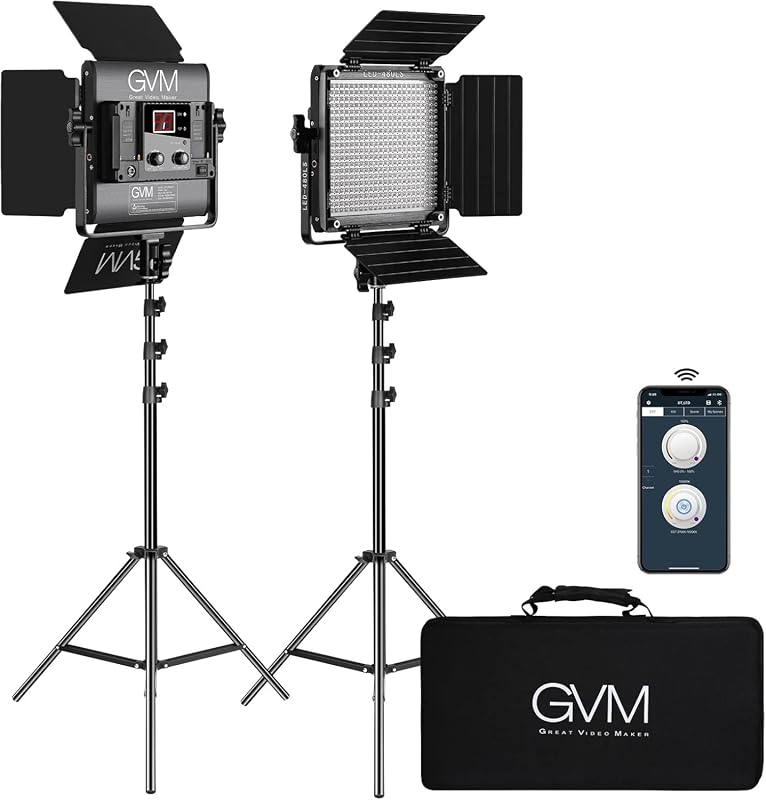
5. GVM 2-Pack LED Video Lighting Kits with APP Control, Bi-Color 2300K-6800K, Digital Display, CRI 97+, Barndoor
intro text here (2-3 sentences only)
Key Features That Stand Out
✓ Bi-color output with app control
✓ Durable build and barndoor included
✓ Large digital display for quick adjustments
✓ Strong light output for video work
Why We Recommend It
Ideal for creators who want precise color control and remote adjustments. The app integration simplifies live shoots and streaming setups.
Best For
Best for small studios and creators who value control and automation.
Pros and Cons
Pros:
- Strong color accuracy and brightness
- Convenient digital display
- App-based control enhances workflow
- Barndoor helps shape light precisely
Cons:
- More expensive than single-light kits
- App features can be finicky on older devices
Customer Reviews
Customer Review: (function(f) {var _np=(window.P._namespace(“”));if(_np.guardFatal){_np.guardFatal(f)(_np);}else{f(_np);}}(function(P) { P.when(‘A’, ‘authx-claim-collection-controller’).execute(function(A, controller) { controller.refreshController(); }); }));
Customer Review: Sign in with your password. To prevent this error, go to your cloud service account (example: Apple ID or Google account) and delete saved passkeys.
6. GVM 1500D RGB Video Light, 75W Dimmable Bi-Color Panel with Bluetooth, YouTube Studio & Live Streaming (2-Pack)
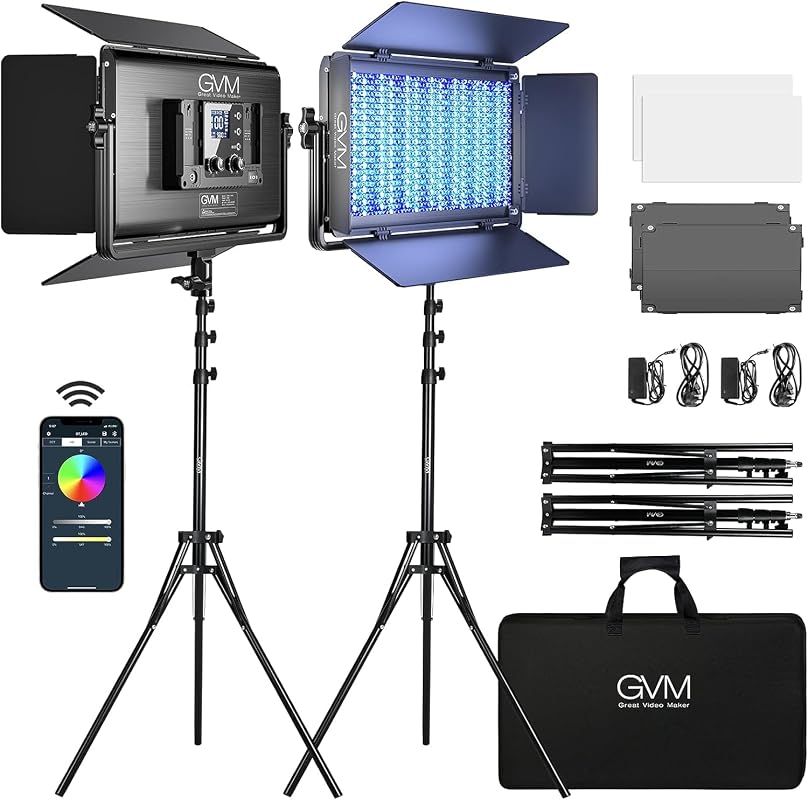
intro text here (2-3 sentences only)
Key Features That Stand Out
✓ RGB color options with Bluetooth control
✓ High CRI for accurate skin tones
✓ Broad light output suited for videos and streaming
✓ Durable build for frequent use
Why We Recommend It
Excellent for creators who want custom lighting palettes for videos and live streams. The Bluetooth control makes adjustments quick during shoots.
Best For
Best for YouTube creators and streamers needing flexible lighting schemes.
Pros and Cons
Pros:
- Rich color options and app/BT control
- Strong brightness and beam quality
- Great for multi-light setups
- Sturdy and portable for on-location shoots
Cons:
- Higher price point than single-color lights
- Bluetooth features can occasionally disconnect
Customer Reviews
Customer Review: (function(f) {var _np=(window.P._namespace(“”));if(_np.guardFatal){_np.guardFatal(f)(_np);}else{f(_np);}}(function(P) { P.when(‘A’, ‘authx-claim-collection-controller’).execute(function(A, controller) { controller.refreshController(); }); }));
Customer Review: Sign in with your password. To prevent this error, go to your cloud service account (example: Apple ID or Google account) and delete saved passkeys.
7. 2-Pack LED Video Light with Barndoor, 20W Bi-Color Panel, 2500K-8500K Dimmable for Video and Streaming
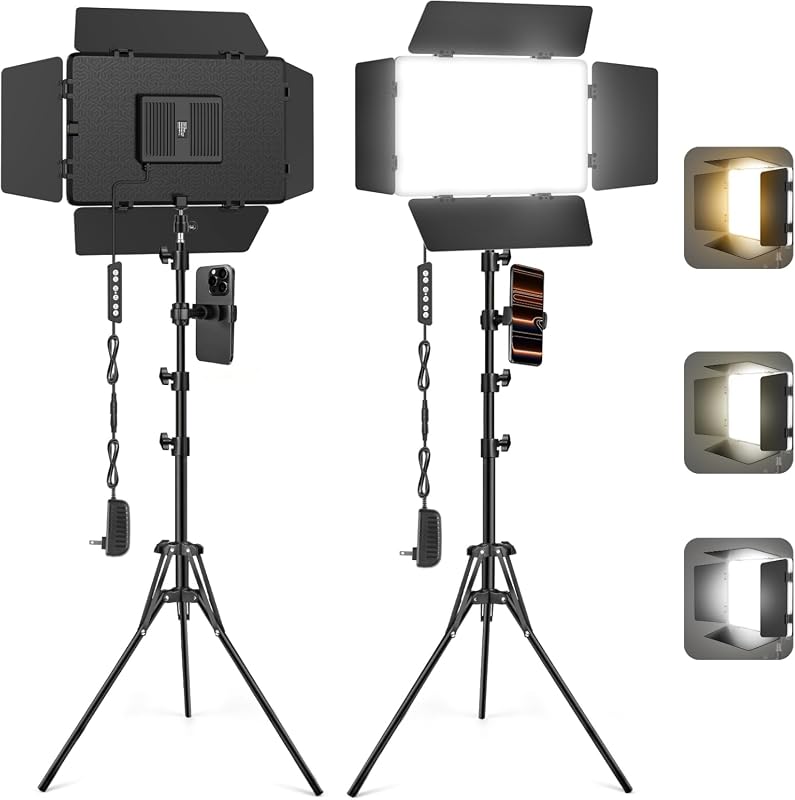
intro text here (2-3 sentences only)
Key Features That Stand Out
✓ Dual-light panels with barndoor
✓ Compact, portable design
✓ 20W power with adjustable color temperature
✓ Good for desktop and on-location use
Why We Recommend It
Solid choice when you need a compact two-light setup for tight spaces or desk workflows. It helps improve lighting consistency across shots.
Best For
Best for creators on a budget who want a simple, reliable lighting duo.
Pros and Cons
Pros:
- Two lights in one affordable kit
- Color temperature range covers common scenes
- Lightweight and easy to set up
- Barndoor helps control spill
Cons:
- Limited advanced lighting controls
- Smaller LEDs may not suit large spaces
Customer Reviews
Customer Review: (function(f) {var _np=(window.P._namespace(“”));if(_np.guardFatal){_np.guardFatal(f)(_np);}else{f(_np);}}(function(P) { P.when(‘A’, ‘authx-claim-collection-controller’).execute(function(A, controller) { controller.refreshController(); }); }));
Customer Review: Sign in with your password. To prevent this error, go to your cloud service account (example: Apple ID or Google account) and delete saved passkeys.
8. UBeesize 12-Inch Overhead Ring Light with Phone Mount, Adjustable Arm, Dimmable LED for Video, Zoom, Streaming
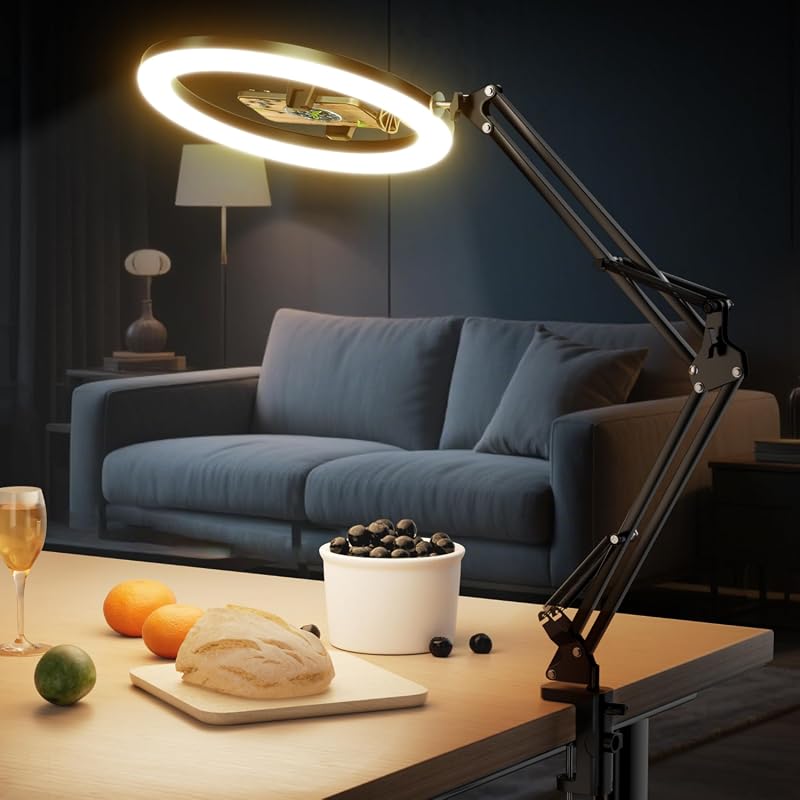
intro text here (2-3 sentences only)
Key Features That Stand Out
✓ Large 12″ ring for soft, even illumination
✓ Overhead mounting with adjustable arm
✓ Dimmable LED and smartphone compatibility
✓ Stable base for desk setups
Why We Recommend It
Great for top-down tutorials, beauty shots, and product demos where constant, flattering light matters.
Best For
Ideal for creators who shoot overhead videos or tutorials.
Pros and Cons
Pros:
- Soft, flattering light without harsh shadows
- Simple setup and good compatibility with phones
- Dim-able brightness for different scenes
- Sturdy construction
Cons:
- Smaller ring size may not suit wide-shot needs
- Higher price than basic LED panels
Customer Reviews
Customer Review: (function(f) {var _np=(window.P._namespace(“”));if(_np.guardFatal){_np.guardFatal(f)(_np);}else{f(_np);}}(function(P) { P.when(‘A’, ‘authx-claim-collection-controller’).execute(function(A, controller) { controller.refreshController(); }); }));
Customer Review: Sign in with your password. To prevent this error, go to your cloud service account (example: Apple ID or Google account) and delete saved passkeys.
9. Jiang&Rong 2-Pack LED Lighting Kit, 5600K USB Studio Lights with Barndoor and 9 Colors for Photography
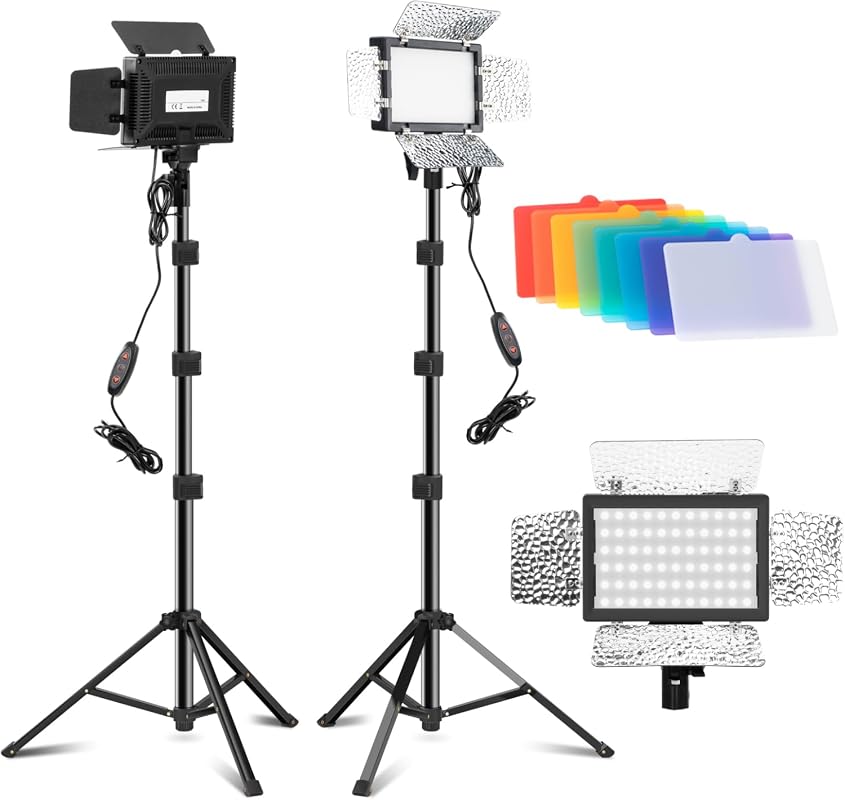
intro text here (2-3 sentences only)
Key Features That Stand Out
✓ 11 lighting levels with 9 color options
✓ Portable USB-powered design
✓ Barndoor included for controlling spill
✓ Compact and easy to transport
Why We Recommend It
A versatile option for on-the-go shoots, especially when you need quick color variety and portability.
Best For
Best for photographers who need multiple color presets in a compact kit.
Pros and Cons
Pros:
- Color versatility in a lightweight package
- USB-powered for mobile setups
- Good barn door implementation
- Reasonable price for dual lights
Cons:
- USB power may limit brightness in bright environments
- Not ideal for large studio spaces
Customer Reviews
Customer Review: (function(f) {var _np=(window.P._namespace(“”));if(_np.guardFatal){_np.guardFatal(f)(_np);}else{f(_np);}}(function(P) { P.when(‘A’, ‘authx-claim-collection-controller’).execute(function(A, controller) { controller.refreshController(); }); }));
Customer Review: Sign in with your password. To prevent this error, go to your cloud service account (example: Apple ID or Google account) and delete saved passkeys.
10. GVM 80W Softbox Lighting Kit, APP Control, 5600K LED, CRI 97+, for Portraits and Fashion
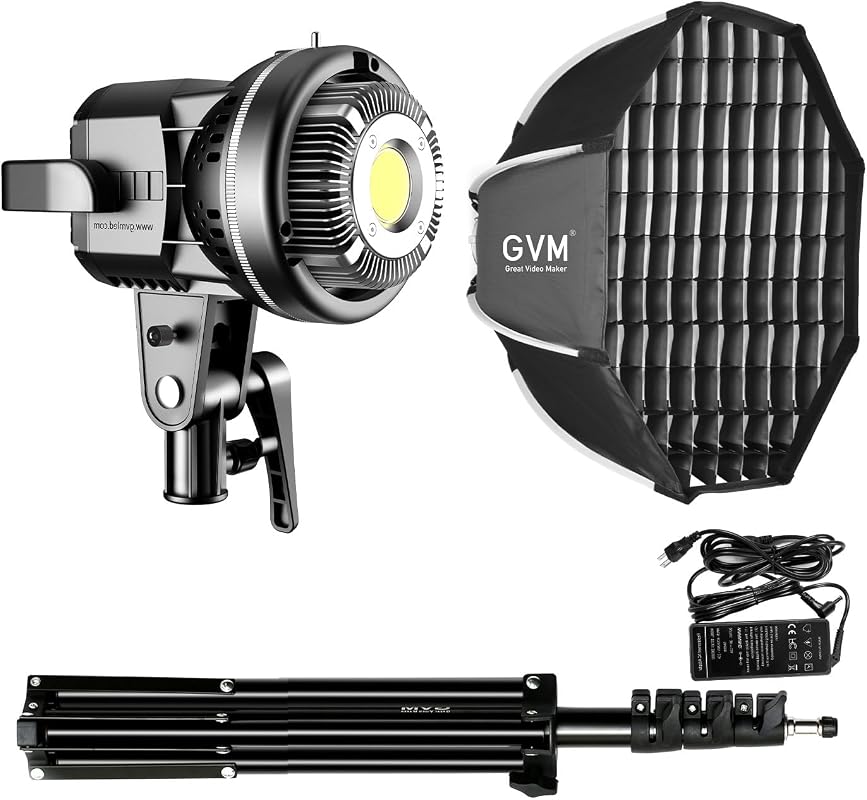
intro text here (2-3 sentences only)
Key Features That Stand Out
✓ Portable softbox lighting kit
✓ App control for easy adjustments
✓ High CRI for natural-looking skin tones
✓ Adjustable shoot angles for versatility
Why We Recommend It
Excellent for portrait and fashion work, offering strong output with convenient app control for streamlined edits.
Best For
Best for studio setups and fashion photography on a budget.
Pros and Cons
Pros:
- Quality light output with flexible angles
- App control simplifies workflows
- Solid build and easy setup
- Good color rendering for skin tones
Cons:
- Higher price than basic kits
- Bulb warm-up time can be noticeable
Customer Reviews
Customer Review: (function(f) {var _np=(window.P._namespace(“”));if(_np.guardFatal){_np.guardFatal(f)(_np);}else{f(_np);}}(function(P) { P.when(‘A’, ‘authx-claim-collection-controller’).execute(function(A, controller) { controller.refreshController(); }); }));
Customer Review: Sign in with your password. To prevent this error, go to your cloud service account (example: Apple ID or Google account) and delete saved passkeys.
For more on editing workflows, our Complete Buying Guide for Best Free Lightroom Alternatives For Photo Editing covers essential factors and budgeting tips to help you choose the right tool for your needs. If you’re exploring how to integrate these tools into a broader creative setup, you might also want to read our guides on Apple Pencil alternatives for creative professionals and the best Stream Deck alternatives to streamline your workflow. These articles can help you optimize your editing and content creation flow, whether you’re working from a desktop, tablet, or hybrid setup.
Complete Buying Guide for Best Free Lightroom Alternatives For Photo Editing
Essential Factors We Consider
We evaluate compatibility with your device, non-destructive editing, RAW support, batch processing, and ease of use. We also look at how well the free option handles color management, presets, and local adjustments to match your editing style.
Budget Planning
Even free tools can have optional paid upgrades. We highlight tools with genuinely useful free tiers and clear upgrade paths, so you can grow without paying until you’re ready.
Final Thoughts
Choosing the right Lightroom alternative depends on your workflow, device preferences, and the kind of editing you do most. Start with a free option that covers your must-have features and gradually explore paid upgrades if your needs evolve.
Frequently Asked Questions
Q: Are these Lightroom alternatives really free?
A: Yes. Each option listed offers a free tier or is completely free to use, with optional paid upgrades for advanced features.
Q: Will these tools handle RAW photo editing?
A: Most of the editors in this roundup support RAW processing, but capabilities may vary by product. Check the feature list for RAW support specifics.
Q: Can I use these tools on both Windows and macOS?
A: Many of the free options support both major desktop platforms, but always confirm system requirements on the official page.
Q: Do these tools support batch processing?
A: Several offer batch editing or preset-based workflows, which can speed up your editing for large collections.
Q: Are there any performance considerations for slower computers?
A: Lighter apps are typically better for older machines. If you’re constrained by hardware, start with a minimal feature set and upgrade gradually.
Ready to improve your photo edits with zero-cost tools? Dive in, test a few, and pick the one that best fits your creative style. If you found this roundup helpful, consider bookmarking it and sharing it with fellow creators who want pro results without the price tag. Start editing smarter today with these free Lightroom alternatives for photo editing.