Car Travel Bill Format in Word Free Download
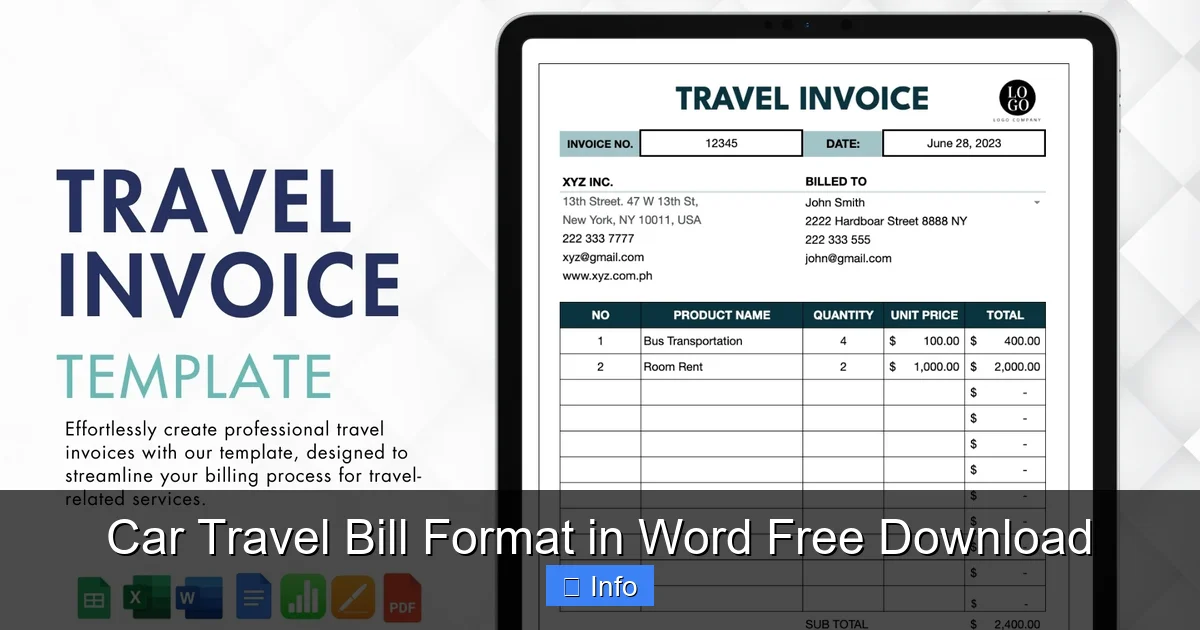
A car travel bill format in Word helps you track mileage, fuel costs, and expenses effortlessly. Free downloadable templates make it easy to create professional reimbursement documents for business trips or personal records. This guide covers essential elements, creation tips, and common mistakes to avoid.
Keeping track of car travel expenses can feel overwhelming, especially when you’re juggling receipts, mileage logs, and reimbursement forms. Whether you’re a freelancer billing clients, an employee submitting expense reports, or a small business owner managing fleet costs, having a reliable car travel bill format in Word free download makes the entire process smoother. Microsoft Word remains one of the most accessible tools for creating professional expense documents because almost everyone has it installed and knows how to use it.
The right template does more than just look organized. It ensures you capture every deductible expense, meets IRS requirements for mileage logs, and presents information clearly for quick approval. Many people waste hours formatting tables or forgetting categories like tolls and parking fees. A well-designed Word template solves these problems instantly. Let’s explore everything you need to know about finding, using, and customizing the perfect car travel bill format for your needs.
Key Takeaways
- Standardized format: A consistent car travel bill format ensures all necessary details like date, purpose, and mileage are captured every time.
- Word templates save time: Pre-built Microsoft Word templates eliminate the need to create documents from scratch for each trip.
- Tax compliance: Proper documentation supports IRS mileage deductions and employer reimbursement requirements.
- Customizable fields: Word formats allow you to add specific categories like tolls, parking, or vehicle maintenance costs.
- Digital and print ready: Word documents work for both electronic submission and physical receipts attachment.
- Free resources available: Multiple websites offer free car travel bill format in Word free download options without registration.
- Error reduction: Structured templates minimize calculation mistakes and missing information that delay reimbursements.
📑 Table of Contents
- Why You Need a Dedicated Car Travel Bill Format
- Essential Elements Every Car Travel Bill Must Include
- How to Create Your Own Car Travel Bill in Word
- Where to Find Free Car Travel Bill Format Downloads
- Customizing Templates for Your Specific Needs
- Tips for Accurate and Efficient Expense Tracking
- Common Mistakes to Avoid
- Digital Alternatives and When to Use Them
- Legal and Tax Considerations
- Conclusion
Why You Need a Dedicated Car Travel Bill Format
Professional Presentation Matters
When you submit expenses to clients or employers, a polished document reflects well on your attention to detail. Handwritten notes or messy spreadsheets can raise questions about accuracy. A clean Word template with your logo, consistent fonts, and organized sections shows professionalism. It also speeds up approval since reviewers can quickly locate totals and supporting details.
IRS Compliance for Mileage Deductions
The IRS requires specific information for vehicle expense deductions: date, destination, business purpose, starting and ending odometer readings, and total miles driven. A proper car travel bill format builds these fields directly into the template so you never miss critical data. This becomes invaluable during tax season or if you’re ever audited. Missing just one element can disqualify an entire trip’s deduction.
Time Savings Across Multiple Trips
Creating a new document from scratch for every business trip wastes valuable time. With a saved Word template, you open the file, enter trip-specific details, and print or email within minutes. Over a year of weekly travel, this saves hours of administrative work. Many templates also include auto-calculating fields for mileage rates and expense totals, eliminating manual math errors.
Essential Elements Every Car Travel Bill Must Include
Header Information
Start with your name or company name, address, phone number, and email. Add a unique invoice or report number for tracking. Include the reporting period (weekly, monthly, or per project) and submission date. If billing a client, add their name and address. This header establishes the document’s legitimacy and makes filing easy for both parties.
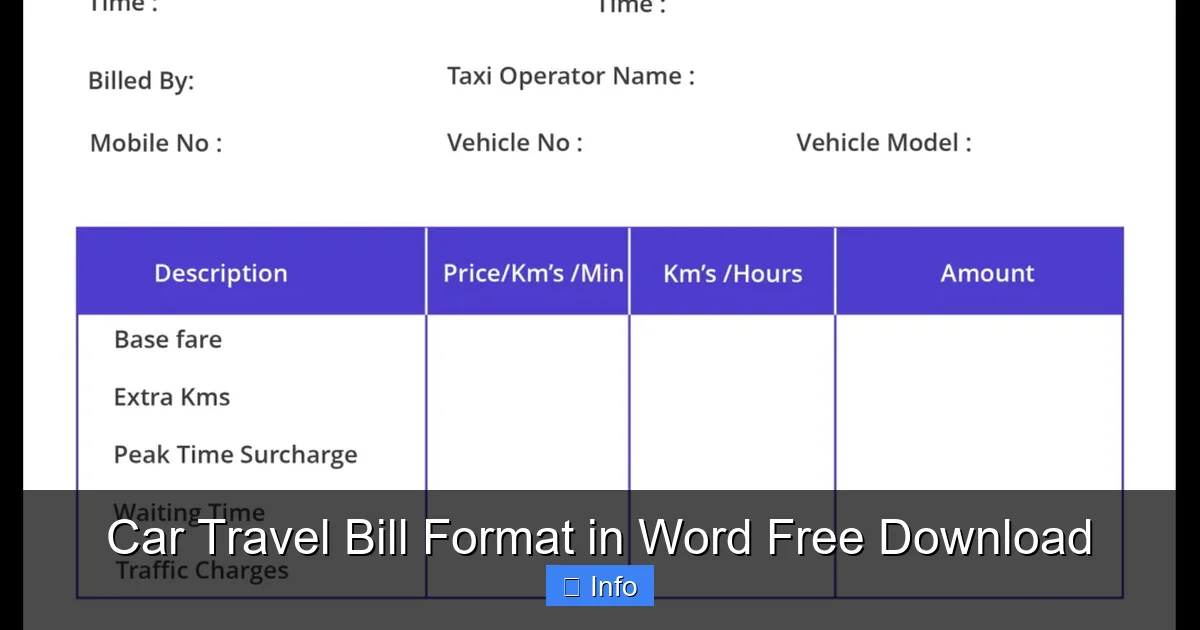
Visual guide about Car Travel Bill Format in Word Free Download
Image source: mybillbook.in
Trip Details Section
Each trip entry needs: date, departure location, destination, business purpose (meeting, site visit, client lunch), starting odometer, ending odometer, and total miles. Some formats combine multiple trips per day; others use one row per trip. Choose based on your travel frequency. For frequent short trips, a daily summary works better than individual entries.
Expense Categories
Beyond mileage, include columns for: fuel costs, tolls, parking fees, vehicle maintenance (oil changes, tire rotations directly tied to business use), and miscellaneous (car washes if required for client meetings). If you’re tracking actual expenses instead of using the standard mileage rate, you’ll need receipts for every item. A good template has checkboxes for “receipt attached” next to each expense line.
Rate Calculations and Totals
Include the current IRS standard mileage rate (67 cents per mile for 2024) or your company’s reimbursement rate. Add a column that multiplies miles by rate automatically if using Word’s formula features. Show subtotals by category and a grand total at the bottom. Separate reimbursable amounts from non-reimbursable personal expenses if mixing trip types.
Approval and Signature Lines
Leave space for your signature, date, and a manager or client approval signature with date. Some companies require department codes or project numbers. Adding these fields upfront prevents back-and-forth emails later. Digital signature compatibility is a plus for remote teams.
How to Create Your Own Car Travel Bill in Word
Start with a Blank Document
Open Microsoft Word and create a new blank document. Set margins to 0.75 inches for more space. Choose a clean font like Calibri 11pt or Arial 10pt. Insert a table for the header: two columns, three rows. Left column for labels (Name, Address, Report #), right column for your info. Merge the top row for your logo or title “Car Travel Expense Report.”
Build the Trip Log Table
Insert a larger table below the header. Columns needed: Date, From, To, Purpose, Start Odometer, End Odometer, Total Miles, Rate/Mile, Mileage Amount. Add additional columns for Fuel, Tolls, Parking, Other Expenses. Use the “Layout” tab to set column widths. Format the header row with bold text and light gray shading. Freeze the header row to repeat on new pages.
Add Formulas for Auto-Calculation
Word supports basic table formulas. Click in the “Total Miles” cell for row 1, go to Layout > Formula, enter “=C6-B6” (adjust cell references). For “Mileage Amount,” use “=G2*H2”. For the grand total row at bottom, use “=SUM(ABOVE)” in each amount column. Test with sample data to verify calculations work correctly.
Create Drop-Down Lists for Consistency
Use Developer tab > Legacy Tools > Drop-Down Form Field for “Purpose” column. Add common values: Client Meeting, Site Visit, Training, Conference, Other. This prevents typos and standardizes reporting. Protect the form (Restrict Editing > Filling in forms) so users can only enter data in designated fields.
Save as Template (.dotx)
Once perfected, save as Word Template (*.dotx) not Document (*.docx). This creates a reusable master file. Each new trip opens a fresh document based on the template, preserving your original. Store in a trusted location like Custom Office Templates folder for easy access via File > New > Personal.
Where to Find Free Car Travel Bill Format Downloads
Microsoft Office Template Gallery
Microsoft’s official template library offers several free mileage log and expense report templates. Search “mileage log” or “travel expense” within Word’s File > New screen. These are virus-free, compatible with all Word versions, and often include built-in formulas. The “Vehicle Mileage Log” template is particularly popular for IRS compliance.
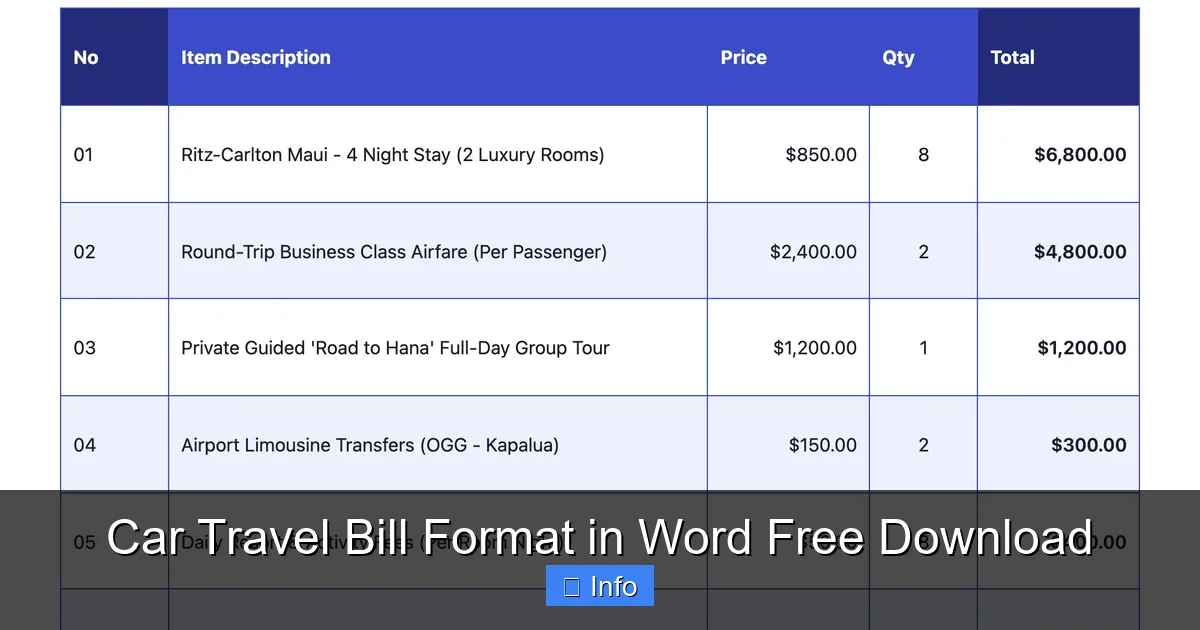
Visual guide about Car Travel Bill Format in Word Free Download
Image source: images.template.net
Vertex42 and Smartsheet
Vertex42.com provides excellent free Excel and Word templates for mileage tracking. Their Word version includes daily, weekly, and monthly formats. Smartsheet offers similar templates with more advanced features like conditional formatting. Both sites clearly mark free vs. paid options and don’t require account creation for basic downloads.
Template.net and Invoice Simple
Template.net has a “Travel Expense Report” Word template that’s free with attribution. Invoice Simple offers a clean, modern car travel bill format in Word free download focused on freelancers and contractors. Their templates include client billing sections and payment terms. Always scan downloads from third-party sites before opening.
Government and Nonprofit Resources
The IRS provides a sample mileage log in Publication 463. While not a formatted Word template, it shows exactly what fields are required. Many universities and nonprofits publish free travel reimbursement forms compliant with federal grant requirements. These are excellent starting points if you need audit-ready documentation.
Customizing Templates for Your Specific Needs
Freelancer and Contractor Modifications
If you bill clients directly, add: project name, hourly rate vs. mileage rate distinction, payment terms (Net 30), and your payment details (Venmo, bank transfer, PayPal). Include a “Billable” checkbox column. Some freelancers add a summary page showing total hours, total miles, and combined invoice amount. This turns your travel bill into a complete invoice.
Employee Reimbursement Adjustments
For employer submissions, add: employee ID, department, manager name, and company-specific codes (cost center, project code). Many companies require separate lines for “Personal Miles” vs “Business Miles” on the same trip. Include a certification statement: “I certify these expenses are accurate and comply with company policy.” Check your employee handbook for required fields.
Fleet and Multi-Vehicle Tracking
If managing multiple vehicles, add: Vehicle ID/Plate, Driver Name, and Vehicle Type columns. Create a master template with a vehicle dropdown list. Some businesses prefer separate tabs per vehicle (easier in Excel) but Word can handle this with a “Vehicle” column and filter views. Consider adding maintenance intervals triggered by mileage thresholds.
International Travel Adaptations
For cross-border trips, add: Currency column, Exchange Rate, and Home Currency Amount. Include fields for border crossing fees, international insurance supplements, and VAT/GST recovery. Note that IRS rules differ for foreign travel; consult a tax professional. Some templates offer dual-rate columns (local currency and USD).
Tips for Accurate and Efficient Expense Tracking
Log Trips Immediately
Don’t rely on memory. Enter trip details the same day using your phone’s notes app or a dedicated mileage tracker like MileIQ or Everlance. These apps auto-detect drives using GPS and export to CSV for easy Word import. At minimum, snap a photo of your odometer at trip start and end. Weekly reconstruction leads to missed trips and guessed mileage.
Use Digital Receipt Management
Apps like Expensify, Shoeboxed, or even Google Drive scan receipts instantly. Rename files with format: “YYYY-MM-DD_Vendor_Amount.jpg” (e.g., “2024-01-15_Shell_45.00.jpg”). Attach digital copies to your Word report or reference filenames in a “Receipt Ref” column. This eliminates paper clutter and makes audits painless.
Separate Business and Personal Miles Clearly
Commuting from home to your regular workplace is never deductible. But driving from home to a client site, or between job sites, counts. If a trip mixes purposes (drop kids at school then meet client), only the business portion qualifies. Use your template’s notes column to explain split-purpose trips. The IRS scrutinizes this distinction heavily.
Reconcile Monthly
Set a calendar reminder for the 1st of each month to finalize last month’s travel bill. Cross-check with credit card statements, fuel card reports, and calendar appointments. Submit to clients or employers within their deadline (often 5-10 business days after month-end). Late submissions delay your reimbursement and create accounting headaches for others.
Backup Your Files
Save completed travel bills in three places: local computer, cloud storage (OneDrive, Google Drive), and email to yourself. Name files consistently: “TravelBill_2024-01_ClientName.docx”. Keep for at least 7 years for tax purposes. Cloud storage with version history protects against accidental overwrites or corruption.
Common Mistakes to Avoid
Using Round Numbers for Mileage
Writing “30 miles” for every trip raises red flags. Real odometer readings produce numbers like 27.4 or 31.8. The IRS expects precise readings. If you forgot to record, note “estimated” and explain why. Better yet, use Google Maps to reconstruct the route and get exact distance. Consistent round numbers suggest fabrication.
Missing Business Purpose Descriptions
“Meeting” isn’t enough. Write “Quarterly review with ABC Corp marketing team” or “Site inspection for 123 Main St renovation.” Vague purposes get rejected by auditors and delay client approvals. Be specific enough that someone unfamiliar with your work understands the business necessity.
Forgetting Parking and Tolls
These add up fast. A $15 daily parking fee over 20 trips equals $300 annually. Many people only track fuel. Your template should have prominent columns for these. Keep a small envelope in your car for parking receipts, or use a phone app that geotags parking locations. Some cities offer digital receipts via text.
Mixing Personal and Business Without Separation
If you drive 50 miles for business, then 10 miles personal errands, don’t claim 60 miles. Split the trip in your log: two entries, same date, different purposes. The personal portion goes in a non-reimbursable column or separate section. This clarity protects you during audits and maintains client trust.
Ignoring Rate Changes
The IRS updates the standard mileage rate annually (sometimes mid-year). Using last year’s rate on this year’s trips creates errors. Check IRS.gov each January and update your template’s rate field. Some companies adjust rates quarterly. Build a “Rate Effective Date” field in your header to track which rate applies to which trips.
Not Keeping Supporting Documentation
The travel bill itself isn’t enough. You need contemporaneous records: receipts, calendar entries, emails confirming meetings. The IRS requires records created at or near the time of the expense. A perfect Word template with zero receipts won’t survive an audit. Treat your template as the summary; the receipts are the proof.
Digital Alternatives and When to Use Them
Mobile Mileage Apps
Apps like MileIQ, Everlance, and TripLog automatically track drives via GPS. They classify trips with a swipe, generate IRS-compliant reports, and export to PDF/Excel. Ideal for high-volume travelers (realtors, sales reps). Many integrate with QuickBooks and Expensify. The downside: subscription costs ($5-10/month) and battery drain.
Expense Management Platforms
Concur, Expensify, and Zoho Expense handle end-to-end expense reporting: receipt scanning, policy enforcement, approval workflows, and accounting integration. Best for companies with 10+ travelers. Overkill for solo operators. These replace Word templates entirely but require organizational adoption.
Spreadsheet Power Users
Excel or Google Sheets offers superior calculation, filtering, and pivot tables for analyzing travel patterns. You can build dashboards showing cost per client, monthly trends, or vehicle efficiency. Sheets allows real-time collaboration. The learning curve is steeper than Word, but the analytical payoff is significant for data-driven decisions.
When Word Remains the Best Choice
Stick with Word when: you need a simple, printable document for client signature; your company requires a specific paper format; you travel occasionally (under 5 trips/month); you prefer zero software costs; or you need to attach physical receipts to a printed report. Word’s universality means recipients can always open and edit your file.
Legal and Tax Considerations
IRS Recordkeeping Requirements
Publication 463 mandates: amount, time, place, and business purpose for each expense. For mileage: date, destination, purpose, odometer start/end. Records must be “contemporaneous” (created within a week). Estimates reconstructed later are rarely accepted. Your Word template, filled out promptly, meets these standards if complete.
Accountable Plan Rules
Employers using accountable plans (tax-free reimbursements) require: business connection, adequate accounting within reasonable period (60 days), and return of excess advances. Your travel bill format is the “adequate accounting” piece. Ensure it captures everything your employer’s policy demands. Non-accountable plan reimbursements become taxable income.
State-Specific Requirements
California, Massachusetts, and Illinois have stricter expense reimbursement laws than federal minimums. Some mandate reimbursement for all necessary business expenses, including cell phone use while driving. If you operate in multiple states, add a “State” column and research each jurisdiction’s rules. Consult an employment lawyer for multi-state policies.
Document Retention Periods
IRS: 3 years from filing date (6 years if substantial underreporting, 7 years for worthless securities). Employment tax records: 4 years. Best practice: 7 years for all travel bills and receipts. Digital storage makes this easy. Don’t delete old templates; you may need to reproduce a 2021 report in 2026.
Conclusion
A well-designed car travel bill format in Word free download transforms expense tracking from a dreaded chore into a streamlined process. Whether you build your own using our step-by-step guide or download a polished template from Microsoft or Vertex42, the key is consistency. Capture every trip immediately, categorize expenses accurately, and store records securely. The few minutes invested per trip pay dividends at tax time, during audits, and in faster reimbursements.
Remember that the best template is the one you’ll actually use. Start simple with the essential fields we outlined. Add complexity only when your situation demands it. A freelancer billing two clients monthly needs less detail than a fleet manager tracking 20 vehicles. Match the tool to your reality. And don’t forget those often-overlooked expenses like parking and tolls. They’re small individually but significant annually.
Finally, treat your travel bill as a living document. Update it when IRS rates change, when your business structure shifts, or when you discover a missing category. The Word format’s flexibility is its greatest strength. You own the template, so make it work for you. Download a free version today, customize it tonight, and submit your next expense report with confidence.
Frequently Asked Questions
What is the best free car travel bill format in Word for IRS compliance?
The Microsoft Office “Vehicle Mileage Log” template is the best free option for IRS compliance. It includes all required fields: date, destination, purpose, odometer readings, and automatic mileage calculation. Download it directly from Word’s File > New > Search “mileage log” for a virus-free, regularly updated template.
Can I use a car travel bill format in Word for both business and personal trips?
Yes, but you must clearly separate business and personal miles. Add a “Trip Type” column with dropdown options (Business, Personal, Commuting). Only business miles are deductible or reimbursable. Commuting from home to your regular workplace is always personal. Mixed-purpose trips should be split into separate lines.
How do I add automatic calculations to my Word travel bill template?
Use Word’s table formulas. Click in a cell, go to Table Layout > Formula. For mileage: =EndOdometer-StartOdometer. For reimbursement: =Miles*Rate. For column totals: =SUM(ABOVE). Remember to update fields (Ctrl+A, F9) after entering data. Save as .dotx template to preserve formulas for future use.
What’s the difference between standard mileage rate and actual expense method?
Standard mileage rate (67¢/mile for 2024) multiplies business miles by a fixed rate covering fuel, depreciation, insurance, and maintenance. Actual expense method tracks every individual cost (gas, repairs, insurance) and deducts the business-use percentage. You must choose one method per vehicle per year. Your template should match your chosen method.
How long should I keep completed car travel bills and receipts?
Keep all travel bills, receipts, and supporting documents for at least 7 years. The IRS can audit up to 3 years back (6 years for substantial errors). Employment records require 4 years. Digital storage in cloud services like OneDrive or Google Drive makes long-term retention easy and searchable.
Can I convert my Word travel bill to PDF for client submission?
Absolutely. File > Save As > PDF creates a professional, non-editable version for clients. This prevents accidental changes and ensures formatting stays intact across devices. Many clients prefer PDF for approval workflows. Keep the original .docx for your records and future edits. PDF is also ideal for attaching to expense management systems.