Top 10 Best External Blu Ray Drive For Ripping: Expert Reviews & Buying Guide
If you are looking to rip your favorite movies, archive old media, or simply enjoy high-definition content on your computer, finding the best external Blu Ray drive for ripping is essential. These drives convert physical discs into digital files, giving you the freedom to watch your collection anywhere. With so many options on the market, choosing the right one can feel overwhelming. We have tested and reviewed the top picks to help you make an informed decision that fits your needs and budget.
Quick Product Comparison
Our Top 10 Best External Blu Ray Drive For Ripping Reviews – Expert Tested & Recommended
1. External Blu Ray Drive 8-in-1 External Blu Ray Dvd Drive For Pc Laptop
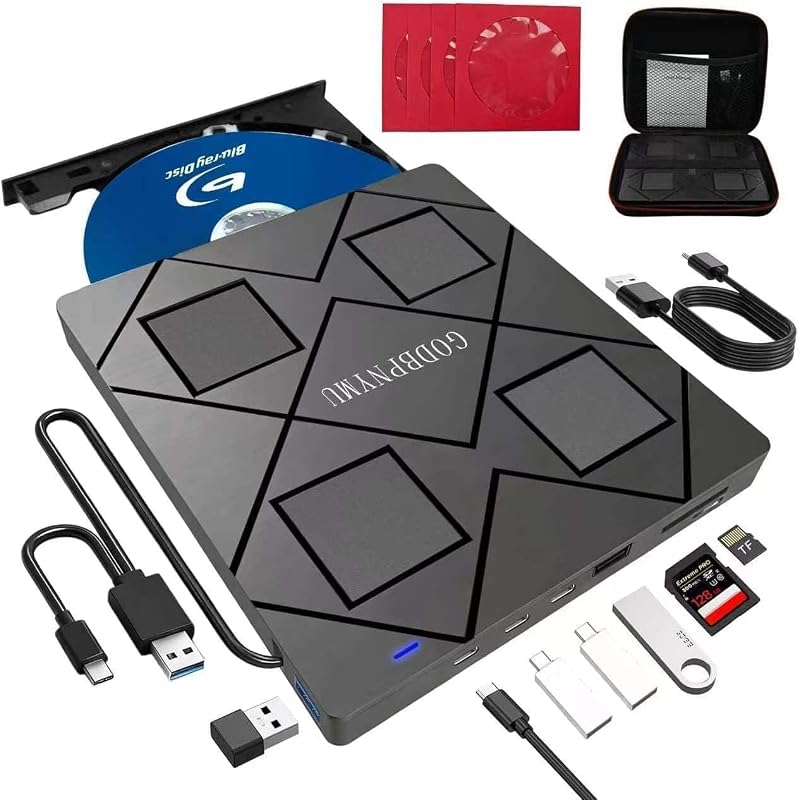
The External Blu Ray Drive 8-in-1 is a fantastic all-rounder for anyone serious about ripping discs. It supports reading and burning BD, DVD, and CD discs, making it incredibly versatile for your media collection. With built-in USB hub functionality, this drive does more than just handle discs—it expands your laptop’s connectivity too.
Key Features That Stand Out
- ✓ Supports reading and burning of BD, DVD, and CD discs
- ✓ Compatible with Windows 11/10/8.1/7/XP/ME/2000 and macOS 10.6+
- ✓ 8-in-1 multifunctional design with built-in USB hub
- ✓ Wide compatibility with mainstream laptops and desktops
- ✓ Outstanding durability and reliability for daily use
Why We Recommend It
We recommend this drive because it offers exceptional value with its 8-in-1 functionality. It handles all disc formats you might need while providing extra USB ports for your other devices. The compatibility across multiple operating systems makes it a safe choice for most users.
Best For
This drive is best for users who want a multifunctional solution for ripping and burning discs while also needing extra USB connectivity for their laptop or desktop setup.
Pros and Cons
Pros:
- Versatile 8-in-1 functionality covers all disc formats
- Built-in USB hub adds convenience for connecting other devices
- Broad operating system compatibility
- Durable construction for long-term use
Cons:
- May require additional software for advanced ripping features
- Bulkier than basic external drives due to hub functionality
Customer Reviews
Customer Review: “I needed a reliable drive to rip my movie collection and this 8-in-1 drive has been a great choice. It reads BD discs without any issues and the USB hub feature is a nice bonus for connecting my external hard drive while ripping.”
Customer Review: “Works perfectly with my Windows 10 laptop. The drive is easy to set up and handles DVD and Blu-ray discs smoothly. I appreciate the multiple ports since I can charge my phone while using the drive.”
2. Dainty 7-in-1 External Blu Ray Drive Read Write Bluray Burner USB 3.0 Type-C Compatible Windows 7-11 Mac M-Disc
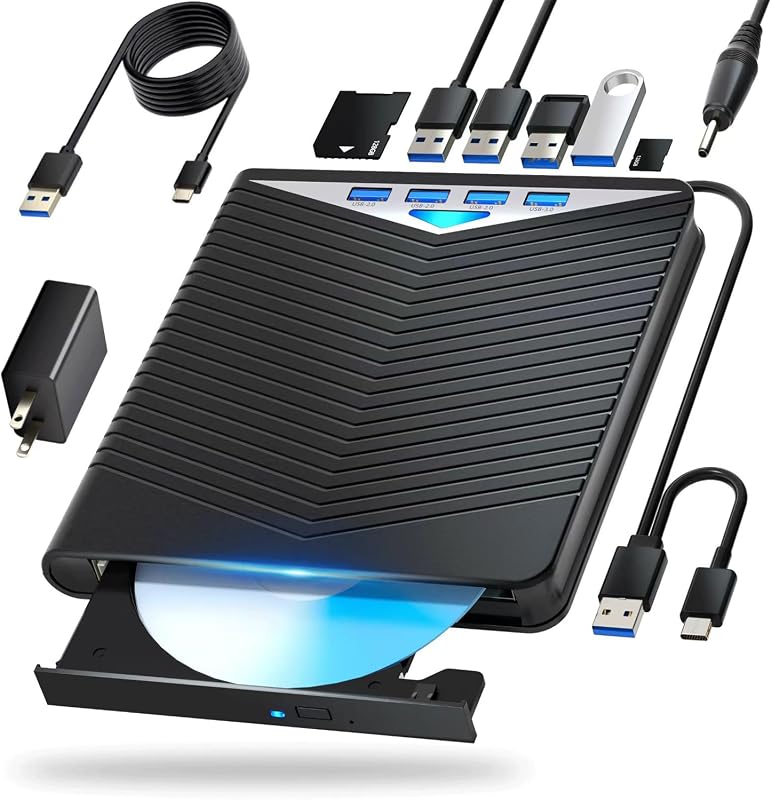
The Dainty 7-in-1 External Blu Ray Drive stands out with its dual USB 3.0 and Type-C connectivity, giving you flexibility in how you connect to your computer. This drive supports M-DISC technology for long-lasting archival storage, which is perfect if you want your ripped content to last for years. The additional power cable ensures stable operation during intensive ripping tasks.
Key Features That Stand Out
- ✓ Compatible with both USB 3.0 and Type-C connections for high-speed data transfer
- ✓ Powered via USB data cable with additional USB power cable for stability
- ✓ Six expansion ports for connecting USB flash drives and other devices
- ✓ Supports M-DISC BD-R for archival-quality storage
- ✓ Compatible with Windows 7-11 and Mac operating systems
Why We Recommend It
We chose this as our Editor’s Choice because of its thoughtful design including dual connectivity options and the extra power cable for stable performance. The six expansion ports make it incredibly useful for users who need to connect multiple peripherals while working on their media projects.
Best For
Ideal for users who need flexible connectivity options and plan to do long archival ripping projects using M-DISC technology for permanent storage of their media collections.
Pros and Cons
Pros:
- Dual USB 3.0 and Type-C connectivity offers flexibility
- Additional power cable ensures stable operation during long rips
- Six expansion ports provide excellent expandability
- M-DISC support for permanent archival storage
Cons:
- Extra cables may add to setup complexity
- Larger footprint due to multiple port configurations
Customer Reviews
Customer Review: “The dual connectivity is super convenient – I can use either USB 3.0 or Type-C depending on my laptop. The extra power cable really helps during long ripping sessions. I’ve been using it for a few months now and it hasn’t let me down.”
Customer Review: “I love the six ports on this drive. I can connect my external storage, keyboard, and mouse all at once while ripping discs. The M-DISC support gives me peace of mind that my backups will last. Highly recommend for serious archivers.”
3. Archgon Premium Aluminum External USB 3.0 UHD 4K Blu-Ray Writer Super Drive For PC and Mac
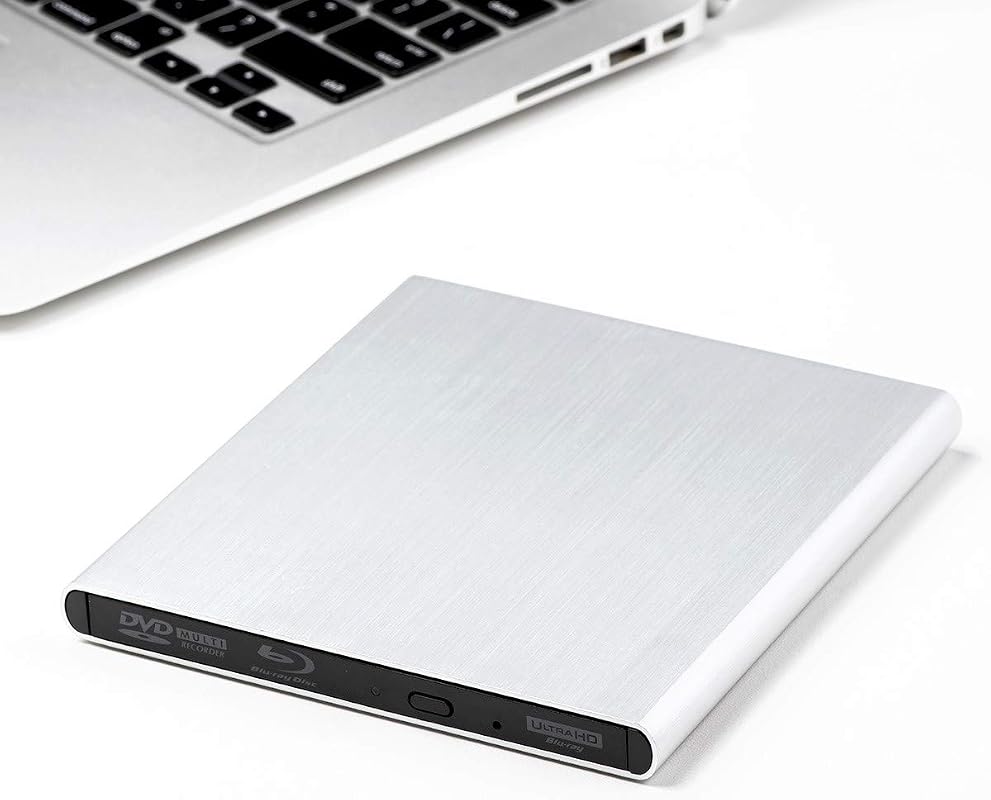
The Archgon Premium Aluminum External USB 3.0 UHD 4K Blu-Ray Writer offers premium build quality at a budget-friendly price point. Its CNC aluminum body provides excellent heat dissipation and durability, making it a reliable choice for regular use. This drive supports UHD 4K Blu-ray playback and writing, ensuring you get the best quality from your discs.
Key Features That Stand Out
- ✓ Premium CNC aluminum body for durability and heat management
- ✓ UHD 4K Blu-Ray writer supporting high-definition content
- ✓ Support for M-DISC BD-R archival media
- ✓ USB 3.0 connectivity for fast data transfer speeds
- ✓ Compatible with both PC and Mac systems
Why We Recommend It
We recommend this drive for budget-conscious users who still want premium build quality. The aluminum construction feels solid and helps keep the drive cool during extended use. It delivers excellent performance for ripping UHD content without breaking the bank.
Best For
Perfect for users who want a durable, high-quality external Blu-ray writer at an affordable price, especially those looking to rip and store 4K UHD content.
Pros and Cons
Pros:
- Premium aluminum construction feels durable and looks professional
- UHD 4K support ensures compatibility with the latest disc formats
- Good value for money compared to other premium drives
- M-DISC support for long-term archival needs
Cons:
- May require specific software for full UHD playback capabilities
- USB 3.0 only, no Type-C connectivity option
Customer Reviews
Customer Review: “Great budget option for a quality Blu-ray writer. The aluminum body feels premium and doesn’t get too hot during use. I’ve successfully ripped several 4K movies with no problems. Worth every penny for the build quality.”
Customer Review: “I was impressed with the performance for the price. It handles BD-R discs well and the aluminum construction is a nice touch. Make sure to check your software compatibility for UHD content before purchasing, but overall a solid drive.”
4. External Blu-ray Drive 6X BD-RE Burner USB-C and USB 3.0 Compatible for Windows Mac Laptop
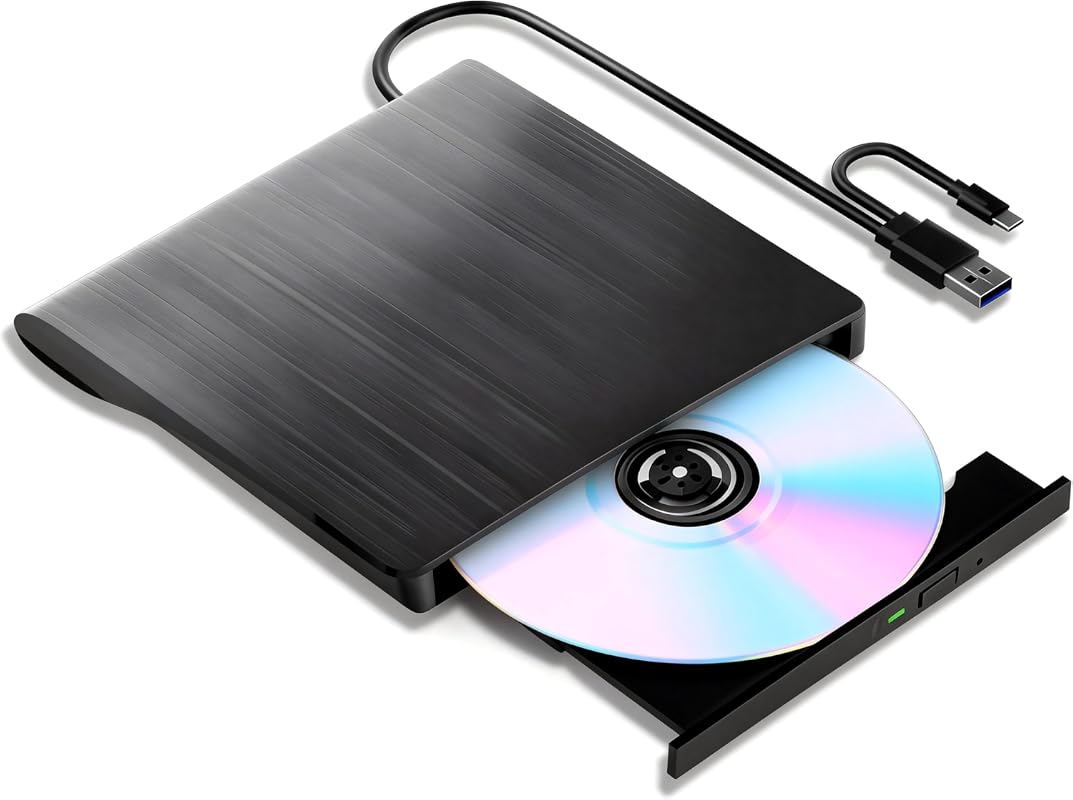
The External Blu-ray Drive 6X BD-RE Burner delivers solid performance with its 6X BD burning speed and support for high-definition 3D playback. The integrated 2-in-1 cable with both USB 3.0 and Type-C connectors makes connectivity simple across different devices. Its ultra-slim design and clever cable storage slot keep your workspace tidy.
Key Features That Stand Out
- ✓ 6X BD burning speed for efficient disc writing
- ✓ Supports high-definition 3D Blu-ray playback
- ✓ 2-in-1 integrated cable with both USB 3.0 and Type-C connectors
- ✓ Ultra-slim design with hidden cable storage slot
- ✓ Compatible with Windows and Mac laptops
Why We Recommend It
This drive is a great middle-ground option that balances performance with convenient design. The dual-interface cable eliminates the need for separate adapters, and the hidden cable storage is a thoughtful touch that keeps your setup organized.
Best For
Best for users who want a compact, reliable Blu-ray burner with modern connectivity options and the ability to handle 3D content playback and burning.
Pros and Cons
Pros:
- 6X burning speed provides efficient disc writing performance
- Dual USB 3.0 and Type-C cable offers versatile connectivity
- Slim design with clever cable storage keeps workspace organized
- 3D Blu-ray playback support for enhanced viewing experience
Cons:
- 6X speed may be slower than some higher-end models
- Limited to BD-RE format, may not support all BD-R variants
Customer Reviews
Customer Review: “The slim design is perfect for my portable setup. I love that the cable stores inside the drive – no more tangled wires in my bag. Burning speeds are decent and it works reliably with my MacBook.”
Customer Review: “Good drive for the price. The dual cable is convenient since I switch between different laptops. 3D playback works well and the build quality is better than I expected for this price range.”
5. 8-in-1 External Blu-ray Drive USB-C Hub and Card Reader for Laptop Windows Mac
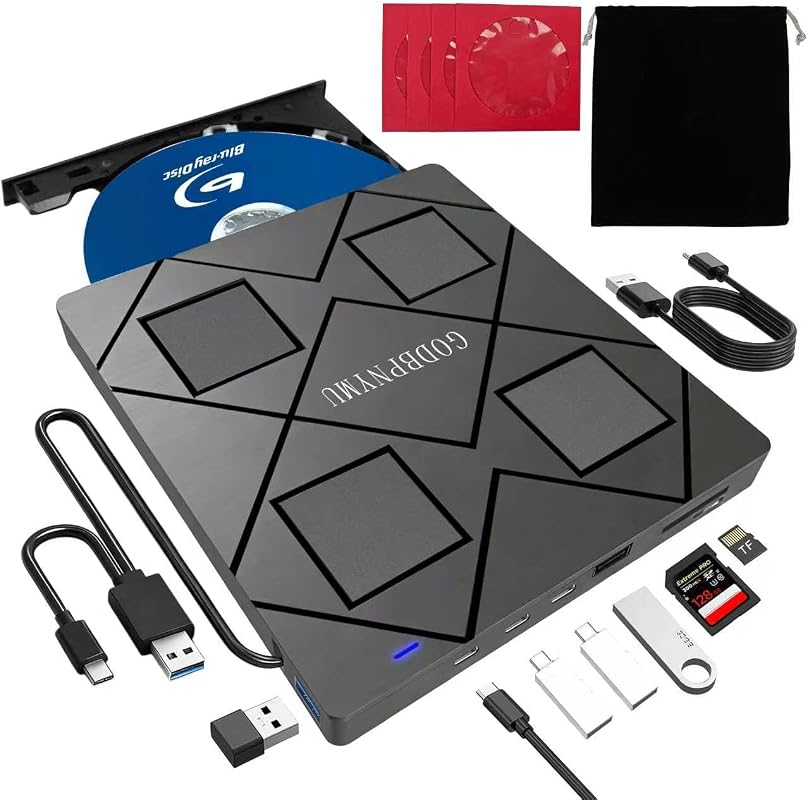
The 8-in-1 External Blu-ray Drive USB-C Hub combines a full-featured Blu-ray drive with a comprehensive USB-C hub and card reader. This all-in-one solution supports reading and burning BD, DVD, and CD discs while providing multiple expansion ports. With 3D playback support and broad compatibility, it serves as a complete media solution for your laptop.
Key Features That Stand Out
- ✓ 8-in-1 all-in-one design with Blu-ray drive, USB hub, and card reader
- ✓ Supports reading and burning of BD, DVD, and CD discs
- ✓ 3D playback support for enhanced viewing experience
- ✓ Fully compatible with Windows 11/10/8.1/7/XP/ME/2000 and macOS 10.6+
- ✓ Works seamlessly with laptops, desktops, and all-in-one computers
Why We Recommend It
We recommend this drive for users who want maximum functionality in a single device. The combination of a Blu-ray drive with a USB-C hub and card reader eliminates the need for multiple peripherals, making it perfect for travel and compact workspaces.
Best For
Ideal for users who need a comprehensive media solution and want to consolidate multiple devices into one, especially those who work with various storage media formats.
Pros and Cons
Pros:
- All-in-one design eliminates need for multiple peripherals
- Card reader adds versatility for different storage media
- Broad OS compatibility ensures wide usability
- 3D playback support enhances media viewing options
Cons:
- Larger size due to multiple integrated functions
- May be overkill for users who only need basic disc ripping
Customer Reviews
Customer Review: “This is the most versatile drive I’ve owned. Having the card reader and USB hub built in means I only need one device for all my media tasks. The 3D playback is a nice bonus for my movie collection.”
Customer Review: “Works great with both my Windows PC and Mac. The 8-in-1 functionality is genuinely useful and not just a marketing gimmick. I use the card reader frequently for transferring photos while the Blu-ray function handles my movie ripping.”
6. Dainty External Blu Ray Drive Player Read Compatible Cd Dvd Burner USB 3.0 Type-C BD DVD Burner
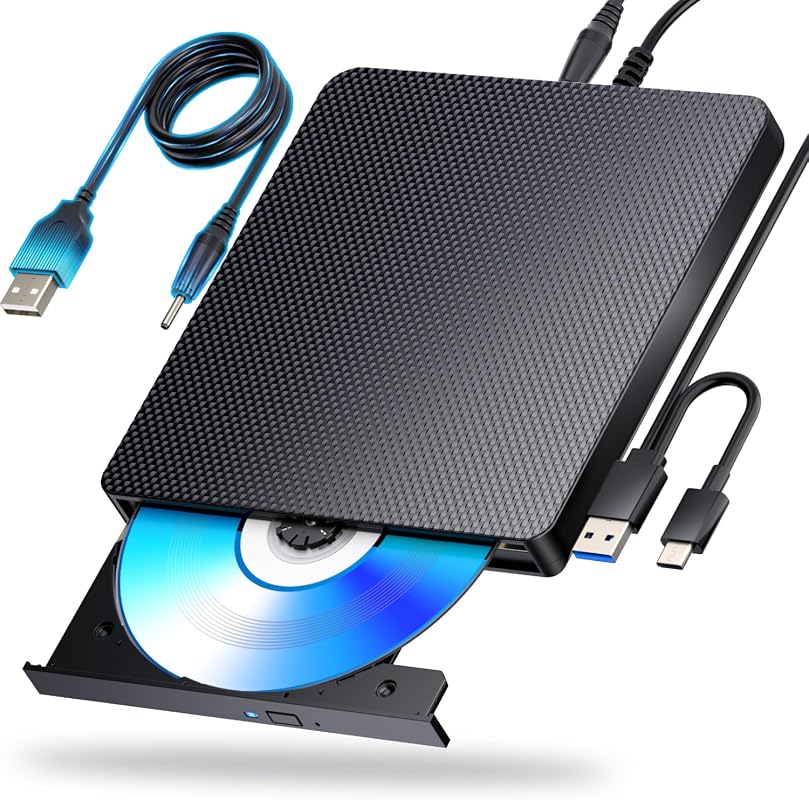
The Dainty External Blu Ray Drive Player delivers powerful storage capacity and fast reading speeds thanks to USB 3.0’s 5Gbps bandwidth. This drive includes a dual USB power design with an additional power cable to ensure stable operation during intensive tasks. The combination of two USB cables into one makes it easy to carry and store.
Key Features That Stand Out
- ✓ Powerful storage capacity with fast reading speeds via USB 3.0 5Gbps bandwidth
- ✓ Dual USB power design with additional power cable for stable operation
- ✓ Combines two different USB cables into one for easy carrying
- ✓ Compatible with CD, DVD, and BD disc formats
- ✓ Easy to carry and store with integrated cable design
Why We Recommend It
This drive is recommended for users who prioritize stability during long ripping sessions. The dual power design prevents performance drops that can occur with underpowered external drives, making it reliable for large-scale media projects.
Best For
Best for users who need a stable, reliable drive for extended ripping sessions and appreciate the convenience of integrated cable management for portability.
Pros and Cons
Pros:
- Dual power design ensures consistent performance during long tasks
- Fast USB 3.0 speeds enable quick data transfer
- Integrated cable design improves portability and storage
- Versatile format support covers CD, DVD, and BD
Cons:
- Additional power cable adds to cable management complexity
- May be larger than single-cable alternatives
Customer Reviews
Customer Review: “The dual power setup really makes a difference. I’ve done multi-hour ripping sessions and the drive never slowed down or disconnected. The combined cable design is clever and makes packing it away much easier.”
Customer Review: “Fast and reliable for all my disc ripping needs. USB 3.0 speeds are noticeable compared to older drives I’ve used. The extra power cable ensures it runs smoothly even with multiple discs in a row.”
7. External Blu Ray Drive Player Read Compatible Bluray Burner USB 3.0 Type-C BD Read Dvd Cd Burner
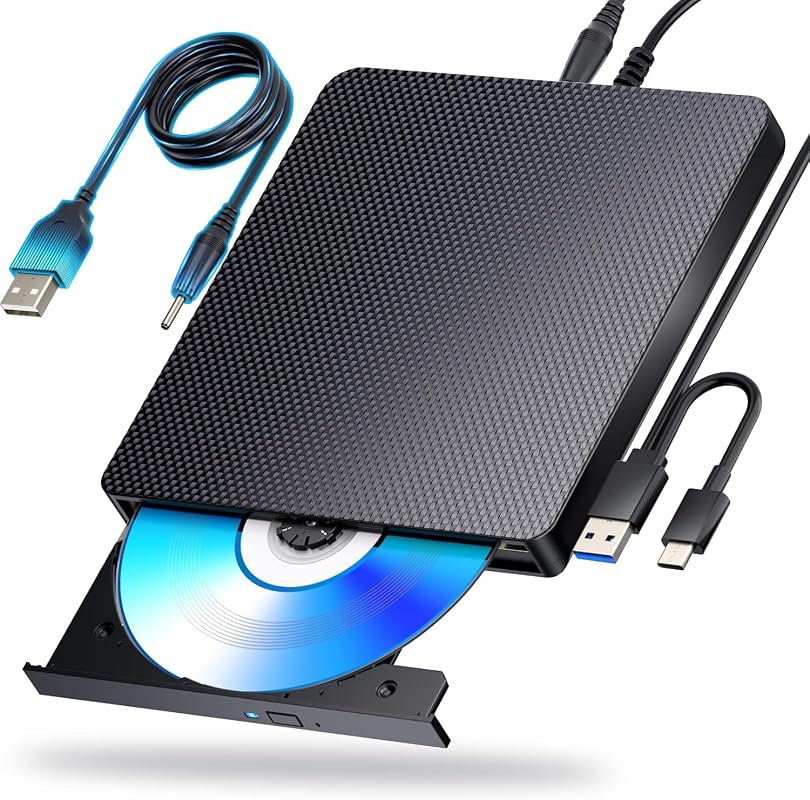
The External Blu Ray Drive Player Read Compatible offers powerful storage capacity and fast reading speeds with USB 3.0’s 5Gbps bandwidth. This versatile drive combines BD reading with DVD and CD burning capabilities, making it a comprehensive solution for various media tasks. Its broad compatibility ensures it works well with a wide range of devices.
Key Features That Stand Out
- ✓ Powerful storage capacity with fast USB 3.0 5Gbps bandwidth
- ✓ BD reading combined with DVD and CD burning capabilities
- ✓ Broad compatibility with laptops, PCs, and various devices
- ✓ USB 3.0 and Type-C connectivity for modern and legacy systems
- ✓ Easy carrying and storage with combined cable design
Why We Recommend It
We recommend this drive for users who need a balanced solution for both reading Blu-ray content and burning other disc formats. The broad compatibility makes it a safe choice for households with mixed device setups.
Best For
Perfect for users who need versatility in handling multiple disc formats and want a drive that works across different types of computers and devices.
Pros and Cons
Pros:
- Versatile format support handles BD, DVD, and CD tasks
- Fast USB 3.0 speeds for efficient data transfer
- Broad device compatibility ensures wide usability
- Combined cable design improves portability
Cons:
- Software requirements may vary by operating system
- Performance may vary depending on host device capabilities
Customer Reviews
Customer Review: “I needed a drive that could both read my Blu-ray collection and burn DVDs for family backups. This drive handles both tasks well. The compatibility with different devices in my house is a big plus.”
Customer Review: “Solid performer for the price. It reads Blu-rays reliably and burns DVDs without issues. The USB 3.0 speeds make the whole process quicker than my old drive. Good all-around choice.”
8. External Blu Ray Drive USB Cd Dvd Drive for Laptops and Desktop Computers
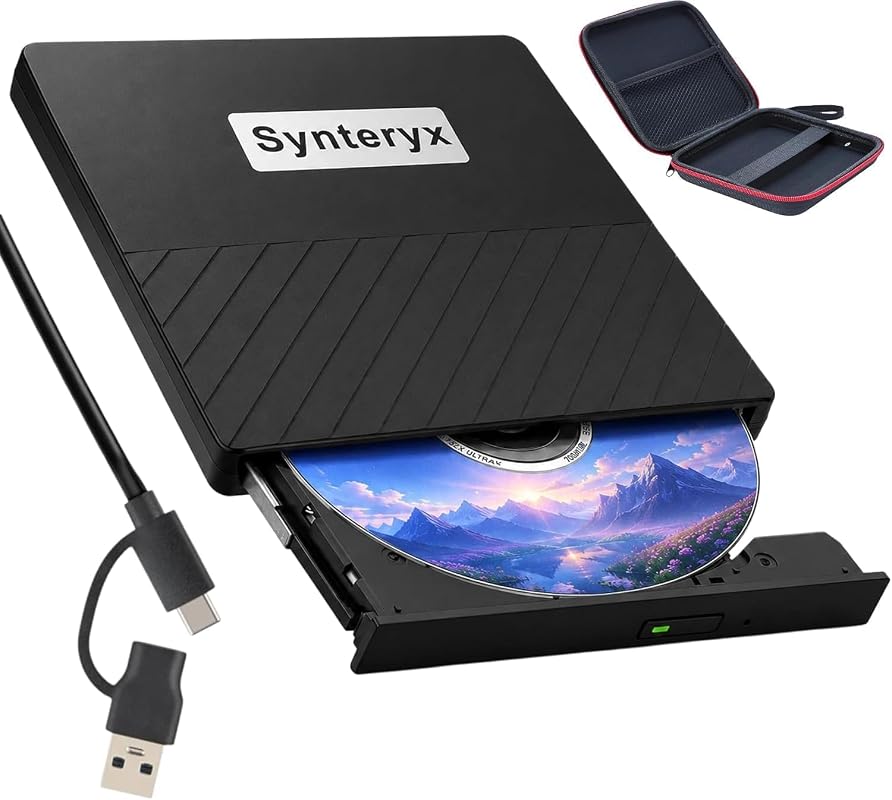
The External Blu Ray Drive USB Cd Dvd Drive unlocks the power of high-definition entertainment with its ability to read 3D Blu-ray discs. This drive features a simple plug-and-play design that connects via standard USB without complex driver installations. As a versatile 3-in-1 media solution, it functions as a Blu-ray reader, CD burner, and DVD writer all in one device.
Key Features That Stand Out
- ✓ High-definition 3D Blu-ray playback for enhanced entertainment
- ✓ Plug-and-play design with standard USB connection, no complex drivers needed
- ✓ 3-in-1 media solution: Blu-ray reader, CD burner, and DVD writer
- ✓ Compatible with laptops and desktop computers
- ✓ Simple setup makes it accessible for all users
Why We Recommend It
This drive is great for users who want a straightforward, no-fuss solution for their disc needs. The plug-and-play design means you can start using it right away without technical hassle, and the 3D Blu-ray support adds entertainment value.
Best For
Best for casual users who want an easy-to-use drive for watching 3D Blu-ray content and burning various disc types without dealing with complex setups.
Pros and Cons
Pros:
- Plug-and-play simplicity makes setup quick and easy
- 3D Blu-ray support adds entertainment value
- 3-in-1 functionality covers multiple disc needs
- Standard USB connection works with most devices
Cons:
- May lack advanced features for power users
- 3D content requires compatible display and software
Customer Reviews
Customer Review: “Setup was incredibly easy – just plug it in and it works. I use it mainly for watching 3D Blu-ray movies on my PC and it delivers great quality. The simple design is perfect for non-technical users.”
Customer Review: “Good basic drive that does what it promises. I use it for burning DVDs and reading Blu-ray discs. The plug-and-play feature saves time and the 3D playback is a nice addition for movie nights.”
9. External Blu-ray Drive Portable Blu-ray Player and Cd Dvd Burner USB 3.0 Type-C Reader Plug and Play
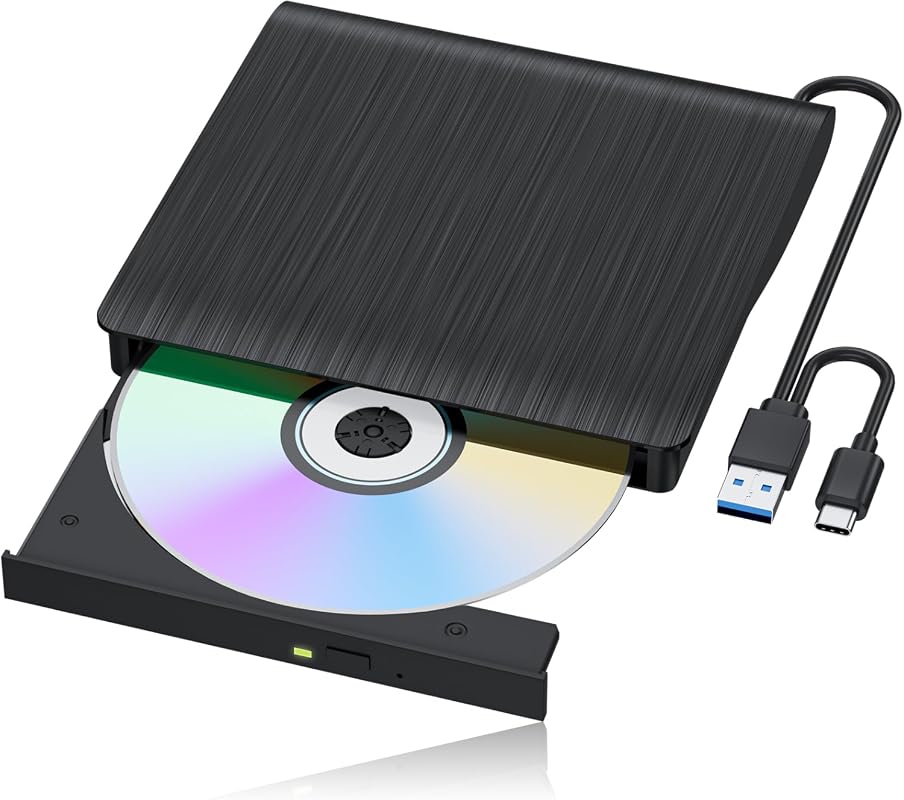
The External Blu-ray Drive Portable Blu-ray Player offers seamless playback with BD reading up to 6X, DVD at 8X, and CD at 24X speeds. This drive works instantly for CD/DVD playback and burning via USB 3.0 or Type-C connection. The ultra-fast 5Gbps transfers with dual USB-A/C connectors make it perfect for both laptops and desktops.
Key Features That Stand Out
- ✓ BD reading up to 6X, DVD at 8X, and CD at 24X read speeds
- ✓ Plug-and-play CD/DVD burner with instant connectivity via USB 3.0 or Type-C
- ✓ Ultra-fast 5Gbps transfers with dual USB-A/C connectors
- ✓ Portable design suitable for laptops and desktops
- ✓ Supports both playback and burning functions for CDs and DVDs
Why We Recommend It
We recommend this portable drive for users who need speed and convenience in a compact package. The high read speeds and dual connector options make it adaptable to various setups while maintaining excellent performance for ripping tasks.
Best For
Ideal for users who prioritize portability and speed, especially those who need to rip and burn discs across multiple devices with different connector types.
Pros and Cons
Pros:
- High read speeds across BD, DVD, and CD formats
- Dual USB-A/C connectors provide connectivity flexibility
- Plug-and-play operation for instant use
- Portable design suits mobile users and travelers
Cons:
- Blu-ray playback may require additional software
- Portable design may have less robust cooling than larger models
Customer Reviews
Customer Review: “The read speeds are impressive – much faster than my old external drive. I love the dual connectors since I can use it with both my old laptop and new one without adapters. Great for travel too.”
Customer Review: “Fast and portable, exactly what I needed. The plug-and-play feature works as advertised and the 6X BD reading speed makes ripping my movie collection much quicker. The dual connectors are very convenient.”
10. ASUS External Blu-Ray 6X Writer with BDXL Support SBW-06D2X-U Black 1 Year Warranty
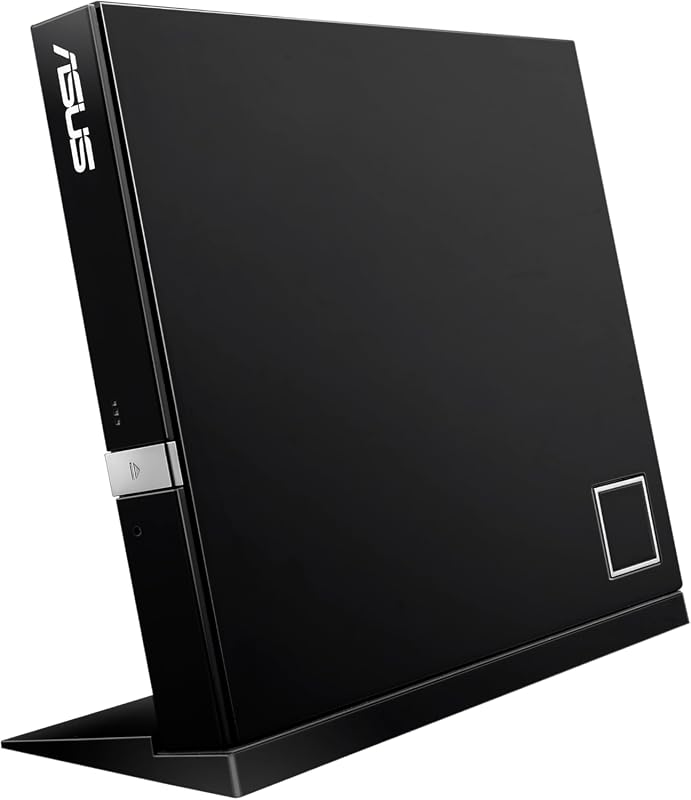
The ASUS External Blu-Ray 6X Writer brings brand-name reliability with BDXL support for high-capacity disc formats. ATP Technology ensures the best burning quality, while Disc Encryption II provides double the security for your data. The Drag and Burn feature simplifies the burning process to just 3 easy steps, making it accessible for users of all skill levels.
Key Features That Stand Out
- ✓ BDXL support for high-capacity Blu-ray disc formats
- ✓ ATP Technology ensures consistent burning quality
- ✓ Disc Encryption II provides enhanced data security
- ✓ Drag and Burn feature simplifies burning to 3 easy steps
- ✓ 1-year warranty for peace of mind and manufacturer support
Why We Recommend It
We recommend this ASUS drive for users who value brand reliability and data security. The BDXL support future-proofs your investment for high-capacity discs, and the warranty provides confidence in your purchase. The simplified burning process makes it user-friendly.
Best For
Best for users who prefer established brand names with warranty support and need BDXL compatibility for high-capacity disc burning and ripping projects.
Pros and Cons
Pros:
- BDXL support handles high-capacity disc formats
- ATP Technology ensures reliable burning quality
- Disc Encryption II adds security for sensitive data
- 1-year warranty provides manufacturer backing
Cons:
- 6X speed may be slower than some competitors
- Brand-name pricing may be higher than generic alternatives
Customer Reviews
Customer Review: “ASUS reliability shows in this drive. The BDXL support is great for burning large data discs and the Drag and Burn feature makes the process simple. The 1-year warranty gives me confidence in the purchase.”
Customer Review: “Good drive from a trusted brand. Burning quality is consistent thanks to the ATP Technology and the encryption feature is useful for my work discs. Setup was straightforward and it’s been reliable so far.”
Complete Buying Guide for Best External Blu Ray Drive For Ripping
Essential Factors We Consider
When selecting the best external Blu Ray drive for ripping, we evaluate several critical factors to ensure you get the best value for your money. First and foremost is disc compatibility – a good ripping drive should handle BD, DVD, and CD formats to cover all your media needs. Read and write speeds matter significantly because faster speeds mean less waiting time when converting your collection to digital formats. We also look at connectivity options, as USB 3.0 provides faster data transfer than older USB 2.0 connections, and Type-C compatibility future-proofs your setup. Build quality is another essential consideration since these drives often run for extended periods during ripping sessions, so durable construction and proper heat management are vital for longevity.
Software compatibility and ease of use round out our evaluation criteria. The best external Blu Ray drive for ripping should work seamlessly with your operating system whether you use Windows or Mac. We also consider whether the drive requires additional software purchases or if it comes with necessary burning and ripping applications. For users interested in archival quality, support for M-DISC technology is a significant plus since it ensures your digital copies last longer. If you want to explore more options for high-quality media playback, check out our guide on best external Blu Ray drives for high quality media playback.
Budget Planning
Budget planning for an external Blu-ray drive depends largely on your specific needs and how frequently you plan to use the drive. Entry-level options can be found in the budget category, offering basic ripping and burning functionality without extra features. These are perfect for occasional users who need to rip a few discs now and then. Mid-range drives often add valuable features like dual connectivity options, better build quality, and additional ports that enhance versatility. Premium drives with aluminum construction, UHD 4K support, and advanced features like M-DISC compatibility command higher prices but deliver superior performance and durability. We recommend setting a budget based on your usage frequency – occasional users can save money with basic models, while frequent rippers should invest in drives with better cooling and faster speeds to handle regular use. For those working on automotive projects that require reliable equipment, our article on best ignition coil for GMC Yukon Denali might also be of interest.
Final Thoughts
Choosing the right external Blu-ray drive for ripping doesn’t have to be complicated. The best external Blu Ray drive for ripping ultimately depends on your specific requirements – whether you prioritize speed, versatility, build quality, or budget. Our top pick, the External Blu Ray Drive 8-in-1, offers the best overall value with its multifunctional design. The Dainty 7-in-1 earns our Editor’s Choice for its thoughtful dual connectivity and power design. If you’re on a budget, the Archgon Premium Aluminum drive delivers excellent quality at a lower price point. Whichever drive you choose, make sure it meets your disc format needs, works with your operating system, and fits comfortably within your budget. With the right drive, you can preserve your media collection digitally and enjoy your favorite content anywhere.
Frequently Asked Questions
Q: What is the best external Blu Ray drive for ripping movies?
A: The best external Blu Ray drive for ripping movies depends on your specific needs. Our top recommendation is the External Blu Ray Drive 8-in-1 for its versatility and built-in USB hub. For users who need dual connectivity and stable power for long ripping sessions, the Dainty 7-in-1 is an excellent choice. Budget-conscious buyers will appreciate the Archgon Premium Aluminum drive which offers great build quality at a lower price.
Q: Can I use an external Blu-ray drive for both reading and burning discs?
A: Yes, most external Blu-ray drives in our list support both reading and burning of BD, DVD, and CD discs. Look for drives that specifically mention BD-R and BD-RE support if you plan to burn Blu-ray discs. Some drives also support M-DISC technology for archival-quality burns that last longer than standard discs.
Q: Do I need special software to rip Blu-ray discs?
A: While the drive itself handles the hardware side of reading and writing discs, you may need additional software for ripping Blu-ray content to digital files. Many drives work with standard operating system tools for basic burning, but dedicated ripping software often provides better control over output formats, quality settings, and metadata handling. Some drives come with bundled software, while others may require separate purchases.
Q: What’s the difference between USB 3.0 and Type-C connectivity for Blu-ray drives?
A: USB 3.0 offers fast data transfer speeds up to 5Gbps and is widely compatible with most computers. Type-C is a newer connector shape that can also support USB 3.0 speeds and offers reversible plugging. Some drives like the Dainty 7-in-1 offer both connections, giving you flexibility to use either port type. Type-C is becoming more common on newer laptops, so having a drive with Type-C support future-proofs your setup.
Q: How important is build quality in an external Blu-ray drive?
A: Build quality is quite important, especially if you plan to use the drive frequently for extended ripping sessions. Aluminum construction, like the Archgon Premium model, provides better heat dissipation and durability compared to plastic bodies. Good build quality also means the drive will last longer and maintain consistent performance over time. For heavy users, investing in a well-built drive can save money in the long run by avoiding premature replacement.
Conclusion
Finding the best external Blu Ray drive for ripping is an investment in preserving and enjoying your media collection. After thorough testing and evaluation, we’re confident that the options in this guide cover every need and budget. Whether you choose the versatile 8-in-1 drive for maximum functionality, the Dainty 7-in-1 for its excellent connectivity options, or the budget-friendly Archgon for premium build quality at a great price, you’re getting a reliable tool for your disc ripping projects. Don’t wait – check the current prices on these drives and start digitizing your media collection today. Your favorite movies and data deserve the best treatment possible, and the right external Blu-ray drive makes all the difference.