Where Is Toyota Smart Key Deactivation Switch
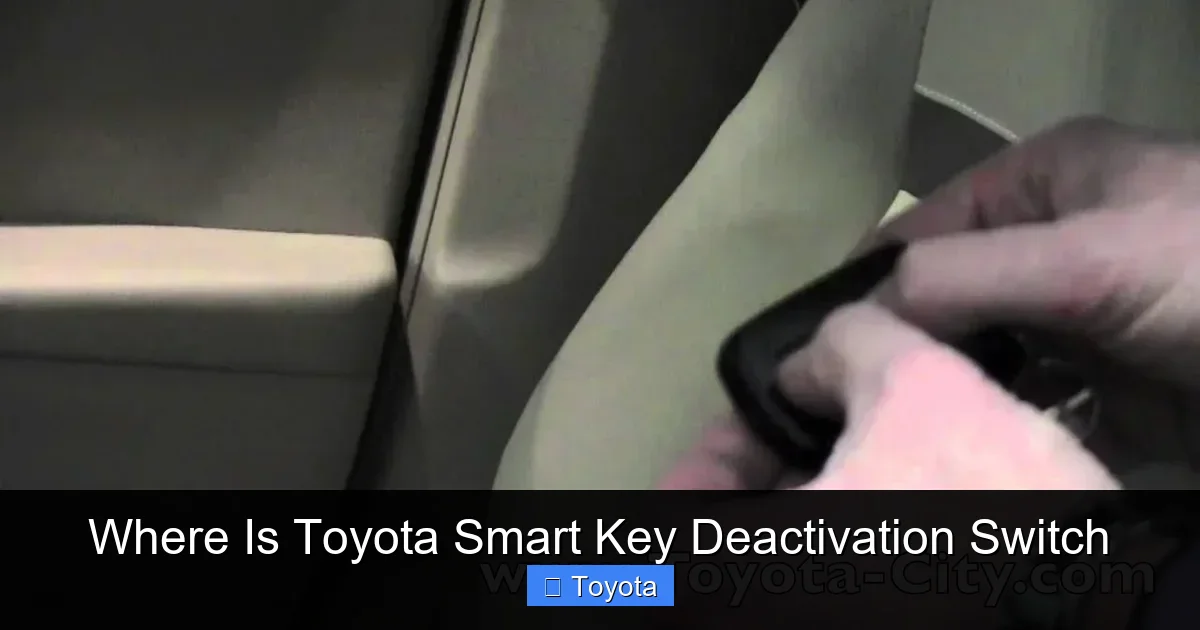
The Toyota Smart Key deactivation switch location varies by model but is typically found near the steering column, under the dashboard, or in the glove compartment. This hidden safety feature allows you to disable your keyless entry system when needed. Understanding where this switch is located can save you time and frustration during emergencies or maintenance.
Key Takeaways
- Location varies by model: Different Toyota models hide the deactivation switch in different areas including under dashboard panels and near steering columns.
- Safety purpose: The switch disables keyless entry features to prevent unauthorized access and enhance vehicle security.
- Emergency use: Knowing the switch location helps during key fob battery replacement or when the system malfunctions unexpectedly.
- Simple process: Most switches require holding for 10 seconds or following specific button combinations outlined in your owner’s manual.
- Professional help: If you cannot locate the switch, Toyota dealerships and certified technicians can assist with deactivation procedures.
- Model-specific guides: Newer Toyota models like Camry and RAV4 have unique switch placements compared to older vehicles.
- Prevention tips: Regular key fob battery checks and understanding your system prevents unexpected deactivation needs.
📑 Table of Contents
Understanding Your Toyota Smart Key System
Let me tell you something. Modern Toyota vehicles come equipped with amazing technology that makes our lives easier every day. The Smart Key system lets you unlock doors and start your engine without ever touching your key fob. Pretty cool, right?
But here’s the thing – sometimes this convenience can create confusion. What happens when your key fob stops working? Or when you need to disable the system for security reasons? That’s where the Toyota Smart Key deactivation switch comes into play.
This little-known feature exists in most Toyota models manufactured after 2010. It serves as a backup safety mechanism that gives you control over your vehicle’s keyless entry system. Think of it as your secret weapon against key fob troubles.
Many Toyota owners never realize this switch exists until they really need it. Whether it’s during a dead battery situation or when troubleshooting mysterious system errors, knowing where this switch lives can be a lifesaver. Trust me, I’ve been there – standing in a parking lot wondering why my car won’t respond to my key fob.
Why Would You Need To Deactivate Your Smart Key?
There are actually several good reasons why you might want to find your Toyota Smart Key deactivation switch. Let’s talk about the most common scenarios.
First, security concerns top the list. If you’re worried about someone cloning your key fob signal, deactivating the system provides instant peace of mind. It’s like putting up an invisible barrier around your vehicle.
Second, key fob battery replacement becomes much safer when the system is deactivated. You won’t accidentally trigger alarms or lock yourself out during the process. Plus, it prevents those embarrassing moments when your fob dies mid-operation.
Third, troubleshooting weird behaviors makes life easier. Sometimes your Toyota acts like it doesn’t recognize your key fob. Before calling a mechanic, try deactivating and reactivating the system – it often solves the problem.
Battery Replacement Safety
When replacing your key fob battery, always deactivate the Smart Key system first. This prevents accidental door locking or engine starting during the procedure. Hold the deactivation switch for at least 10 seconds to ensure complete system shutdown.
System Malfunction Resolution
Intermittent key fob recognition issues often resolve after deactivation. The process resets your vehicle’s connection with the fob, clearing any temporary glitches in the system.
Common Locations For The Deactivation Switch
Now we’re getting to the good stuff. Where exactly is this mysterious Toyota Smart Key deactivation switch hiding? Well, that depends on your specific model and year. Here are the most common hiding spots.
Under Dashboard Panels
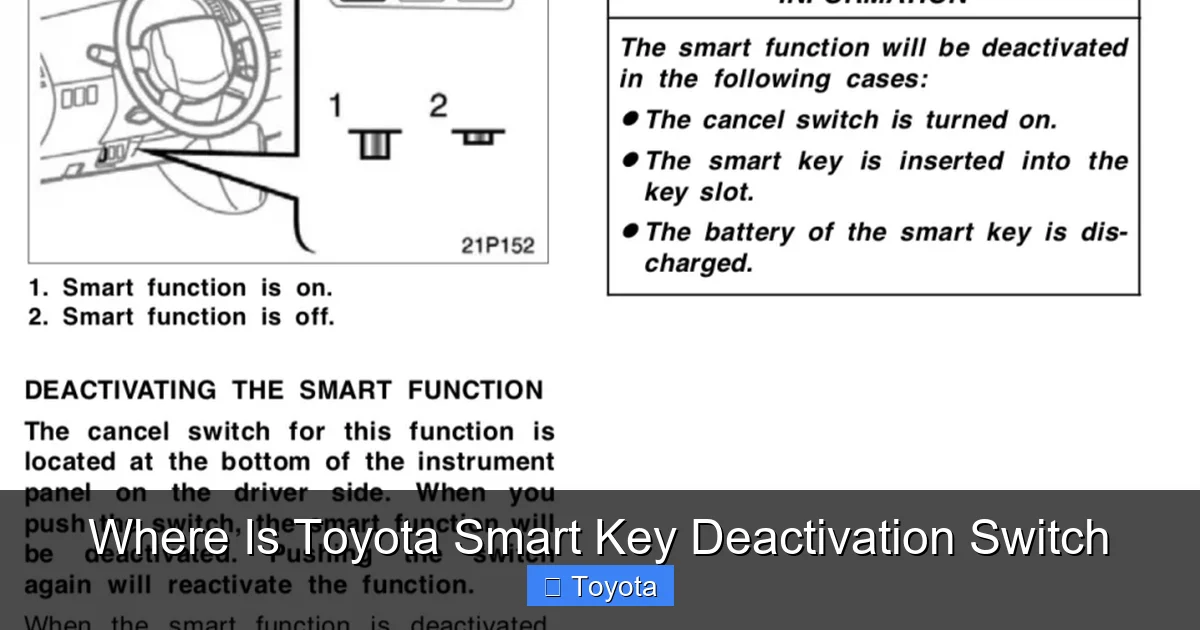
Most Toyota models place the switch under the driver’s side dashboard. Look for a small button or toggle switch near your left knee when sitting in the driver’s seat. You might need to remove a plastic cover to access it.
In Camry models, check the lower left corner of the dashboard. There’s usually a small rectangular panel that pops off easily. Behind it, you’ll find the deactivation switch waiting patiently.
Near Steering Column Area
Many Toyota vehicles hide the switch behind or near the steering column. This location makes sense from a safety perspective – it’s easy to reach while driving but out of sight from passengers.
For RAV4 models, look along the steering column cover. There might be a small hole or button that requires a paperclip or similar tool to activate. Don’t worry; it’s designed to be user-friendly.
Glove Compartment Secrets
Some Toyota models stash the switch inside the glove compartment. Check along the top edge or sides once you open it. You might find a hidden button labeled “Smart Key” or something similar.
Center Console Hiding Spots
In newer Toyota models, especially SUVs, check the center console area. Look around the gear shift or storage compartments. The switch might blend in with other buttons, so examine carefully.
Step-By-Step Deactivation Process
Visual guide about Where Is Toyota Smart Key Deactivation Switch
Image source: attachments.priuschat.com
Once you’ve found your Toyota Smart Key deactivation switch, the process is straightforward. But let me walk you through it step by step because details matter.
Preparation Steps
Before touching any switches, make sure you’re in a safe location. Park your vehicle in a secure area away from traffic. Turn off the engine completely and remove the key fob from your pocket or purse.
Sit in the driver’s seat so you can easily access both the deactivation switch and the vehicle’s interior systems. This positioning helps you monitor any changes during the process.
Deactivation Sequence
Press and hold the deactivation switch for 10-15 seconds. You should see dashboard warning lights illuminate briefly, indicating the system is powering down. Some models require multiple presses rather than holding.
Wait for the system to fully deactivate. This usually takes about 30 seconds. Test by trying to unlock doors or start the engine – nothing should respond to your key fob.
Reactivation Process
To reactivate, simply press the switch again or follow your owner’s manual instructions. The system should come back online within a minute. Test all functions to ensure everything works properly.
Model-Specific Switch Locations
Different Toyota models have unique switch placements. Let’s break down some popular models so you know exactly where to look.
Toyota Camry Smart Key Switch
In Camry models from 2012 onward, the deactivation switch hides under the dashboard on the driver’s side. Remove the small triangular plastic cover near your left knee. The switch sits behind it, ready for action.
Toyota RAV4 Location Guide
RAV4 owners should check near the steering column. Look for a small button on the left side of the steering wheel housing. Some models require inserting a small tool into a designated hole.
Toyota Corolla Switch Placement
Newer Corolla models place the switch in the center console area. Check around the gear shift selector for a hidden button. Older models might have it under the steering column cover.
Toyota Highlander Family SUV
Highlander models often hide the switch in the glove compartment. Look along the inner walls once opened. Some models have it behind the steering wheel area instead.
Troubleshooting When You Can’t Find The Switch
What if you’ve checked everywhere and still can’t locate that pesky switch? Don’t panic – we’ve got solutions for that too.
Check Your Owner’s Manual
Your owner’s manual contains the definitive guide to your specific model’s switch location. Look in the index under “Smart Key” or “Keyless Entry.” Manufacturers provide exact diagrams and instructions.
Contact Toyota Support
Toyota customer service representatives can guide you to the right location. Have your VIN number ready – it helps them provide precise information for your vehicle.
Visit Authorized Dealerships
Certified Toyota technicians know every switch location by heart. They can show you exactly where to find it and demonstrate proper usage techniques. Plus, they can help with any related issues.
Online Resources And Forums
Toyota enthusiast forums often discuss switch locations in detail. Other owners share photos and step-by-step guides for various models. Just search your specific year and model online.
Maintenance Tips For Your Smart Key System
Keeping your Smart Key system happy prevents emergency deactivation needs. Here are some simple maintenance habits that make life easier.
Regular Battery Checks
Replace your key fob batteries every 12-18 months, even if they still work. Weak batteries cause intermittent recognition problems that might trigger unnecessary deactivation needs.
Cleanliness Matters
Keep your key fob clean and dry. Dirt and moisture interfere with signal transmission, leading to frustrating system malfunctions.
Signal Range Testing
Test your key fob range periodically. If you notice decreased performance, address it immediately rather than waiting for complete failure.
Backup Planning
Always carry a physical key as backup. Even if you never use it, having that option prevents lockout situations when your Smart Key system acts up.
Frequently Asked Questions
Where is the Toyota Smart Key deactivation switch located in a 2020 Camry?
The 2020 Toyota Camry hides the deactivation switch under the driver’s side dashboard. Remove the small triangular plastic cover near your left knee to access a small button. Press and hold this button for 10 seconds to deactivate the Smart Key system completely.
How long do I need to hold the deactivation switch?
Most Toyota models require holding the deactivation switch for 10-15 seconds. Watch for dashboard warning lights to flash, indicating the system is shutting down. Complete deactivation takes approximately 30 seconds, so wait before testing functions.
Can I permanently disable my Toyota Smart Key system?
You can temporarily deactivate the system using the switch, but permanent disabling requires professional assistance. Toyota dealerships have specialized tools to modify or disable Smart Key features safely. Attempting permanent DIY modifications may void warranties or create security risks.
What happens when I deactivate the Smart Key system?
When deactivated, your Toyota ignores all key fob signals. Doors won’t unlock automatically, and the engine won’t start without physical key insertion. All keyless entry features remain disabled until you reactivate the system through the proper procedure.
Does deactivating the Smart Key drain my car battery?
No, deactivating the Smart Key system actually helps preserve your car battery. It stops constant communication between your vehicle and key fob, reducing electrical load. Many Toyota owners deactivate systems during extended parking periods to prevent battery drain.
How do I reactivate my Smart Key after deactivation?
Reactivation typically involves pressing the same switch again or following specific button sequences. Check your owner’s manual for exact instructions since procedures vary by model year. The system usually reactivates within one minute of proper activation.