Why Is My Toyota Key Fob Blinking Red?
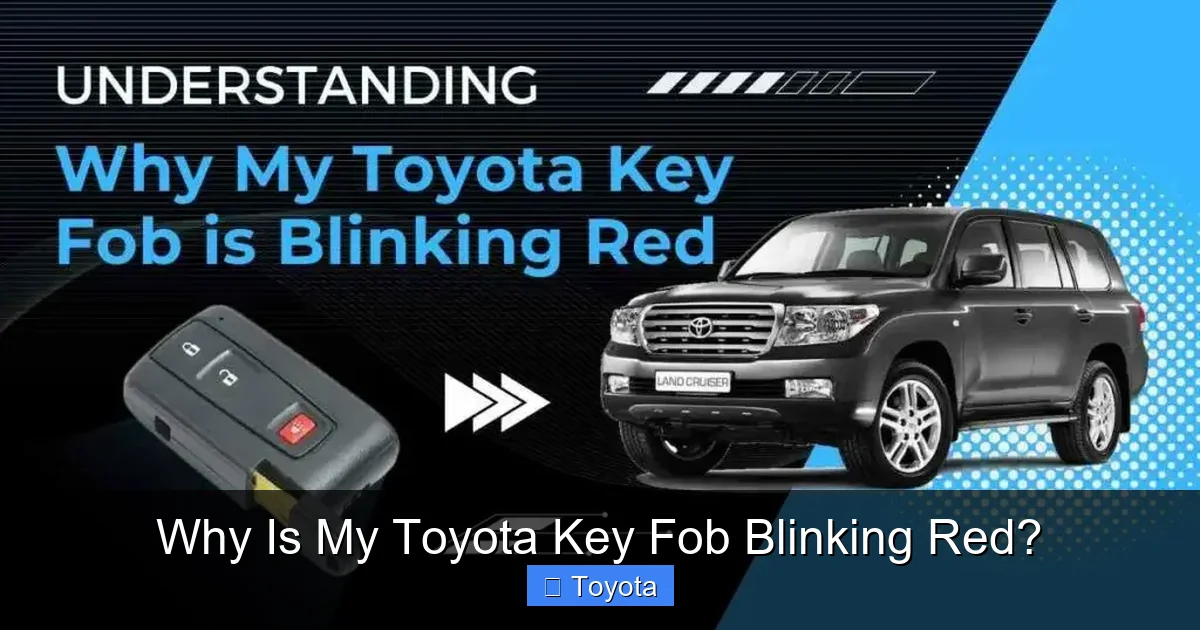
A blinking red light on your Toyota key fob usually signals a low battery or a communication issue with your vehicle. Most fixes are simple and take just minutes, from swapping a CR2032 battery to re-syncing the remote. This guide walks you through every cause and solution so you can get back on the road fast.
You walk up to your Toyota, press the unlock button, and instead of the friendly flash of your parking lights, you see a red light blinking on your key fob. Your heart sinks. Is the car immobilized? Is the fob broken? Do you need a tow truck?
Take a breath. That little red LED is actually trying to talk to you, and in most cases, it’s saying something simple: “Hey, I’m running on fumes” or “I forgot how to talk to your car.” The good news? You can usually fix it in your driveway with a $2 battery and two minutes of your time. Let’s decode what that blinking red light really means and walk through every solution, from the easiest to the “okay, now I need a pro” level.
Key Takeaways
- Low battery is the #1 cause: A blinking red light typically means the CR2032 coin cell needs replacement.
- Re-syncing often fixes communication errors: If the battery is fine, the fob may have lost its pairing with the car.
- Physical damage can trigger the light: Cracked cases or water exposure may cause internal shorts.
- Aftermarket fobs may behave differently: Non-OEM remotes sometimes blink red during normal operation.
- Dealership reprogramming is a last resort: If DIY steps fail, a technician can re-flash the immobilizer system.
- Keep a spare battery in your glovebox: CR2032 cells are cheap and prevent roadside headaches.
- Don’t ignore a solid red light: That often indicates a more serious immobilizer fault.
📑 Table of Contents
- What That Blinking Red Light Actually Means
- Quick Diagnosis: Is It the Battery or Something Else?
- Fix #1: Replace the Battery (CR2032) — 2 Minutes, $2
- Fix #2: Re-Sync the Key Fob to Your Toyota
- Fix #3: Address Physical Damage & Water Intrusion
- Special Cases: Aftermarket Fobs & Model-Specific Quirks
- Preventive Habits: Stop the Blink Before It Starts
- When to Call a Pro (And What to Expect)
- Conclusion: Don’t Let a Little Red Light Ruin Your Day
What That Blinking Red Light Actually Means
Toyota key fobs use a small red LED to communicate status. Unlike a check engine light that can mean a hundred things, the fob’s vocabulary is pretty limited. Here are the three main messages it’s sending:
Low Battery Warning (Most Common)
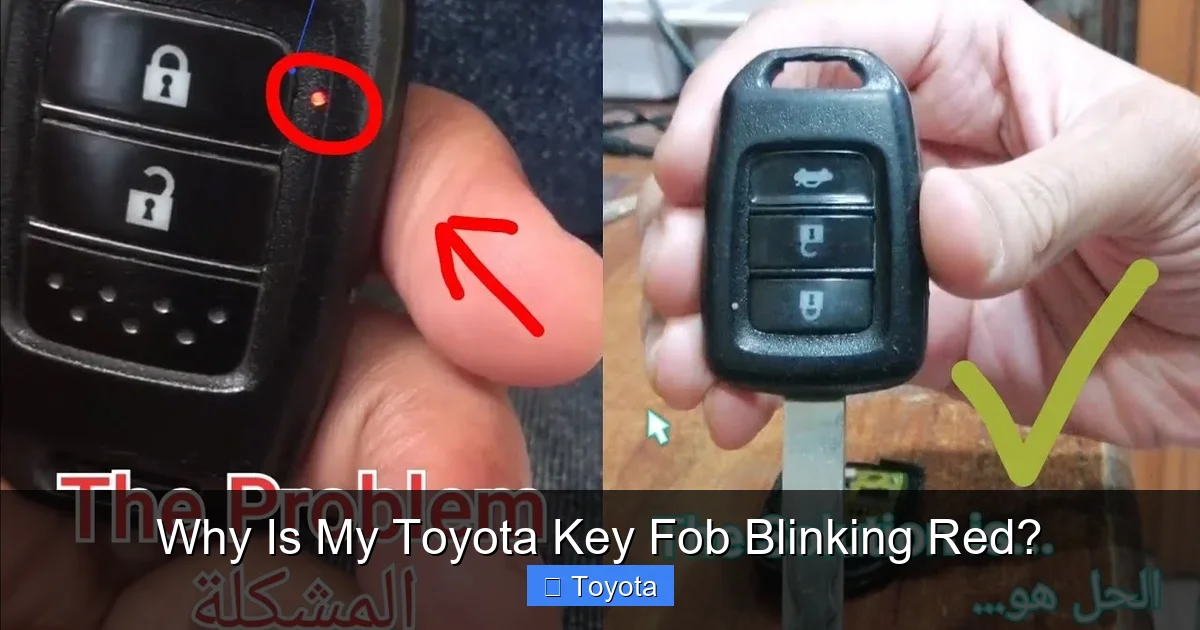
The vast majority of the time, a blinking red light on a Toyota key fob means the CR2032 lithium coin cell is dying. The fob has enough juice to light the LED but not enough to reliably transmit a strong signal to your car’s receiver. You’ll often notice reduced range first — you have to stand closer to the vehicle for the doors to unlock. Then the red blink starts as a final “please feed me” signal.
Communication / Pairing Loss
If the battery is fresh but the light still blinks when you press a button, the fob may have lost its rolling code synchronization with the vehicle’s immobilizer ECU. This can happen after a dead car battery, a jump start, or simply from sitting unused for months. The fob is essentially shouting a password the car no longer recognizes.
Internal Fault or Damage
Less commonly, a blink can indicate a hardware problem: a cracked circuit board, corrosion from a spilled coffee, or a stuck button keeping the transmitter active. If the light blinks without you pressing any button, that’s a strong sign of a short circuit inside the case.
Quick Diagnosis: Is It the Battery or Something Else?
Before you buy parts or book a dealer appointment, run through this 60-second checklist. It’ll save you time and money.
Visual guide about Why Is My Toyota Key Fob Blinking Red?
Image source: knowmyauto.b-cdn.net
Step 1: Test the Spare Fob
Grab your second key fob. Does it work normally? If yes, the problem is almost certainly isolated to the first fob — battery, pairing, or physical damage. If both fobs blink red or fail to unlock the car, the issue might be the vehicle’s receiver or a blown fuse in the body control module.
Step 2: Check Button Response
Press each button (lock, unlock, panic, trunk, remote start if equipped). Does the red LED blink every time you press a button, or only sometimes? Consistent blinking on every press usually means low battery. Intermittent blinking suggests a dirty contact or loose battery holder.
Step 3: Observe Range
Stand 20 feet away. Press unlock. Walk closer, pressing every few steps. Note the distance where the car finally responds. If you have to be within 5 feet, the battery is toast. If it works at 30 feet but the light still blinks, you likely have a pairing issue or an aftermarket fob quirk.
Step 4: Look for Phantom Blinking
Set the fob on a table and watch it for 30 seconds. Does the red light blink on its own? That’s a stuck button or internal short — skip to the physical damage section below.
Fix #1: Replace the Battery (CR2032) — 2 Minutes, $2
This solves 85% of blinking red light cases. Here’s the foolproof method for almost every modern Toyota fob (Camry, Corolla, RAV4, Tacoma, Highlander, Sienna, 4Runner, and more).
Visual guide about Why Is My Toyota Key Fob Blinking Red?
Image source: thecarhow.com
What You Need
- One CR2032 3V lithium coin cell (Panasonic, Sony, Energizer, or Duracell — avoid dollar-store brands)
- A small flathead screwdriver or a plastic pry tool
- Clean hands (oils degrade battery contacts)
Step-by-Step Battery Swap
- Remove the mechanical key. Slide the release latch on the back of the fob and pull out the metal emergency key.
- Pry the case open. Insert the screwdriver into the slot where the key was stored (or the seam on the side) and gently twist. The two halves will separate. Don’t force it — plastic clips break easily.
- Note the battery orientation. The positive (+) side usually faces up. Take a quick photo with your phone if you’re unsure.
- Pop out the old cell. Use the screwdriver tip to lever it out from the side. Avoid touching the new battery’s flat surfaces.
- Insert the new CR2032. Press it in firmly, positive side up. You should feel a slight click.
- Snap the case back together. Align the halves and press around the perimeter until all clips engage.
- Reinsert the mechanical key.
- Test it. Stand near the car and press lock/unlock. The red light should stay off (or flash green/blue on some models) and the doors should cycle.
Pro Tip: Clean the Contacts While You’re In There
If the battery holder tabs look dull or have white/green corrosion, gently scrape them with a fine emery board or the tip of your screwdriver. A tiny dab of dielectric grease on the tabs prevents future oxidation. This is especially important if you live in a humid climate or near the coast.
Fix #2: Re-Sync the Key Fob to Your Toyota
New battery installed, but the red light still blinks? The fob and car have likely fallen out of sync. Toyota uses a rolling code system — each button press sends a unique code, and the car expects the next code in sequence. If the fob transmits while out of range (kid playing with buttons in the house), the codes get mismatched.
Visual guide about Why Is My Toyota Key Fob Blinking Red?
Image source: motorsvibe.com
Method A: The “Door Cycle” Relearn (Works on Most 2004–Present Models)
- Sit in the driver’s seat with all doors closed.
- Insert the mechanical key into the ignition (or hold the fob to the start button on push-button models).
- Turn the key from OFF to ON (not START) five times within 10 seconds, ending in ON.
- The door locks should cycle (lock then unlock) automatically — this confirms programming mode.
- Within 20 seconds, press any button on the fob you want to program. The locks will cycle again to confirm.
- Repeat step 5 for any additional fobs (up to 4 total).
- Turn the key to OFF. The locks cycle one final time. You’re done.
Method B: Push-Button Start Models (2010+ Prius, Camry, RAV4, etc.)
- Have the dead fob and a working fob (if available) inside the car.
- Press and hold the brake pedal.
- Touch the Toyota emblem side of the dead fob to the START/STOP button. Hold for 3 seconds until the indicator light on the button flashes green.
- Press the START/STOP button once (still holding brake) to turn ignition ON.
- Wait 30 seconds. The system will re-register the fob.
- Press START/STOP to turn off. Test the fob.
When Re-Sync Fails
If the locks don’t cycle in step 4 of Method A, your model may require a dealer scan tool (Techstream) to enter programming mode. This is common on 2018+ models with enhanced immobilizer systems. Don’t worry — it’s a 15-minute job at the dealership.
Fix #3: Address Physical Damage & Water Intrusion
If the battery is new and re-sync doesn’t help, inspect the fob for trauma.
Common Damage Points
- Cracked case: Lets moisture reach the PCB. Look for hairline fractures near the key ring loop.
- Corroded battery contacts: White powder = battery leak. Green crust = copper oxidation from humidity.
- Stuck buttons: Press each button — it should click and return crisply. A mushy feel means the tactile switch is collapsed.
- Rattling inside: Shake the fob near your ear. Loose components = broken solder joints.
DIY Repair Options
Case replacement: OEM-style replacement shells cost $8–$15 on Amazon. You’ll need a Torx T6 bit (star-shaped) to move the circuit board over. Takes 10 minutes.
Contact cleaning: Use 99% isopropyl alcohol and a cotton swab on the battery tabs and button pads. Let dry fully before reassembly.
Button pad swap: If one button is stuck, you can buy a replacement silicone keypad ($5) and swap it. The PCB stays put.
When to Just Buy a New Fob
If the circuit board is cracked, components are missing, or corrosion has eaten traces, stop messing with it. A genuine Toyota fob from a dealer runs $150–$350 plus programming. Aftermarket programmed fobs from reputable sellers (like KeylessEntryRemoteInc or local locksmiths) cost $60–$120 and work identically. Avoid $20 eBay specials — they often have cloned chips that brick your immobilizer.
Special Cases: Aftermarket Fobs & Model-Specific Quirks
Aftermarket / Third-Party Remotes
If you bought a replacement fob from Amazon, eBay, or a locksmith, a blinking red light might be normal behavior. Some aftermarket units blink red on every transmission to simulate the OEM LED pattern. Check the seller’s documentation. If the fob works (locks/unlocks/start) despite the blink, it’s likely just a design choice.
Toyota Smart Key / Push-Button Start Fobs
These fobs (rectangular, no visible buttons on some Lexus models) have a tiny red LED near the panic button. A slow blink (once per second) usually means low battery. A rapid blink (4–5 times per second) often means the fob isn’t detected — try holding it against the START button as described in Method B above.
Older Models (Pre-2004) with Separate Remote
If you have a 1998–2003 Camry/Corolla with the add-on rectangular remote (black, three buttons), a blinking red light is almost always battery. Those remotes don’t store rolling codes in the same way — they just need a fresh CR2032 and they’re good.
Preventive Habits: Stop the Blink Before It Starts
A little care extends fob life dramatically. Here’s what I do:
Rotate Your Fobs
If you have two fobs, swap them every month. This keeps both batteries exercised and prevents one from dying of old age while the other gets daily use. Lithium cells self-discharge slowly, but they hate sitting at 0% for months.
Keep It Dry
Don’t wear your fob on a lanyard while washing the car. Don’t leave it in a cup holder with a sweating soda. If it gets wet, open it immediately, remove the battery, and let it air dry 24 hours before reassembly. Rice doesn’t help — airflow does.
Store a Spare Battery in the Glovebox
A 5-pack of name-brand CR2032s costs $6. Toss one in your glovebox, one in your desk drawer, one in your travel bag. When the red light starts, you’re 90 seconds from fixed.
Avoid Extreme Heat
Don’t leave fobs on the dashboard in July. 140°F interior temps cook lithium cells. Take the fob with you or store it in the center console (shaded, insulated).
When to Call a Pro (And What to Expect)
You’ve swapped the battery, re-synced twice, inspected for damage, and the red light still blinks — or the car won’t start even with the fob held to the button. Time for professional help. Here’s the decision tree:
Mobile Automotive Locksmith (Best Value)
Cost: $80–$150 for a cut & programmed key.
When to call: You need a replacement fob cut and programmed at your location. Most can clone your existing key or program a new one via OBD2. They’ll also diagnose receiver issues.
Toyota Dealership (Most Expensive, Most Capable)
Cost: $250–$450 for fob + programming.
When to call: 2018+ models with encrypted immobilizers that lock out aftermarket tools. Also if you suspect a vehicle-side fault (receiver module, wiring, body ECU). They have Techstream software and can pull immobilizer DTCs.
What to Tell the Tech
“My key fob blinks red when I press buttons. I’ve replaced the battery with a new CR2032 and attempted the door-cycle relearn procedure. The spare fob works / doesn’t work. The car starts / doesn’t start with the fob held to the start button.” This saves them diagnostic time and saves you labor charges.
Conclusion: Don’t Let a Little Red Light Ruin Your Day
That blinking red LED on your Toyota key fob isn’t a crisis — it’s a conversation starter. Nine times out of ten, it’s just asking for a fresh CR2032 battery. The other times, it’s asking for a quick re-sync dance with your ignition switch. Both fixes cost pennies and take minutes.
Keep a spare battery handy, rotate your fobs, and don’t panic when you see that blink. You now know exactly what it means and exactly what to do. And if you ever find yourself shopping for a new-to-you Toyota, remember to check the fobs during the test drive — a working smart key system is one less thing to negotiate on. If you’re curious about current pricing, you can explore how much is a new Toyota Corolla or how much is a Toyota RAV4 to get a sense of the market.
Safe travels, and may your fob always blink green.
Frequently Asked Questions
Why is my Toyota key fob blinking red but still working?
A blinking red light with normal operation usually means the battery is low but not dead yet. The fob has enough power to transmit but the voltage has dropped below the “healthy” threshold. Replace the CR2032 battery soon to avoid getting stranded.
Can a dead car battery cause my key fob to blink red?
Indirectly, yes. If your car battery died or was disconnected, the immobilizer ECU may have lost synchronization with your fob. The fob blinks red because its rolling code no longer matches the car’s expected code. Try the door-cycle relearn procedure to re-sync them.
How long does a Toyota key fob battery last?
A quality CR2032 battery typically lasts 2–4 years depending on usage. Frequent remote start, living in extreme temperatures, or a fob that gets pressed accidentally in a pocket will shorten life. Replace it proactively every 3 years.
Do I need to reprogram my Toyota key fob after changing the battery?
No. Battery replacement does not erase the fob’s programming. The rolling code and encryption keys are stored in non-volatile memory. If the fob doesn’t work after a battery swap, check battery orientation, clean the contacts, or try the re-sync procedure.
What does a solid red light on my Toyota key fob mean?
A solid (non-blinking) red light usually indicates an immobilizer system fault — the car isn’t recognizing the fob’s transponder chip. This is more serious than a blinking light. Try the spare fob. If both fail, you likely need a dealer scan tool to diagnose the immobilizer ECU or antenna ring.
Can I use a CR2025 battery instead of CR2032 in my Toyota key fob?
Not recommended. The CR2025 is 2.5mm thick vs 3.2mm for the CR2032. It may make poor contact or rattle loose. The voltage is the same (3V) but capacity is lower (165mAh vs 225mAh). Always use the specified CR2032 for reliable operation.