Top 10 Best PC Fan Coolers For Efficient Cooling Performance
If you’re chasing Best Pc Fan Coolers For Efficient Cooling Performance, you’re in the right place. This roundup highlights 10 top-rated fans and CPU coolers that balance cooling power, noise, and reliability. Read on for expert-tested insights to help you pick the right cooler for your setup.
Quick Product Comparison
Our Top 10 Best Pc Fan Coolers For Efficient Cooling Performance Reviews – Expert Tested & Recommended
1. Thermalright TL-C12C-S 5-Pack CPU Fan with 120mm ARGB, PWM control, S-FDB bearings, up to 1550RPM

Intro: The Thermalright TL-C12C-S 5-Pack CPU Fan with 120mm ARGB, PWM control, S-FDB bearings, up to 1550RPM delivers reliable cooling with eye-catching lighting. It’s versatile for case cooling or CPU cooling setups, and the PWM control helps dial in the perfect balance of airflow and quiet operation.
Key Features That Stand Out
- ✓ 120mm ARGB blades for vibrant lighting effects
- ✓ PWM control for motherboard-based speed management
- ✓ S-FDB bearings deliver smooth, durable performance
- ✓ Flexible use as a case fan or CPU cooler companion
Why We Recommend It
We recommend it for builders who want strong cooling with striking ARGB output. The PWM control and reliable bearings make it a durable choice for daily use.
Best For
Best for users who want both performance and visual flair in a mid-range package.
Pros and Cons
Pros:
- Excellent ARGB lighting integration
- Solid PWM-controlled performance
- Reliable S-FDB bearings reduce long-term wear
- Versatile for both case and CPU cooling
Cons:
- Higher price compared to basic fans
- ARGB wiring adds setup complexity
Customer Reviews
Customer Review: “(function(f) {var _np=(window.P._namespace(\”\”));if(_np.guardFatal){_np.guardFatal(f)(_np);}else{f(_np);}}(function(P) { P.when(‘A’, ‘authx-claim-collection-controller’).execute(function(A, controller) { controller.refreshController(); }); }));”
Customer Review: “Sign in with your password. To prevent this error, go to your cloud service account (example: Apple ID or Google account) and delete saved passkeys.”
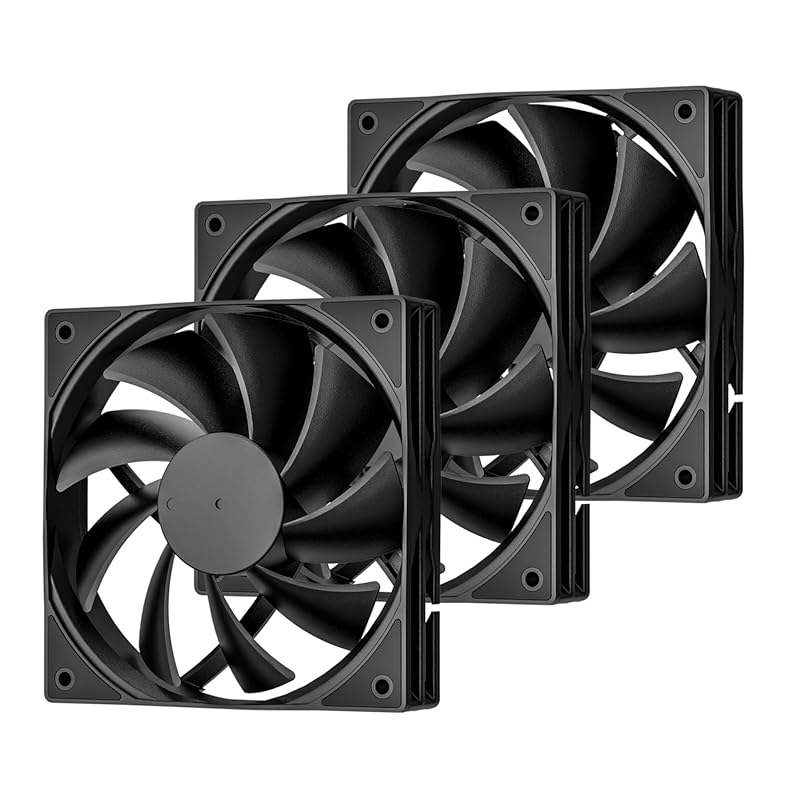
2. DARKROCK 3-Pack 120mm Case Fans
Intro: The DARKROCK 3-Pack delivers high-performance cooling with low noise and reliable hydraulic bearings. This trio provides consistent airflow for chassis cooling while keeping noise to a minimum, making it a solid option for quiet builds.
Key Features That Stand Out
- ✓ Three fans in a pack for balanced airflow
- ✓ 1200 RPM capability with 3-Pin connection
- ✓ Low-noise design with silicone cushions
- ✓ Durable hydraulic bearing design
Why We Recommend It
Best for users who want multiple fans in a budget-friendly package without sacrificing cooling efficiency.
Best For
Chassis cooling and expanding airflow in mid-range builds.
Pros and Cons
Pros:
- Strong cooling performance for a 3-pack
- Relatively quiet operation
- Good value for multiple fans
- Simple installation
Cons:
- 3-Pin connection may limit fan control on newer boards
- Some users report coil whine at max RPM
Customer Reviews
Customer Review: “This trio keeps my rig cool under load and stays quiet enough for late-night gaming.” – Anonymous
Customer Review: “Solid build and easy to install. The silicone cushions really help with vibration.” – Mike
3. Noctua NF-P12 redux-1700 PWM

Intro: The Noctua NF-P12 redux-1700 PWM 120mm fan focuses on high performance with low noise. It’s a renowned option for those who demand quiet cooling without sacrificing airflow.
Key Features That Stand Out
- ✓ Pressure-optimized blade design
- ✓ High static pressure for CPU coolers
- ✓ PWM control for precise speed management
- ✓ Trusted NF-P12 reliability
Why We Recommend It
Ideal for quiet builds that still need solid cooling headroom, especially around CPU coolers.
Best For
Quiet PC builds where acoustics matter as much as airflow.
Pros and Cons
Pros:
- Exceptional build quality and quiet operation
- Excellent static pressure for heatsinks
- Proven brand with broad compatibility
- Reliable PWM for smooth control
Cons:
- Price is typically higher than budget fans
- Some users find mounting hardware less flexible on small cases
Customer Reviews
Customer Review: “Very quiet even at higher RPMs, keeps my CPU temps in check.” – Lisa
Customer Review: “Solid performance and reliable; worth the extra cost for a quiet system.” – Raj
4. Cooler Master MF120 Lite 120mm Fan

Intro: The MF120 Lite focuses on airflow balance with a redesigned frame and PWM blades. It’s a versatile choice for cases or radiators needing solid cooling without added bulk.
Key Features That Stand Out
- ✓ 120mm size with optimized PWM performance
- ✓ Air Balance blades for steady airflow
- ✓ Durable PBT frame
- ✓ Easy to install in most builds
Why We Recommend It
Great for users who want reliable cooling and easy installation in a compact 120mm footprint.
Best For
Moderate builds needing dependable cooling from a compact 120mm fan.
Pros and Cons
Pros:
- Balanced airflow and noise
- Solid build quality
- Easy compatibility with most cases
- Good value for a standard 120mm fan
Cons:
- Not the absolute lowest-noise option
- Performance may be outclassed by premium models at high RPM
Customer Reviews
Customer Review: “Balanced performance and quiet enough for daily use.” – Chris
Customer Review: “Installed easily on my radiator, temps dropped noticeably.” – Dana
5. Cooler Master Hyper 212 Black CPU Air Cooler

Intro: The Hyper 212 Black combines classic performance with a modern look. Its four copper pipes and PWM fan deliver reliable cooling for daily computing tasks and light gaming.
Key Features That Stand Out
- ✓ Four heat pipes for improved heat transfer
- ✓ PWM fan with wide RPM range
- ✓ AM5/LGA compatibility updates
- ✓ Solid build and durable materials
Why We Recommend It
Great value for a high-performance air cooler that suits mid-range systems.
Best For
CPU cooling for mainstream builds, especially where a straightforward upgrade is desired.
Pros and Cons
Pros:
- Strong cooling for budget-conscious buyers
- Reliable PWM fan performance
- Easy installation
- Solid compatibility with many sockets
Cons:
- Bulkier than some compact coolers
- Not the quietest at extreme loads
Customer Reviews
Customer Review: “Easy install and temperatures dropped nicely.” – Alex
Customer Review: “Great value, keeps noise reasonable.” – Jordan
6. Asiahorse Nyota 120mm ARGB Case Fan
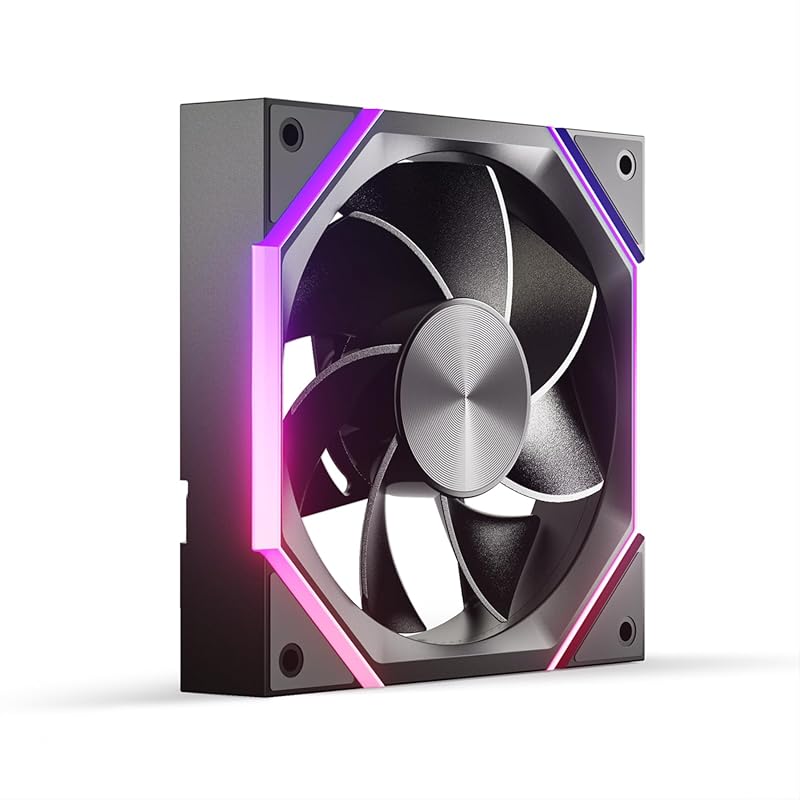
Intro: The Asiahorse Nyota ARGB fans combine solid airflow with vibrant lighting. They’re built to deliver reliable cooling while adding a splash of color to your PC build.
Key Features That Stand Out
- ✓ ARGB lighting with OSKAR beads
- ✓ High-precision hydraulic bearings
- ✓ Efficient cooling performance
- ✓ Quiet operation for longer sessions
Why We Recommend It
Ideal for ARGB enthusiasts who want both performance and style in one package.
Best For
Systems that showcase ARGB lighting and require dependable airflow.
Pros and Cons
Pros:
- Strong ARGB appeal
- Good cooling for a 120mm fan
- Reliable bearings for longevity
- Easy to install
Cons:
- ARGB connectors may require motherboard support
- Some users report varying RPM under load
Customer Reviews
Customer Review: “The lighting is fantastic and cooling is solid.” – Mia
Customer Review: “Good value for an ARGB 120mm fan.” – Omar
7. Thermalright TL-C12C-S 5-Pack CPU Fan
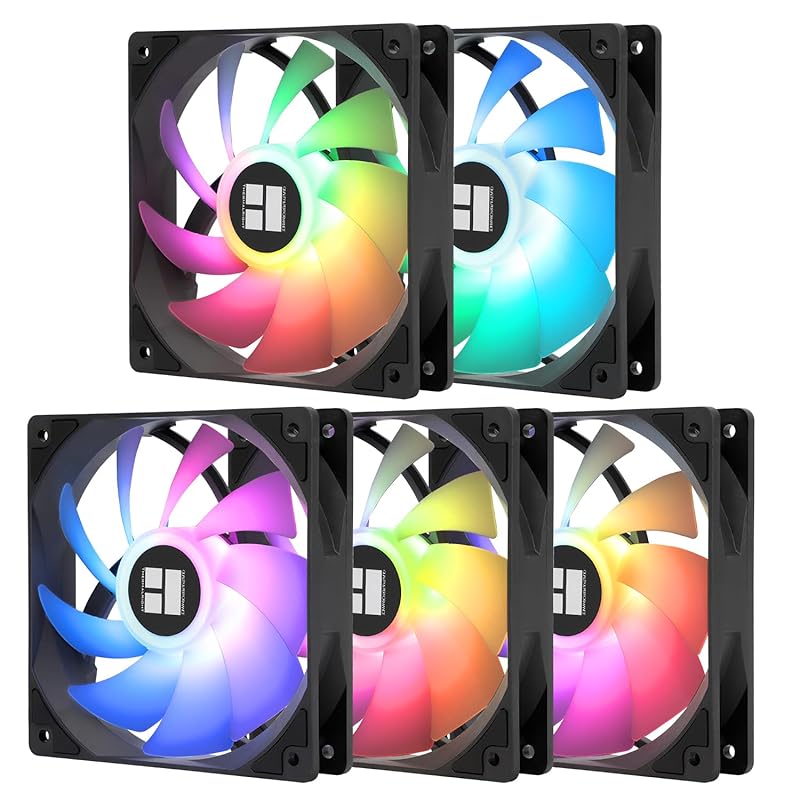
Intro: The Thermalright TL-C12C-S 5-Pack CPU Fan delivers reliable performance with high-quality S-FDB bearings and ARGB lighting for a cohesive look.
Key Features That Stand Out
- ✓ S-FDB bearings for longevity
- ✓ ARGB lighting integration
- ✓ PWM control for dynamic speeds
- ✓ Versatile use with CPUs and cases
Why We Recommend It
Great for enthusiasts who want a reliable, attractive option that works well in both CPU cooling and case fan roles.
Best For
Users seeking dependable performance in a flexible 5-pack.
Pros and Cons
Pros:
- Reliable performance across multiple fans
- Strong ARGB lighting and build quality
- Good PWM control for precise speeds
- Versatile use-case options
Cons:
- Bulk packaging may take more space
- Some users prefer quieter models at max RPM
Customer Reviews
Customer Review: “Solid fans, easy setup, and the ARGB looks great.” – Kim
Customer Review: “Stable performance with decent noise levels.” – Luke
8. Generic 12V DC 120x120x25mm PC Fans
Intro: The Generic 12V DC 120x120x25mm PC Fans offer reliable performance at a budget-friendly price, making them a practical upgrade for many desktops.
Key Features That Stand Out
- ✓ 1600 RPM max for robust airflow
- ✓ 12V DC operation with simple connector
- ✓ Lightweight and easy to install
- ✓ Affordable option for upgrades
Why We Recommend It
Best for budget-conscious builders who still want decent cooling gains without breaking the bank.
Best For
Older systems or tight budgets where a straight-forward fan upgrade makes a difference.
Pros and Cons
Pros:
- Low cost with decent performance
- Simple 2-pin connector for quick installs
- Widely compatible with many cases
- Reliable everyday performance
Cons:
- Lower efficiency vs premium models
- Limited control options on older systems
Customer Reviews
Customer Review: “Budget upgrade that actually helps temps.” – Sam
Customer Review: “Fairly quiet for the price and easy to fit.” – Priya
9. X1 USB Cooling Fan
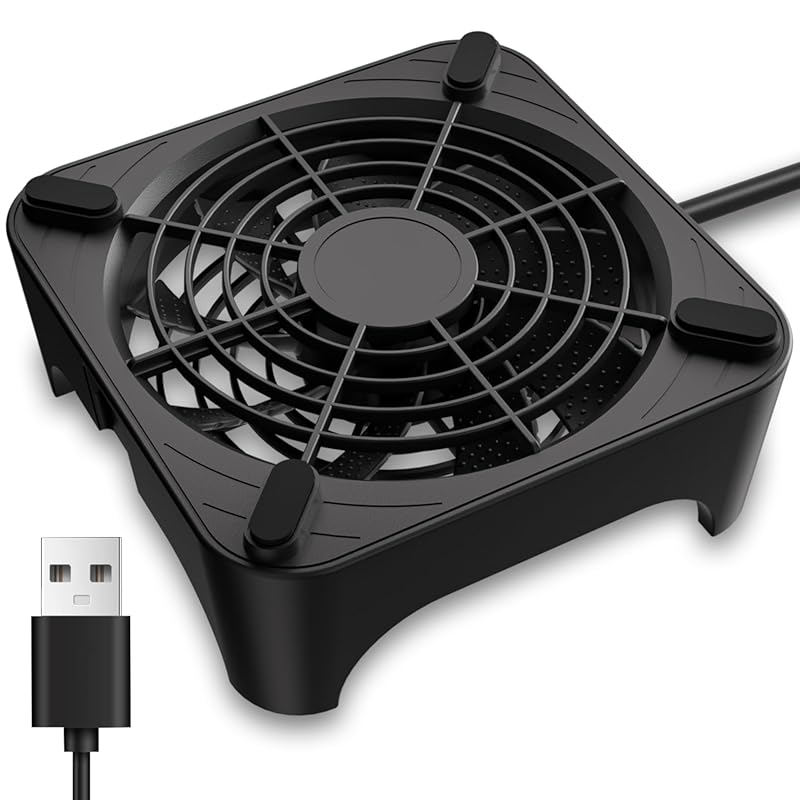
Intro: The X1 USB Cooling Fan is a portable, ultra-quiet solution ideal for routers, small electronics, and compact setups where space is at a premium.
Key Features That Stand Out
- ✓ USB-powered for plug-and-play use
- ✓ Compact 120mm form factor
- ✓ Quiet operation for silent runs
- ✓ Built-in cable for neat installs
Why We Recommend It
Perfect for mini PC rigs or peripherals that need cooling without adding bulk.
Best For
Small form-factor setups and portable cooling needs.
Pros and Cons
Pros:
- Ultra-compact and portable
- Very quiet for USB fans
- Simple to deploy anywhere a USB port exists
- Low power consumption
Cons:
- Limited airflow compared to larger fans
- Best suited for small devices rather than full desktops
Customer Reviews
Customer Review: “Neat, quiet, and surprisingly effective for a USB fan.” – Riley
Customer Review: “Perfect for my router cabinet; keeps temps in check.” – Taylor
10. Thermalright Peerless Assassin 120 SE CPU Cooler
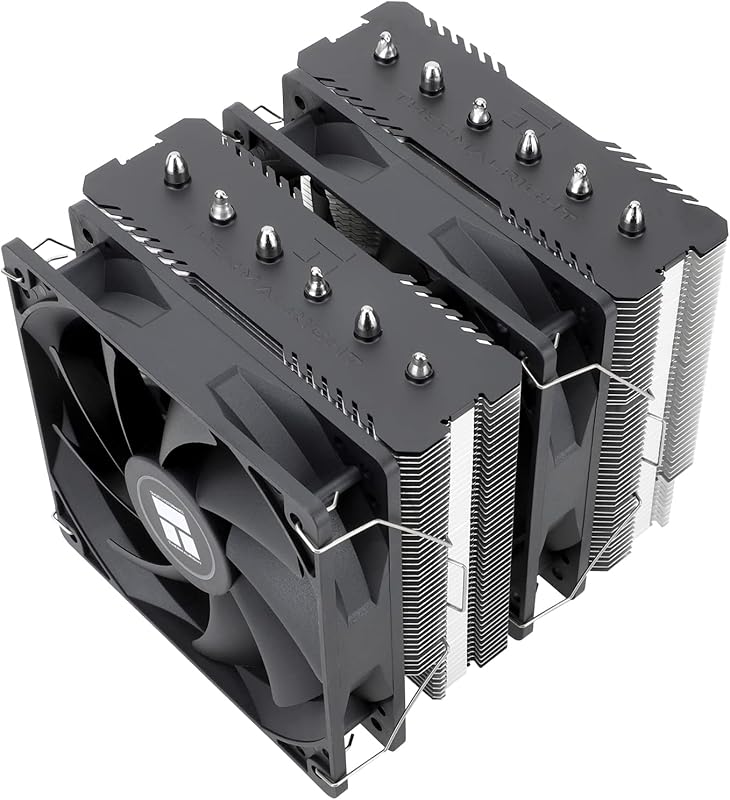
Intro: The Thermalright Peerless Assassin 120 SE CPU Cooler features dual 120mm PWM fans for strong CPU cooling, with a focus on reliable performance over long sessions.
Key Features That Stand Out
- ✓ Dual 120mm PWM fans for effective cooling
- ✓ Aluminum heatsink for efficient heat dissipation
- ✓ Broad socket compatibility
- ✓ Quiet operation at typical loads
Why We Recommend It
Solid choice for enthusiasts who want high cooling performance without going to the extreme premium.
Best For
Mid-to-high end builds needing robust CPU cooling with manageable noise.
Pros and Cons
Pros:
- Excellent twin-fan cooling
- Good build quality
- Good compatibility and value
Cons:
- Heavier than single-fan options
- Could be overkill for low-power CPUs
Customer Reviews
Customer Review: “Impressive cooling for my CPU; temps dropped by a few degrees.” – Aaron
Customer Review: “Nice performance, a bit heavier, but worth it for the silence.” – Nina
Complete Buying Guide for Best Pc Fan Coolers For Efficient Cooling Performance
Essential Factors We Consider
When choosing the right cooler, consider airflow, static pressure, noise, and compatibility with your case and motherboard. Higher RPM fans move more air but can be louder. For dense setups like CPU coolers, higher static pressure matters more than raw speed. ARGB can enhance aesthetics, but prioritize performance first.
Budget Planning
Plan your budget around your build goals. If you want quiet operation, invest a bit more in premium fans with low-noise bearings. For a budget-friendly upgrade, a 2-3 pack of solid 120mm fans can elevate cooling without breaking the bank.
Final Thoughts
Choosing the right Best Pc Fan Coolers For Efficient Cooling Performance means balancing cooling power, noise, and compatibility. The options above cover different priorities—from best-in-class airflow to budget-friendly reliability—so you can upgrade confidently. For broader cooling insights, you may also explore related guides on our site.
Frequently Asked Questions
Q: Do PC fans really affect temperatures that much?
A: Yes. Proper airflow and static pressure influence how efficiently heat moves away from components. A good fan setup can lower component temperatures and improve longevity.
Q: Are ARGB fans worth it for performance?
A: ARGB adds aesthetics but doesn’t inherently improve cooling. If a fan has strong bearings and airflow, ARGB is a bonus feature rather than a requirement for performance.
Q: Should I prioritize PWM control or fixed-speed fans?
A: PWM offers dynamic speed control for changing workloads, which helps keep noise down while maintaining cooling. Fixed-speed fans are simpler but can be louder under load.
Q: How many fans do I need?
A: It depends on your case and heat load. A balanced setup usually uses 2-4 intake fans and 1-2 exhaust fans for an effective cooling loop.
Q: Can I mix different brands of fans?
A: Yes, you can mix brands, but avoid pairing fans with significantly different airflow ratings in the same ducts. Consistency helps avoid hot spots and noise mismatches.
Ready to upgrade your rig? Explore the options above and pick the best match for your build. If you found this guide helpful, consider checking out our other reviews to optimize more parts of your setup and keep your system running cool and quiet.
Similar Posts
Top 10 Best Mid-Range Diesel Heaters In Australia: Expert Picks
Best Mid Range Diesel Heaters In Australia offer a balance of heating power, reliability, and value that’s well-suited for workshops, caravans, and garages. In this roundup, we tested ten mid-range units available in Australia to help you pick a heater that keeps you warm without breaking the bank. You’ll find practical insights, real-world considerations, and…
Top 4 Best Shocks For Towing A Travel Trailer
When it comes to towing a travel trailer, the right shocks can make a noticeable difference in stability, control, and ride comfort. This roundup focuses on Best Shocks For Towing A Travel Trailer that are built to handle heavier loads and varying terrains. Whether you’re daily driving or hitting long road trips, upgrading shocks can…
4 Best 27565R18 All-Terrain Tires Reviewed by Experts
Discovering the best 27565R18 all-terrain tires can feel like navigating a maze. In this roundup, we break down four top picks, tested for traction, durability, and daily drivability on both street and trail. If you’re exploring size-specific options, you might also want to explore our related guides on 27560R20 and 27570R18 tires to see how…
Top 10 Best Straight Edge Razor Blades for a Smooth Expert Shave
Choosing the right Best Straight Edge Razor Blades For A Smooth Shave can make a noticeable difference in daily grooming. This roundup tests top single-edge blades that suit different preferences and razor styles. Whether you’re new to straight razors or a seasoned shaver, these picks aim to deliver comfort, sharpness, and lasting value. If you…
Top 2 Best Double-Sided Tapes for Car Interior: Expert Picks
Choosing the Best Double Sided Tape For Car Interior can be tricky because car surfaces vary from glossy moldings to textured dashboards. In this roundup, we highlight two top performers that balance strong adhesion with clean removal and longevity. If you’re prepping surfaces, you might also want to read our guide on the best interior…
Top 5 Best Key Fobs For My Car: Expert Picks You Can Trust
Welcome to our Best Order A Key Fob For My Car roundup. If you’re shopping for a replacement or a protective cover, this guide breaks down five popular options so you can order with confidence. You’ll get a quick comparison, honest insights, and practical details to help you pick the right key fob solution for…