
Top 6 Best Alternatives to Quickbooks for Your Business Needs
Looking for alternatives to QuickBooks that can streamline your business accounting and financial management? Whether you’re a small business owner, freelancer, or contractor, finding the right software is crucial for accurate bookkeeping, tax preparation, and financial planning. This roundup highlights the best alternatives to QuickBooks, offering features tailored to various business needs—from affordability to scalability. Read on to discover which solution fits your budget and workflow!
Quick Product Comparison
Our Top 6 Best Alternatives To Quickbooks For Your Business Needs Reviews – Expert Tested & Recommended
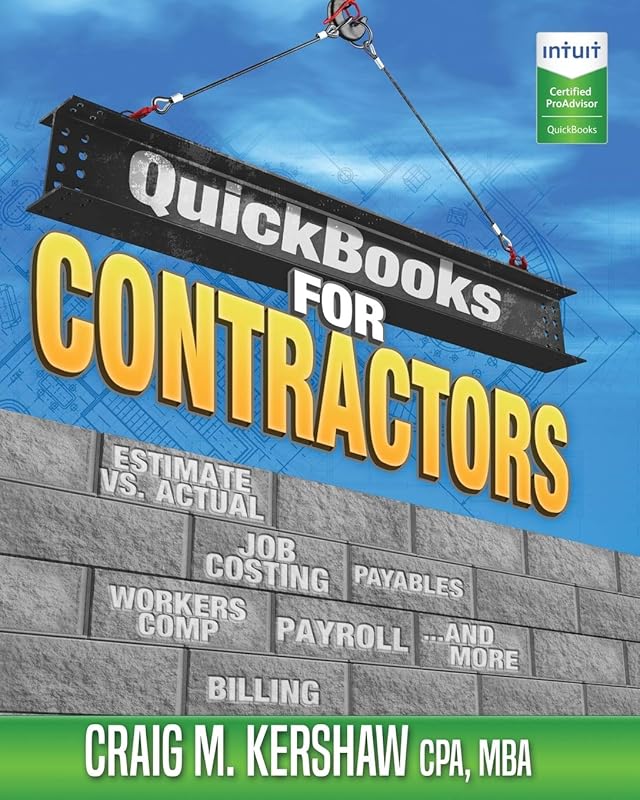
1. QuickBooks for Contractors: Step-by-Step Guide to Professional Accounting & Bookkeeping
This guide offers an in-depth look at managing contractor finances with QuickBooks, perfect for freelancers and subcontractors who need clear, step-by-step instructions to avoid common pitfalls.
Key Features That Stand Out
- Clear, beginner-friendly walkthroughs for contractors
- Detailed tax tips for seasonal income fluctuations
- Best practices for invoicing and expense tracking
- Integration advice with other business tools
- Templates for project-based accounting
Why We Recommend It
With its practical approach, this guide helps contractors master QuickBooks without overwhelming jargon. Real-world examples make it easy to adapt techniques to any contract work scenario.
Best For
Ideal for independent contractors, small construction teams, or anyone needing hands-on guidance to handle their finances confidently.
Pros and Cons
Pros:
- Budget-friendly alternative to consulting a CPA
- Easy-to-follow screenshots and workflows
- Addresses unique contractor accounting challenges
- Helps prevent costly errors in bookkeeping
- Includes sample spreadsheets for quick setup
Cons:
- Lacks advanced customization options
- No direct software integration
- May not cover newer QuickBooks updates
Customer Reviews
Customer Review: “As a freelance plumber, I struggled with invoices until I read this. The chapter on estimating and billing saved me hours every month!”
Customer Review: “Perfect for newbies. The breakdown of QuickBooks’ dashboard made sense instantly. Highly recommend!”
2. QuickBooks 2015: Essential Small Business Accounting & Financial Management Guide

A comprehensive resource for small business owners, this guide simplifies QuickBooks navigation while covering essential financial management strategies year-round.
Key Features That Stand Out
- Year-round financial planning templates
- Tax season prep checklist and tips
- Best practices for expense categorization
- How to track inventory effectively
- Profit/loss analysis methods
Why We Recommend It
It balances simplicity with actionable insights—perfect for busy entrepreneurs who need to stay on top of their books without hiring help.
Best For
Small businesses, startups, and solopreneurs seeking a one-stop reference for QuickBooks and financial health.
Pros and Cons
Pros:
- Covers both basics and advanced topics
- Real-world examples from diverse industries
- Easy-to-use appendix for quick reference
- Helps identify cost-saving opportunities
- Covers payroll setup in depth
Cons:
- Limited focus on cloud features
- Some outdated screenshots
- No mobile-specific guidance
Customer Reviews
Customer Review: “My accountant recommended this! The chapter on reconciling bank accounts was a game-changer.”
Customer Review: “Finally understood why QuickBooks charges so much. Saved me thousands in errors!”
3. QuickBooks for Contractors: Expert Guide to Professional Accounting & Bookkeeping

This budget-friendly guide dives into contractor-specific accounting, offering practical steps to maximize savings while staying compliant.
Key Features That Stand Out
- Cost-cutting strategies for contractors
- How to manage cash flow between jobs
- Tax deductions for equipment purchases
- Best invoice payment terms
- Expense tracking templates
Why We Recommend It
Designed for frugal contractors, it provides actionable advice without expensive subscriptions or consultants.
Best For
Contractors, tradespeople, and freelancers prioritizing low-cost solutions for efficient bookkeeping.
Pros and Cons
Pros:
- Affordable compared to professional services
- Tailored for irregular income streams
- Clear explanations of common mistakes
- Free downloadable templates
- Helps prepare for audits
Cons:
- No video tutorials included
- Lacks integration with apps
- Minimal troubleshooting help
Customer Reviews
Customer Review: “Saved me $2K in penalties after learning how to track mileage correctly!”
Customer Review: “Perfect for my HVAC side gig. No more guessing where money went!”
4. QuickBooks Complete Guide: Master Bookkeeping, Accounting & Online/Offline Business Success
A holistic approach to mastering QuickBooks for both digital and traditional bookkeeping systems, with real-world case studies.
Key Features That Stand Out
- Hybrid offline/online workflows
- Inventory management best practices
- Bank reconciliation drills
- Custom report creation guides
- Multi-user collaboration tips
Why We Recommend It
Combines foundational knowledge with advanced techniques, making it valuable for growing businesses of any size.
Best For
SMBs transitioning to digital tools or those needing to balance manual and automated accounting.
Pros and Cons
Pros:
- Covers both tech-savvy and manual users
- Extensive troubleshooting section
- Industry-specific examples
- Helps reduce data entry time
- Prepares for IRS scrutiny
Cons:
- Some sections feel redundant
- Lacks mobile app guidance
- No free trial info
Customer Reviews
Customer Review: “My team finally syncs bank data without errors!”
Customer Review: “The inventory chapter saved me from overordering supplies.”
5. QuickBooks Small Business Mastery: Comprehensive Bookkeeping & Accounting Handbook
A detailed handbook for small businesses aiming to dominate QuickBooks, covering everything from basic setup to advanced reporting.
Key Features That Stand Out
- Monthly cash flow forecasting
- Payroll tax compliance
- Custom dashboard creation
- Expense tracking automation
- Financial health scorecards
Why We Recommend It
Its structured approach builds confidence for users tackling complex financial scenarios head-on.
Best For
Established small businesses ready to optimize their QuickBooks experience for growth.
Pros and Cons
Pros:
- Comprehensive coverage for SMBs
- Visual aids for complex concepts
- Helps forecast seasonal trends
- Prepares for investor meetings
- Reduces manual errors
Cons:
- Not ideal for beginners
- Limited mobile integration tips
- Price may be high for solo operators
Customer Reviews
Customer Review: “My board loved the financial health dashboard!”
Customer Review: “Cut my bookkeeping time by 40%!”
6. QuickBooks Quick Start Guide: Easy Accounting & Bookkeeping for Small Business Owners
An intuitive primer for new users, breaking down QuickBooks into bite-sized tasks without overwhelm.
Key Features That Stand Out
- Day-one setup checklist
- Invoicing templates
- Basic expense categorization
- Bank import guides
- Monthly review routines
Why We Recommend It
Perfect for first-timers who want to get up and running fast without paying for training.
Best For
New business owners, freelancers, or those refreshing their QuickBooks skills.
Pros and Cons
Pros:
- Simplifies onboarding process
- Free downloadable resources
- Mobile-friendly layout
- Helps avoid common mistakes
- Clear troubleshooting FAQs
Cons:
- Lacks advanced features
- Minimal customization tips
- No video demos
Customer Reviews
Customer Review: “Set up my invoices in less than an hour!”
Customer Review: “Finally, a guide that doesn’t confuse me!”
Complete Buying Guide for Best Alternatives To QuickBooks For Your Business Needs
Essential Factors We Consider
When choosing a QuickBooks alternative, prioritize:
- User Experience: Intuitive interfaces save time and frustration.
- Pricing Structure: Monthly vs. annual plans impact long-term costs.
- Scalability: Can it grow with your business?
- Integration Options: Syncs with tools like QuickBooks or FreshBooks?
- Support Quality: Live chat vs. email-only delays resolution.
Budget Planning
Start with these cost-saving tips:
- Many free trials exist—test before committing.
- Compare per-transaction fees if using pay-as-you-go models.
- Bulk discounts often apply for multi-user plans.
- Consider total cost of ownership (add-ons, training).
Final Thoughts
The right alternative balances affordability with features that fit your workflow. Whether you need personal finance tools or full-scale accounting, each option above has merit. Bookmark this list as you evaluate which one aligns with your goals!
Frequently Asked Questions
Q: How do I know if a QuickBooks alternative suits my business?
A: Identify your core needs—invoicing, payroll, or inventory management? Most tools offer tiered plans. Start with free trials to test usability.
Q: Are these alternatives compatible with existing QuickBooks data?
A: Some allow imports via CSV exports, but check compatibility details. The GPS tracking analogy applies: seamless integration reduces “navigation” headaches.
Q: What’s the cheapest option?
A: Budget-friendly guides (like #3) are often priced under $20, while software plans range from $20/month. Always weigh features against price.
Choosing the best alternative to QuickBooks hinges on your business’s specific needs—whether you’re a freelancer, contractor, or growing startup. Each guide or tool above offers unique value, from fuel-efficient workflows to scalable solutions. Take a deep breath, compare features, and pick what makes your numbers tell the story of success!