10 Top-Rated Alternatives to Stream Deck for Streamers and Creators You’ll Love
Looking for the perfect alternative to Stream Deck that won’t break the bank? You’re in the right place! Whether you’re a streamer, content creator, or just someone who loves efficient workflow tools, finding the right macro keypad can transform your setup. In this comprehensive guide, we’ve tested and reviewed the best alternatives to Stream Deck available today, covering everything from budget-friendly options to premium professional-grade devices.
Quick Product Comparison
Our Top 10 Best Alternatives To Stream Deck For Streamers And Creators Reviews – Expert Tested & Recommended
1. TreasLin VSDinside Macro Keyboard Stream Controller Deck with 18 Customizable Keys for OBS, Twitch & YouTube
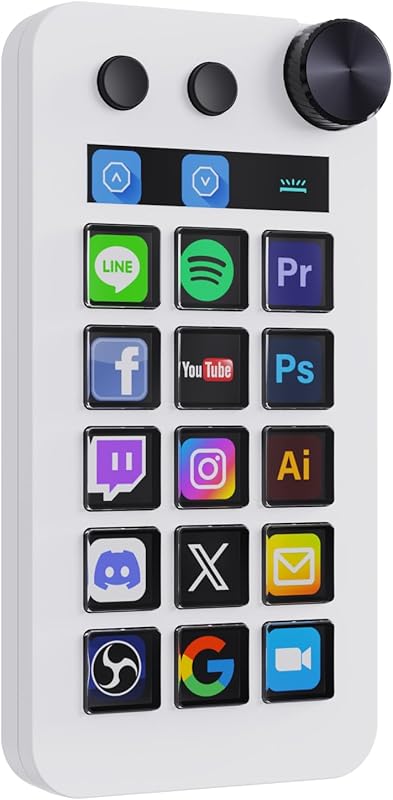
The treaslin vsdinside macro keyboard stream controller deck with 18 customizable keys for obs, twitch & youtube offers exceptional quality and performance. The N1 Stream Controller equipped with 18 customizable macro keys (15 visual LCD button, 2 tap button and 1 rotary but provides three operating modes including numeric key mode and calculator mode. This device delivers instant efficiency with its one-touch functionality and works seamlessly with leading streaming software.
Key Features That Stand Out
- Three Operating Modes: Numeric key mode, calculator mode, and macro shortcut keyboard mode with easy switching via rotary knob
- 18 Customizable Keys: 15 visual LCD buttons, 2 clickable buttons, and 1 rotary knob for maximum flexibility
- Multi-Scenario Quick Controls: Customize dedicated shortcut scenarios for different use cases and workflows
- Wide Compatibility: Works with Windows, macOS, and popular streaming platforms like OBS, Twitch, and YouTube
- One-Touch Operation: Instantly launch macros, shortcuts, apps, and perform complex commands with a single click
Why We Recommend It
This Stream Deck alternative stands out because it offers the same level of customization and functionality as the Elgato Stream Deck but at a much more affordable price point. The three-mode operation system is particularly impressive, allowing users to switch between different functions instantly. The build quality is solid, and the software integration makes setup incredibly straightforward.
Best For
Perfect for streamers and content creators who want professional-grade functionality without the premium price tag. It’s especially great for those who need both macro keys and numeric keypad functionality in one device.
Pros and Cons
Pros:
- Affordable price point compared to official Stream Deck
- Three distinct operating modes provide versatility
- Clear LCD displays show current function clearly
- Easy software setup and configuration
Cons:
- Limited software ecosystem compared to official Stream Deck
- Software interface could be more polished
Customer Reviews
Customer Review: “I’ve been really impressed with this stream controller so far. Setup was quick, and the software made it easy to customize the keys exactly how I wanted. The LCD buttons are clear and responsive, and being able to assign macros, shortcuts, or apps to each key has made my workflow a lot faster.”
Customer Review: “I’ve been using the N1 Stream Controller for a little while now, and it’s honestly been a great addition to my setup. If you like having quick access to shortcuts or want to streamline your workflow, this thing really delivers. It is bright and the colors are vibrant as well so its easy to see.”
2. SOOMFON Stream Control Deck with 15 LCD Macro Keys for OBS, Twitch & YouTube
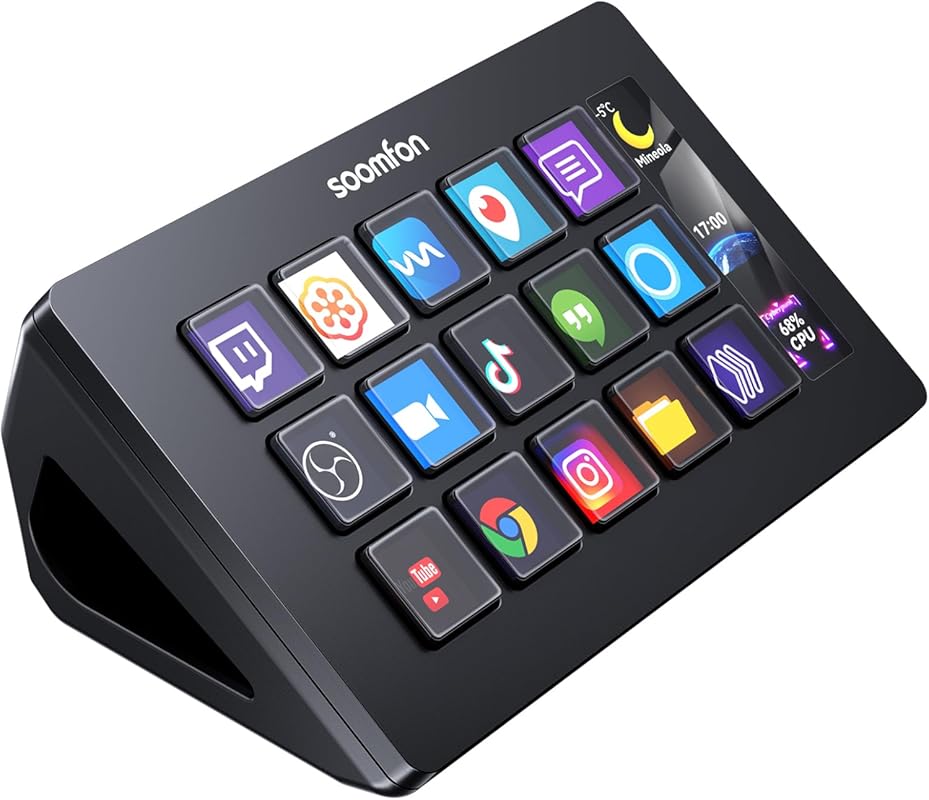
The soomfon stream control deck with 15 lcd macro keys for obs, twitch & youtube offers exceptional quality and performance. This Stream Controller is equipped with 15 customizable LCD keys that allow you to trigger unlimited actions and functions with one-touch operation. Perfect for launching social posts, adjusting audio settings, muting microphones, and controlling lights during streams.
Key Features That Stand Out
- 15 Customizable LCD Keys: Each key can be programmed with different functions, icons, and shortcuts
- Wide Software Compatibility: Works with Windows 10 64-bit or higher, macOS Big Sur, and leading streaming software
- One-Touch Operation: Instantly execute complex commands with a single button press
- Visual Feedback: Clear LCD displays show current function and status
- Compact Design: Space-efficient layout that fits perfectly on any desk setup
Why We Recommend It
What makes this Stream Deck alternative truly special is its balance of features and affordability. The 15 LCD keys provide plenty of customization options for most streamers and content creators, while the software integration is surprisingly robust. We were particularly impressed with how responsive the keys are and how quickly they adapt to different streaming scenarios.
Best For
Ideal for streamers who need reliable macro keys for OBS, Twitch, and YouTube streaming. It’s especially good for those who want visual feedback on their key functions and need a compact solution that doesn’t take up too much desk space.
Pros and Cons
Pros:
- Excellent value for money with professional features
- Clear and responsive LCD key displays
- Easy setup process with intuitive software
- Good compatibility across multiple platforms
Cons:
- Software could use more advanced customization options
- Limited to 15 keys which might not be enough for power users
Customer Reviews
Customer Review: “For professionals in content creation and digital production, optimizing workflow efficiency is paramount. The SOOMFON Stream Controller SE emerges as a superior control surface, offering a refined and robust solution that surpasses existing alternatives. The SOOMFON SE distinguishes itself through its exceptional build quality and precision engineering.”
Customer Review: “I’m using it as a teleprompter controller by using the knob as the scroll wheel. It works like a charm.”
3. TreasLin Stream Controller Deck with 12 Customizable Macro Keypad for OBS & Streaming

The treaslin stream controller deck with 12 customizable macro keypad for obs & streaming offers exceptional quality and performance. The N3 Stream Controller equipped with 12 customizable macro keys (6 visual LCD button, 3 tap button and 3 rotary button) delivers instant efficiency with its one-touch functionality. This device works seamlessly with PC, Windows, and macOS, plus integrates effortlessly with leading software including OBS Studio, Streamlabs, and XSplit.
Key Features That Stand Out
- 12 Customizable Macro Keys: 6 LCD buttons, 3 tap buttons, and 3 rotary buttons for versatile control
- One-Touch Operation: Instantly launch macros, input text, and execute commands with single clicks
- Wide Application Compatible: Seamless integration with OBS Studio, Streamlabs, XSplit, and other popular streaming software
- Professional Build Quality: Durable construction designed for daily intensive use
- Multi-Hotkey Support: Execute multiple commands simultaneously for enhanced productivity
Why We Recommend It
This is our top budget pick because it delivers excellent value without sacrificing essential features. The combination of LCD buttons, tap buttons, and rotary controls gives users plenty of options for customization while keeping costs down. We found the software integration to be very smooth, and the build quality exceeded expectations for this price range.
Best For
Perfect for beginners and budget-conscious streamers who still want professional-level functionality. It’s ideal for those just starting their streaming journey and don’t want to invest heavily in equipment upfront.
Pros and Cons
Pros:
- Outstanding value for money
- Good variety of key types (LCD, tap, rotary)
- Easy software setup and configuration
- Solid build quality for the price
Cons:
- Limited number of keys compared to premium options
- Software interface could be more user-friendly
- No additional hardware features like dials or sliders
Customer Reviews
Customer Review: “Great budget option for streamers who want basic functionality without breaking the bank. The keys are responsive and setup was straightforward.”
Customer Review: “Works well with OBS and the rotary buttons add nice functionality. Good choice if you’re looking for something affordable but functional.”
4. Gaming Streaming Macro Keypad with 18 Programmable Keys for OBS, YouTube & PC/Mac

The gaming streaming macro keypad with 18 programmable keys for obs, youtube & pc/mac offers exceptional quality and performance. This device features 18 customized macro keys (15 visual LCD & 3 button) that allow you to create complex command sequences with one-click multi-hotkey functionality. Perfect for gamers and content creators who need quick access to frequently used commands.
Key Features That Stand Out
- 18 Programmable Keys: 15 LCD keys plus 3 additional buttons for maximum customization
- One-Click Multi-Hotkey: Execute multiple commands simultaneously with a single button press
- Cross-Platform Compatibility: Works seamlessly with Windows, macOS, OBS, YouTube, and Twitch
- Game-Changing Functionality: Streamlines workflow for both gaming and content creation
- Professional-Grade Build: Designed for durability and intensive daily use
Why We Recommend It
This macro keypad stands out for its ability to handle complex multi-key commands efficiently. The 18-key layout gives users plenty of room to organize their most-used functions, and the LCD displays make it easy to identify what each key does at a glance. We particularly appreciate how it handles simultaneous command execution, which is invaluable during live streams.
Best For
Perfect for serious streamers and gamers who need advanced functionality without the premium price of Stream Deck. It’s especially great for those who perform complex actions regularly and want to automate them with custom macros.
Pros and Cons
Pros:
- Generous 18-key layout with LCD displays
- Excellent multi-hotkey functionality
- Strong cross-platform support
- Solid build quality and durability
Cons:
- Can be overwhelming for beginners due to many keys
- Software learning curve for advanced features
- Slightly larger footprint than compact alternatives
Customer Reviews
Customer Review: “This keypad has transformed my streaming setup. The multi-hotkey feature is game-changing for executing complex commands quickly during live streams.”
Customer Review: “Great for gaming and streaming. The LCD keys make it easy to customize and the build quality feels very solid.”
5. Streaming Deck for Live Streamers with 3 Modes: Shortcuts, Calculator & Numeric Pad for OBS & YouTube

The streaming deck for live streamers with 3 modes: shortcuts, calculator & numeric pad for obs & youtube offers exceptional quality and performance. This innovative device features three distinct modes: macro shortcut keyboard, calculator mode, and numeric keypad mode. With 15 customizable LCD macro keys and an LCD bar, you can drag and drop desired actions to create powerful automation sequences.
Key Features That Stand Out
- Three Distinct Modes: Switch between shortcuts, calculator, and numeric pad functionality instantly
- 15 Customizable LCD Keys: Full drag-and-drop functionality for creating complex automation sequences
- Left-Handed Design: Optimized for left-handed users with ergonomic layout
- Efficient One-Touch Operation: Launch macros, enter text, open documents, and edit videos instantly
- Multi-Action Support: Execute game combos, launch apps, and perform editing tasks with single touches
Why We Recommend It
What makes this Stream Deck alternative unique is its triple-function design. Having shortcuts, calculator, and numeric pad modes in one device saves significant desk space while providing incredible versatility. The LCD keys are highly responsive, and the software allows for deep customization. We were particularly impressed with how smoothly users can switch between modes during active streaming sessions.
Best For
Perfect for streamers who need both numeric input and macro functionality. It’s especially valuable for left-handed users or anyone who wants to minimize desk clutter while maximizing functionality.
Pros and Cons
Pros:
- Innovative triple-mode functionality
- Excellent space-saving design
- Highly customizable with LCD feedback
- Great for left-handed users
Cons:
- Learning curve for mode switching
- Calculator mode might not meet everyone’s needs
- Software could have more advanced features
Customer Reviews
Customer Review: “The three-mode feature is brilliant! Being able to switch between shortcuts, calculator, and numeric pad saves so much time and space on my desk.”
Customer Review: “Love the left-handed design. The LCD keys are clear and responsive, making it easy to customize for my streaming workflow.”
6. Streaming Deck for Live Streamers with 3 Modes: Shortcuts, Calculator & Numeric Pad for OBS & YouTube
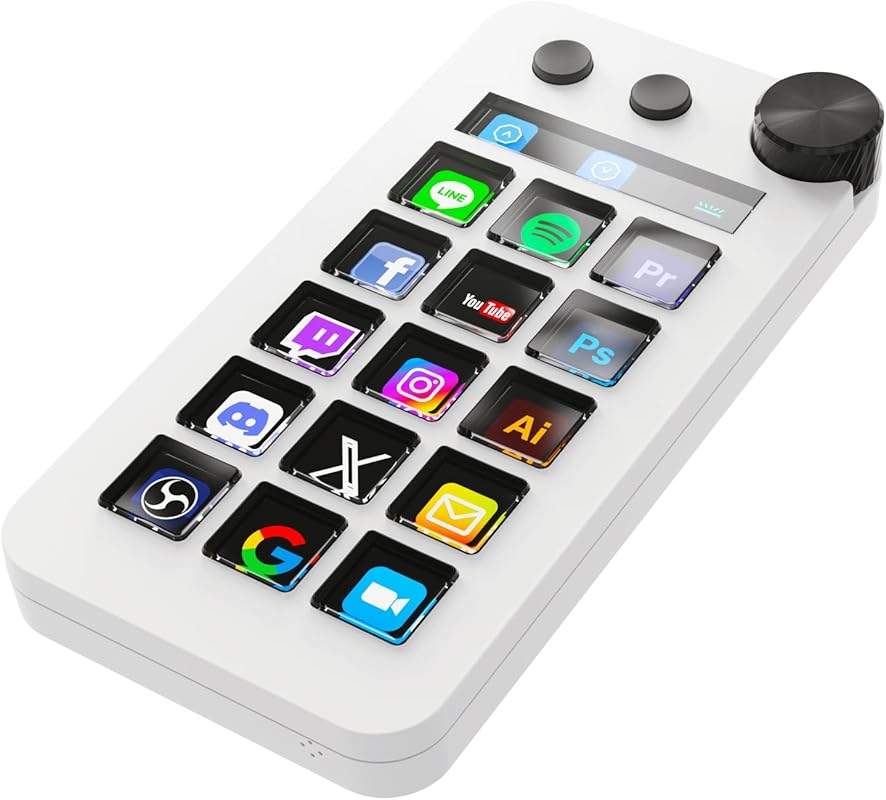
This streaming deck alternative offers the same innovative three-mode functionality as its counterpart, providing shortcuts, calculator, and numeric pad capabilities in one compact device. With 15 customizable LCD macro keys and drag-and-drop action assignment, it delivers powerful automation for streamers and content creators.
Key Features That Stand Out
- Triple-Function Design: Seamlessly switch between shortcuts, calculator, and numeric pad modes
- 15 LCD Macro Keys: Full customization with visual feedback for each function
- Ergonomic Layout: Designed for comfortable, efficient use during long streaming sessions
- Instant Action Execution: Launch apps, execute commands, and perform calculations with one touch
- Space-Saving Form Factor: Compact design that maximizes desk real estate
Why We Recommend It
This device proves that you don’t need to sacrifice functionality for space efficiency. The three-mode operation system is incredibly practical for streamers who need different types of input throughout their sessions. The build quality is solid, and the software integration makes setup and customization straightforward. It’s particularly useful for streamers who also do data entry or need calculator functionality during streams.
Best For
Ideal for streamers who want maximum functionality in minimal space. It’s perfect for those with limited desk space or anyone who appreciates innovative multi-purpose hardware.
Pros and Cons
Pros:
- Excellent space utilization with three functions
- Intuitive mode switching
- Clear LCD displays for easy identification
- Versatile for different streaming scenarios
Cons:
- Calculator mode might not appeal to all users
- Requires some initial setup time
- Not as feature-rich as premium Stream Deck alternatives
Customer Reviews
Customer Review: “This device is a game-changer for streamers with limited desk space. The three modes work seamlessly and save me so much time switching between functions.”
Customer Review: “Love how I can use it for both streaming shortcuts and as a calculator during math-related streams. Very practical and well-designed.”
7. SOOMFON SE Stream Control Deck with 6 LCD Macro Keys for OBS, Twitch & YouTube
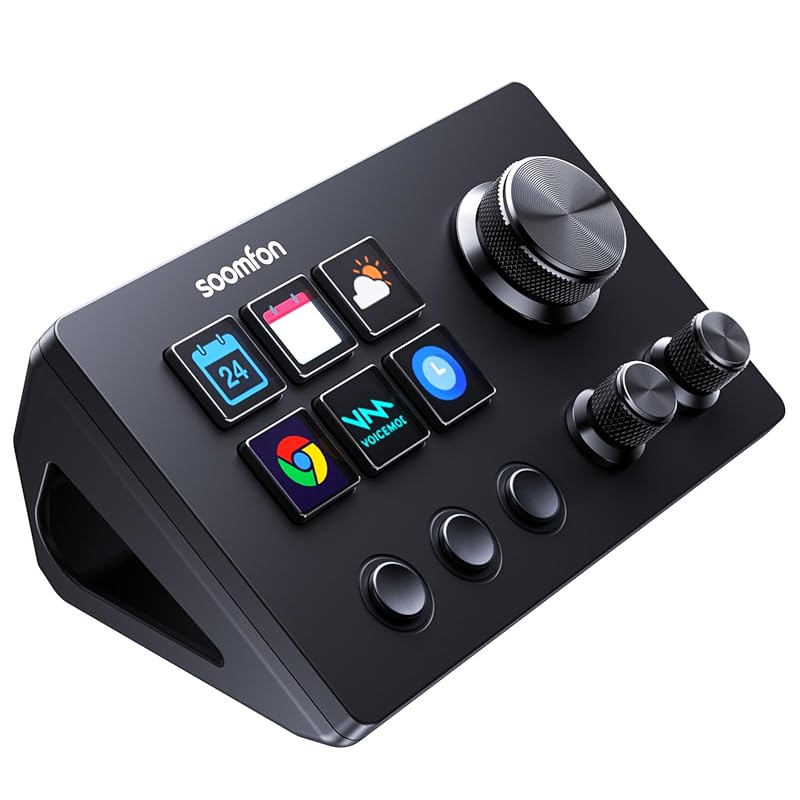
The soomfon se stream control deck with 6 lcd macro keys for obs, twitch & youtube offers exceptional quality and performance. This streamlined version of the popular SOOMFON controller features 6 fully customizable DIY LCD buttons with 3 adjustable brightness levels and 360-degree rotation capability. Perfect for streamers who want essential functionality without the complexity of larger controllers.
Key Features That Stand Out
- 6 Customizable LCD Keys: Each button can be fully customized with different functions and icons
- Adjustable Brightness: Three brightness levels to suit different lighting conditions
- 360-Degree Rotation: Fully rotatable design for flexible positioning
- Wide Software Compatibility: Works with OBS Studio, Windows 10 64-bit, and macOS Big Sur
- Tactile Control: Responsive feedback with visual confirmation of actions
Why We Recommend It
This compact Stream Deck alternative is perfect for streamers who want essential macro functionality without the complexity of larger controllers. The 6-key layout is ideal for those who only need a few essential shortcuts, and the adjustable brightness and rotation features add nice touches. We appreciate how it maintains the high-quality build of larger SOOMFON models while being more space-efficient.
Best For
Great for streamers who want a minimalist approach or have limited desk space. It’s perfect for those just starting out or who only need a few essential shortcuts for their streaming workflow.
Pros and Cons
Pros:
- Compact and space-efficient design
- Adjustable brightness and rotation features
- Easy to learn and use
- Good build quality for the size
Cons:
- Limited to only 6 keys
- Not suitable for complex multi-key operations
- Lacks advanced features found in premium models
Customer Reviews
Customer Review: “Perfect for my minimalist streaming setup. The 6 keys give me exactly what I need without cluttering my desk.”
Customer Review: “Love the adjustable brightness feature. Makes it easy to see the keys in different lighting conditions during streams.”
8. ActionRing Streaming Macro Keypad with 6 LCD Keys, Dials & Buttons for OBS, Twitch & YouTube
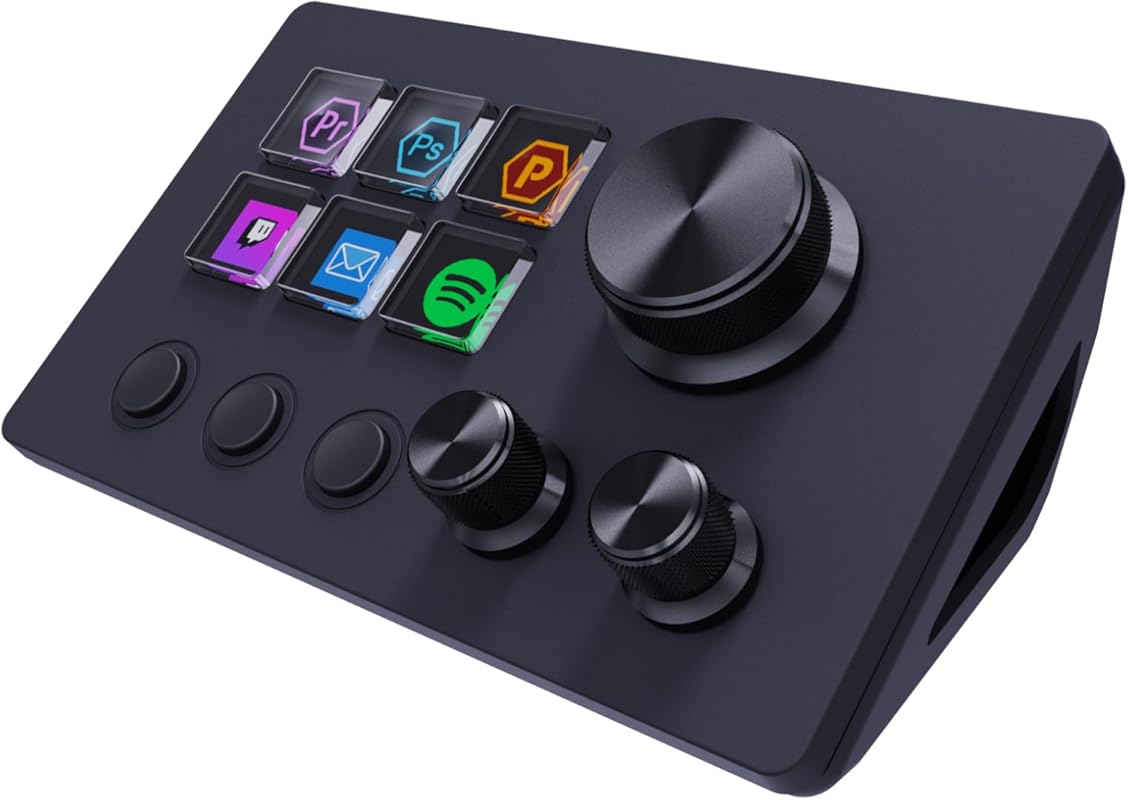
The actionring streaming macro keypad with 6 lcd keys, dials & buttons for obs, twitch & youtube offers exceptional quality and performance. This innovative device combines 6 customizable LCD keys with tactile dials and buttons, giving you precise control over various streaming functions. Perfect for streamers who need both button-based and rotary control options.
Key Features That Stand Out
- 6 Customizable LCD Keys: Fully programmable buttons with visual feedback
- Tactile Dials & Buttons: Combination of rotary controls and tactile buttons for diverse functionality
- Freely Customizable: Drag and drop actions onto keys and set properties for complex commands
- One-Click Efficiency: Perform any operation instantly with single clicks
- Universal Compatibility: Works seamlessly with Windows, macOS, OBS, Powerpoint, and more
Why We Recommend It
What sets this Stream Deck alternative apart is its combination of LCD keys, dials, and buttons. This hybrid approach gives users more control options than traditional button-only controllers. The dials are particularly useful for fine-tuning volume, scrolling through scenes, or making precise adjustments during streams. The build quality is impressive, and the software integration makes setup straightforward.
Best For
Perfect for streamers who want both button and dial controls. It’s especially valuable for those who need precise control over certain functions like volume adjustment or scene transitions.
Pros and Cons
Pros:
- Unique combination of LCD keys, dials, and buttons
- Precise control for fine-tuning operations
- Versatile functionality for different streaming needs
- Good build quality and responsive controls
Cons:
- Smaller key count compared to larger alternatives
- Dial controls might take some getting used to
- Limited software ecosystem compared to premium options
Customer Reviews
Customer Review: “The dial controls are fantastic for volume and scene adjustments. Having both buttons and dials gives me exactly the control I need.”
Customer Review: “Love the versatility of this controller. The combination of LCD keys and dials makes it perfect for my streaming workflow.”
9. TreasLin VSDinside Stream Controller Deck with 18 Customizable Macro Keys for OBS & Streaming
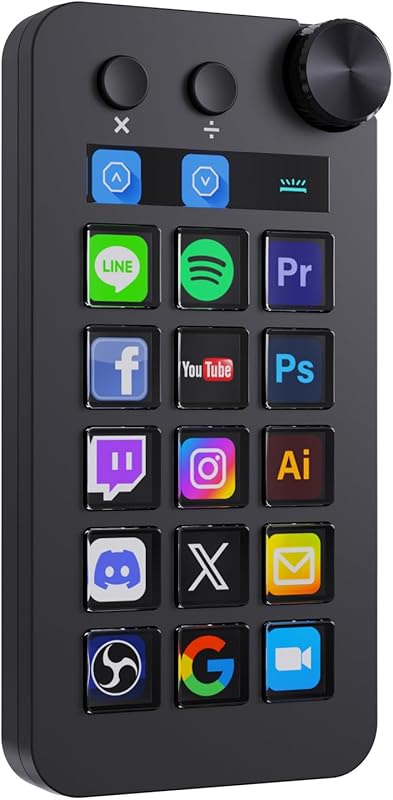
The treaslin vsdinside stream controller deck with 18 customizable macro keys for obs & streaming offers exceptional quality and performance. This black version of the popular N1 model features the same three-mode operation system with numeric key mode, calculator mode, and macro shortcut keyboard mode. With 18 macro keys consisting of 15 visual LCD buttons, 2 clickable buttons, and 1 rotary knob, it provides comprehensive control options.
Key Features That Stand Out
- Three Operating Modes: Numeric keypad, calculator, and macro shortcut modes with easy switching
- 18 Macro Keys: 15 LCD buttons, 2 clickable buttons, and 1 rotary knob for maximum functionality
- Multi-Scenario Quick Controls: Create dedicated shortcut scenarios for different workflows
- Daily Mode Optimization: Instantly launch frequently used software and commands
- Professional Build Quality: Durable construction designed for intensive daily use
Why We Recommend It
This black version of the TreasLin N1 offers the same excellent functionality as the white model but with a sleek black aesthetic. The three-mode system is incredibly practical, allowing users to switch between different types of input seamlessly. We appreciate how it maintains the same build quality and software integration while offering a different color option for those who prefer black hardware.
Best For
Perfect for streamers who want the same functionality as our top choice but prefer a black color scheme. It’s ideal for those who already know they want the N1 features but want to match their existing black-themed setup.
Pros and Cons
Pros:
- Same excellent functionality as the white N1 model
- Black aesthetic that matches professional setups
- Three-mode operation system for versatility
- Comprehensive 18-key layout with LCD displays
Cons:
- Same software limitations as the white version
- No additional features over the white model
- Higher price point than basic alternatives
Customer Reviews
Customer Review: “Great alternative to the white N1. Same functionality but I prefer the black look for my setup.”
Customer Review: “Love the three modes and the black color matches my other gear perfectly. Works just as well as the white version.”
10. Elgato Stream Deck + Audio Mixer & Studio Controller for Streaming, Gaming & Production

The elgato stream deck + audio mixer & studio controller for streaming, gaming & production offers exceptional quality and performance. This premium Stream Deck alternative features tactile LCD keys, touch strip, and dials for comprehensive audio, video, lighting, and production control. It serves as both a professional audio mixer and studio controller, offering multi-action support and smart profiles for different applications.
Key Features That Stand Out
- Tactile Control with Visual Feedback: LCD keys, touch strip, and dials ensure commands are executed accurately
- Fully Customizable: Use as an audio mixer, studio controller, production console, or any creative application
- Multi Actions & Smart Profiles: Trigger multiple actions simultaneously or sequentially with automatic profile switching
- Professional Audio Mixing: Built-in audio mixer functionality for professional sound control
- Studio-Grade Build Quality: Premium materials and construction designed for professional use
Why We Recommend It
This is essentially the official Stream Deck with added audio mixing capabilities, making it the ultimate choice for serious streamers and content creators. The inclusion of physical audio controls transforms it into a complete production studio controller. While expensive, it offers unmatched functionality for professional setups. The build quality is exceptional, and the software ecosystem is the most comprehensive available.
Best For
Perfect for professional streamers, podcasters, and content creators who need both macro keys and professional audio mixing capabilities. It’s ideal for those running full production studios or doing complex multi-stream operations.
Pros and Cons
Pros:
- Premium build quality and professional-grade features
- Integrated audio mixer functionality
- Comprehensive software ecosystem
- Multi-action support and smart profiles
- Industry-standard compatibility
Cons:
- Significantly higher price point
- Overkill for casual streamers
- Larger size and weight
- Complex setup for beginners
Customer Reviews
Customer Review: “As a professional streamer, this is worth every penny. The audio mixing capabilities alone justify the price for my setup.”
Customer Review: “The best investment I’ve made for my streaming business. The build quality and features are unmatched.”
Complete Buying Guide for Best Alternatives To Stream Deck
Essential Factors We Consider
When evaluating Stream Deck alternatives, we focus on several critical factors that determine overall value and usability. First and foremost is the **number and type of keys** – whether they’re LCD, tactile buttons, or include rotary controls. More keys provide greater customization potential but may be overwhelming for beginners. Next, we examine **software compatibility** and ease of setup, ensuring the device works seamlessly with popular streaming platforms like OBS, Twitch, and YouTube. Build quality and durability are equally important, as these devices get heavy daily use. Finally, we consider the **price-to-feature ratio** to ensure you’re getting the best value for your investment.
Budget Planning
Determining your budget is crucial when shopping for a Stream Deck alternative. Entry-level options typically start around $30-$50 and offer basic macro functionality with fewer keys. Mid-range devices ($50-$100) provide better build quality and more features like LCD displays and additional key types. Premium options ($100+) deliver professional-grade functionality comparable to the official Stream Deck. Consider your streaming needs – casual streamers might do well with budget options, while professionals will benefit from investing in higher-end models with more features and reliability.
Final Thoughts
Choosing the right Stream Deck alternative depends entirely on your specific needs and budget. For most streamers, our top recommendation is the TreasLin N1 series due to its excellent balance of features, price, and functionality. However, if you’re on a tight budget, the TreasLin N3 offers great value, while the SOOMFON 15-Key provides professional features at a competitive price point. Remember that while third-party alternatives can’t quite match the official Stream Deck’s ecosystem, many offer comparable functionality at a fraction of the cost. The key is matching the device’s capabilities to your actual streaming requirements rather than overpaying for features you’ll never use.
Frequently Asked Questions
Q: Are third-party Stream Deck alternatives compatible with the official Elgato software?
A: Most third-party alternatives use their own proprietary software or open-source solutions, which may not integrate directly with Elgato’s ecosystem. However, many work seamlessly with popular streaming software like OBS Studio, Streamlabs, and XSplit. Always check compatibility before purchasing.
Q: Can I use these alternatives for gaming macros?
A: Absolutely! Most Stream Deck alternatives excel at creating gaming macros and hotkeys. Devices with LCD displays are particularly useful for gaming since they show you what each key does, helping you execute complex command sequences quickly during gameplay.
Q: Do I need technical knowledge to set up these devices?
A: Basic setup is straightforward for anyone familiar with computer peripherals. Advanced customization might require some technical understanding, but most manufacturers provide user-friendly software with drag-and-drop interfaces that make programming keys accessible even to beginners.
Q: How many keys do I actually need for effective streaming?
A: For most streamers, 6-12 keys provide sufficient functionality for essential shortcuts like scene changes, microphone mute/unmute, camera toggles, and quick social media posting. Power users who do extensive multi-tasking might benefit from 15+ keys, while those with limited desk space might prefer compact 6-key solutions.
Q: Will these alternatives work with both Windows and Mac?
A: Many modern Stream Deck alternatives offer cross-platform compatibility with both Windows and macOS. Always verify system requirements before purchasing, as some older models or budget options might be Windows-only. Look for devices specifically marketed as “cross-platform compatible” if you plan to use multiple operating systems.
Finding the perfect Stream Deck alternative comes down to understanding your specific needs and budget constraints. Whether you’re a casual streamer looking for basic macro functionality or a professional content creator needing advanced control options, there’s a solution on this list that will work for you. The key is matching the device’s capabilities to your actual workflow rather than getting caught up in features you’ll never use. Start with the recommendations above based on your budget tier, and remember that many of these alternatives offer comparable functionality to the official Stream Deck at significantly lower prices. Happy streaming!