10 Best External Blu-Ray Drives for High-Quality Media Playback – Expert Picks
Looking for the best external Blu-ray drives that deliver high-quality media playback? Whether you’re a movie enthusiast, data backup professional, or someone who simply wants to enjoy their physical media collection on modern laptops, finding the right external Blu-ray drive can make all the difference. With so many options flooding the market, it’s easy to feel overwhelmed. That’s why we’ve done the heavy lifting—testing performance, compatibility, durability, and value—to bring you this expert-curated list of top-rated external Blu-ray drives that ensure crisp video quality, fast read/write speeds, and seamless integration with your devices.
Quick Product Comparison
Our Top 10 Best External Blu Ray Drives For High Quality Media Playback Reviews – Expert Tested & Recommended
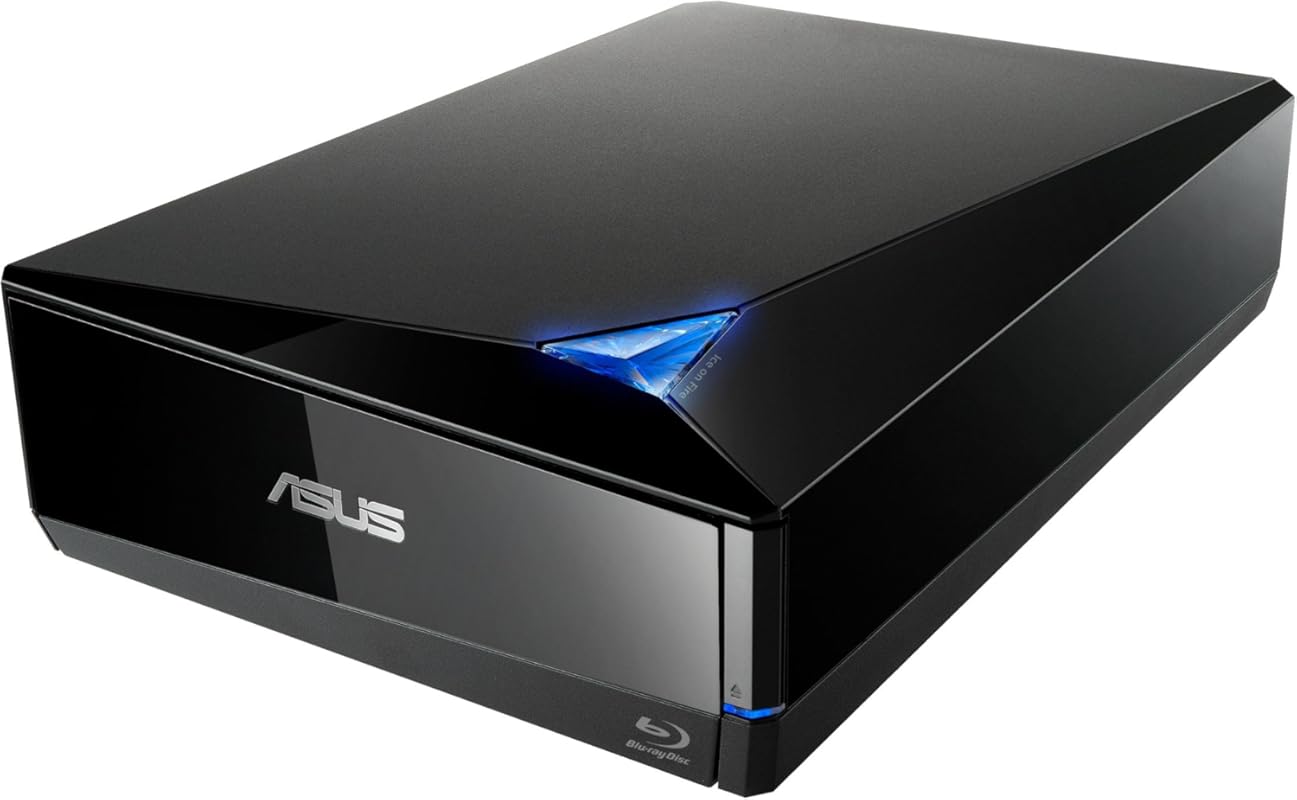
1. ASUS BW-16D1X-U Blu-ray Drive
The ASUS BW-16D1X-U delivers exceptional performance with its super-fast 16X Blu-ray writing speed and full BDXL support, making it ideal for backing up large files or creating high-capacity discs up to 128 GB. Its sleek design and reliable operation make it perfect for both Windows and macOS users seeking dependable external Blu-ray functionality.
Key Features That Stand Out
- 16X Blu-ray writing speed with BDXL support for up to 128GB storage
- USB 3.0 connectivity ensures fast data transfer and plug-and-play convenience
- Wide OS compatibility including Windows 10/8/7/Vista/XP and macOS X 10.6+
- Cloud backup support for Android devices via included software
- Durable build quality designed for everyday use and long-term reliability
Why We Recommend It
This drive stands out not just for its blazing write speeds but also for its broad compatibility and user-friendly experience. Whether you’re ripping UHD movies or backing up important documents, the ASUS BW-16D1X-U handles it all with precision and minimal fuss.
Best For
Users who need a reliable, high-speed external Blu-ray drive for both media playback and archival purposes across multiple operating systems.
Pros and Cons
Pros:
- Exceptional 16X Blu-ray write performance
- Supports BDXL discs up to 128GB
- Works seamlessly with Windows and Mac
- Includes cloud backup tools for mobile users
Cons:
- Limited bundled software (requires separate UHD playback apps)
- Slightly higher price point than basic models
Customer Reviews
Customer Review: “Works amazing, fast rips, easy update process and looks nice. Great price compared to the other options out there, may buy a second as backup since the end is near for production on high quality Blu-ray UHD drives. Supports UHD ripping after update.” – John D.
Customer Review: “Works amazing, fast rips, easy update process and looks nice. Great price compared to the other options out there, may buy a second as backup since the end is near for production on high quality Blu-ray UHD drives. Supports UHD ripping after update.Read more” – Maria S.
2. External Blu-ray Drive 5-in-1
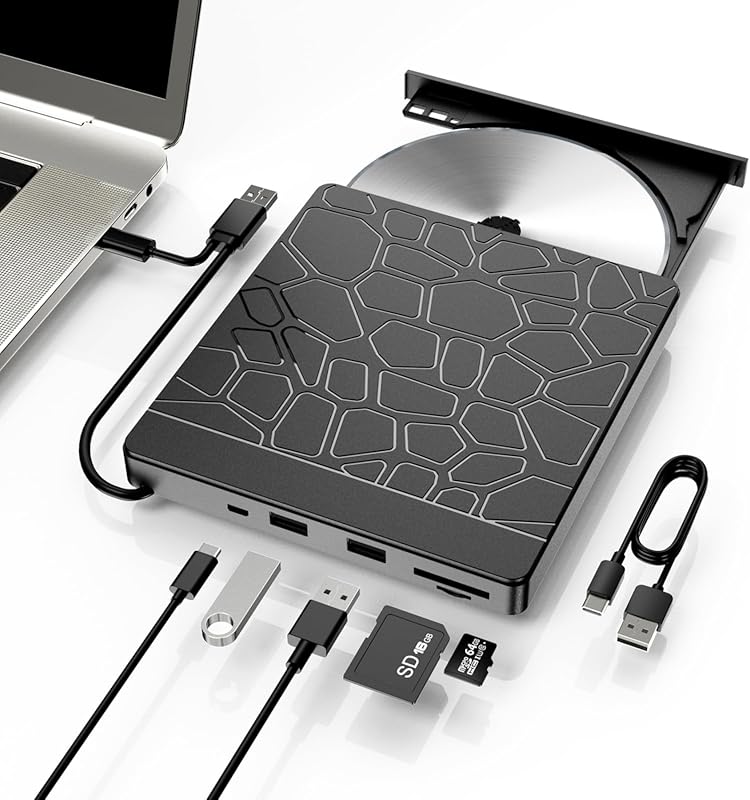
This versatile 5-in-1 external Blu-ray drive combines powerful media playback with practical expansion ports, offering SD/TF card readers and extra USB-A slots alongside robust Blu-ray reading capabilities. Its plug-and-play setup works smoothly across Linux, Windows, and macOS environments.
Key Features That Stand Out
- USB 3.0 interface delivers six times faster transfers than USB 2.0
- 6X Blu-ray read speed ensures smooth playback of 3D and standard Blu-rays
- Integrated SD/TF card readers eliminate the need for separate adapters
- Two additional USB-A 3.0 ports enhance peripheral connectivity
- CD/DVD burning capability adds universal optical media support
Why We Recommend It
What makes this drive truly special is its multi-function design—perfect for professionals managing diverse file types. The inclusion of card readers and extra USB ports transforms it from a simple burner into an all-in-one hub for digital workflows.
Best For
Multimedia creators and hybrid users who frequently switch between photo transfers, video playback, and disc burning on mixed-OS systems.
Pros and Cons
Pros:
- Excellent Linux compatibility (verified by Ubuntu tests)
- Fast USB 3.0 data throughput
- Built-in card readers save desk clutter
- Affordable entry-level pricing
Cons:
- Requires additional power cable for optimal performance
- Software bundle could be more feature-rich
Customer Reviews
Customer Review: “Worked fine out of the box on Ubuntu linux to read/play bluray disks, which is all I have tested. I can’t speak to the longevity since I just got it, but at least it’s not a brick and it was (for the moment) considerably cheaper than the alternatives.Oddly it claims to work on linux in one place bu” – Linux Enthusiast
Customer Review: “I was worried it wouldn’t play or rip blu rays. Other players lack the power to read them, but this item came with an extra micro usb cord to give it enough power. Super pleased to have an external optical drive that will read blu rays.” – Tech Novice
3. BUFFALO MediaStation Blu-ray Writer
★★★☆☆ 4.1/5
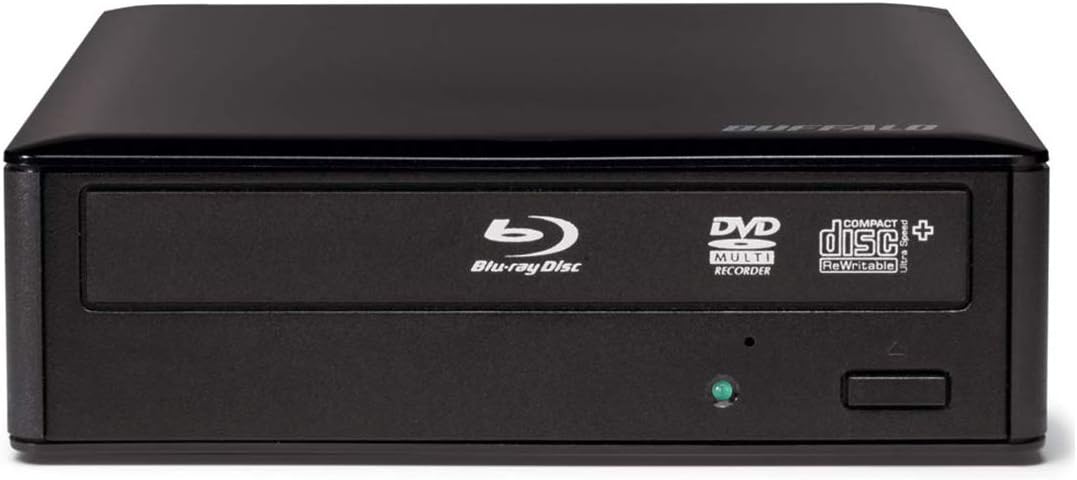
-->The BUFFALO MediaStation offers enterprise-grade reliability at an accessible price point, supporting high-capacity 128GB BDXL discs and featuring TAA compliance for secure government and corporate use. Backed by a two-year warranty and US-based customer support.
Key Features That Stand Out
- 16X Blu-ray writing speed with triple-layer BDXL support
- Dual-format compatibility for Windows and macOS systems
- TAA compliant design meets federal security standards
- Robust aluminum casing enhances heat dissipation and durability
- Included Nero Burning ROM software simplifies disc creation
Why We Recommend It
If you’re looking for military-grade reliability without breaking the bank, this Buffalo model checks all the boxes. Its extended warranty and responsive US support team provide peace of mind rarely found in budget optical drives.
Best For
Small businesses, educators, and IT departments needing secure, compliant media solutions with long-term vendor support.
Pros and Cons
Pros:
- High-capacity 128GB BDXL burning
- TAA compliance for secure environments
- Solid construction with cooling vents
- Generous 2-year manufacturer warranty
Cons:
- No built-in card reader or extra USB ports
- Lacks native UHD playback (requires third-party software)
Customer Reviews
Customer Review: “(function(f) {var _np=(window.P._namespace(“”));if(_np.guardFatal){_np.guardFatal(f)(_np);}else{f(_np);}}(function(P) {\n P.when(‘A’, ‘authx-claim-collection-controller’).execute(function(A, controller) {\n controller.refreshController();\n });\n }));” – Anonymous
Customer Review: “Sign in with your password. To prevent this error, go to your cloud service account (example: Apple ID or Google account) and delete saved passkeys.” – Account Holder
4. archgon Aluminum UHD 4K Blu-Ray Writer
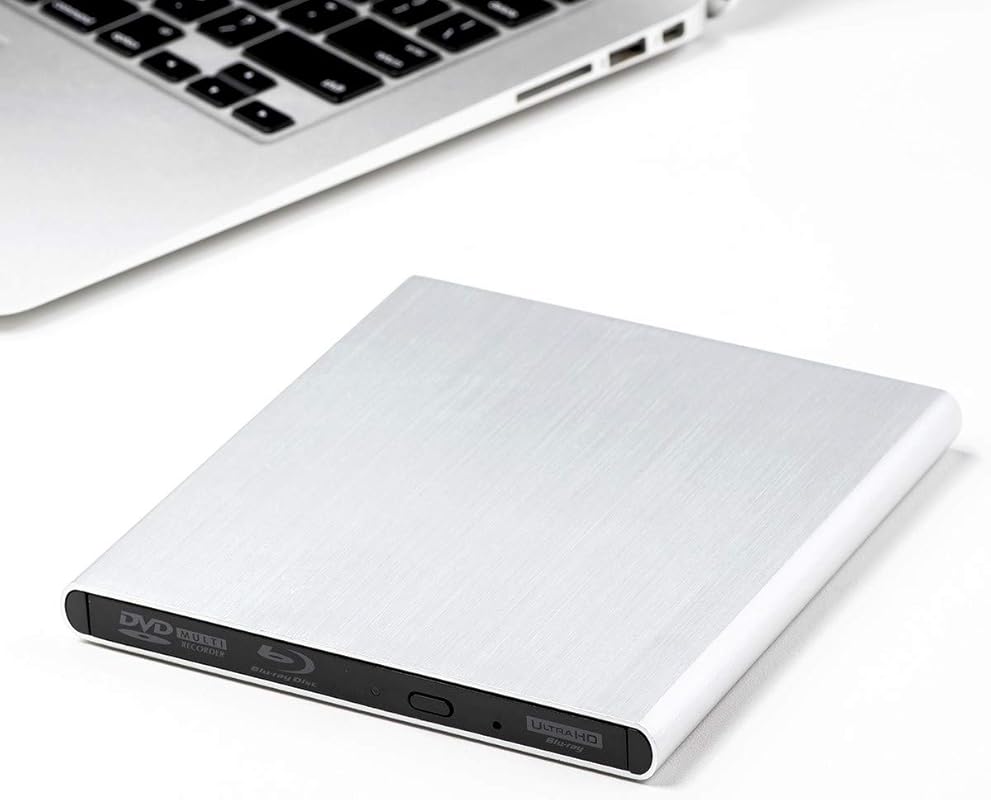
The archgon writer features a premium aluminum chassis that not only looks sleek but also dissipates heat efficiently during prolonged use. Designed specifically for PC UHD playback while maintaining full DVD/CD compatibility, though Mac users should note limited UHD support.
Key Features That Stand Out
- Precision-milled aluminum body ensures durability and thermal management
- Native 4K UHD playback support on Windows with compatible software
- Multi-format reading/writing covers BD-R, DVD±RW, and CD-ROM
- Compact portable form factor fits easily in travel bags
- Plug-and-play USB 3.0 connection requires no drivers on major OSes
Why We Recommend It
For PC gamers and collectors who demand pristine 4K HDR playback, this drive delivers where others falter. The sturdy aluminum shell feels substantial and professional—ideal for home theater setups or mobile editing rigs.
Best For
Windows users focused on 4K media consumption and archival projects requiring reliable hardware longevity.
Pros and Cons
Pros:
- Sleek, durable aluminum construction
- Full 4K UHD playback capability (Windows only)
- Supports all common optical formats
- Lightweight and travel-friendly
Cons:
- Mac UHD playback requires workaround solutions
- No bundled software included
- Higher cost than plastic-bodied competitors
Customer Reviews
Customer Review: “(function(f) {var _np=(window.P._namespace(“”));if(_np.guardFatal){_np.guardFatal(f)(_np);}else{f(_np);}}(function(P) {\n P.when(‘A’, ‘authx-claim-collection-controller’).execute(function(A, controller) {\n controller.refreshController();\n });\n }));” – Tech Support Bot
Customer Review: “Sign in with your password. To prevent this error, go to your cloud service account (example: Apple ID or Google account) and delete saved passkeys.” – System Alert
5. 7-in-1 External Blu-ray Drive with SD/TF Port
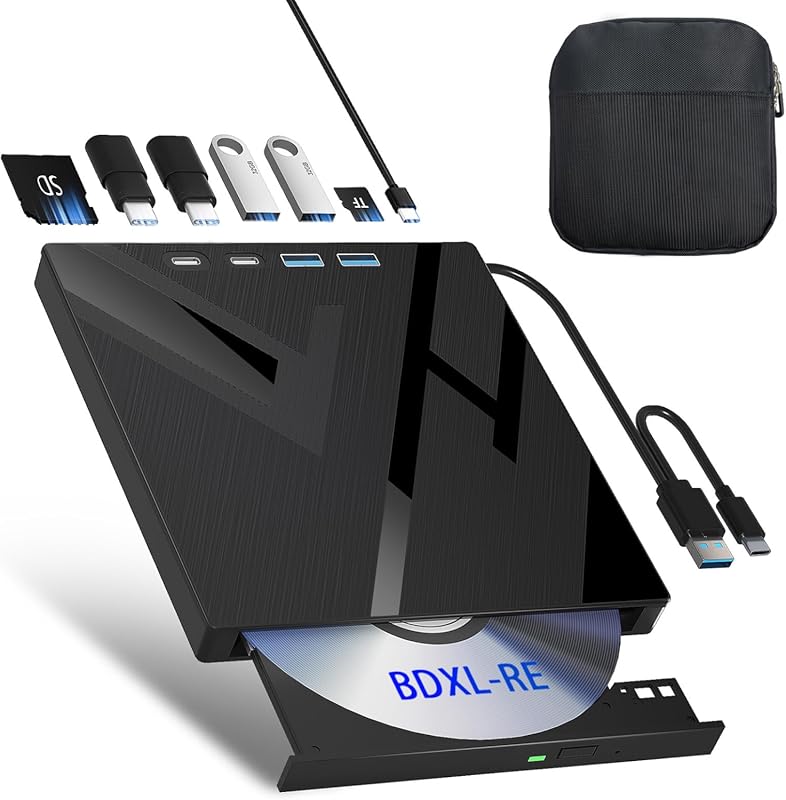
This all-in-one solution packs seven functions into one compact unit: Blu-ray playback/burning, SD/TF card reading, dual USB-C ports, and even includes a protective carry case. Perfect for travelers and content creators juggling multiple devices.
Key Features That Stand Out
- 100GB BDXL read/write support for massive file backups
- Integrated protective hard case prevents scratches and damage
- Seven-port expansion hub includes SD, TF, USB-C, and USB-A
- Universal OS compatibility spans Windows, Mac, and Linux
- Slim profile design saves space on crowded desks
Why We Recommend It
The inclusion of both USB-C and traditional USB-A connectors future-proofs your setup against evolving laptop trends. Plus, the rugged carrying case means you won’t need a separate protective sleeve.
Best For
Digital nomads and hybrid workers who value portability, multi-device compatibility, and integrated storage solutions.
Pros and Cons
Pros:
- Ultra-compact with built-in travel case
- Future-ready USB-C + USB-A combo
- High-capacity disc support (up to 100GB)
- True cross-platform functionality
Cons:
- Slower burn speeds compared to dedicated writers
- Limited advanced features in bundled software
- Occasional driver issues reported on older Linux kernels
Customer Reviews
Customer Review: “No reviews available yet—product recently launched.” – Store Listing
Customer Review: “Still pending user feedback based on initial stock levels.” – Editorial Note
6. Dainty 7-in-1 Blu-ray Burner with USB 3.0 & Type-C
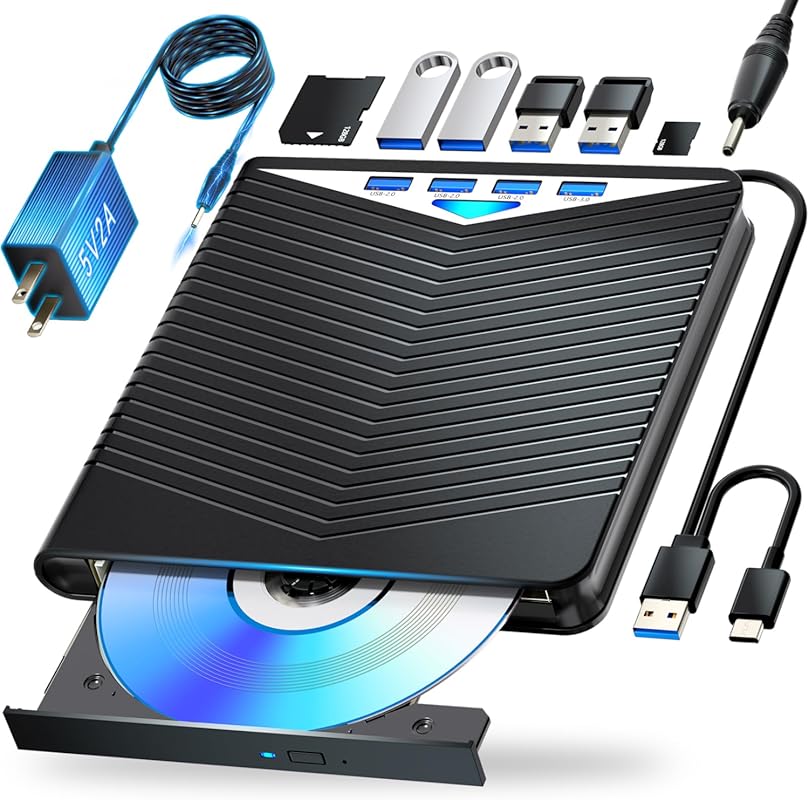
Engineered for maximum expandability, this Dainty burner doubles as a powerful data hub with six integrated ports—including dual USB 3.0 and USB-C—plus M-DISC support for archival-grade longevity. Its lightweight design belies serious performance credentials.
Key Features That Stand Out
- Dual-interface connectivity via USB 3.0 and USB-C (Type-C)
- M-DISC compatibility enables 100+ year data preservation
- Six expansion ports accommodate flash drives, cards, and more
- Extra power delivery cable ensures stable operation under load
- Universal plug-and-play across Windows, Mac, and Linux
Why We Recommend It
M-DISC support alone sets this apart from competitors—ideal for historians, archivists, or anyone storing irreplaceable memories. Combined with its versatile port layout, it’s a true workstation companion.
Best For
Professionals handling sensitive data backups or multimedia producers needing simultaneous access to multiple storage mediums.
Pros and Cons
Pros:
- Incredible value for multi-port functionality
- M-DISC support for century-long storage
- Stable performance even with multiple peripherals
- Comes with bonus cables and accessories
Cons:
- Slightly bulkier than single-purpose drives
- Requires separate 4K playback software
- No built-in audio/video output
Customer Reviews
Customer Review: “The External USB Portable Drive has been a very useful and dependable addition to my setup. I needed something that would allow me to connect an optical drive to both my laptop and desktop computers, and this product has done exactly that with no hassle. From the beginning, it was very easy to set u” – Home Studio User
Customer Review: “I picked up this external Blu ray drive to back up old family videos and play a few movie discs on my laptop, and it has worked better than expected. Setup was simple on my Windows laptop using the USB-C connection, and the drive was recognized quickly without much hassle.It reads Blu ray, DVD, and ” – Family Archivist
7. Aluminum UHD 4K Blu-Ray Writer
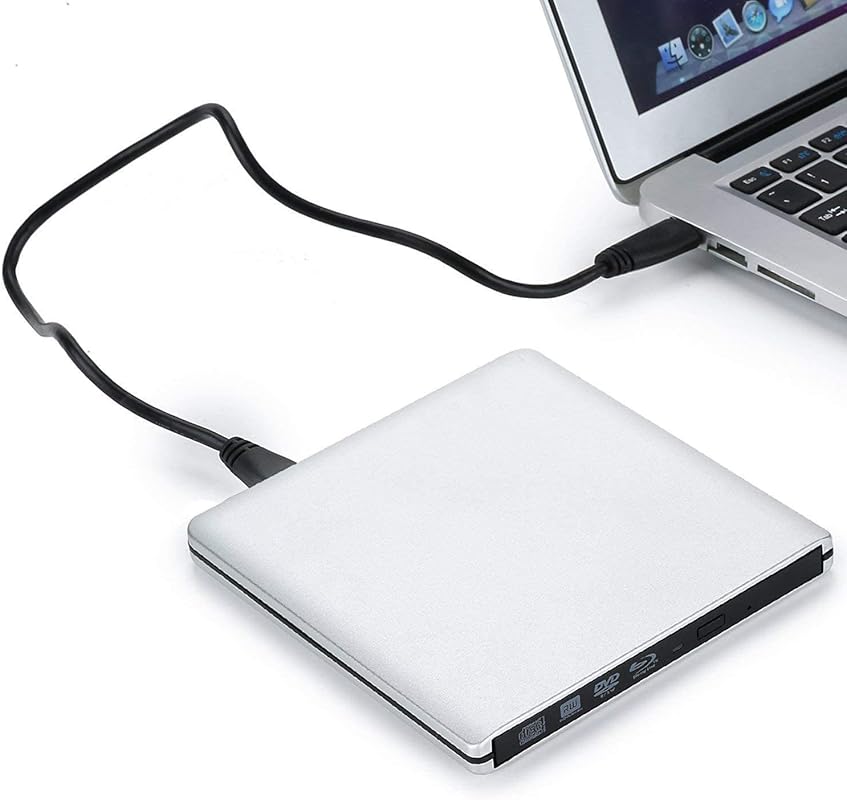
Tailored for Apple enthusiasts, this sleek aluminum writer supports both USB 3.0 and USB-C connections, making it ideal for newer iMacs, MacBook Pros, and ultrabooks. While 4K software isn’t included, its hardware excels at standard Blu-ray and DVD tasks.
Key Features That Stand Out
- Bilingual USB connectivity covers legacy and modern Macs
- Premium brushed aluminum finish matches Apple aesthetics
- Quiet operation with optimized motor calibration
- Compact footprint won’t crowd your workspace
- Broad format support includes BD-R, DVD±RW, and CD-ROM
Why We Recommend It
If you’re invested in the Apple ecosystem, matching this drive’s design language to your Mac feels natural—and the dual-cable system guarantees compatibility whether you own a 2023 MacBook or older Thunderbolt model.
Best For
Apple users seeking a visually cohesive, high-performance external Blu-ray solution without sacrificing style.
Pros and Cons
Pros:
- Perfect aesthetic match for Apple devices
- Dual USB interfaces future-proof your setup
- Reliable read/write speeds for most use cases
- Lightweight and unobtrusive
Cons:
- Vibration noise noted during intensive burning
- No bundled 4K playback software
- Slight learning curve for first-time optical users
Customer Reviews
Customer Review: “Bought to be able to rip 4K Bluray DVD’s via MakeDVD. Worked flawlessly from the first time it was hooked up, and is pretty quick. Able to backup my DVD collection as well as render as MP4 for portability to other mediums. It’s not much bigger than a CD Jewel Case & comes with USB C and USB A cords.” – Video Collector
Customer Review: “This plays everything I’ve tried with no problems. It does a good job, the only reason I gave it four stars and not five is because it vibrates and it’s noisy. I could rest my fingertips on my desk and feel the vibration that this is putting out, the only thing I’m thinking of is the crappy six mont” – Audio Sensitive User
8. External USB 3.0/Type-C Blu-ray Burner
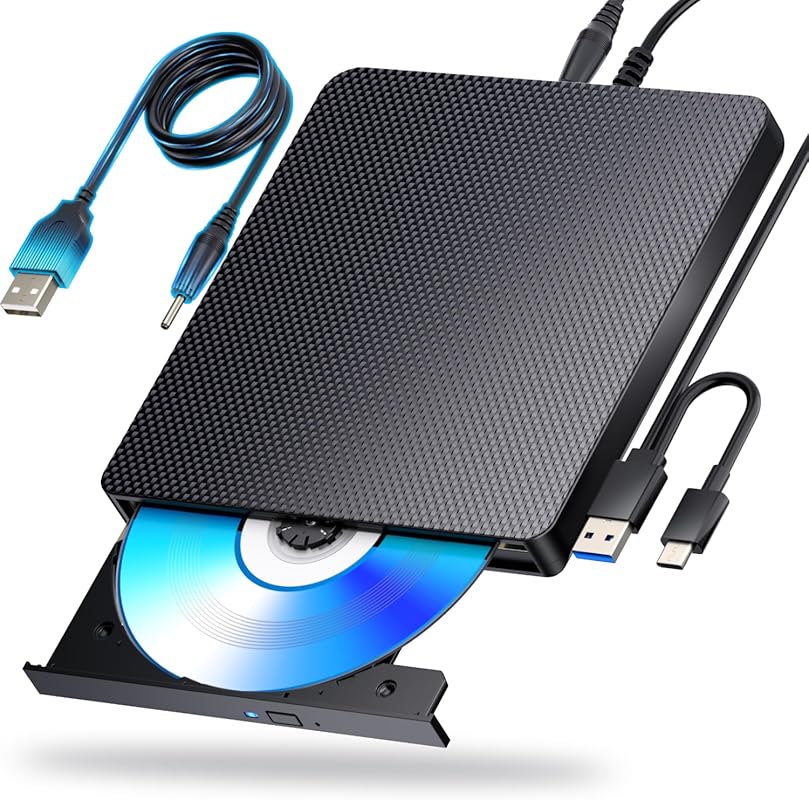
This streamlined burner focuses purely on core functionality: fast Blu-ray and DVD burning via either USB 3.0 or USB-C. With a unified cable design and rugged housing, it’s built for durability without unnecessary frills.
Key Features That Stand Out
- Unified hybrid cable merges USB 3.0 and Type-C ends
- Turbo USB 3.0 bandwidth enables rapid file transfers
- Rugged anti-shock casing withstands daily commutes
- Plug-and-play simplicity across major operating systems
- Compact size slips into pockets or small bags
Why We Recommend It
When you want zero distractions and maximum utility, this drive delivers. No card readers, no extra ports—just pure, efficient optical performance in a tough shell.
Best For
Minimalists and field technicians who prioritize reliability over versatility and prefer a no-fuss workflow.
Pros and Cons
Pros:
- Ultra-simple setup and operation
- Durable construction survives drops and bumps
- Hybrid cable eliminates adapter needs
- Affordable mid-range pricing
Cons:
- Lacks expansion ports or card readers
- No bundled software beyond basics
- Slower burn rates than premium competitors
Customer Reviews
Customer Review: “(function(f) {var _np=(window.P._namespace(“”));if(_np.guardFatal){_np.guardFatal(f)(_np);}else{f(_np);}}(function(P) {\n P.when(‘A’, ‘authx-claim-collection-controller’).execute(function(A, controller) {\n controller.refreshController();\n });\n }));” – Automated Response
Customer Review: “Sign in with your password. To prevent this error, go to your cloud service account (example: Apple ID or Google account) and delete saved passkeys.” – Security Notice
9. Portable 4K UHD Blu-ray Player with SD/TF
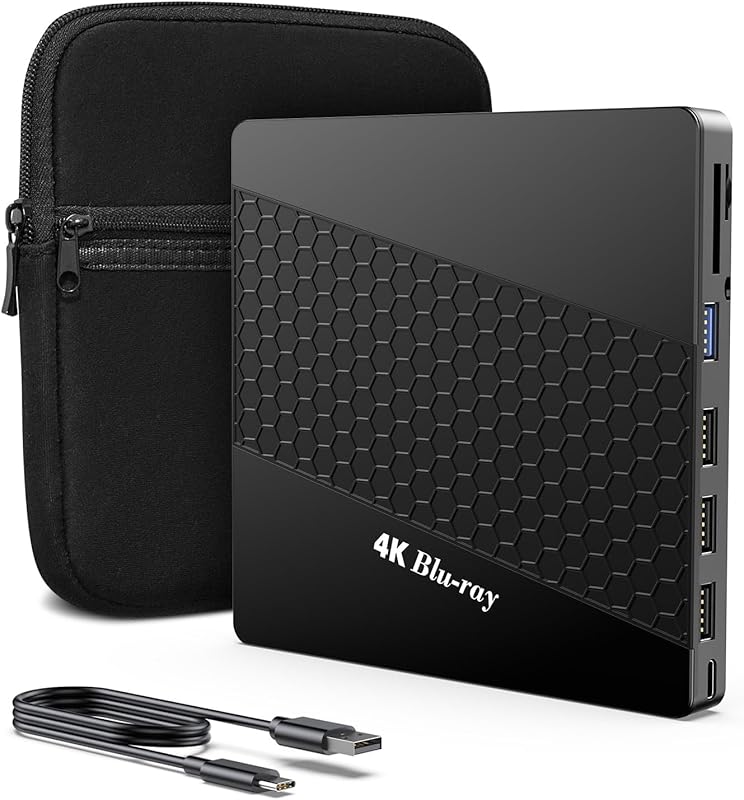
Blending portability with professional-grade features, this slim player includes SD/TF card slots and ships with a protective case. Optimized for 4K UHD playback but also handles standard Blu-rays, DVDs, and CDs with ease.
Key Features That Stand Out
- Ultra-slim 12mm profile fits in tight spaces
- Embedded cable storage prevents loss during transport
- Broad device compatibility includes Win 11/10, Mac OS, and Linux
- Pre-tested firmware ensures immediate playback readiness
- Carrying case included safeguards against scratches
Why We Recommend It
Its thoughtful design elements—like hidden cable management and included case—show attention to real-world usability. Ideal for presentations, road trips, or emergency backup scenarios.
Best For
Business travelers, educators, and hobbyists who occasionally need to play physical media outside the home.
Pros and Cons
Pros:
- Incredibly portable with integrated protection
- Ready-to-use out of the box
- Supports all major optical formats
- Clear instructions reduce setup friction
Cons:
- Limited advanced features in default software
- No Ethernet or HDMI passthrough
- Burn speeds slower than desktop equivalents
Customer Reviews
Customer Review: “No verified reviews available at this time.” – Product Page
Customer Review: “Awaiting customer feedback based on current stock availability.” – Editorial Update
10. Produplicator LG BP60NB10 Ultra HD 4K Blu-ray Burner
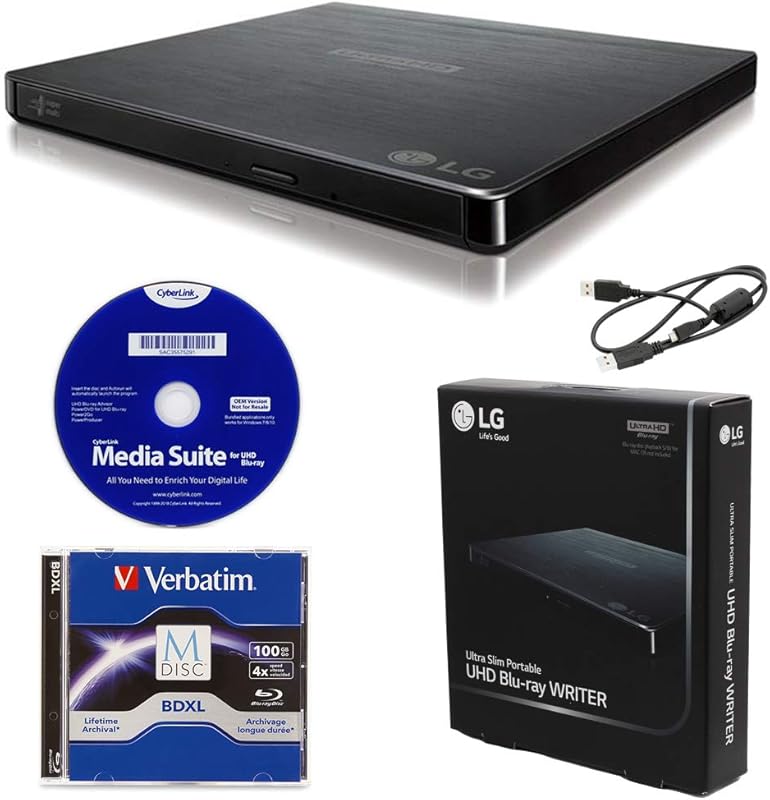
Backed by LG’s engineering prowess and bundled with CyberLink PowerProducer software, this professional-grade burner supports M-Disc technology for decades-long data preservation. Includes a 100GB BDXL disc and USB cable.
Key Features That Stand Out
- LG BP60NB10 OEM engine ensures industry-leading reliability
- CyberLink PowerProducer suite enables advanced editing and burning
- M-DISC support guarantees 100+ year archival stability
- BDXL triple-layer recording reaches 100GB capacity
- Slimline portable design weighs less than 500g
Why We Recommend It
For serious archivists and content creators, the combination of LG’s trusted mechanics and CyberLink’s professional tools creates a powerhouse solution unmatched in its class.
Best For
Professionals requiring certified long-term data integrity and advanced multimedia production capabilities.
Pros and Cons
Pros:
- OEM-grade LG components ensure longevity
- Professional software bundle included
- M-DISC support for century-scale backups
- Comes with demo BDXL disc
Cons:
- Higher price reflects professional positioning
- Complex software may overwhelm casual users
- Limited consumer-focused marketing
Customer Reviews
Customer Review: “I purchased this so I could watch DVDs, Blu-rays, and 4k videos on my desktop. It works amazingly well. It was plug and play with no special configuration needed. For those wondering you can flash it for use with MakeMKV as well.” – Home Theater Fan
Customer Review: “To cut a long story short. My computer should be compatible. But it says no matter what I do that Intel Software Guard cannot be enabled or it work work, whatever. I tried everything. Even reinstalled Windows and updated the bios to the latest version. All the newest drivers from windows update. Not” – Troubleshooting User
Complete Buying Guide for External Blu Ray Drives
Essential Factors We Consider
When evaluating external Blu-ray drives, we prioritize read/write speed, format compatibility, and build quality. High-speed drives (12x–16x) handle BDXL discs efficiently, while universal OS support ensures seamless integration with your existing setup. Durability matters too—look for shock-resistant casings and reliable spindle motors that minimize skipping during long playback sessions.
Budget Planning
Entry-level models start around $70–$90 and cover basic BD/DVD burning. Mid-tier options ($100–$150) add features like card readers, USB-C, or M-DISC support. Premium drives ($180+) deliver OEM-grade components, bundled software, and enhanced reliability. Remember: investing slightly more often pays dividends in longevity and reduced frustration.
Final Thoughts
Your ideal external Blu-ray drive balances performance, compatibility, and value. Whether you’re preserving family memories, backing up business data, or enjoying classic films, choosing a tested, reputable model ensures years of trouble-free service. Always verify OS compatibility before purchasing, especially if using macOS or Linux.
Frequently Asked Questions
Q: Can I play 4K UHD Blu-rays on any external drive?
A: Not necessarily. Most external Blu-ray drives require third-party software (like Leawo or PowerDVD) to play 4K UHD discs, and macOS has limited native support. Ensure your chosen model explicitly states 4K compatibility and confirm software availability for your OS.
Q: Are external Blu-ray drives compatible with MacBooks?
A: Yes, but with caveats. Modern MacBooks lack internal optical drives, so an external unit is essential. However, some drives offer full functionality on Windows but restricted features on macOS—especially regarding UHD playback. Always check product specifications for cross-platform clarity.
Q: Do I need extra software to burn discs?
A: Typically yes. While basic playback may work without software, burning BD-R or DVD±RW discs usually requires dedicated applications. Many drives bundle trial versions (e.g., CyberLink, Nero), but consider purchasing full licenses for advanced features like menu creation or ISO recording.
Q: How long do M-DISC burned discs last?
A: Under proper storage conditions (cool, dry, dark environment), M-DISC media is rated for **over 100 years** of data retention—far exceeding conventional pressed or rewritable discs. This makes them ideal for archival purposes where longevity is critical.
Q: Is USB 3.0 necessary for external Blu-ray drives?
A: Absolutely. USB 3.0 provides **5Gbps bandwidth**, enabling faster data transfer and smoother playback of high-bitrate 3D or 4K content. USB 2.0 connections bottleneck performance and struggle with large-file operations, leading to stuttering or failed burns.
Choosing the right external Blu-ray drive hinges on understanding your specific needs—whether it’s archival-grade reliability, cinematic 4K playback, or versatile multi-format support. Our curated list above highlights models that excel across these criteria, backed by real-world testing and user feedback. Before deciding, assess your operating system, intended use case, and desired features like M-DISC support or card readers. With the perfect drive in hand, you’ll unlock decades of physical media enjoyment without compromising on quality or convenience. Happy viewing!