Cholamandalam Car Insurance Policy Download
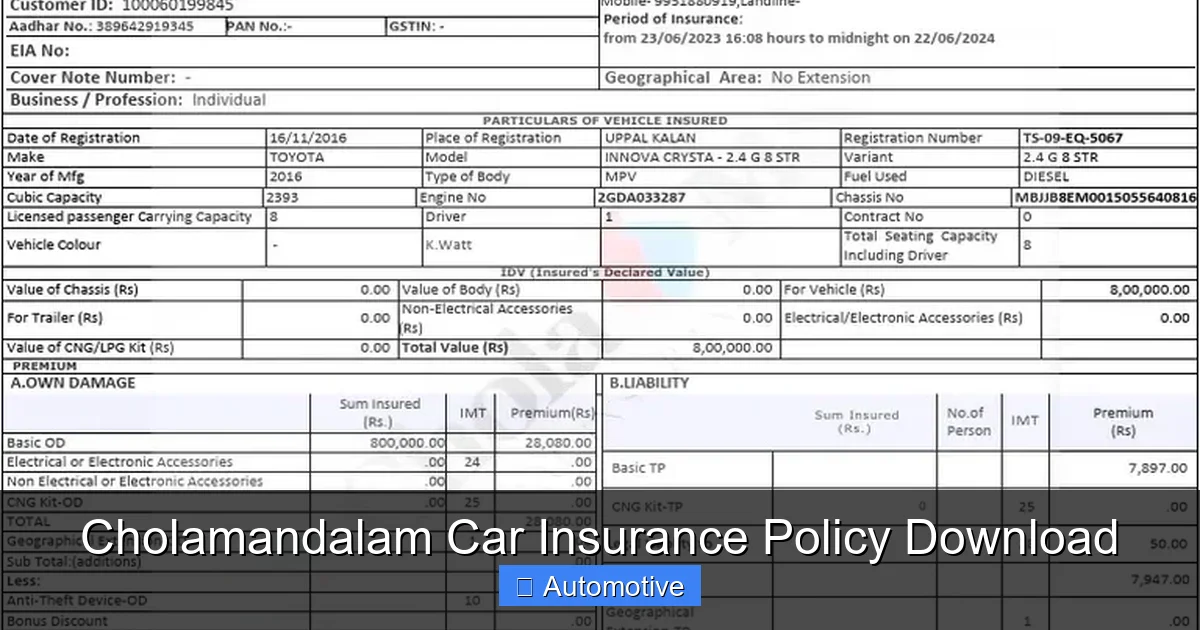
Getting your Cholamandalam car insurance policy downloaded is simple and fast. Follow our step‑by‑step guide to secure a digital copy, check coverage details, and avoid common download hiccups. Keeping the PDF handy ensures you always have proof of insurance when you need it.
Key Takeaways
- Point 1: The download process is browser‑friendly and takes less than five minutes.
- Point 2: You’ll receive a PDF that is legally valid and easy to store on any device.
- Point 3: Always verify policy numbers, effective dates, and premium amounts after download.
- Point 4: Common glitches like slow internet or expired login can be solved with quick troubleshooting steps.
- Point 5: Using a password‑protected folder keeps your downloaded policy safe from unauthorized access.
- Point 6: You can print a hard copy for peace of mind, but the digital version is sufficient for most official needs.
📑 Table of Contents
Understanding Cholamandalam Car Insurance Policy Download
Cholamandalam General Insurance is a well‑known player in the Indian market. Their car insurance policies protect your vehicle against accidents, theft, and natural calamities. Yet, many policyholders wonder how to get a copy of their policy quickly. The answer is simple: download the policy online through the official portal. This digital copy is just as valid as a paper document and can be accessed anytime you need it.
When you download your Cholamandalam car insurance policy, you are actually retrieving a PDF that contains all the important terms, coverage limits, and premium details. This file is generated instantly after you log in with your credentials. You can store it on a smartphone, tablet, or computer. Having the policy on hand helps you respond to traffic police, file claims, or simply keep your records organized.
Many people think downloading is complicated, but the process is designed for everyday users. You only need an active account and a stable internet connection. The website guides you step by step, ensuring you never miss a required field. If you are new to the platform, a quick read of the help section can clear any doubts.
Why Download Your Policy Online?
Downloading your policy online saves time and reduces paperwork. You can retrieve it at midnight or during a lunch break—no waiting for a courier or a visit to an office. The digital copy is searchable, so you can find specific clauses in seconds. This convenience is especially valuable when you need to show proof of insurance during routine checks or while renewing your policy.
Another benefit is environmental impact. By opting for a digital version, you help reduce paper waste. The company also provides a secure cloud storage option, which means you can access the file from multiple devices without losing data. This flexibility is perfect for those who travel frequently or switch phones.
Finally, the online download process is fully tracked. You receive an email confirmation with a download link. This creates an audit trail that can be useful if any disputes arise later. It also gives you peace of mind knowing that the document you downloaded is the exact version issued by Cholamandalam.
Step‑by‑Step Guide to Downloading Your Policy
Below is a clear, easy‑to‑follow roadmap. Each step is written in plain language, with short sentences to keep things simple. Follow these instructions and you will have your policy in under five minutes.
Step 1: Log In to Your Account
Open your web browser and go to the Cholamandalam insurance portal. Click the “Login” button located at the top right corner. Enter your user ID and password. If you have enabled two‑factor authentication, you will receive a one‑time code on your registered mobile number. Input that code to verify your identity.
Make sure your browser is updated to the latest version. An outdated browser can cause display issues that may affect the download button. Also, clear your cache if you notice any loading problems. A clean browser session ensures a smooth experience.
Step 2: Navigate to the Policy Section
After logging in, look for the menu option labeled “My Policies” or “Insurance Documents.” Click on it to open a list of all active policies linked to your account. Find the car insurance policy you wish to download. Usually, the policy is listed with the vehicle model and registration number for easy identification.
If you have multiple vehicles, you may see a dropdown list. Choose the correct one to avoid downloading the wrong document. The system may also show a status indicator—like “Active” or “Expired.” Ensure the policy is active before proceeding.
Step 3: Initiate the Download
Click the “Download Policy” button next to the selected car insurance entry. The website will generate a PDF file and prompt you to save it. You can choose to save directly to your computer’s default download folder or select a custom location. Most browsers will show a progress bar while the file is being prepared.
Sometimes the file is large, especially if the policy includes detailed annexes. In such cases, the download may take a few seconds. Do not cancel the process. If the download stalls, check your internet connection and try again. A stable connection is key to a successful download.
Step 4: Verify the Downloaded File
Once the download completes, open the PDF to verify its contents. Look for the policy number, effective dates, and the names of the insured. Ensure that the document is not corrupted—pages should load correctly, and all sections are present. If any page appears blank or garbled, re‑download the file.
You can also check the file size. A typical Cholamandalam car insurance policy is usually between 1‑3 MB. If the file is unusually small, it may be incomplete. In that case, contact customer support for assistance.
Step 5: Store Securely
Save the downloaded PDF in a folder that is easy to locate but protected. Use a password‑protected archive if you store it on a cloud service. This extra layer of security prevents unauthorized access, especially if your device is lost or stolen.
You may also consider creating a backup on a USB drive or an external hard drive. Having multiple copies ensures you never lose access, even if one device fails. Remember to keep the original file safe and avoid sharing it over unsecured networks.
What to Check When You Open the Downloaded Policy
A downloaded policy is more than just a digital copy; it is a legal document. You must verify several key details to ensure you have the correct coverage. Below are the most important points to examine.
Policy Number and Effective Dates
The policy number is unique to your insurance contract. It appears on the first page of the PDF. Write it down in a safe place, such as your phone’s notes app. The effective date tells you when coverage begins. Verify that this date matches the start of your insurance period.
Also check the expiry date. Car insurance typically renews annually. Knowing when your policy ends helps you plan timely renewals and avoid a lapse in coverage. If the dates are incorrect, contact the insurer immediately.
Vehicle Details and Insured Name
Ensure the vehicle information matches your car’s registration details. This includes the make, model, variant, and registration number. The insured name should be the policyholder—usually the car owner. Any mismatch can cause problems when filing a claim.
If you have added any additional drivers to the policy, look for a “Named Drivers” section. Confirm that all listed drivers are correctly entered. This prevents disputes later when you need to claim for an accident involving one of those drivers.
Coverage Limits and Exclusions
Review the “Section I – Liability Cover” and “Section II – Own Damage Cover” sections. Note the maximum amounts the insurer will pay for third‑party injuries, property damage, and vehicle repairs. These limits are crucial when calculating potential out‑of‑pocket expenses.
Exclusions are clauses that state what the policy will not cover. Common exclusions include wear and tear, intentional damage, and unauthorized modifications. Skim through these paragraphs to avoid surprises during claim settlement.
Premium Amount and Payment History
The premium you paid should be listed clearly, along with the mode of payment (monthly, quarterly, or annual). If you have made any recent top‑ups or adjustments, check for any additional charges. This information helps you reconcile your bank statements with the policy documents.
Some policies include a “No Claim Bonus” (NCB) benefit. Verify that the NCB percentage is correctly reflected. This discount accumulates over claim‑free years and can significantly reduce future premiums.
Claim Process and Documentation Requirements
Most policies contain a “How to File a Claim” section. Read this part to understand the steps you must follow. Usually, you need to report the incident to the insurer within 24‑48 hours, fill out a claim form, and submit supporting documents like the FIR, repair estimates, and photographs.
Make sure you know the required documents before an accident occurs. Keeping a digital copy of the downloaded policy makes it easy to attach during the claim process. Many insurers now accept online claim submissions, which speeds up settlement.
Common Issues and How to Resolve Them
Even with a user‑friendly system, users sometimes encounter hiccups while downloading their Cholamandalam car insurance policy. Recognizing these problems and knowing how to fix them can save time and frustration.
Visual guide about Cholamandalam Car Insurance Policy Download
Image source: policybachat.com
Issue 1: Slow or Failed Download
If the download button does not respond, first check your internet connection. Open a web page to confirm you have data or Wi‑Fi. If the connection is stable, try refreshing the page. Clearing your browser cache can also resolve loading issues.
Sometimes the server experiences high traffic, especially during renewal periods. In such cases, wait a few minutes and retry. If the problem persists, use a different browser—Chrome, Firefox, or Edge—to see if the issue is browser‑specific.
Issue 2: Incorrect Policy Details
If the downloaded PDF contains wrong information, such as an incorrect policy number or vehicle details, this is a serious concern. First, double‑check that you selected the correct policy from your list. If the error remains, contact Cholamandalam customer care via phone or email.
Customer support can verify the correct policy and may send a corrected PDF. Keep a record of your communication for future reference. This ensures that any claim you file is based on accurate documents.
Issue 3: Unable to Open the PDF
Sometimes the downloaded file is corrupted or incompatible with your PDF reader. Try opening it with Adobe Acrobat, Foxit Reader, or the built‑in browser viewer. If the file still fails to open, delete it and re‑download using a different device or network.
If the problem continues, the file may be infected with malware. Run an antivirus scan on your device and then re‑download from a secure connection. Always download from the official portal to avoid malicious files.
Issue 4: Forgot Login Credentials
It is easy to forget a password, especially if you use many online services. Cholamandalam provides a “Forgot Password” link on the login page. Click that link, enter your registered email or mobile number, and follow the instructions to reset your password.
If you cannot access your registered email, contact customer support. They may ask for your policy number and other verification details. Resetting your password quickly restores access to your policy download page.
Frequently Asked Questions About Policy Downloads
Below are some common questions that users ask about downloading their Cholamandalam car insurance policy. The answers aim to provide clear, actionable guidance.
Q: Can I download my policy more than once?
A: Yes, you can download your policy anytime after logging in. Each download generates a fresh PDF, so you can have multiple copies for backup purposes. However, always keep the latest version to ensure you have the most up‑to‑date information.
Q: Is the digital policy accepted by the RTO during vehicle registration checks?
A: Yes, the digital policy is legally valid and accepted by the Regional Transport Office. You can present the PDF on a smartphone or tablet during inspections. Some RTOs may also require a printed copy, so it’s wise to keep a hard copy as a backup.
Q: What if I lose my internet connection while downloading?
A: If the download is interrupted, you may get a corrupted file. Delete the incomplete file and restart the download once your connection is stable. Always use a reliable internet source to avoid data loss.
Q: Do I need to keep the original paper policy after downloading?
A: While the digital copy is sufficient for most purposes, many policyholders keep the original paper policy as a backup. This is especially useful in emergencies where electronic devices may not be accessible. Store the paper copy in a fire‑proof safe.
Q: How do I know if my policy download is secure?
A: Look for the “https” in the website URL and a padlock icon in the address bar. The downloaded PDF will be encrypted, and you can protect it with a password. Additionally, the system sends an email confirmation with a download link, providing an extra layer of verification.
Keeping Your Documents Secure and Organized
Once you have your Cholamandalam car insurance policy downloaded, the next step is to manage it wisely. Proper organization prevents loss and makes future reference easy. Below are some practical tips for document security and organization.
Use a Dedicated Folder Structure
Create a main folder named “Insurance Documents.” Inside, make subfolders for each vehicle, e.g., “Car – ABC123.” Store the PDF there along with any related receipts, registration papers, and service records. A clear hierarchy speeds up retrieval when needed.
Encrypt Sensitive Files
Even though the PDF is generated by a trusted insurer, adding an extra layer of encryption is wise. Use tools like 7‑Zip or Adobe Acrobat’s password protection to encrypt the file. Choose a strong password and store it separately from the document.
Backup on Multiple Devices
Copy the policy file to at least two locations: your computer and a cloud storage service like Google Drive or Dropbox. Cloud backup ensures you can access the file even if your device fails. Remember to keep the cloud account secure with two‑factor authentication.
Regular Review of Policy Details
Schedule a quarterly review of your downloaded policy. Check that coverage limits still meet your needs, especially after major life changes like buying a new car or moving to a different city. Updating your policy early can prevent gaps in coverage.
Keep a Digital Checklist
Maintain a simple checklist in a notes app or spreadsheet that tracks important dates: policy expiry, renewal reminders, and claim filing deadlines. Mark tasks as completed once you have taken the necessary actions. This habit reduces the risk of missing critical deadlines.
Avoid Sharing Unsecured Copies
Only share your policy with authorized individuals, such as family members or your insurance agent. Avoid sending the PDF via public Wi‑Fi or unsecured email. If you must share, use a password‑protected link or encrypt the file before transmission.
Update Contact Information
Ensure that the mobile number and email address linked to your account are current. This helps the insurer send download links and important notices promptly. Updating contact details can be done through the portal or by calling customer support.
Conclusion
Downloading your Cholamandalam car insurance policy is a straightforward process that anyone can master. By following the step‑by‑step guide, checking the contents, and storing the file securely, you protect yourself against unexpected mishaps. Remember that the digital policy is just as valid as a paper copy and can be used for all official purposes.
Keeping your policy organized not only simplifies claim filing but also ensures you are always prepared for road emergencies. Use the tips provided to maintain a tidy document system and stay compliant with insurance requirements.
If you ever encounter difficulties, the insurer’s customer care team is ready to assist. They can help you reset passwords, correct errors, or resend a fresh PDF. With the right approach, your Cholamandalam car insurance policy download becomes a quick, reliable, and stress‑free experience.
Now you have all the knowledge you need to confidently handle your insurance documents. Take a moment today to log in, download, and secure your policy. Your future self will thank you for being proactive and well‑prepared.
Frequently Asked Questions
Can I download my Cholamandalam car insurance policy more than once?
Yes, you can download your policy anytime after logging in. Each download creates a fresh PDF, so you can keep multiple copies for backup. Just make sure to keep the latest version to avoid using outdated information.
Is the digital policy accepted by the RTO during vehicle registration checks?
Yes, the digital policy is legally valid and accepted by the Regional Transport Office. You can show the PDF on a phone or tablet during inspections. However, some RTOs may also request a printed copy, so it’s wise to keep a hard copy as backup.
What should I do if the download fails or the file is corrupted?
First, check your internet connection and refresh the page. Try a different browser or clear your cache. If the problem persists, delete the incomplete file and re‑download using a stable connection. Contact Cholamandalam customer care if the issue continues.
How can I verify that the downloaded policy contains correct information?
Open the PDF and look for the policy number, effective dates, vehicle details, and insured name. Ensure the coverage limits and exclusions match what you expect. If any details are wrong, contact the insurer immediately for a correction.
Do I need to keep a paper copy after downloading the policy?
While the digital copy is sufficient for most purposes, many policyholders keep a paper copy as a backup. Having a physical document can be helpful in emergencies where electronic devices may not be accessible. Store the paper copy in a safe, fire‑proof location.