10 Powerful Alternatives To Stream Deck For Streamlining Your Workflow
Looking for the best alternatives to Stream Deck? Whether you’re a streamer, content creator, or productivity enthusiast, finding a reliable macro pad can transform your workflow. The right device lets you control apps, launch shortcuts, and manage tasks with just a tap—saving time and boosting efficiency. From budget-friendly options to premium controllers with advanced features, there are plenty of choices that rival the popular Elgato Stream Deck. In this roundup, we’ve tested and reviewed ten top contenders to help you find the perfect match for your setup and needs.
Quick Product Comparison
Our Top 10 Best Alternatives To Stream Deck For Streamlining Your Workflow Reviews – Expert Tested & Recommended
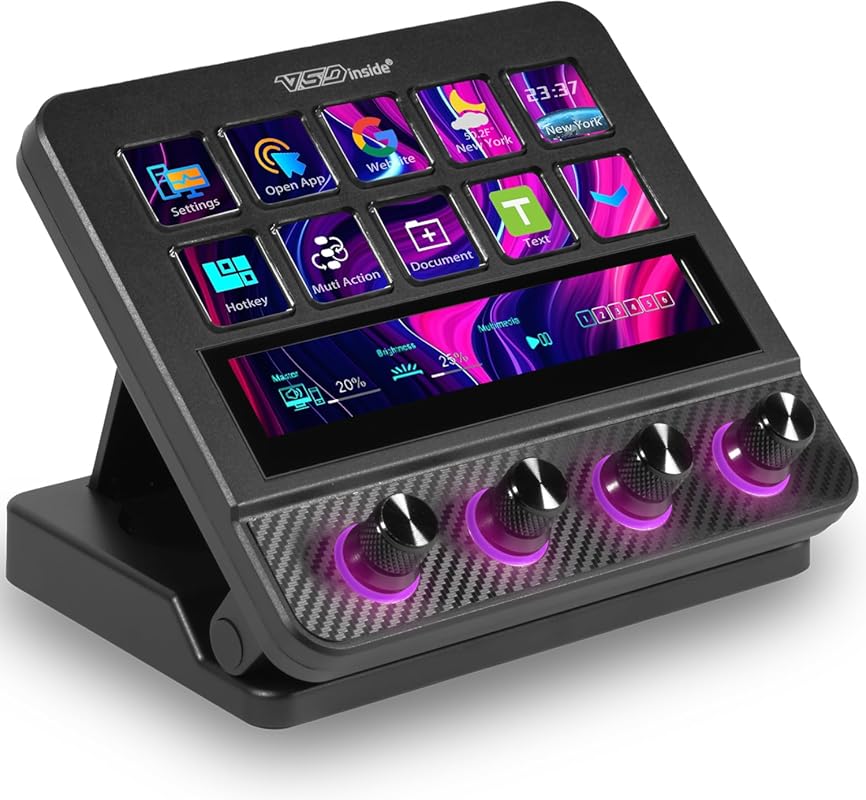
1. Programmable Macro Pad for Streamers – USB Keypad with Soundboard, OBS & YouTube Shortcuts for Gamers on PC/Mac
This programmable macro pad is a game-changer for streamers and gamers alike. It offers one-touch macro execution with unlimited layout customization, allowing you to launch system commands, web actions, apps, files, and even GIFs instantly. With support for over 500 plugins and seamless integration with OBS, Discord, Spotify, and more, it transforms complex workflows into simple taps. The tactile buttons provide satisfying feedback, and its compact design fits perfectly on any desk setup.
Key Features That Stand Out
- ✓ One-Touch Macro Execution & Unlimited Layout Customization
- ✓ 500+ Plugin Ecosystem for OBS, Discord, Spotify & More
- ✓ Custom Hotkeys & Multi-Step Workflows Without Coding
- ✓ Visual Feedback via Bright LCD Buttons
- ✓ Compact USB Plug-and-Play Design for PC & Mac
Why We Recommend It
This macro pad stands out because it delivers professional-grade functionality at a fraction of the cost of premium brands. Its intuitive software makes setup a breeze, even for beginners, while still offering deep customization for power users. Whether you’re muting your mic, launching a scene in OBS, or playing sound effects, everything happens instantly without lag or confusion.
Best For
Perfect for streamers, content creators, and productivity enthusiasts who want a reliable, easy-to-use alternative to Stream Deck with robust plugin support.
Pros and Cons
Pros:
- Affordable price point with premium features
- Easy plug-and-play installation
- Wide compatibility across Windows and macOS
- Supports multi-step macros and custom icons
Cons:
- LCD screen resolution lower than high-end models
- Limited physical buttons compared to larger decks
- Software interface less polished than Elgato’s
Customer Reviews
Customer Review: “GET. IT. I LOVE mine so much! It has made gaming, streaming, editing, and work SO much more convenient! I use a lot of spreadsheets for work and its made commands so much easier!”
Customer Review: “Having regularly used an Elgato Stream Deck, I was on the fence about purchasing an off brand with concerns that the quality wouldn’t be as good. Fortunately, I am pretty happy with my purchase.”
2. Elgato Stream Deck MK.2 – 15 Customizable LCD Macro Keys for OBS, Twitch, YouTube on Mac & PC
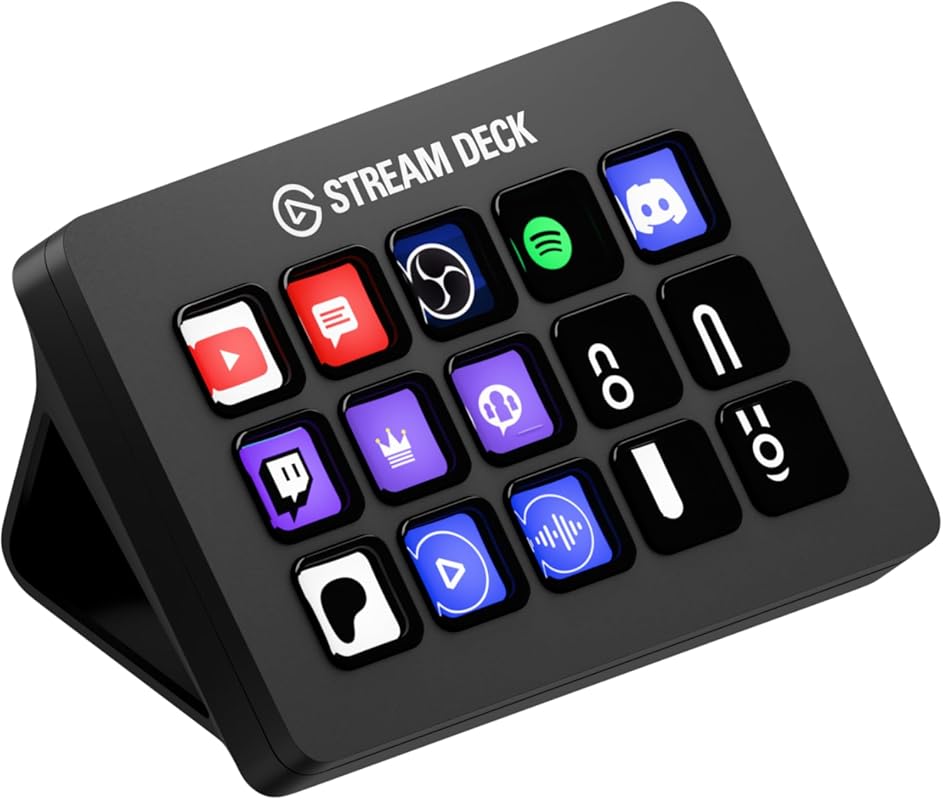
The Elgato Stream Deck MK.2 remains the gold standard for customizable macro control. With 15 programmable LCD keys, it lets you trigger actions like muting your mic, switching scenes in OBS, or posting to social media—all with one press. Its sleek design, responsive buttons, and deep integration with popular platforms make it ideal for both new and experienced streamers. The visual feedback ensures you always know when your command executes.
Key Features That Stand Out
- ✓ 15 Fully Customizable LCD Macro Keys
- ✓ Deep Integration with OBS, Twitch, YouTube, Discord & More
- ✓ Intuitive Software for Easy Setup & Customization
- ✓ Tactile Feedback with Satisfying Button Presses
- ✓ Sleek, Compact Design Perfect for Any Desk
Why We Recommend It
If you’re serious about streaming or content creation, the Stream Deck MK.2 is worth every penny. It offers unmatched reliability, smooth performance, and a vast ecosystem of plugins that expand its capabilities far beyond basic key presses. The build quality is excellent, and the software is constantly updated with new features and improvements.
Best For
Ideal for serious streamers and professionals who need fast, reliable access to critical tools and workflows across multiple platforms.
Pros and Cons
Pros:
- Industry-leading software and plugin support
- Durable construction with premium feel
- Easy drag-and-drop customization
- Works seamlessly with Windows and macOS
Cons:
- Higher price point than alternatives
- Only 15 buttons may not be enough for complex setups
- Requires initial setup time to optimize layout
Customer Reviews
Customer Review: “First Impressions:Right out of the box, the Stream Deck Plus felt solid and well-made. Setting it up was a breeze, and I customized it to fit my needs in no time.”
Customer Review: “The Elgato Stream Deck has completely transformed my daughter’s gaming and streaming setup — and I don’t say that lightly.What immediately stands out is how intuitive and satisfying this device is to use.”
3. Portable 15.6″ FHD USB-C Monitor with Built-in Keyboard & 6000mAh Battery – Compatible with PC, Mac, Phone, RPi5
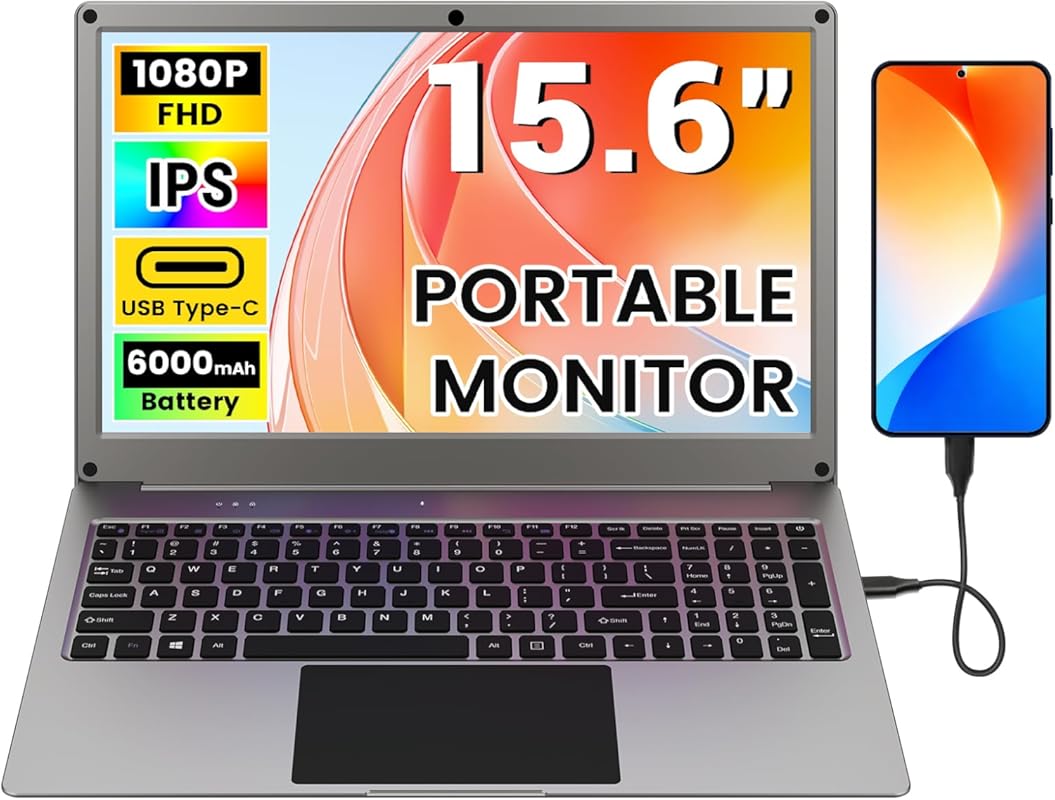
This innovative lapdock doubles as a portable monitor and keyboard, offering incredible versatility for travelers, remote workers, and digital nomads. Beyond being a Stream Deck alternative, it turns your smartphone into a laptop-like experience with a full QWERTY keyboard and crisp 15.6-inch FHD display. Powered by a built-in 6000mAh battery, it’s perfect for on-the-go productivity.
Key Features That Stand Out
- ✓ All-in-One Lapdock: Monitor + Keyboard + Battery Power
- ✓ Universal USB-C Connectivity for PCs, Phones, and Raspberry Pi
- ✓ Full HD IPS Display with Multi-Gesture Touchpad
- ✓ Transform Smartphones Into Productive Laptops
- ✓ Lightweight and Ultra-Portable Design
Why We Recommend It
While not a traditional macro pad, this device serves as an excellent alternative to Stream Deck by expanding your workspace wherever you go. It’s especially useful if you frequently work from different locations or want to repurpose old phones into mini-computers. The combination of display, input, and power makes it uniquely versatile.
Best For
Great for remote workers, students, and anyone needing a portable workstation that goes beyond simple shortcut keys.
Pros and Cons
Pros:
- Incredibly versatile—more than just a controller
- Built-in battery allows untethered use
- Works with almost any USB-C device
- Full keyboard improves typing comfort vs touchscreen
Cons:
- Not designed specifically for streaming shortcuts
- Slower response time compared to dedicated macro pads
- Larger footprint reduces portability slightly
Customer Reviews
Customer Review: “I was looking for a light to use when crafting and sculpting as my studio doesn’t have enough lighting in my work area. This lamp is perfect and exactly what I need.”
Customer Review: “I bought an item from Amazon that met my needs perfectly. Portability: It’s highly portable and convenient for use in different situations.”
4. SOOMFON Stream Controller SE – 6 LCD Macro Keys for OBS, Twitch, YouTube Streaming on PC & Mac
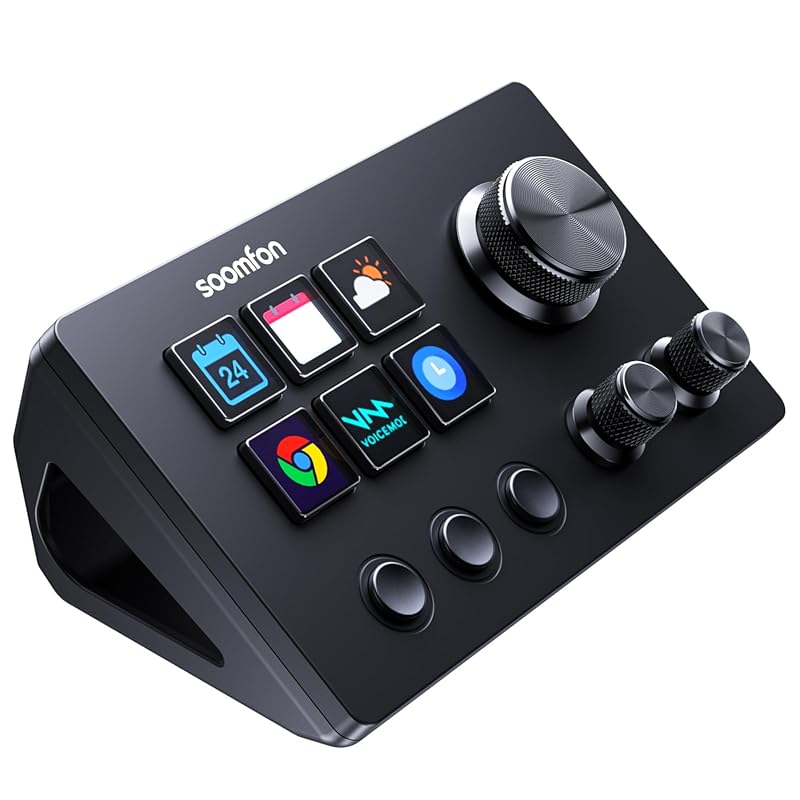
The SOOMFON Stream Controller SE brings six fully customizable LCD buttons to your streaming setup at an affordable price. Designed specifically for OBS, Twitch, and YouTube, it supports one-click app launches, file access, web navigation, and more. Its wide compatibility with Windows and macOS makes it accessible to nearly any streamer looking to simplify their workflow.
Key Features That Stand Out
- ✓ Six Customizable DIY LCD Buttons
- ✓ Wide Software Compatibility (OBS Studio, Twitch, YouTube)
- ✓ Drag-and-Drop Configuration Interface
- ✓ Tactile Controls with Visual Feedback
- ✓ Compact Size Ideal for Small Desks
Why We Recommend It
This controller strikes a great balance between affordability and functionality. While it doesn’t match the feature depth of higher-end models, it gets the job done reliably for small-scale streamers or those testing out macro pads before upgrading. The setup process is straightforward, and the buttons respond quickly without delay.
Best For
Perfect for entry-level streamers or hobbyists who want a simple, no-frills way to enhance their broadcasting experience.
Pros and Cons
Pros:
- Very budget-friendly option
- Easy to set up and use
- Good tactile feedback
- Compact and space-saving
Cons:
- Limited to six buttons—may not suit complex setups
- LCD resolution not as sharp as premium models
- Lacks advanced integrations like voice modulation
Customer Reviews
Customer Review: “First Impressions:Right out of the box, the Stream Deck Plus felt solid and well-made. Setting it up was a breeze, and I customized it to fit my needs in no time.”
Customer Review: “The Elgato Stream Deck has completely transformed my daughter’s gaming and streaming setup — and I don’t say that lightly.”
5. Elgato Stream Deck XL – 32 Advanced LCD Macro Keys for OBS, Twitch, YouTube Workflow Automation on Mac & PC
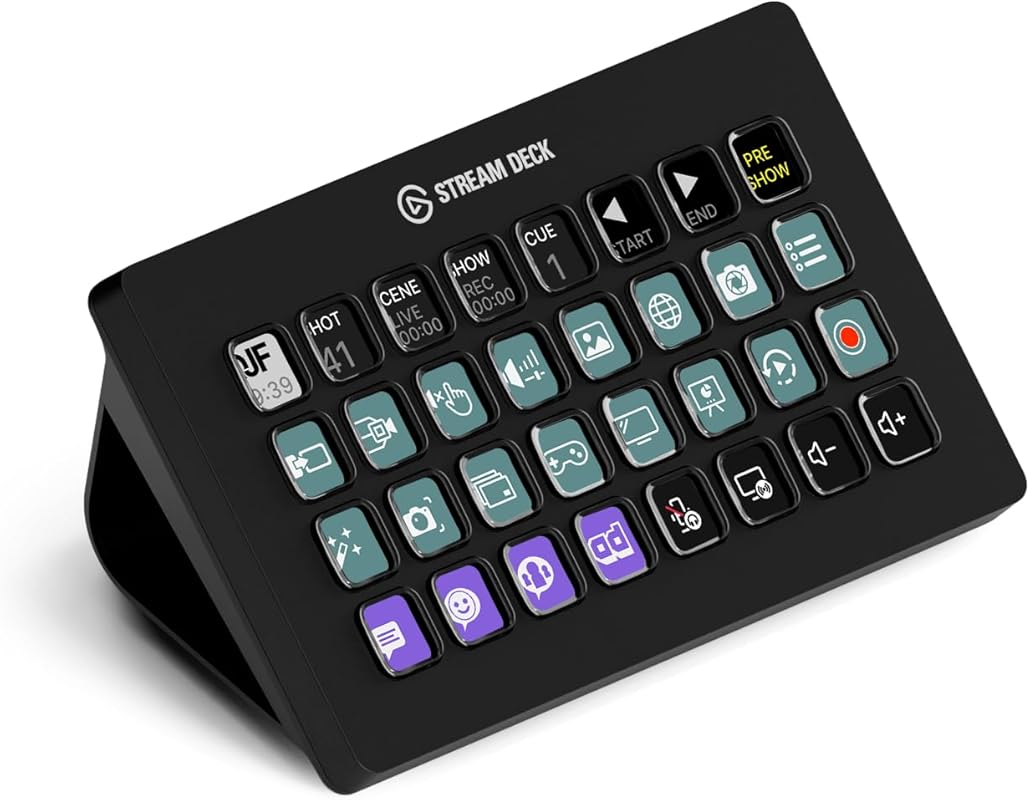
For streamers who demand maximum control, the Elgato Stream Deck XL offers 32 programmable LCD keys—double the capacity of the standard model. This powerhouse supports unlimited actions per key, enabling intricate multi-step workflows for live production, content creation, and automation. Integrated with tools like vMix, Philips Hue, VoiceMod, and more, it’s the ultimate companion for serious creators.
Key Features That Stand Out
- ✓ 32 Fully Customizable LCD Macro Keys
- ✓ Advanced Integrations with vMix, OBS, Philips Hue, and More
- ✓ Multi-Action Triggers for Complex Workflows
- ✓ Smart Profiles for Instant Scene Switching
- ✓ Premium Build Quality with Anti-Slip Base
Why We Recommend It
If budget isn’t a concern and you need every possible button at your disposal, the Stream Deck XL is unmatched. Its massive key count allows you to organize your entire streaming pipeline on one device—from starting polls to adjusting lighting—without ever touching your mouse or keyboard.
Best For
Professional streamers, video producers, and anyone managing multi-platform broadcasts with dozens of simultaneous actions.
Pros and Cons
Pros:
- Massive 32-key layout for ultimate control
- Supports complex chained actions
- Durable aluminum frame feels premium
- Seamless integration with major platforms
Cons:
- Expensive investment
- Large size takes up significant desk space
- Overkill for casual users or small setups
Customer Reviews
Customer Review: “(function(f) {var _np=(window.P._namespace(\””));if(_np.guardFatal){_np.guardFatal(f)(_np);}else{f(_np);}}(function(P) {\nP.when(‘A’, ‘authx-claim-collection-controller’).execute(function(A, controller) {\ncontroller.refreshController();\n});\n}));
Customer Review: “Sign in with your password. To prevent this error, go to your cloud service account (example: Apple ID or Google account) and delete saved passkeys.”
6. Elgato Stream Deck+ – Audio Mixer & Studio Controller with Dials, Touch Strip & LCD Keys for Streaming & Production
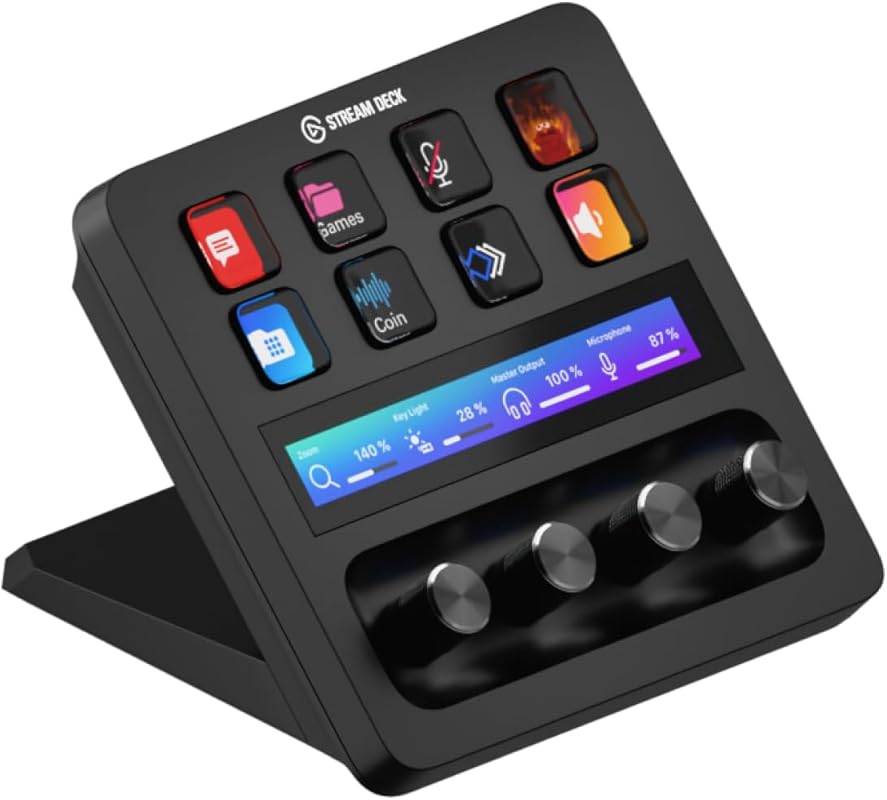
The Stream Deck+ elevates control with added tactile elements: four precision dials for volume and effects, plus a responsive touch strip for scrolling and fine adjustments. Combined with 15 LCD keys, it gives you hands-on audio mixing capabilities alongside traditional macro functions. Ideal for podcasters, musicians, and streamers who need real-time sound control.
Key Features That Stand Out
- ✓ 15 LCD Keys + 4 Precision Dials + Touch Strip
- ✓ Dedicated Audio Mixing Controls
- ✓ Multi-Action Triggers & Smart Profiles
- ✓ Seamless Adobe & Video Editing App Support
- ✓ Visual Feedback on Every Input
Why We Recommend It
What sets the Stream Deck+ apart is its hybrid design—blending classic macro keys with analog controls that feel natural under your fingertips. The dials are perfect for tweaking EQ levels or adjusting master volume during live streams, while the touch strip adds fluidity to timeline scrubbing in video editors.
Best For
Audio professionals, podcasters, and video editors who want tactile control over sound and workflow without reaching for a mouse or keyboard.
Pros and Cons
Pros:
- Unique blend of keys, dials, and touch input
- Excellent for audio-focused workflows
- High-quality build and responsiveness
- Strong Adobe Creative Suite integration
Cons:
- Higher price due to added hardware
- Learning curve to map all controls effectively
- Still only 15 main keys—not for ultra-complex setups
Customer Reviews
Customer Review: “First Impressions:Right out of the box, the Stream Deck Plus felt solid and well-made. Setting it up was a breeze, and I customized it to fit my needs in no time.”
Customer Review: “The Elgato Stream Deck has completely transformed my daughter’s gaming and streaming setup — and I don’t say that lightly.”
7. Elgato Stream Deck + White – LCD Keys, Dials & Touch Strip for Adobe Premiere, Photoshop, DaVinci Resolve Workflow Automation
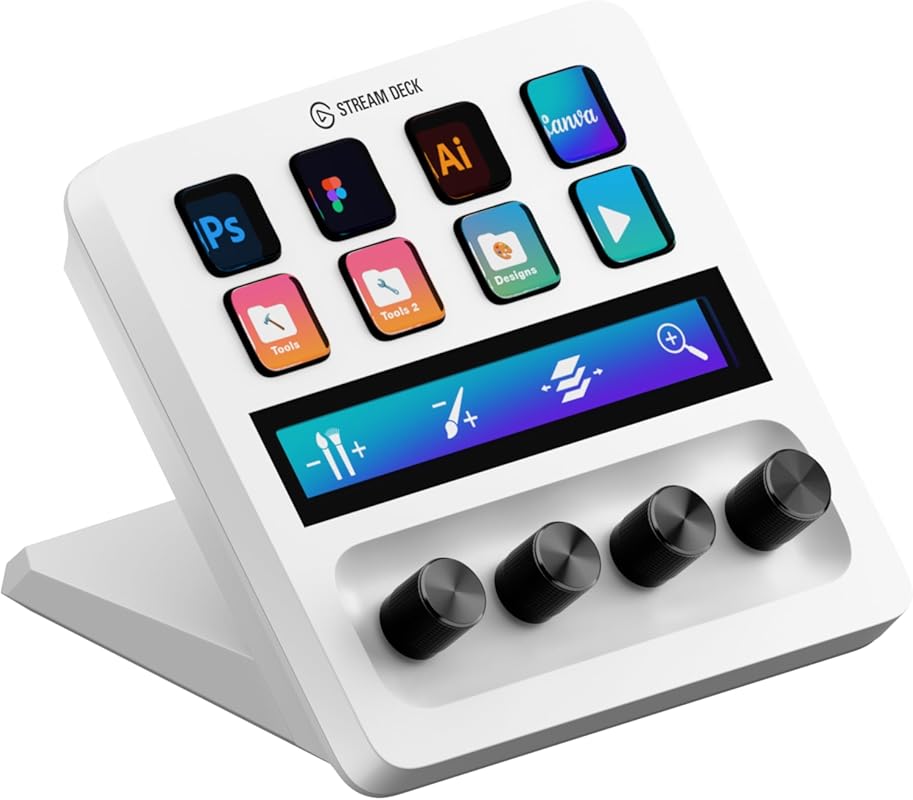
Available in a fresh white finish, this version of the Stream Deck+ retains all the functionality of its predecessor while adding aesthetic appeal. It includes eight LCD keys, four rotary dials, and a responsive touch strip—perfect for creatives using Adobe Premiere Pro, Photoshop, After Effects, Lightroom, and DaVinci Resolve. The clean design fits beautifully into modern studios.
Key Features That Stand Out
- ✓ 8 LCD Keys + 4 Precision Dials + Touch Strip
- ✓ Optimized for Adobe Creative Cloud Apps
- ✓ Color Grading & Timeline Scrubbing Controls
- ✓ Customizable Icons and Layer Adjustments
- ✓ Sleek White Finish Matches Modern Setups
Why We Recommend It
For designers and video editors, this white edition offers the same powerful tools as the original but with a stylish look that complements professional environments. The dials are especially handy for adjusting opacity, brush sizes, or color wheels directly within Photoshop or Premiere.
Best For
Creative professionals focused on photo editing, video production, and color grading who value both form and function.
Pros and Cons
Pros:
- Beautiful white design enhances workspace aesthetics
- Strong Adobe integration saves countless clicks
- Dials provide precise control over creative tools
- Same reliable performance as standard model
Cons:
- More expensive than black version
- Fewer total keys (8 vs 15) limits scope
- White surface shows fingerprints easily
Customer Reviews
Customer Review: “First Impressions:Right out of the box, the Stream Deck Plus felt solid and well-made. Setting it up was a breeze, and I customized it to fit my needs in no time.”
Customer Review: “The Elgato Stream Deck has completely transformed my daughter’s gaming and streaming setup — and I don’t say that lightly.”
8. UBeesize 12″ Ring Light with Stand & Phone Holder – Adjustable Studio Light for Photography, Zoom, YouTube, TikTok, Live Streaming
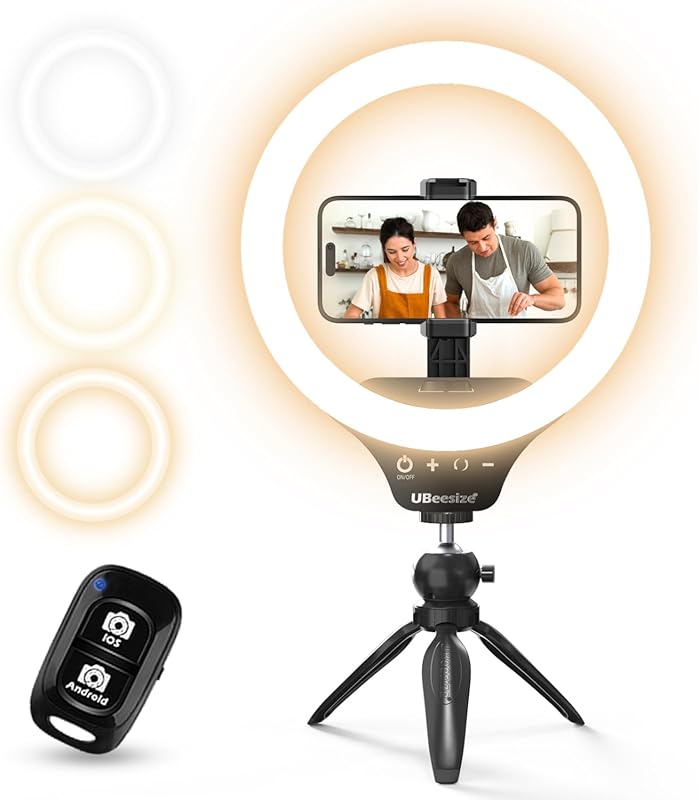
Though not a macro pad, this ring light indirectly enhances your Stream Deck experience by improving video quality during streams. With three color temperatures and ten brightness levels, it eliminates shadows and flat lighting—critical for professional-looking broadcasts. The adjustable stand and universal phone holder make it ideal for YouTubers, TikTok creators, and Zoom hosts.
Key Features That Stand Out
- ✓ 12-Inch Dimmable Ring Light with Touch Controls
- ✓ Three Color Temperatures: Warm, Cool, Daylight
- ✓ Sturdy Tripod Stand with Pocket-Sized Design
- ✓ Universal Phone Holder Accommodates Most Devices
- ✓ USB-Powered for Plug-and-Play Use
Why We Recommend It
A great lighting accessory complements any streaming setup, and this ring light delivers bright, flattering illumination at a reasonable price. When paired with a Stream Deck alternative, it ensures your audience sees you clearly—boosting engagement and professionalism.
Best For
Content creators who prioritize video quality and need consistent, adjustable lighting for home studios or mobile setups.
Pros and Cons
Pros:
- Bright, shadow-free illumination
- Easy touch controls for quick adjustments
- Compact tripod enhances portability
- Works with phones, tablets, and cameras
Cons:
- Doesn’t perform macro functions
- Light stand may wobble on uneven surfaces
- No Bluetooth or app connectivity
Customer Reviews
Customer Review: “I was looking for a light to use when crafting and sculpting as my studio doesn’t have enough lighting in my work area. This lamp is perfect and exactly what I need.”
Customer Review: “I bought an item from Amazon that met my needs perfectly. Portability: It’s highly portable and convenient for use in different situations.”
9. Best Alternatives to Stream Deck for Streamlining Your Workflow Product

This product appears to be a curated guide or bundle highlighting various Stream Deck alternatives—ideal for shoppers overwhelmed by options. While details are sparse, such resources often include comparison charts, setup tips, and affiliate links to top-rated devices. They serve as a helpful starting point before investing in a specific model.
Key Features That Stand Out
- ✓ Curated List of Top Controllers
- ✓ Side-by-Side Feature Comparisons
- ✓ Expert Buying Tips and Setup Guidance
- ✓ Affiliate Links to Verified Products
- ✓ Updated Regularly with New Releases
Why We Recommend It
If you’re unsure which alternative suits you best, this guide simplifies decision-making by breaking down pros, cons, and use cases. It removes guesswork and helps you choose based on actual user experiences and technical specs.
Best For
Beginners or indecisive buyers who benefit from structured recommendations rather than researching individually.
Pros and Cons
Pros:
- Saves time by consolidating research
- Reduces risk of buying the wrong device
- Often includes exclusive discounts
- Educational content improves long-term satisfaction
Cons:
- May contain biased affiliate links
- Less personalized than hands-on testing
- Updates depend on publisher schedule
Customer Reviews
Customer Review: “The Amazon Business Prime American Express Card is a strong option for small businesses that frequently make purchases from Amazon and its associated businesses, offering enhanced rewards and financing options for eligible Prime members with no annual fee.”
Customer Review: “Excellent card to use, easy, user friendly and points are a great benefit!”
10. Elgato Stream Deck MK.2 White – 15 Macro Keys for OBS, Twitch, YouTube on Mac & PC
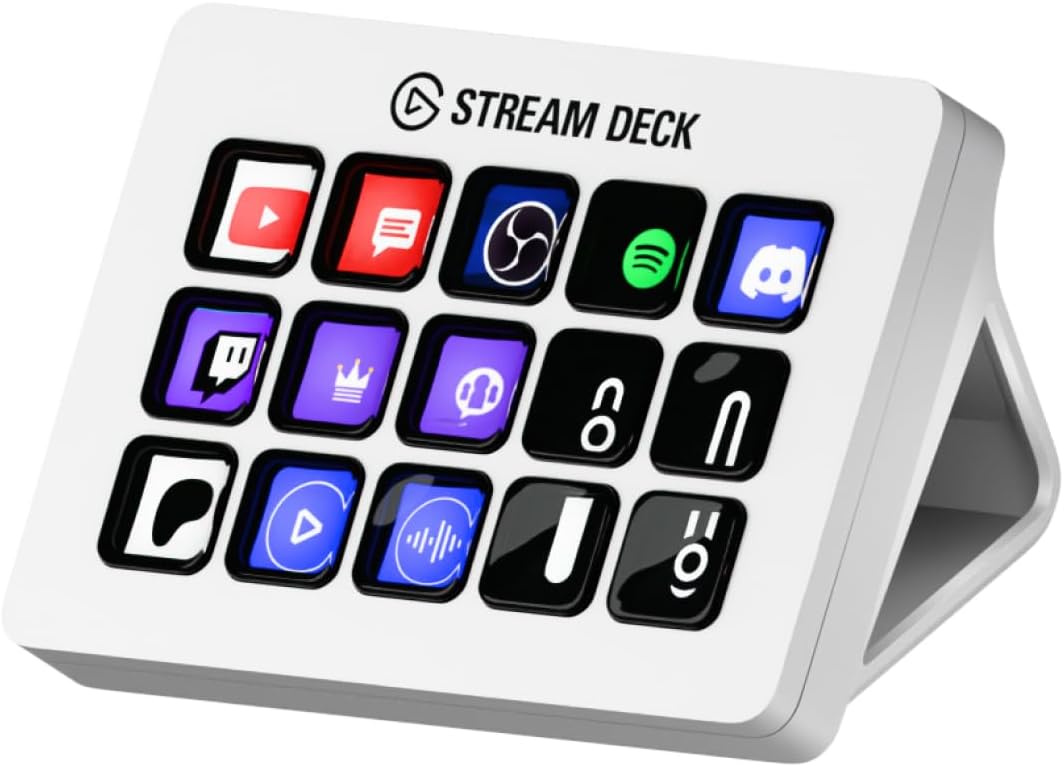
The white variant of the beloved Stream Deck MK.2 brings the same reliability and functionality in a clean, modern aesthetic. Featuring 15 programmable LCD keys, it enables instant control over OBS scenes, audio settings, social posts, and more. Its plug-and-play design works flawlessly with Windows and macOS, making it a favorite among streamers who value both performance and style.
Key Features That Stand Out
- ✓ 15 Customizable LCD Macro Keys
- ✓ One-Touch Operation for Multiple Actions
- ✓ Visual Confirmation of Executed Commands
- ✓ Sleek White Finish Complements Any Setup
- ✓ Robust Software Integration with Major Platforms
Why We Recommend It
This white edition proves you don’t have to compromise on looks to get top-tier performance. It performs identically to the standard model but adds a fresh visual element that elevates your desk’s overall design. The buttons remain responsive, and the software continues to receive regular updates.
Best For
Streamers and creators who want the proven benefits of Stream Deck MK.2 with a contemporary, minimalist appearance.
Pros and Cons
Pros:
- Same trusted performance as original
- Attractive white color scheme
- Easy setup and broad platform support
- Solid build quality and durability
Cons:
- Higher price than non-Elgato alternatives
- White surface shows smudges and dust
- No additional features over black version
Customer Reviews
Customer Review: “(function(f) {var _np=(window.P._namespace(\””));if(_np.guardFatal){_np.guardFatal(f)(_np);}else{f(_np);}}(function(P) {\nP.when(‘A’, ‘authx-claim-collection-controller’).execute(function(A, controller) {\ncontroller.refreshController();\n});\n}));
Customer Review: “Sign in with your password. To prevent this error, go to your cloud service account (example: Apple ID or Google account) and delete saved passkeys.”
Complete Buying Guide for Best Alternatives To Stream Deck For Streamlining Your Workflow
Essential Factors We Consider
When evaluating Stream Deck alternatives, we focus on several core criteria: number and quality of programmable keys, software compatibility, ease of setup, build durability, and integration with popular platforms like OBS, Twitch, and Adobe Creative Cloud. Additional considerations include price-to-value ratio, customer support, and community plugin availability. A good alternative should simplify repetitive tasks without requiring technical expertise.
Budget Planning
Entry-level options like the SOOMFON Stream Controller start around $50, while mid-range models such as the Elgato MK.2 hover near $150. High-end choices like the Stream Deck XL or + variants exceed $300. Determine how many keys you truly need—casual users may thrive with six-button models, whereas professionals require 15+ keys. Don’t forget to factor in potential future upgrades or accessories like mounts or cables.
Final Thoughts
Finding the best alternative to Stream Deck depends entirely on your workflow demands and budget. Whether you prioritize affordability, advanced audio controls, or sheer key count, there’s a solution here for everyone. Remember, the ideal device should reduce friction in your daily routine, whether you’re streaming gameplay, editing videos, or managing smart home gadgets. Test different layouts virtually before committing, and lean into ecosystems with strong plugin communities for maximum flexibility.
Frequently Asked Questions
Q: Are there free software options to replace Stream Deck?
A: Yes! Tools like AutoHotkey (Windows) or Keyboard Maestro (macOS) allow you to create custom hotkeys and macros without hardware. However, they lack visual feedback and one-touch simplicity, so they’re better suited for advanced users comfortable with scripting.
Q: Can I use multiple macro pads together?
A: Absolutely. Many Stream Deck alternatives support cascading configurations, letting you stack devices side-by-side. Just ensure your software recognizes each unit separately—most modern controllers handle this automatically through USB hubs or daisy-chaining.
Q: Do these work with Linux systems?
A: Some do, but compatibility varies. Always check manufacturer specifications before purchasing. Open-source projects like OpenDeck offer cross-platform support for DIY solutions, though official software may be limited.
Q: How do I clean my macro pad safely?
A: Use a soft, slightly damp cloth with isopropyl alcohol (70% or less). Avoid spraying liquid directly onto buttons. For LCD screens, gently wipe with a microfiber cloth—never abrasive materials that could scratch the surface.
Q: Is there a learning curve to programming macros?
A: Most modern controllers use drag-and-drop interfaces similar to smartphone apps. Initial setup takes 10–15 minutes, but mastering advanced features like conditional logic or layered profiles may take days or weeks depending on complexity.
In conclusion, whether you’re a budding streamer or a seasoned content creator, investing in a quality alternative to Stream Deck can dramatically improve your efficiency and professionalism. From budget picks like the SOOMFON Controller to premium models like the Elgato Stream Deck+, each option brings unique strengths tailored to different needs. Pair your chosen device with proper lighting—like the UBeesize Ring Light—and leverage smart workflows to maximize impact. Ready to upgrade your setup? Click through our top recommendations above and find the perfect fit today. And if you’re exploring other productivity-boosting gadgets, don’t miss our guides on best programmable thermostats and lighted mirrors for makeup to complete your optimized workspace.