How to Reset Mpg on a Toyota Highlander
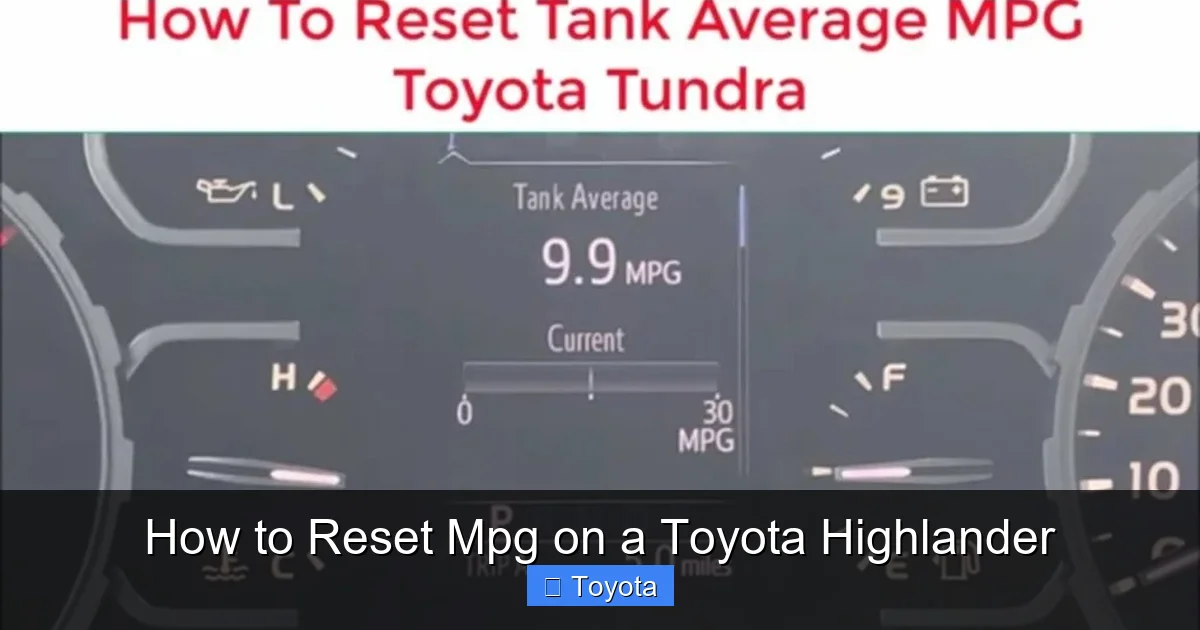
Resetting your Toyota Highlander’s MPG display allows you to track fuel efficiency accurately and monitor driving habits. Follow these straightforward steps tailored to your model year to recalibrate the system. Regular resets ensure reliable data for optimizing performance and saving fuel costs.
Key Takeaways
- MPG Reset Purpose: Helps track fuel efficiency and driving habits by recalibrating the vehicle’s metrics.
- Model-Specific Methods: Different Highlander generations (2010-2019 vs. 2020+) use distinct reset procedures.
- Step-by-Step Process: Locate the reset button or menu, follow instructions, and confirm success via dashboard display.
- Troubleshooting: Address common issues like unresponsive systems or inconsistent readings with simple checks.
- Maintenance Benefits: Regular resets improve data accuracy, aiding in fuel-saving strategies and vehicle upkeep.
- Owner’s Manual Guidance: Always consult your manual for model-specific instructions and safety precautions.
📑 Table of Contents
Understanding MPG Reset: Why and When to Reset
When you reset MPG on a Toyota Highlander, you’re essentially telling the vehicle’s computer to start a new fuel efficiency calculation cycle. This process is crucial for getting accurate data, especially after maintenance, repairs, or when you want to track your driving habits over time. Over time, accumulated driving data can skew the displayed MPG, making it less reliable for gauging your vehicle’s performance.
What is MPG Reset?
The MPG (miles per gallon) display in your Highlander’s dashboard tracks how efficiently your vehicle uses fuel. Resetting it clears the previous data and starts fresh. This is different from the trip odometer reset, which only tracks distance traveled. MPG reset ensures the system recalculates based on new driving conditions.
Common Scenarios for Resetting
You might need to reset your MPG:
- After an oil change or maintenance: New filters or fluids can affect engine efficiency.
- Post-repair: Fixing issues like a faulty sensor or tire alignment can improve fuel economy.
- Seasonal tracking: Monitor efficiency changes due to weather or driving patterns.
- New driver or route: Track performance after switching driving habits or routes.
Benefits of Resetting Regularly
Regular resets help you:
- Identify trends in fuel consumption.
- Evaluate the impact of driving techniques or vehicle adjustments.
- Ensure the system isn’t stuck in “limp mode” or displaying outdated data.
Different Methods Based on Toyota Highlander Model Years
Toyota Highlander models vary in their instrument cluster designs and reset procedures. Knowing your model year’s specific steps ensures a smooth process.
Visual guide about How to Reset Mpg on a Toyota Highlander
Image source: thecarhow.com
2010-2019 Models
Older Highlanders typically feature a simpler dashboard interface. To reset MPG:
- Park your vehicle and turn off the engine.
- Turn the ignition back on (do not start the engine).
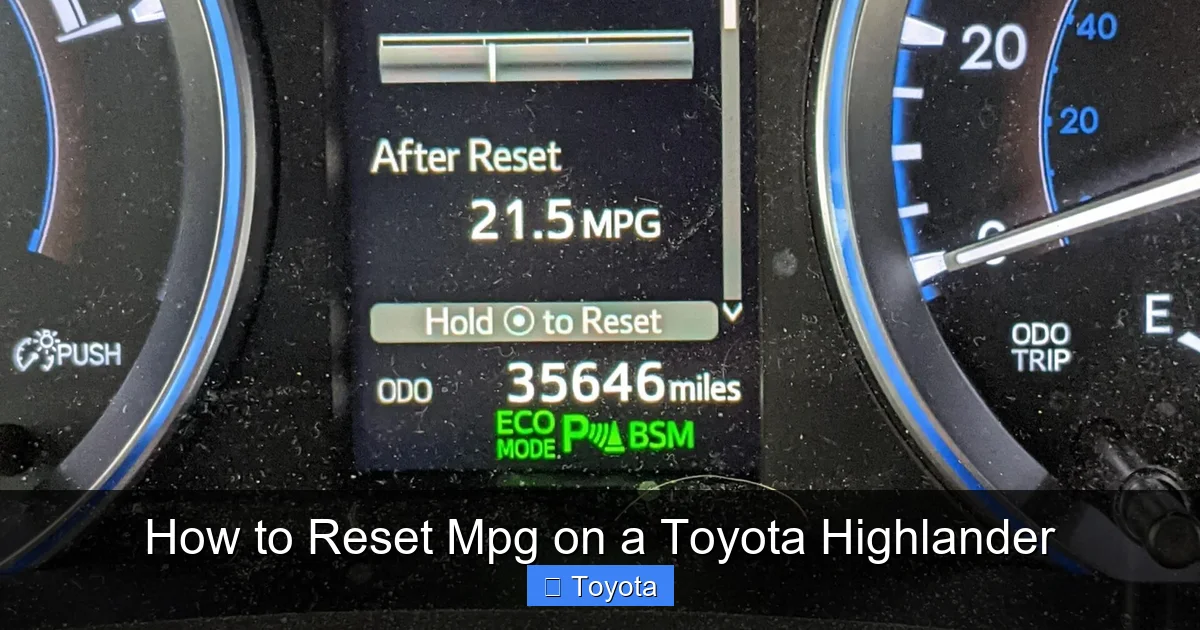
- Press and hold the RESET button on the instrument cluster until the MPG display clears.
- Confirm the reset by starting the engine and observing the new MPG reading.
2020-Present Models
Newer Highlanders with touchscreen displays require a slightly different approach:
- Navigate to the Settings menu on the infotainment screen.
- Select Vehicle or Driving Info.
- Choose Reset Trip Data or similar option.
- Follow prompts to confirm the reset.
Checking Your Owner’s Manual
Always refer to your Toyota Highlander owner’s manual for model-specific instructions. Some trims or packages may have unique features affecting the reset process. If you’ve misplaced your manual, Toyota’s official website offers digital versions.
Step-by-Step Guide to Resetting MPG
Here’s a universal method applicable to most Highlander models:

Visual guide about How to Reset Mpg on a Toyota Highlander
Image source: i.ytimg.com
For Models with Touch Screen Display
- Turn off the vehicle. Press the brake pedal and shift to PARK.
- Turn the ignition to “ON” without starting the engine.
- Open the infotainment menu. Look for Settings or Vehicle Settings.
- Navigate to Trip Information. Select options like Trip A or Trip B.
- Reset the metrics. Choose to clear all data or reset the MPG display.
- Restart the engine. The new MPG should appear once the system recalibrates.
For Models with Physical Buttons
- Turn off the engine. Use the ignition to access the dashboard without starting the car.
- Locate the trip reset button. Often found near the speedometer or steering column.
- Press and hold the button. The MPG display should flash or reset within 5-10 seconds.
- Confirm success. Start the engine and check the MPG reading for a fresh count.
Using the Steering Wheel Controls
Some Highlanders allow steering wheel button shortcuts:
- Press the Menu button on the steering wheel.
- Navigate to Settings using the scroll wheel.
- Select Reset Trip Data and confirm.
Troubleshooting Common Issues
If your reset isn’t working, consider these fixes:
Visual guide about How to Reset Mpg on a Toyota Highlander
Image source: slashgear.com
MPG Not Resetting
Possibility: The system may be stuck due to a software glitch. Solution: Turn off the vehicle, wait 5 minutes, then repeat the reset steps. If unresolved, consult a dealer.
Inconsistent Readings
Issue: MPG jumps erratically. Check: Ensure tires are properly inflated, and the engine is running smoothly. A faulty fuel sensor might require professional diagnosis.
When to Visit a Dealer
If resets fail repeatedly or the display malfunctions, visit a Toyota service center. They can diagnose hardware/software issues affecting the instrument cluster.
Tips for Maintaining Accurate MPG Readings
To keep your MPG data reliable:
Regular Maintenance
Follow the Toyota service schedule. Clean or replace air filters, and ensure tires are properly inflated. This improves engine efficiency and MPG accuracy.
Driving Habits
Adopt fuel-efficient practices like gradual acceleration and maintaining steady speeds. Avoid aggressive braking, which can skew MPG calculations.
Using the Reset Function with Other Metrics
Combine MPG resets with other metrics like range estimates or eco-driving scores for a holistic view of efficiency.
Conclusion
Resetting your Toyota Highlander’s MPG is a simple yet powerful tool for managing fuel costs and optimizing vehicle performance. By following model-specific steps and addressing issues promptly, you’ll enjoy accurate data to guide your driving decisions. For more maintenance tips, explore articles like How To Break In A New Car Toyota or How To Calculate Wear And Tear On A Car to enhance your vehicle’s efficiency and longevity.
Frequently Asked Questions
Can I reset MPG without the owner’s manual?
Yes, most Highlander models use similar reset methods. However, always consult your manual for safety and accuracy. If unsure, refer to Toyota’s online resources or contact a dealer.
How often should I reset my MPG?
Reset your MPG after major maintenance, repairs, or seasonally to track changes. You can also reset it monthly to monitor driving habits.
Does resetting MPG affect my vehicle’s performance?
No, resetting MPG only clears display data. It doesn’t alter the vehicle’s mechanical or software functions.
What if my MPG reading is inaccurate?
Check for issues like tire pressure, engine problems, or sensor faults. If the problem persists, consult a mechanic or Toyota service center.
Can I reset multiple trip metrics at once?
Yes, most Highlanders allow resetting Trip A, Trip B, and MPG simultaneously. Follow the dashboard menu instructions carefully.
Will resetting MPG drain my car battery?
No, resetting MPG uses minimal power and won’t affect your battery. It’s a quick process requiring only the ignition to be on.