How to Check Tire Pressure on the Toyota App
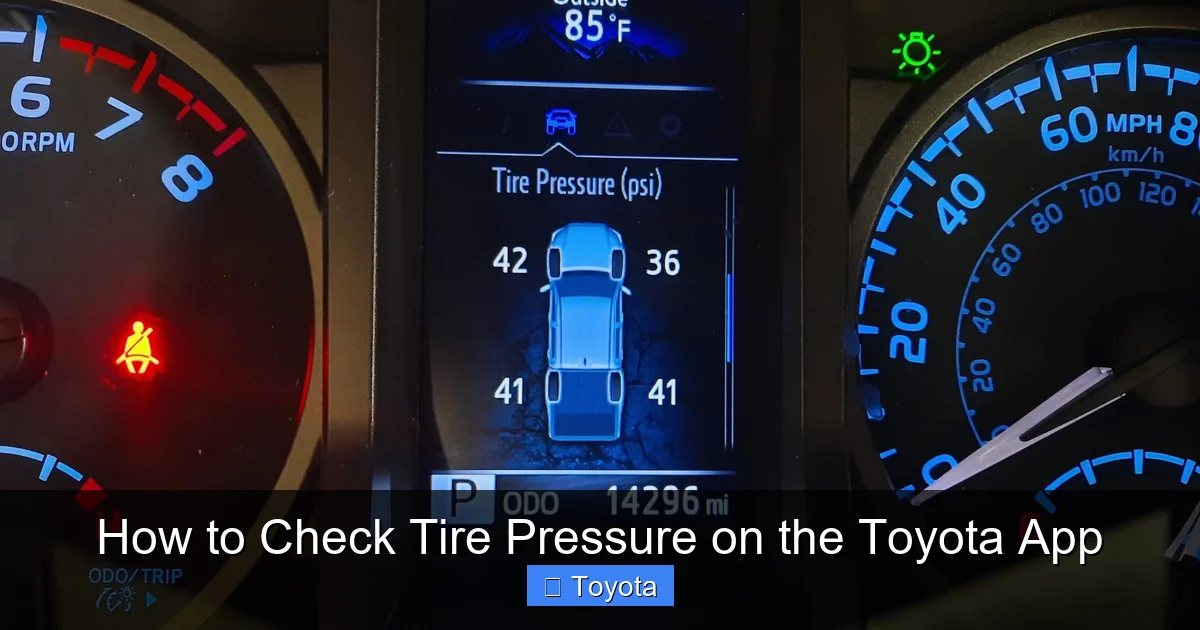
Checking your tire pressure through the Toyota app is a convenient way to stay on top of vehicle maintenance without visiting a gas station. This guide walks you through setting up your Toyota app, accessing tire pressure readings, and understanding what the numbers mean for your safety and fuel efficiency. With proper tire monitoring, you can prevent costly repairs and maintain optimal vehicle performance.
Key Takeaways
- Setup Requirements: Your Toyota must have TPMS and be compatible with the Toyota app for tire pressure monitoring.
- App Navigation: The tire pressure feature is located within the vehicle status or maintenance section of the app.
- Real-time Monitoring: The app provides current tire pressure readings for all four tires plus the spare tire.
- Pressure Alerts: You’ll receive notifications when tire pressure falls below recommended levels.
- Maintenance Tracking: The app logs tire pressure history to help identify patterns and potential issues.
- Safety Benefits: Proper tire pressure improves fuel economy, handling, and reduces accident risk.
- Regular Updates: Check tire pressure monthly and before long trips for optimal vehicle performance.
📑 Table of Contents
- Getting Started with Toyota App Tire Pressure Monitoring
- Downloading and Setting Up the Toyota App
- Navigating to Tire Pressure Information
- Interpreting Tire Pressure Readings
- Responding to Low Tire Pressure Alerts
- Maximizing the Benefits of Toyota App Monitoring
- Troubleshooting Common App Issues
- Advanced Features and Integration
- Maintaining Optimal Tire Performance Year-Round
- Conclusion
Getting Started with Toyota App Tire Pressure Monitoring
Modern Toyota vehicles come equipped with advanced technology that makes car maintenance easier than ever. One of the most useful features available through the Toyota app is the ability to check your tire pressure directly from your smartphone. This eliminates the guesswork and hassle of using traditional tire pressure gauges at gas stations.
Before diving into the process, it’s important to understand that not all Toyota models support this feature. Your vehicle must be equipped with a Tire Pressure Monitoring System (TPMS) and be compatible with Toyota’s connected services. Most newer Toyota models from 2019 onwards have this capability, but checking your owner’s manual or contacting your local Toyota dealer can confirm compatibility.
Compatible Toyota Models and Features
The Toyota app tire pressure monitoring works with various models including Camry, Corolla, RAV4, Highlander, Tacoma, and many others. However, you’ll need an active Toyota Entune or Toyota Connected account to access these features. The system uses sensors mounted inside each wheel to continuously monitor pressure and send data to your vehicle’s computer, which then transmits this information to your smartphone via the app.
Downloading and Setting Up the Toyota App
To check tire pressure on the Toyota app, you first need to download and install the application on your smartphone. The app is available for both iOS and Android devices through their respective app stores. Once downloaded, create an account or sign in if you already have one.
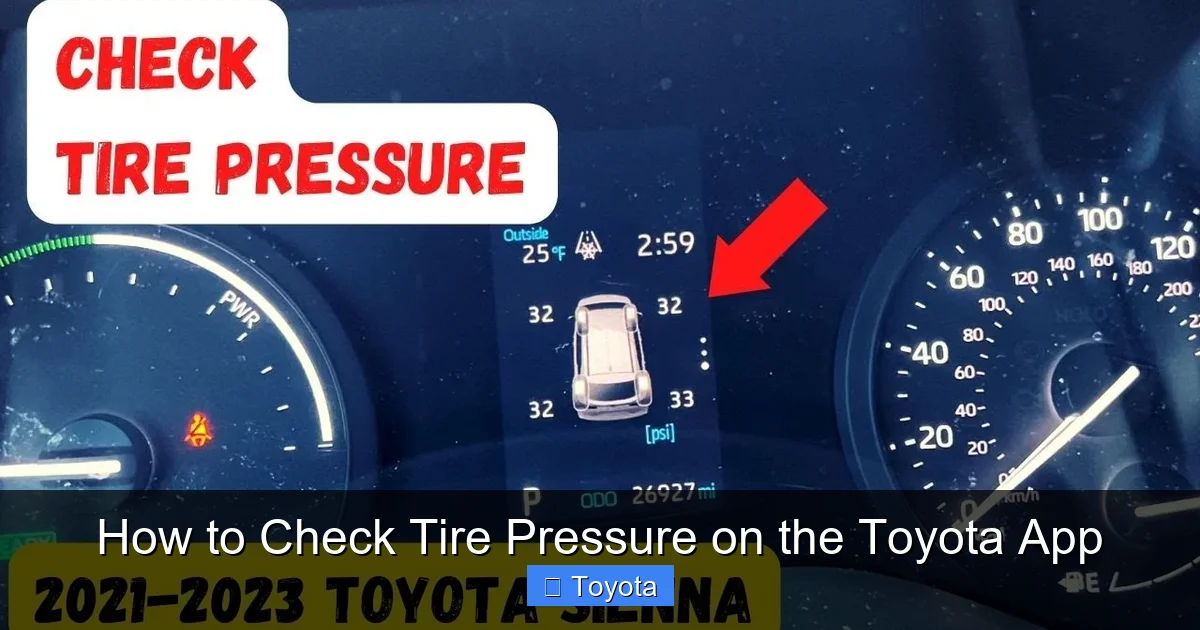
Visual guide about How to Check Tire Pressure on the Toyota App
Image source: i.ytimg.com
Account Registration Process
After installing the app, open it and follow these steps:
- Tap on “Create Account” or “Sign In”
- Enter your personal information including name, email, and password
- Verify your email address through the confirmation link sent to your inbox
- Accept the terms and conditions
- Allow necessary permissions for notifications and vehicle connectivity
If you’re purchasing a new Toyota, the dealership may have already set up your account during the delivery process. In this case, you’ll just need to log in with the credentials they provided.
Adding Your Vehicle to the App
Once logged in, you’ll need to add your Toyota vehicle to the app:
- Select “Add Vehicle” from the main menu
- Enter your Vehicle Identification Number (VIN) – found on your driver’s side door jamb or registration
- Choose your vehicle model from the dropdown list
- Confirm ownership through your Toyota account or dealership verification
- Wait for the system to sync with your vehicle’s onboard computer
This process typically takes a few minutes. If you encounter any issues, ensure your vehicle is parked in an area with good cellular reception and that your phone’s Bluetooth is enabled.
After successfully adding your vehicle, accessing tire pressure readings becomes straightforward. The exact location may vary slightly depending on your app version, but generally follows a similar path across all Toyota models.
Main Menu Navigation
From the app’s home screen, look for one of these options:
- Vehicle Status: Shows overall vehicle health including tire pressure
- Maintenance: Displays scheduled maintenance and current vehicle conditions
- My Vehicle: Central hub for all vehicle-specific information
- Dashboard: Quick view of important vehicle metrics
Tap on the appropriate section to reveal detailed information about your vehicle’s systems. The tire pressure display usually shows as individual tire icons or numerical readings.
Understanding the Tire Pressure Display
The app typically presents tire pressure information in one of two ways:
- Visual Icons: Color-coded indicators showing normal (green), low (yellow), or critical (red) pressure levels
- Numerical Readings: Exact PSI measurements for each tire displayed numerically
Many apps also show recommended tire pressure ranges specific to your vehicle model. This information helps you determine whether your tires need air or if they’re overinflated. The system monitors all four tires plus the spare tire if equipped.
Interpreting Tire Pressure Readings
Understanding what your tire pressure numbers mean is crucial for proper vehicle maintenance. The Toyota app provides real-time data, but knowing how to interpret this information ensures you take appropriate action.
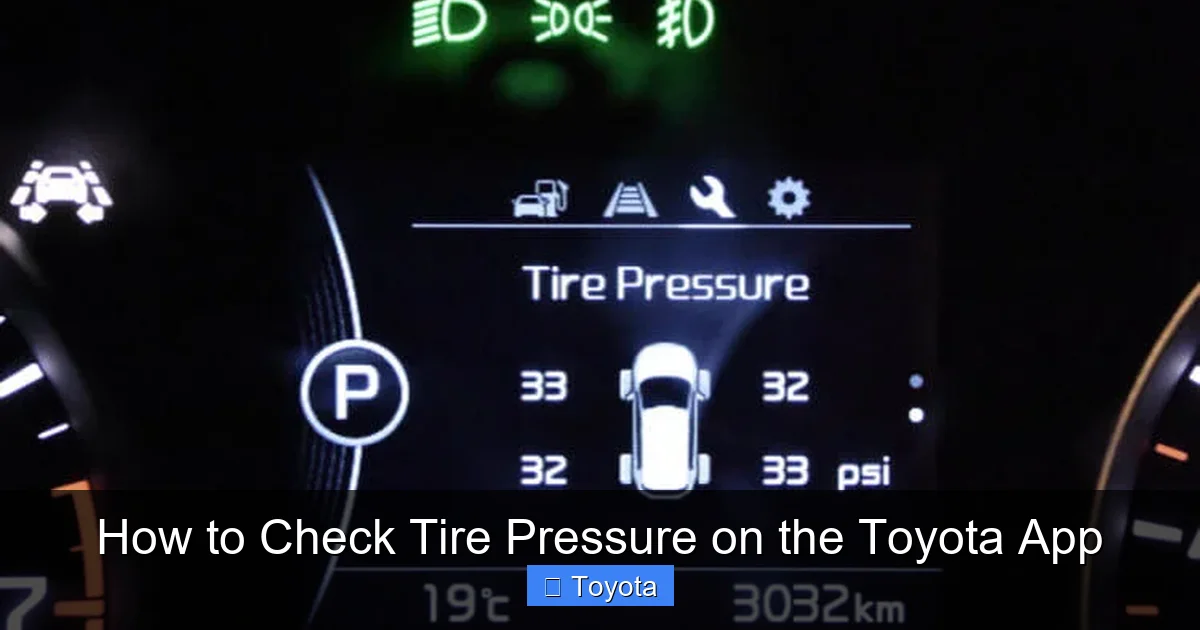
Visual guide about How to Check Tire Pressure on the Toyota App
Image source: 4x4tyres.co.uk
Normal vs. Abnormal Readings
Tire pressure readings typically fall within a specific range based on your vehicle’s specifications. For most Toyota passenger cars, this range is between 32-35 PSI. Light trucks and SUVs may require slightly higher pressure, usually 35-40 PSI. When readings fall below 25% of the recommended pressure, immediate attention is required.
The app will often highlight tires that need attention with warning colors or alert messages. Pay special attention to these notifications, as driving with underinflated tires can cause significant damage to your vehicle and compromise safety.
Temperature Effects on Tire Pressure
It’s important to understand that tire pressure changes with temperature. As temperatures drop, so does tire pressure. This is why many drivers notice low tire pressure warnings during colder months. The Toyota app accounts for temperature variations and provides adjusted recommendations accordingly.
For accurate readings, check tire pressure when tires are cold – meaning the vehicle has been parked for at least three hours or driven less than 2 miles at low speed. This ensures the most accurate baseline measurement for comparison.
Responding to Low Tire Pressure Alerts
When the Toyota app indicates low tire pressure, taking prompt action is essential. Ignoring these warnings can lead to decreased fuel efficiency, uneven tire wear, and potential blowouts.
Finding Recommended Pressure Levels
Your vehicle’s recommended tire pressure can be found in several locations:
- Driver’s side door jamb sticker
- Owner’s manual
- Fuel filler door
- Toyota app vehicle specifications section
These sources provide the manufacturer’s recommended cold tire inflation pressure. Never rely solely on the maximum pressure listed on the tire sidewall, as this is not your vehicle’s optimal pressure.
Adjusting Tire Pressure Safely
If your tires are low, follow these steps to add air:
- Drive to a gas station or tire shop with an air compressor
- Remove the valve cap and attach the air hose securely
- Add air in small increments, checking pressure frequently
- Once at proper pressure, replace valve cap and move to next tire
- Recheck all pressures after driving a short distance
>
Some Toyota dealerships offer free air checks and can help you adjust pressure to exact specifications. This ensures your tires are properly inflated according to Toyota’s recommendations.
Maximizing the Benefits of Toyota App Monitoring
Beyond simply checking current pressure, the Toyota app offers several features that enhance your vehicle maintenance routine. These tools help you stay proactive rather than reactive when it comes to tire care.
Setting Up Custom Alerts
The app allows you to customize how and when you receive tire pressure notifications. You can set alerts for specific pressure thresholds, choose notification methods (push notifications, email, or SMS), and schedule regular check reminders. This personalization ensures you never miss important tire maintenance needs.
Consider setting alerts slightly above the minimum recommended pressure. This gives you a buffer zone and prevents tires from reaching dangerously low levels before notification.
Tracking Tire Pressure History
One of the most valuable features is the ability to track tire pressure trends over time. The app maintains a log of pressure readings, allowing you to identify patterns such as:
- Tires that consistently lose pressure may need replacement or repair
- Seasonal pressure changes in your geographic area
- Performance impacts related to different pressure levels
This historical data proves invaluable when diagnosing tire issues or discussing concerns with your Toyota service advisor.
Troubleshooting Common App Issues
While the Toyota app is generally reliable, you may occasionally encounter connectivity or display issues. Here are common problems and their solutions:
Connection Problems
If the app fails to connect to your vehicle:
- Ensure your phone has cellular data or Wi-Fi connection
- Check that your vehicle is in an area with good signal strength
- Restart both your phone and vehicle’s infotainment system
- Update the app to the latest version available
- Contact Toyota customer support if issues persist
Sometimes the issue lies with your vehicle’s TPMS system itself. If the app shows no tire pressure data despite proper connectivity, schedule a diagnostic appointment with your Toyota dealer.
Inaccurate Readings
Occasional inaccurate readings may occur due to sensor malfunctions or extreme weather conditions. If you suspect incorrect readings:
- Manually check tire pressure with a reliable gauge
- Compare manual readings with app data
- Reset the TPMS system through your vehicle’s menu
- Seek professional diagnosis if discrepancies continue
Remember that manual checks should always supplement, not replace, app monitoring. Having multiple data points ensures accuracy and reliability in your tire maintenance routine.
Advanced Features and Integration
The Toyota app continues evolving with new features that integrate tire pressure monitoring with other vehicle systems. These advanced capabilities provide comprehensive vehicle health insights.
Integration with Other Vehicle Systems
Modern Toyota apps connect tire pressure data with other vehicle diagnostics including:
- Fuel efficiency tracking and optimization suggestions
- Maintenance scheduling based on driving habits and conditions
- Trip planning that considers current tire status
- Weather-based tire pressure recommendations
This integration creates a holistic view of your vehicle’s condition, helping you make informed decisions about maintenance timing and driving behavior.
Sharing Data with Service Centers
Many Toyota service departments can access your vehicle’s tire pressure history through their systems. This information helps technicians diagnose issues more efficiently and provide personalized maintenance recommendations. Before service appointments, consider sharing relevant app data with your service advisor to streamline the process.
The convenience of digital tire pressure monitoring extends beyond personal use. You can share pressure readings with family members who drive your vehicle, ensuring everyone maintains proper tire care standards.
Maintaining Optimal Tire Performance Year-Round
Consistent tire pressure monitoring through the Toyota app helps maintain optimal performance throughout all seasons. Different weather conditions affect tire pressure differently, making regular checks essential.
Seasonal Adjustment Strategies
As temperatures fluctuate throughout the year, adjust your monitoring frequency accordingly:
- Winter: Check pressure weekly due to significant temperature drops
- Spring/Fall: Bi-weekly checks during transitional seasons
- Summer: Monthly checks unless extreme heat is expected
The Toyota app’s temperature compensation features help account for seasonal variations, but manual verification during extreme weather changes remains important.
Long-term Vehicle Health Benefits
Regular tire pressure monitoring through the app contributes to overall vehicle longevity. Properly inflated tires reduce stress on suspension components, improve braking performance, and enhance fuel economy. Over time, these small maintenance actions compound into significant cost savings and improved driving experience.
Consider combining tire pressure checks with other routine maintenance tasks. For example, when checking brake pads or performing other inspections, verify your tire pressure through the app simultaneously. This comprehensive approach keeps your Toyota running smoothly and safely.
Conclusion
Checking tire pressure through the Toyota app represents a significant advancement in vehicle maintenance convenience and safety. By following the steps outlined in this guide, you can easily monitor your tire health from anywhere using your smartphone. Remember to check pressure regularly, respond promptly to alerts, and maintain records through the app’s tracking features.
The investment in understanding your Toyota app’s capabilities pays dividends in improved fuel economy, extended tire life, and enhanced driving safety. Whether you drive a Camry, RAV4, or Tacoma, proper tire pressure management remains crucial for optimal vehicle performance. Start using your Toyota app today to take control of your tire maintenance routine.
Frequently Asked Questions
How often should I check my tire pressure through the Toyota app?
You should check tire pressure monthly through the Toyota app, and always before long road trips. During extreme weather changes, more frequent checks may be necessary as temperature fluctuations significantly impact tire pressure readings.
What if my Toyota app doesn’t show tire pressure readings?
If no readings appear, first verify your vehicle has TPMS capability and that the app is properly connected. Try restarting both your phone and vehicle, then check for app updates. If problems persist, contact your Toyota dealer for TPMS system diagnostics.
Can I rely solely on the Toyota app instead of manual tire pressure checks?
While the Toyota app provides excellent monitoring, manual checks with a reliable gauge remain important for verification. Use the app as your primary monitoring tool, but confirm readings periodically with traditional methods for accuracy.
What is the cost associated with Toyota app tire pressure monitoring?
Tire pressure monitoring through the Toyota app is typically included with your vehicle’s connected services package. Some older models may require subscription activation, while newer vehicles often include this feature at no additional cost.
Does the Toyota app work with aftermarket tires?
The app works with any tires that maintain functioning TPMS sensors. Aftermarket wheels may require sensor transfer or replacement to ensure compatibility. Consult with your tire installer about maintaining TPMS functionality when changing wheels.
How accurate are tire pressure readings from the Toyota app?
App readings are generally very accurate, typically within 1-2 PSI of actual pressure. However, factors like extreme temperatures, sensor age, and signal interference can occasionally affect accuracy. Cross-reference with manual gauges when precision is critical.